





Voicy vs Braina: Which Speech-to-Text App Should You Choose in 2026?
TL;DR
Choose Voicy if you want live dictation plus file upload transcription across Mac, Windows, browser extension, iOS, and Android.
Choose Braina if you want a Windows PC assistant with voice commands, automation, dictation, local AI options, and offline file transcription on the computer.
Best for everyday cross-platform dictation: Voicy. It is the clearer fit for people who dictate into work apps across desktop, browser, and mobile.
Best for Windows PC control: Braina. Its official pages position it as AI assistant, dictation, LLM, and automation software for Windows PC.
Best simple cost over time: Voicy. Voicy is $82/year or $260 lifetime. Braina Pro is listed at $99/year for 1 PC, with higher multi-year tiers.
Privacy read: Voicy is cloud-based. Braina says it stores most data locally, supports offline audio and video transcription on the PC, and can run local AI models, but its privacy policy also covers website/service personal information collection.
If you are comparing Voicy vs Braina, the short answer is this: Voicy is better for modern speech-to-text across Mac, Windows, browser apps, iPhone, and Android. Braina is better if your main setup is a Windows PC and you want a larger assistant product with voice commands, automation, local AI features, and dictation as one part of the tool.
Answer-First Verdict
Voicy and Braina overlap on dictation, but they are not trying to be the same product. Voicy is a focused speech-to-text app for live dictation and file upload transcription across Mac, Windows, browser extension workflows, iOS, and Android. It is cloud-based, has a free trial only, and costs $8.49/month, $82/year, or $260 lifetime.
Braina is broader and more Windows-centered. Brainasoft's official homepage describes Braina as AI assistant, dictation, LLM, automation, voice recognition, and dictation software for Windows PC. The same page says its Android and iOS apps let you interact with your computer by voice over a WiFi network. Its speech-to-text page says Braina Pro can dictate in any software or website on a Windows computer, while its transcription page says audio and video file transcription works locally offline on the computer.
The practical verdict is simple. Choose Voicy if you want one speech-to-text workflow for work writing across devices and apps. Choose Braina if you want a Windows PC assistant where dictation sits alongside voice commands, automation, local AI, media commands, reminders, and other assistant features.

Voicy focuses on live dictation and file upload transcription across desktop, browser, and mobile workflows.
Braina focuses on Windows PC assistant features, voice commands, dictation, automation, LLM tools, and local AI options.
Voicy vs Braina at a Glance
Category | Voicy | Braina | Winner |
|---|---|---|---|
Best for | Professionals who want live dictation and file transcription across work apps, desktop, browser, and mobile. | Windows PC users who want an AI assistant with voice commands, automation, dictation, local AI, and transcription features. | Voicy for focused speech-to-text. Braina for Windows assistant workflows. |
Platforms | Mac, Windows, browser extension, iOS, and Android. | Windows PC software. Official Android and iOS apps act as wireless microphone and remote control companions for the PC. | Voicy for broader platform coverage. |
Live dictation | Yes. Built for live speech-to-text in everyday writing surfaces. | Yes on Windows PC. Brainasoft says Braina Pro can dictate in any software or website. | Tie for Windows. Voicy wins for cross-platform live dictation. |
File transcription | Yes. Voicy supports file upload transcription. | Yes. Brainasoft says Braina can transcribe audio and video files locally offline on the computer, with some Pro requirements for video and extra formats. | Voicy for cloud upload workflow. Braina for offline Windows file transcription. |
Browser workflows | Browser extension support. | Brainasoft says Braina can dictate in websites, but I did not find a browser extension positioned as the workflow. | Voicy. |
Mac support | Yes. | No Mac desktop app support found in checked official Braina PC pages. | Voicy. |
Mobile support | iOS and Android apps are part of the Voicy platform coverage. | Android and iOS companion apps are described as wireless microphone and remote control apps for Braina on a Windows PC. | Voicy for standalone mobile speech-to-text coverage. |
Voice commands and automation | Voicy is focused on dictation and transcription. | Official pages highlight voice commands, custom commands, hotkeys, keyboard automation, mouse automation, reminders, media control, and file/program opening. | Braina. |
AI assistant scope | Focused speech-to-text product. | Broader assistant product with LLM interface, local AI model support, LocalLibrary RAG, text to speech, AI writing, and automation features. | Braina for assistant breadth. Voicy for speech-to-text simplicity. |
Pricing | Free trial only, then $8.49/month, $82/year, or $260 lifetime. | Lite is free but has no dictation feature. Braina Pro is listed at $99/year for 1 PC. Pro Plus is $199 for 2 years on 2 PCs. Pro Ultra is $299 for 3 years on 3 PCs. Pro Ultimate is listed at $99.99/month. | Voicy for lower annual dictation pricing. Braina Lite only if you do not need dictation. |
Privacy and processing | Cloud-based transcription. | Brainasoft says Braina stores most data locally, supports offline file transcription on the PC, and can run local AI models. Some features still involve web services, accounts, or internet access. | Braina for local Windows processing options. Voicy for cloud convenience across platforms. |
When Voicy Is the Better Choice
Voicy is the better fit when the job is simple: speak, get text, and keep working. It is built for people who write emails, notes, support replies, documents, CRM updates, browser forms, messages, and longer drafts by voice.
The biggest advantage is platform coverage. Voicy supports Mac, Windows, browser extension workflows, iOS, and Android. That matters if you switch between a laptop, a browser app, and a phone during the same workday.
Voicy is stronger for daily writing across devices
Choose Voicy if your workflow includes:
Dictating on Mac and Windows.
Using speech-to-text inside browser apps.
Moving between desktop and mobile devices.
Uploading audio files for transcription.
Choosing a focused dictation tool instead of a broad PC assistant.
Trying the product before paying.
Braina can dictate on Windows and has a large feature set, but that breadth can be more than you need if your goal is just to turn speech into clean text across everyday apps.
When Braina Is the Better Choice
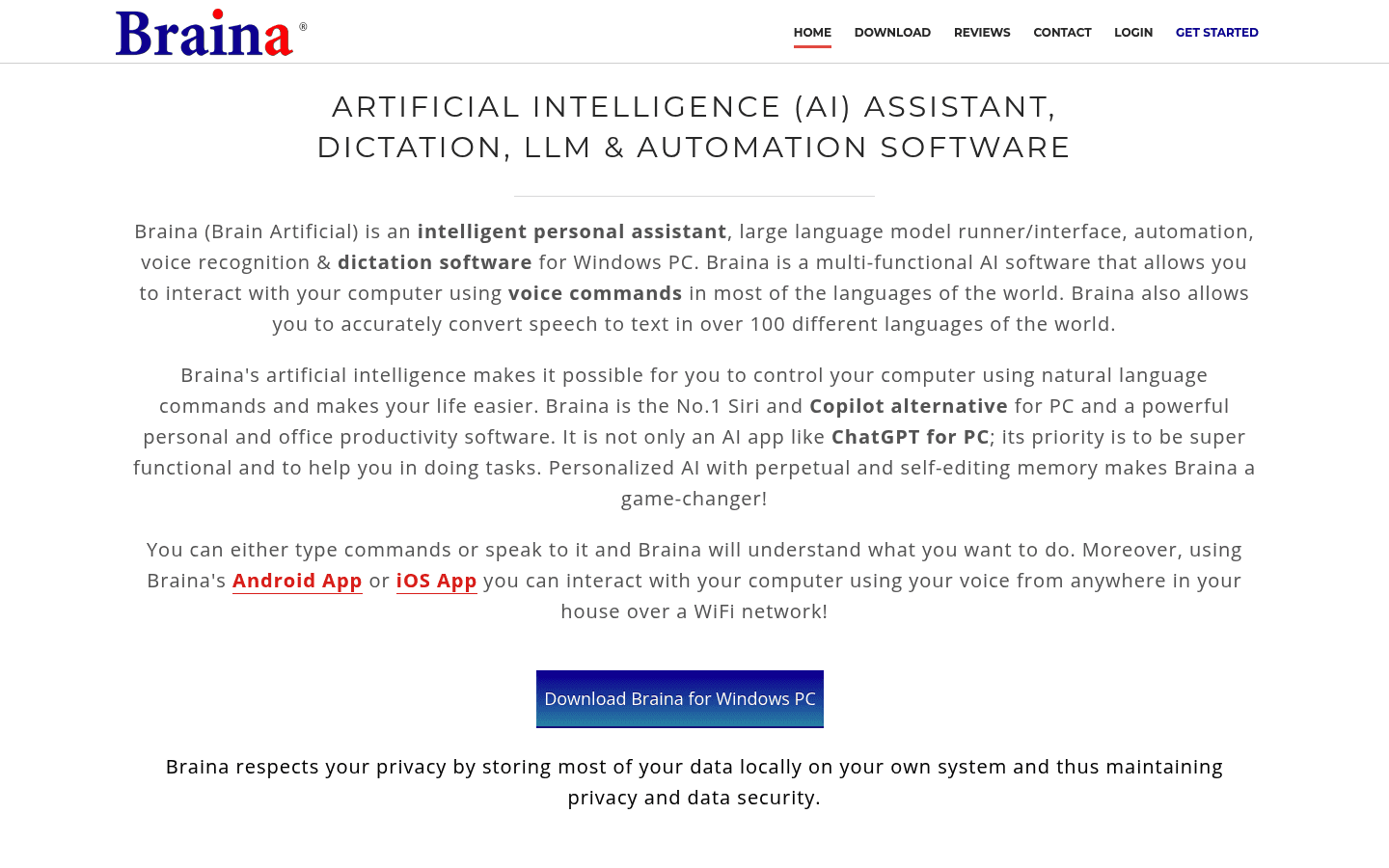
Braina is the better fit when your work revolves around a Windows PC and you want voice control beyond dictation. Its official pages describe commands for opening programs, searching files, controlling windows, creating reminders, playing songs and videos, automating keystrokes, using text to speech, running local AI models, chatting with documents, and using LLMs through Braina.
Braina also has a specific local-processing angle. Its homepage says Braina stores most data locally. Its local AI page is positioned around running language models on your own computer. Its transcription page says audio and video transcription can work locally offline on your Windows PC. That is a meaningful difference if you are comfortable staying inside a Windows desktop workflow.
Choose Braina if you want:
A Windows-first voice assistant.
Dictation plus PC control and automation.
Offline audio file transcription on your own computer.
Local AI model options.
Custom commands, hotkeys, and keyboard automation.
An Android or iOS phone used as a wireless microphone for the PC.
The tradeoff is that Braina is not positioned as the same cross-platform speech-to-text layer as Voicy. The official product center is the Windows PC app, with mobile apps acting as companions to control that PC.
Pricing and Cost Over Time
Voicy has a free trial only. After that, it costs $8.49/month, $82/year, or $260 lifetime.
Brainasoft's pricing page listed Braina Lite as free, but the same table says Lite has no dictation feature. For dictation, Braina Pro was listed at $99 for 1 year on 1 Windows PC. Pro Plus was listed at $199 for 2 years on 2 PCs. Pro Ultra was listed at $299 for 3 years on 3 PCs. Pro Ultimate was listed at $99.99/month.
Cost over 1, 3, and 5 years
Scenario | Voicy | Braina | Winner |
|---|---|---|---|
Free access | Free trial only. | Lite is free, but Brainasoft's pricing table says Lite has no dictation feature. | Braina Lite for non-dictation assistant features. Voicy if you need to trial dictation. |
Monthly paid access | $8.49/month, or $101.88 over 12 months. | Pro Ultimate is listed at $99.99/month. Core Pro dictation is listed as yearly, not monthly, on the checked pricing page. | Voicy. |
Annual paid plan for 1 year | $82/year. | Braina Pro is listed at $99/year for 1 Windows PC. | Voicy saves $17 in year one. |
Annual paid plan for 3 years | $246 over 3 years. | $297 if renewing Braina Pro annually for 3 years, or $299 for Pro Ultra for 3 years on 3 PCs. | Voicy saves about $51 against annual Braina Pro renewal. |
Annual paid plan for 5 years | $410 over 5 years. | $495 if renewing Braina Pro annually for 5 years. | Voicy saves $85 against annual Braina Pro renewal. |
Lifetime or long-term option | $260 lifetime. | No Braina lifetime license was listed in the checked pricing table. | Voicy if you want one long-term speech-to-text purchase. |
Pure annual price favors Voicy for dictation. Braina can still be the better value if you specifically need its Windows assistant, automation, local AI, and PC-control features. The right comparison is not only price. It is whether you want a focused speech-to-text app or a larger Windows assistant suite.
Privacy, Cloud, and Local Processing
Voicy is cloud-based. That is part of the product tradeoff: you get live dictation and file upload transcription across Mac, Windows, browser extension workflows, iOS, and Android, but it is not a local-only transcription product.
Braina has stronger local-processing language in its official product pages. Brainasoft says Braina stores most data locally on your own system. It also says Braina can run language models locally on your computer and that audio and video file transcription can work locally offline on the PC. The pricing page also lists an internet connection as required for some features, which matters because Braina includes online AI, web search, accounts, and advanced AI features too.
The privacy policy I checked is broader than the product copy. It says Brainasoft may collect information about website use, registration, transactions, subscriptions, and other information, and may use personal information to administer the website, enable access to services, handle financial transactions, send marketing communications, and display relevant ads. That policy is not the same thing as a detailed per-feature transcription processing statement.
So the privacy decision is nuanced. Choose Voicy if cloud-based transcription is acceptable and cross-platform convenience matters more. Choose Braina if you want Windows PC local-processing options, especially offline file transcription and local AI models, while still reviewing which Braina features require internet access or an account.
User Proof and Community Discussion
Braina has public proof on its official reviews page, but it should be read carefully. Brainasoft publishes press quotes and user testimonials, and the page says "The crowd rates us 5 out of 5." Because this is a vendor-controlled page, I treated those quotes as useful product context, not as an independent review benchmark.
The Google Play listing for Braina PC Remote Voice Control showed a public mobile-app rating when checked, but that rating is for the Android companion app, not the full Windows PC product. The listing describes the Android app as a way to turn an Android device into a wireless microphone and remote control for a Windows PC running Braina.
For community research, search around your exact workflow: "Braina Windows dictation," "Braina offline transcription," "Braina Android microphone PC," "Braina local AI models," "Voicy Windows dictation," "Voicy browser extension dictation," and "Voicy file transcription." Avoid deciding from a single forum post, app-store review, or vendor quote.
Decision Guide
Choose Voicy if:
You need live dictation in everyday writing surfaces.
You want file upload transcription as well as live speech-to-text.
You use Mac, Windows, browser apps, iOS, and Android.
You want a browser extension workflow.
You prefer a focused speech-to-text app over a broad assistant suite.
You want a free trial before paying.
You want the option of a $260 lifetime plan.
Choose Braina if:
Your main setup is a Windows PC.
You want dictation plus voice commands and automation.
You want offline audio or video file transcription on your own computer.
You want to experiment with local AI models on your PC.
You want a phone to act as a wireless microphone or remote for the PC.
You are comfortable with a broader assistant product instead of a focused dictation product.
You do not need Mac desktop support or standalone mobile speech-to-text coverage.
Bottom Line
Voicy is the better pick for people who want a clean speech-to-text workflow across work apps, desktop, browser, and mobile. It is easier to recommend when the core need is dictation and file transcription, especially across more than one platform.
Braina is the better pick for Windows PC users who want more than dictation. It combines speech-to-text with voice commands, automation, local AI options, offline file transcription, and assistant features. That makes it broader than Voicy, but also less focused if all you want is fast everyday speech-to-text across devices.
FAQs
Is Voicy better than Braina?
Voicy is better if you need live dictation, file upload transcription, browser extension support, Mac support, Android support, iOS support, and a focused speech-to-text workflow. Braina is better if you want a Windows PC assistant with dictation, voice commands, automation, and local AI options.
Is Braina a dictation app?
Braina includes dictation, but it is broader than a dictation-only app. Brainasoft describes Braina as AI assistant, dictation, LLM, automation, voice recognition, and dictation software for Windows PC.
Does Braina work on Mac?
I did not find official Mac desktop app support in the checked Braina PC pages. The official product pages center Braina on Windows PC. If Mac support matters, Voicy is the clearer fit.
Does Braina work on Android and iPhone?
Braina has Android and iOS companion apps, but the official pages describe them as wireless microphone and remote control apps for Braina on a Windows PC. Voicy supports iOS and Android as part of its broader speech-to-text platform coverage.
Can Braina dictate in websites?
Yes. Brainasoft's speech-to-text page says Braina Pro can do speech to text in any software or website on a Windows computer.
Can Braina transcribe files?
Yes. Brainasoft says Braina can transcribe audio and video files locally offline on the computer. The checked transcription page also notes that some features, such as video transcription and output formats beyond text, require the Pro version.
How much does Braina cost?
The checked pricing page listed Braina Lite as free without dictation, Braina Pro at $99 for 1 year on 1 PC, Pro Plus at $199 for 2 years on 2 PCs, Pro Ultra at $299 for 3 years on 3 PCs, and Pro Ultimate at $99.99/month.
How much does Voicy cost?
Voicy has a free trial only. Paid pricing is $8.49/month, $82/year, or $260 lifetime.
Which is cheaper for dictation?
Voicy is cheaper on the checked annual dictation pricing. Voicy is $82/year, while Braina Pro is listed at $99/year for 1 Windows PC. Over three years, Voicy annual costs $246 while Braina Pro annual renewal would cost $297.
Which app is better for privacy?
Braina has stronger local-processing options for Windows PC users because official pages mention local data storage, local AI model support, and offline file transcription. Voicy is cloud-based. Review Braina's privacy policy and feature requirements if you plan to use account-based, web, or advanced AI features.
Which app is better for Windows?
It depends on the job. Choose Voicy if you want focused dictation and transcription across Windows plus other platforms. Choose Braina if you want a Windows PC assistant with voice commands, automation, and local AI features.
Which should I choose for work writing?
Choose Voicy for work writing across apps and devices. Choose Braina if your work writing happens on one Windows PC and you also want assistant features such as commands, automation, and local AI tools.
