




Voicy vs VoiceInk: Which Dictation App Should You Choose in 2026?
TL;DR
Choose Voicy if you want one speech-to-text tool across Mac, Windows, browser extension, iPhone, Android, live dictation, and file upload transcription.
Choose VoiceInk if you are mainly on Apple devices and want local-first dictation with open-source transparency and one-time macOS pricing.
Best everyday pick: Voicy is broader for professionals who work across desktop, browser, and mobile apps.
Best local-first pick: VoiceInk is stronger if your top priority is local processing on Mac, with optional cloud providers only when you choose them.
Cost math: Voicy costs $82/year or $260 lifetime. VoiceInk's public macOS plans are one-time $29, $49, $69, or $199 depending on device count, so VoiceInk has the lower long-term sticker price if its Apple-focused platform coverage fits your workflow.
If you are comparing Voicy vs VoiceInk, the short answer is this: Voicy is better for most people who want speech-to-text everywhere they write. VoiceInk is better for Mac-first users who want local transcription, custom modes, and a lower one-time price.
Answer-First Verdict
Voicy is the better choice if your work moves across devices and writing surfaces. It supports Mac, Windows, browser extension use, iOS, Android, live dictation, and file upload transcription. It is cloud-based, has a free trial, and costs $8.49/month, $82/year, or $260 lifetime.
VoiceInk is the better choice if you mostly dictate on Apple devices and want a local-first setup. Its public site describes VoiceInk as a privacy-focused app for macOS and iOS, with local transcription by default, optional cloud providers, audio and video file transcription, and lifetime macOS plans starting at $29.

Voicy is built for everyday speech-to-text across desktop, browser, mobile, live dictation, and uploaded files.
VoiceInk focuses on local AI dictation for macOS, with iOS availability and optional cloud providers.
Voicy vs VoiceInk at a Glance
Category | Voicy | VoiceInk | Winner |
|---|---|---|---|
Best for | Professionals who want simple dictation and file transcription across many devices and work apps. | Mac-first users who want local-first dictation, custom modes, and one-time pricing. | Voicy for broad daily use. VoiceInk for Apple-local workflows. |
Platforms | Mac, Windows, browser extension, iOS, and Android. | Public site lists macOS and iOS. Pricing language is focused on macOS devices, and the iOS page points to iPhone and iPad. | Voicy, because it covers Windows, Android, and browser extension workflows. |
Live dictation | Yes. Built for live speech-to-text in everyday writing surfaces. | Yes. VoiceInk describes press-to-talk dictation that turns speech into text. | Tie. |
File transcription | Yes. File upload transcription is included alongside live dictation. | Yes. VoiceInk docs say you can queue audio or video files and process them with a selected mode. | Tie. |
Privacy model | Cloud-based transcription. | Local processing by default. Optional cloud transcription and AI enhancement can send data to the provider selected by the user. | VoiceInk for local-first privacy. Voicy for cloud convenience across more platforms. |
Pricing | $8.49/month, $82/year, or $260 lifetime, with a free trial. | One-time macOS plans: $29 Solo, $49 Personal, $69 Extended, and $199 Startup. Pricing page also shows a free trial and 14-day money-back guarantee. | VoiceInk for lowest sticker price. Voicy if the extra platform coverage matters more. |
Setup style | Cloud-based speech-to-text that is simpler across desktop, browser, and mobile workflows. | Local models, modes, word replacements, vocabulary, and optional cloud provider setup. | Voicy for simple cross-platform use. VoiceInk for tinkering and control. |
When Voicy Is the Better Choice
Voicy is the stronger pick when dictation has to follow your whole workday, not just your Mac. Many people write in browser apps, email, docs, chat tools, mobile apps, and forms. They also need to upload recordings later and turn them into text.
That is Voicy's lane. It supports Mac, Windows, browser extension use, iOS, and Android. It also combines live dictation with file upload transcription, so you do not need one app for speaking in the moment and another app for recorded files.
Voicy covers more places where work happens
Choose Voicy if you write across:
Mac and Windows computers.
Browser-based tools like email, docs, dashboards, forms, and CRMs.
iPhone and Android phones.
Live dictation and uploaded audio or video files.
VoiceInk is compelling for Apple-first users, but it does not match Voicy's stated Windows, Android, and browser-extension coverage.
When VoiceInk Is the Better Choice
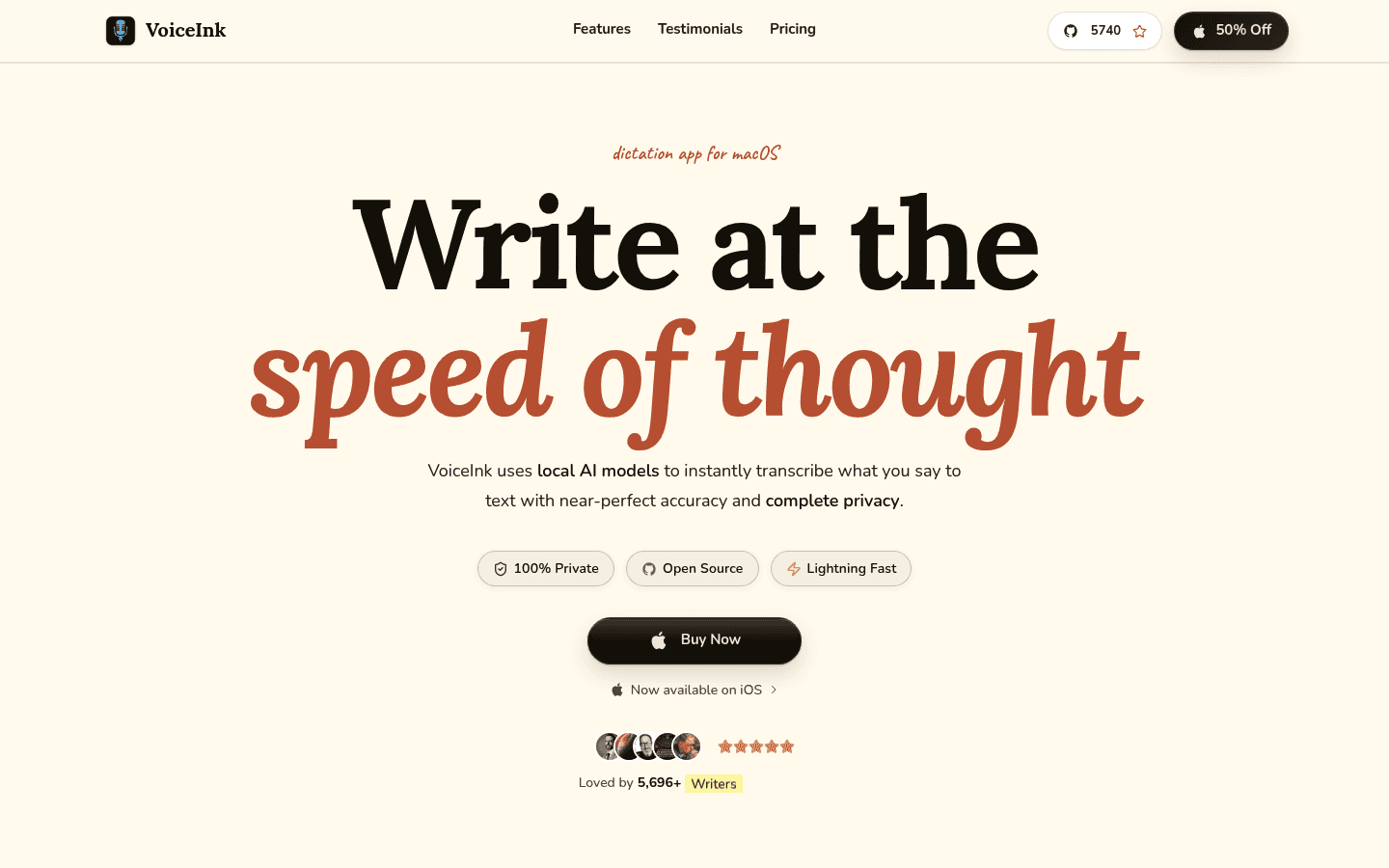
VoiceInk is the better pick if you want local transcription by default. Its privacy policy says all transcription processing happens on your device by default, and no data leaves your computer unless you enable optional cloud services.
VoiceInk also fits people who like a configurable tool. Its docs describe modes, mode triggers, word replacements, vocabulary, audio/video file transcription, local models, and optional cloud providers. That gives you more control, but it also means the product is more Apple-focused and more settings-driven than Voicy.
Choose VoiceInk if you want:
Local-first dictation on macOS.
iPhone and iPad availability from the VoiceInk iOS page.
One-time macOS pricing instead of a subscription.
Custom modes, vocabulary, word replacements, and model choices.
Open-source transparency through the public GitHub repository.
Pricing and Cost Over Time
Voicy costs $8.49 per month, $82 per year, or $260 lifetime. Voicy has a free trial, but it is not a fully free product.
VoiceInk's public pricing page lists lifetime macOS plans: $29 Solo for 1 macOS device, $49 Personal for up to 2 macOS devices, $69 Extended for up to 3 macOS devices, and $199 Startup for up to 10 macOS devices. The same pricing page also mentions a free trial and a 14-day money-back guarantee.
Cost over 1, 3, and 5 years
The cost comparison is simple, but the tradeoff is not. VoiceInk is much cheaper if you only need the covered Apple workflow. Voicy costs more over time, but buys broader device and browser coverage.
Scenario | Voicy | VoiceInk | Winner |
|---|---|---|---|
Monthly plan for 12 months | $101.88 | No public monthly plan found. | VoiceInk if one-time pricing fits. Voicy if you prefer monthly flexibility. |
Annual plan for 1 year | $82 | $29 for Solo lifetime, $49 for Personal lifetime, or $69 for Extended lifetime. | VoiceInk by $13 to $53 versus Voicy annual, depending on macOS device count. |
Annual plan for 3 years | $246 | $29, $49, or $69 one time for the main personal macOS tiers. | VoiceInk by $177 to $217 if its platform coverage is enough. |
Annual plan for 5 years | $410 | $29, $49, or $69 one time for the main personal macOS tiers. | VoiceInk by $341 to $381 if its platform coverage is enough. |
Lifetime plan | $260 | $29, $49, $69, or $199 depending on macOS device count. | VoiceInk on sticker price. Voicy on cross-platform coverage. |
The practical read: VoiceInk wins on upfront price for Mac users. Voicy wins if your writing is not locked to Apple devices and you need a browser extension, Windows, Android, and cloud file transcription in one product.
Privacy and Cloud Processing
This is the clearest product difference. Voicy uses cloud-based transcription. That makes it easier to support a wide range of devices and file workflows, but it is not a local-only tool.
VoiceInk is local-first. Its privacy policy says VoiceInk does not collect or transmit personal data by default, local models store data only on the device, and VoiceInk does not operate cloud servers for user data storage. It also says cloud services are optional and activated when you provide an API key and select a provider.
There is an important nuance. VoiceInk can use cloud transcription and AI enhancement if you opt in. Its policy says cloud transcription sends your audio file to the selected provider, while AI enhancement sends only transcribed text, not audio, to the selected provider. That is still a strong privacy story, but it is not the same as saying every possible VoiceInk workflow is always local-only.
User Proof and Community Discussion
Public proof should be used carefully. Voicy's own site shows public social proof such as a 4.9/5 rating and 10,000+ happy users. That is useful context, but it is not a lab test.
VoiceInk's pricing page shows public proof claims including 200k+ downloads, a 4.9 average rating, and $0/month. Its GitHub repository, release notes, and issue tracker also give buyers a way to inspect development activity and reported issues. Those are useful signals because VoiceInk positions itself around open-source transparency.
Do not over-read individual community posts or testimonials. Use public discussion to decide what to test yourself: first-word capture, Mac permissions, local model speed on your machine, iOS fit, file transcription, cloud provider setup, and whether the app works where you actually write.
Decision Guide
Choose Voicy if:
You need Mac, Windows, browser extension, iOS, and Android support.
You want live dictation plus file upload transcription in one tool.
You write across email, documents, web apps, support tools, notes, and mobile apps.
You are comfortable with cloud-based transcription.
You want a straightforward tool instead of managing local models and providers.
Choose VoiceInk if:
You mainly dictate on Mac, iPhone, or iPad.
Local transcription by default is your top requirement.
You like custom modes, vocabulary, word replacements, and model controls.
You want one-time macOS pricing.
You value open-source transparency and are comfortable with a more technical setup.
Bottom Line
VoiceInk is a strong choice for Apple-first users who care about local processing and low long-term cost. Its public docs make the privacy tradeoff clear: local by default, optional cloud providers when you choose them, and file transcription for existing audio or video.
Voicy is the better fit for most everyday professionals who want dictation wherever they work. If you need Mac, Windows, browser extension, iPhone, Android, live dictation, and file upload transcription in one cloud-based product, Voicy is the cleaner choice.
FAQs
Is Voicy better than VoiceInk?
Voicy is better if you need broad platform support across Mac, Windows, browser extension, iOS, and Android. VoiceInk is better if you mainly work on Apple devices and want local transcription by default.
Does Voicy have a free plan?
Voicy has a free trial, but it is not a fully free product. Its paid plans are $8.49 per month, $82 per year, or $260 lifetime.
How much does VoiceInk cost?
VoiceInk's public pricing page lists one-time macOS plans at $29 for Solo, $49 for Personal, $69 for Extended, and $199 for Startup. It also mentions a free trial and a 14-day money-back guarantee.
Does VoiceInk work on Windows?
VoiceInk's public site and docs focus on macOS and iOS. I did not find a primary-source Windows app claim for VoiceInk, while Voicy supports Windows.
Does VoiceInk work on iPhone?
Yes. VoiceInk has an iOS page that describes an iPhone and iPad app, and the site schema lists iOS as an operating system.
Can Voicy transcribe uploaded files?
Yes. Voicy supports file upload transcription as well as live dictation.
Can VoiceInk transcribe uploaded files?
Yes. VoiceInk's docs say you can queue existing audio or video files and process them through a selected mode.
Which app is better for privacy?
VoiceInk is better for local-first privacy because its public policy says transcription runs on device by default. Voicy is cloud-based, which is better for users who prefer broad cross-platform convenience over local-only processing.
Which app is cheaper over time?
VoiceInk is cheaper on sticker price for supported macOS workflows because its main personal plans are one-time $29, $49, or $69. Voicy costs $82 per year or $260 lifetime, but includes broader platform coverage.
Which app should I choose for browser-based work?
Choose Voicy if you dictate into browser-based apps often. Voicy includes browser extension support, while VoiceInk's public positioning is centered on macOS and iOS.
