





Voicy vs Dragon Professional: Which Speech-to-Text App Should You Choose in 2026?
TL;DR
Choose Voicy if you want live dictation plus file upload transcription across Mac, Windows, browser extension, iOS, and Android.
Choose Dragon Professional if you specifically want a Windows desktop speech recognition product with deep voice commands, custom words, auto-text, and batch transcription features.
Best for everyday cross-device dictation: Voicy. It covers more platforms and has simple public pricing.
Best for Windows power users: Dragon Professional. Nuance positions Dragon Professional v16 for Windows 11, Windows 10, Office 2021, live dictation, and transcription from pre-existing audio files.
Best transparent price: Voicy. It has a free trial only, then $8.49/month, $82/year, or $260 lifetime. The checked official Dragon Professional page routes licensing to "Contact us" instead of showing a public price.
Privacy read: Voicy is cloud-based. Dragon Professional v16 is presented as a Windows desktop product, while Dragon Professional Anywhere is the separate cloud-hosted enterprise product. The checked Dragon Professional page did not provide enough privacy detail to claim local-only processing for every workflow.
If you are comparing Voicy vs Dragon Professional, the practical answer is this: Voicy is the better fit for modern cross-platform dictation and transcription across desktop, browser, and mobile. Dragon Professional is the better fit if your workflow is centered on Windows and you want a mature desktop speech recognition system with advanced commands, vocabularies, and administration options.
Answer-First Verdict
Voicy and Dragon Professional both turn speech into text, but they are built for different buyers. Voicy is a cloud-based dictation and file transcription app for people who want one workflow across Mac, Windows, browser extension, iOS, and Android. It is simple to price: free trial only, then $8.49/month, $82/year, or $260 lifetime.
Dragon Professional v16 is a Windows-focused speech recognition product. Nuance says it is optimized for Windows 11 and Office 2021, backwards-compatible with Windows 10, and built for both front-end live speech-to-text and back-end transcription from pre-existing audio files. Nuance also highlights custom words, commands, auto-texts, macros, volume licensing, and Nuance Management Center for organizations.
That makes the decision clearer than most dictation comparisons. Choose Voicy if you want an easier, broader dictation tool for daily writing and file transcription across devices. Choose Dragon Professional if you are a Windows power user, business, accessibility buyer, or organization that wants Dragon's command depth and management model.

Voicy focuses on live dictation and file upload transcription across desktop, browser, and mobile workflows.
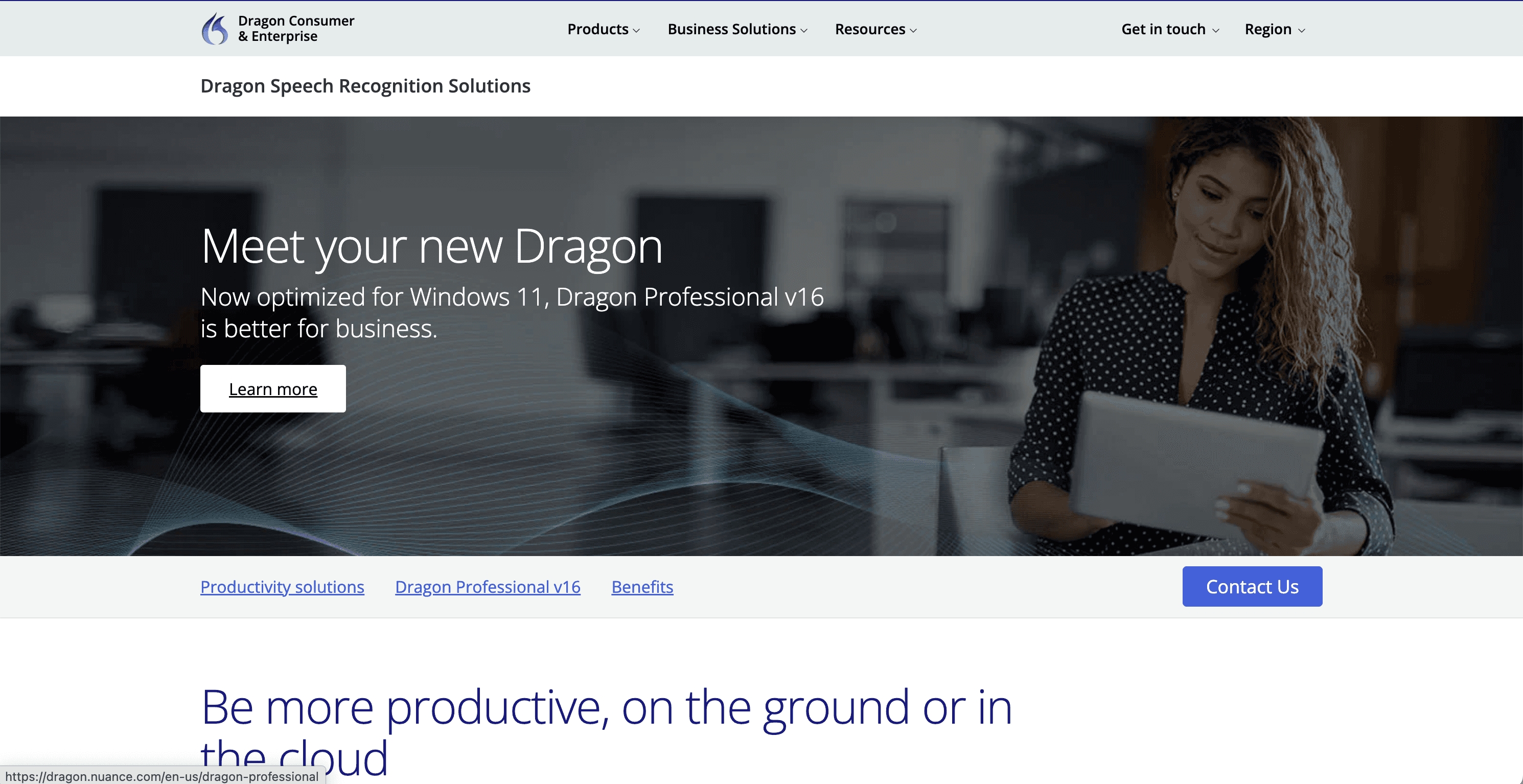
Dragon Professional focuses on Windows speech recognition, customization, administration, and transcription workflows.
Voicy vs Dragon Professional at a Glance
Category | Voicy | Dragon Professional | Winner |
|---|---|---|---|
Best for | Professionals who want live dictation and file upload transcription across desktop, browser, and mobile. | Windows users and organizations that want advanced speech recognition, commands, custom vocabularies, auto-text, and deployment controls. | Voicy for broad daily use. Dragon Professional for Windows power users. |
Platforms | Mac, Windows, browser extension, iOS, and Android. | Dragon Professional v16 is officially presented as Dragon Professional (Windows), optimized for Windows 11 and backwards-compatible with Windows 10. | Voicy for platform coverage. |
Live dictation | Yes. Built for live dictation in everyday writing surfaces. | Yes. Nuance describes front-end live speech-to-text. | Dragon Professional for Windows command depth. Voicy for cross-device convenience. |
File transcription | Yes. Voicy supports file upload transcription. | Yes. Nuance says Dragon can transcribe audio files or voice files of another single speaker, and use Auto Transcribe Folder Agent for batch files. | Dragon Professional for Windows batch transcription. Voicy for simpler cross-platform file upload. |
Browser workflows | Browser extension support. | No standalone browser extension support found in checked official Dragon Professional sources. | Voicy. |
Mobile workflows | iOS and Android included in the same Voicy platform story. | Nuance offers Dragon Anywhere Mobile for iOS and Android as a related professional-grade mobile dictation app, separate from Dragon Professional v16. | Voicy for one simpler product. Dragon if you need the Dragon mobile ecosystem. |
Customization | Focused on everyday dictation and transcription. | Nuance highlights custom words, commands, auto-texts, macros, and shared customizations through management tools. | Dragon Professional. |
Team administration | Not the main reason to choose Voicy from the provided facts. | Nuance highlights volume licensing and Nuance Management Center for deploying, managing, and sharing customizations. | Dragon Professional. |
Pricing clarity | Free trial only, then $8.49/month, $82/year, or $260 lifetime. | The checked official Dragon Professional page uses "Contact us" for licensing and did not show a public dollar price. | Voicy. |
Privacy and processing | Cloud-based. | Dragon Professional v16 is presented as a Windows desktop product. Dragon Professional Anywhere is separately described by Nuance as cloud-hosted. Checked sources were not enough to claim Dragon Professional is local-only in every workflow. | Depends on policy. Voicy is clearer about cloud use; Dragon needs source review for your exact deployment. |
When Voicy Is the Better Choice
Voicy is the better choice when dictation is part of normal daily work across many apps and devices. If you write emails on a Mac, notes on Windows, updates in a browser app, and messages on your phone, Voicy's platform coverage matters more than deep desktop customization.
Voicy is also easier to evaluate. The pricing is public, the trial gives you a way to test the workflow before paying, and the same product story covers live dictation plus file upload transcription.
Voicy is stronger for mixed-device teams
Choose Voicy if your workflow includes:
Mac and Windows users.
Browser-based tools like email, docs, CRM, support desks, and admin systems.
iPhone and Android usage.
Live dictation into everyday writing surfaces.
Uploading saved audio files for transcription.
A pricing decision that does not require a sales quote.
The main tradeoff is processing. Voicy is cloud-based. If your company requires every transcription workflow to be local-only or tied to a Windows desktop deployment, Dragon Professional deserves a closer look.
When Dragon Professional Is the Better Choice
Dragon Professional is the better choice when you want the Dragon desktop speech recognition system specifically. Nuance says Dragon Professional v16 is optimized for Windows 11 and Office 2021, backwards-compatible with Windows 10, and built for both live dictation and transcription from pre-existing audio files.
It is also stronger for power workflows. Nuance highlights custom words, industry-specific terminology, voice commands, auto-text, signatures, macros, batch transcription with Auto Transcribe Folder Agent, and management tools for organizations.
Choose Dragon Professional if you want:
A Windows-first speech recognition product.
Voice commands for editing, navigation, and formatting.
Custom words, commands, auto-text, signatures, and macros.
Batch transcription of audio recordings on Windows.
Volume licensing and management controls.
A product with Microsoft/Nuance support resources for Dragon Professional v16.
The tradeoff is simplicity and reach. The checked official Dragon Professional page does not position it as a single app for Mac, Windows, browser extension, iOS, and Android in the way Voicy is positioned. Nuance has separate Dragon products for mobile and cloud-hosted enterprise workflows.
Pricing and Cost Over Time
Voicy has a free trial only. After that, it costs $8.49/month, $82/year, or $260 lifetime.
The current official Dragon Professional page I checked did not show a public dollar price. It uses a "Contact us" licensing call to action. Because of that, this comparison should not claim a specific Dragon Professional price unless a current official quote or order page is supplied.
Cost over 1, 3, and 5 years
Scenario | Voicy | Dragon Professional | Winner |
|---|---|---|---|
Trial access | Free trial only. | No free trial found in the checked official Dragon Professional page. | Voicy if trial-before-paying matters. |
Published entry price | $8.49 for one month, $82 for one year, or $260 lifetime. | Not published on the checked official Dragon Professional page; licensing CTA says "Contact us." | Voicy for public pricing. |
1 year on annual plan | $82. | Quote required from official source checked. | Voicy for calculable cost. |
3 years on annual plan | $246. | Quote required from official source checked. | Voicy for calculable cost. |
5 years on annual plan | $410. | Quote required from official source checked. | Voicy for calculable cost. |
Voicy lifetime over 5 years | $260 total, equivalent to $52/year over 5 years. | Quote required from official source checked. | Voicy if you want a known long-term cap. |
Break-even threshold | Any Dragon quote above $82 costs more than 1 year of Voicy annual; any quote above $260 costs more than Voicy lifetime. | Use your official quote to compare against $82/year and $260 lifetime. | Depends on Dragon quote and required features. |
The honest pricing read is simple. Voicy is transparent and low-friction. Dragon Professional may still be worth it for Windows users who need its advanced commands, vocabularies, batch transcription, or organizational management, but the official checked page does not support a clean public-price comparison.
Privacy, Cloud, and Local Processing
Voicy is cloud-based. That is important to know before you upload sensitive audio or dictate confidential material. It also explains why Voicy can offer the same general workflow across Mac, Windows, browser extension, iOS, and Android.
Dragon needs a more careful read. The checked official Dragon Professional page presents Dragon Professional v16 as a Windows product. The separate Dragon Professional Anywhere page describes a cloud-hosted enterprise product, hosted on Microsoft Azure, with data encrypted in transit and at rest. That separation suggests Nuance treats desktop Dragon Professional and cloud-hosted Dragon Professional Anywhere as different products.
Still, I would not describe Dragon Professional as "local-only" without reviewing the exact license, version, features, and deployment path you plan to use. Dragon also has related mobile and cloud products, and some workflows may involve synchronization or hosted services. For regulated work, ask Nuance/Microsoft or your reseller for the current data processing terms.
So the practical privacy decision is this: choose Voicy if you are comfortable with cloud-based transcription and want broad device support. Choose Dragon Professional if you need a Windows desktop speech recognition workflow and are prepared to verify the official data handling terms for your deployment.
User Proof and Community Discussion
Dragon has long-running public brand recognition, but this draft avoids unsupported review-sentiment claims. The official Dragon Professional page includes a customer quote from a business founder and website designer with accessibility requirements, but that is vendor-published proof, not an independent review benchmark.
Microsoft Support also has a Dragon Professional learning page with resources for dictation, punctuation, correction, vocabulary, auto-text, voice commands, and transcribing a spoken recording. That supports the idea that Dragon Professional is deep and mature, but it does not prove that it is better for every user.
For community research, search around the exact job you need done: "Dragon Professional v16 Windows 11 dictation," "Dragon Professional batch transcription," "Dragon Professional accessibility," "Dragon Professional Anywhere cloud," "Voicy Windows dictation," "Voicy Android dictation," and "Voicy file transcription." Treat individual forum threads as anecdotes, not as controlled accuracy or reliability data.
Decision Guide
Choose Voicy if:
You want live dictation across everyday apps.
You want file upload transcription too.
You use Mac, Windows, browser apps, iOS, and Android.
You want public pricing and a free trial.
You do not need deep Windows voice-command customization.
You are comfortable with cloud-based processing.
Choose Dragon Professional if:
You mainly work on Windows.
You want advanced voice commands and custom vocabulary.
You need auto-text, signatures, macros, or batch transcription.
You are buying for an organization that wants volume licensing and management tools.
You are willing to contact Nuance/Microsoft or a reseller for current pricing and data terms.
You value Dragon's mature desktop workflow more than broad platform coverage.
Bottom Line
Voicy is the better choice for most people who want a modern dictation and transcription app across devices. It covers Mac, Windows, browser extension, iOS, and Android, supports live dictation plus file upload transcription, and has simple pricing.
Dragon Professional is the better choice for Windows users and organizations that need Dragon's deeper desktop speech recognition features. It is powerful, but it is also more specialized. If you need broad platform coverage and a fast pricing decision, Voicy is the easier pick. If you need advanced Windows command workflows, Dragon Professional is the tool to evaluate.
FAQs
Is Voicy better than Dragon Professional?
Voicy is better if you want cross-platform dictation and file transcription across Mac, Windows, browser extension, iOS, and Android. Dragon Professional is better if you specifically need a Windows desktop speech recognition product with advanced commands, vocabularies, auto-text, macros, and administration options.
Does Dragon Professional work on Mac?
The checked official Dragon Professional page presents Dragon Professional v16 as Dragon Professional (Windows), optimized for Windows 11 and backwards-compatible with Windows 10. I did not find current official Mac support for Dragon Professional v16 in the checked sources.
Does Dragon Professional work on Windows 11?
Yes. Nuance says Dragon Professional v16 is optimized for Windows 11 and Office 2021, and backwards-compatible with Windows 10.
Does Dragon Professional have a browser extension?
I did not find standalone browser extension support in the checked official Dragon Professional sources. Voicy includes browser extension support.
Can Dragon Professional transcribe audio files?
Yes. Nuance says Dragon Professional can transcribe audio files or voice files of another single speaker, and can use Auto Transcribe Folder Agent to transcribe batch files of audio recordings.
Can Voicy transcribe files?
Yes. Voicy supports file upload transcription in addition to live dictation.
How much does Voicy cost?
Voicy has a free trial only. Paid pricing is $8.49/month, $82/year, or $260 lifetime.
How much does Dragon Professional cost?
The checked official Dragon Professional page did not show a public dollar price. It routes licensing through a "Contact us" call to action, so use an official Nuance/Microsoft quote for current pricing.
Is Voicy cloud-based?
Yes. Voicy is cloud-based.
Is Dragon Professional cloud-based?
Dragon Professional v16 is presented as a Windows desktop product. Nuance separately describes Dragon Professional Anywhere as cloud-hosted. The checked Dragon Professional sources were not enough to claim local-only processing for every Dragon Professional workflow.
Which is better for accessibility?
Dragon Professional has official accessibility positioning and deep Windows voice-command workflows. Voicy can still be a strong accessibility option if the priority is simple dictation across Mac, Windows, browser, iOS, and Android. The better choice depends on whether you need Dragon's Windows command depth or Voicy's broader platform coverage.
Which should I choose for work writing?
Choose Voicy for general work writing across devices and apps. Choose Dragon Professional if your work writing is Windows-centered and you need advanced voice commands, custom vocabularies, auto-text, macros, or managed deployment.
