

4.9/5

+2000 utilisateurs satisfaits

+2000 utilisateurs satisfaits

Avis sur le Chrome Web Store

Reconnaissance vocale
dans ChatGPT

Reconnaissance vocale
dans ChatGPT

Logo de ChatGPT/OpenAI
Logo ChatGPT

Extension de dictée vocale sur Chrome pour ChatGPT
3 fois plus rapide que la saisie manuelle
Plus de 99 % de précision pour la reconnaissance vocale dans +50 langues

Plus de 99 % de précision dans 50 langues
3x plus rapide que la saisie d'e-mails au clavier
Ponctuation automatique propulsée par l'IA
Extension Chrome gratuite de dictée vocale

Un GIF de l'extension Chrome Voicy (reconnaissance vocale) utilisé dans ChatGPT pour la dictée vocale d'un prompt
Image of reviewer

Nicholas Cino

Truly amazing extension. Works wonders and is really fast! Reduces time of writing complex emails by about 80%!

Image of reviewer

CL Cobb

I've tried other products like it, and, so far, Voicy is the most user-friendly, and it really improves my workflow.

Image of reviewer

Pam Lang

This is the tool that I was looking for. It is amazing. I've gotten so lazy about typing anywhere. Thank you, thank you, thank you for this product!

Image of reviewer

Steve Moore

Voicy is an absolute game-changer! This voice-to-text extension delivers exceptional accuracy, capturing my words perfectly every time. The speed is impressive.

Image of reviewer

Victor Rodriguez

Almost instant replies from the creator, great support great app!

Image of reviewer

Crystal Willis

I love Voicy!! The extension and the desktop app have saved me so much time. I have tried several different voice-to-text apps. None of them compares to Voicy!

Image of reviewer

Nicholas Cino

Truly amazing extension. Works wonders and is really fast! Reduces time of writing complex emails by about 80%!

Image of reviewer

CL Cobb

I've tried other products like it, and, so far, Voicy is the most user-friendly, and it really improves my workflow.

Image of reviewer

Pam Lang

This is the tool that I was looking for. It is amazing. I've gotten so lazy about typing anywhere. Thank you, thank you, thank you for this product!

Voicy - Speech-to-Text on Every Website | Startup Fame
Image of reviewer

Nicholas Cino

Truly amazing extension. Works wonders and is really fast! Reduces time of writing complex emails by about 80%!

Image of reviewer

CL Cobb

I've tried other products like it, and, so far, Voicy is the most user-friendly, and it really improves my workflow.

Image of reviewer

Pam Lang

This is the tool that I was looking for. It is amazing. I've gotten so lazy about typing anywhere. Thank you, thank you, thank you for this product!

How to use dictation in ChatGPT

Or watch the Youtube video

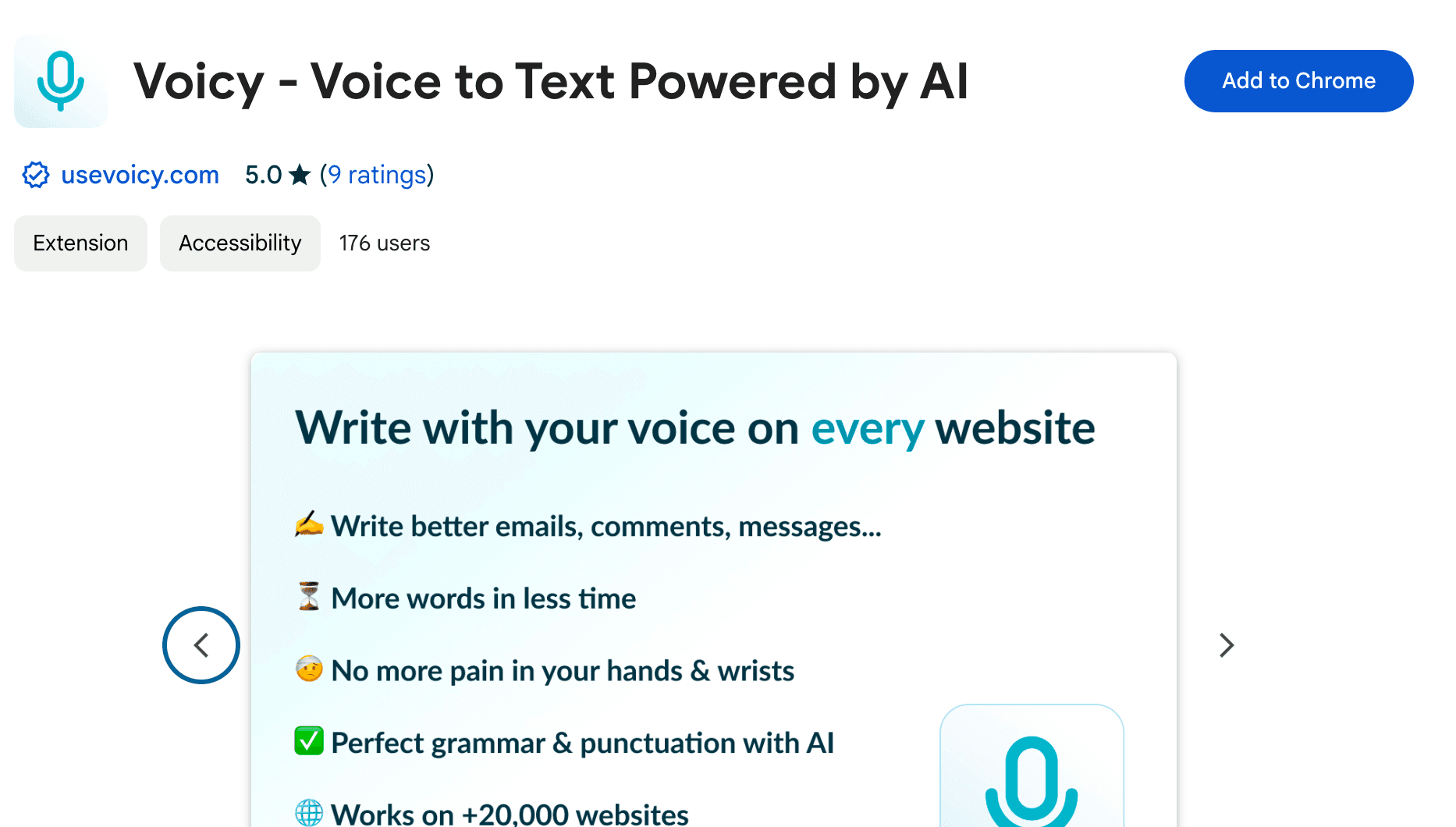
Step 1

Download the Voicy extension here

Voicy is a privacy-focused speech-to-text chrome extension. It adds voice dictation functionality to every text field on the internet and allows you to write with your voice, everywhere, including ChatGPT.

A screenshot of the Voicy Chrome web store page

Step 2

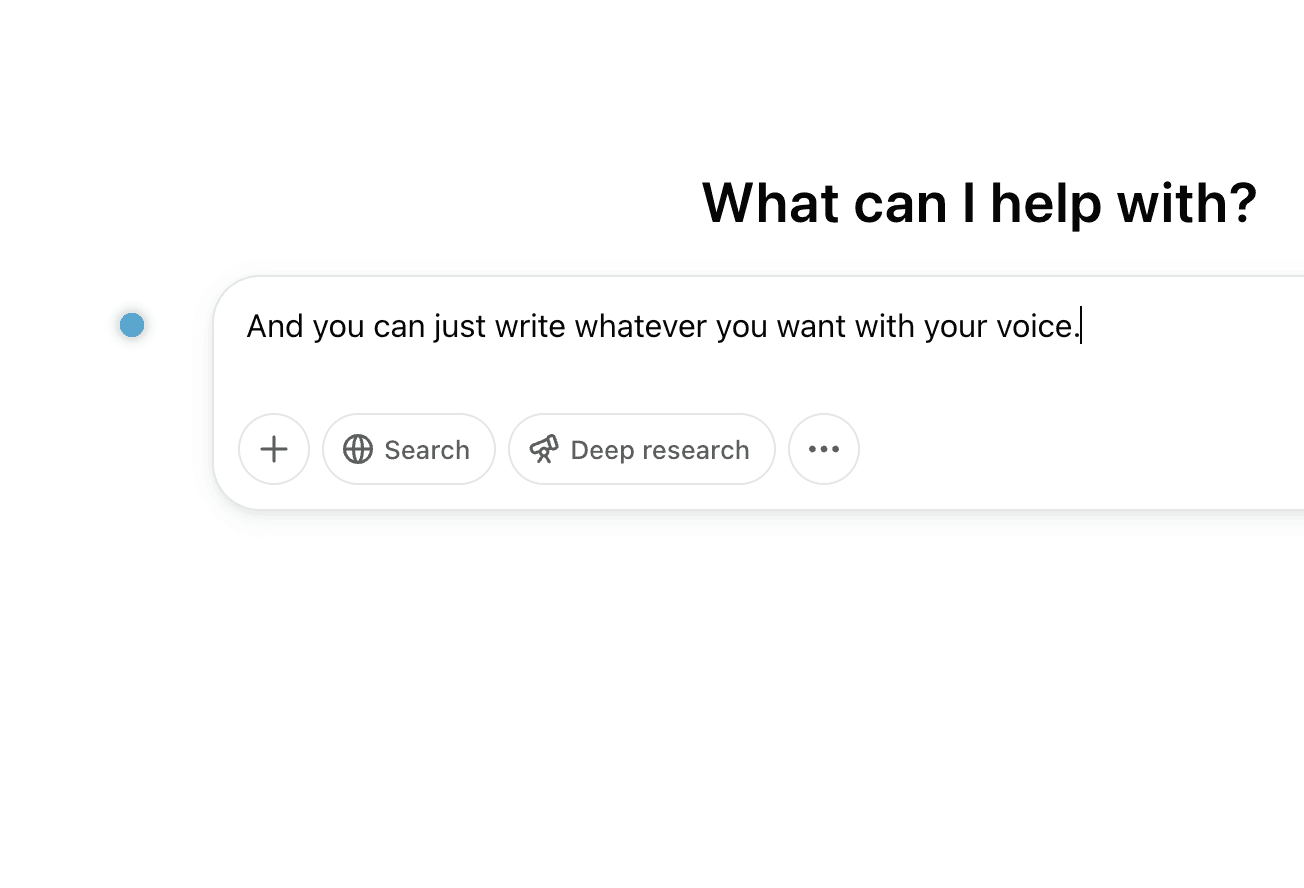
Open a new chat in ChatGPT

The Voicy element will now show up next to your chat input. Hover over the blue dot with your mouse to expand the element. Congratulations, you now have voice to text right inside ChatGPT.

A screenshot of a chat in ChatGPT

Step 3

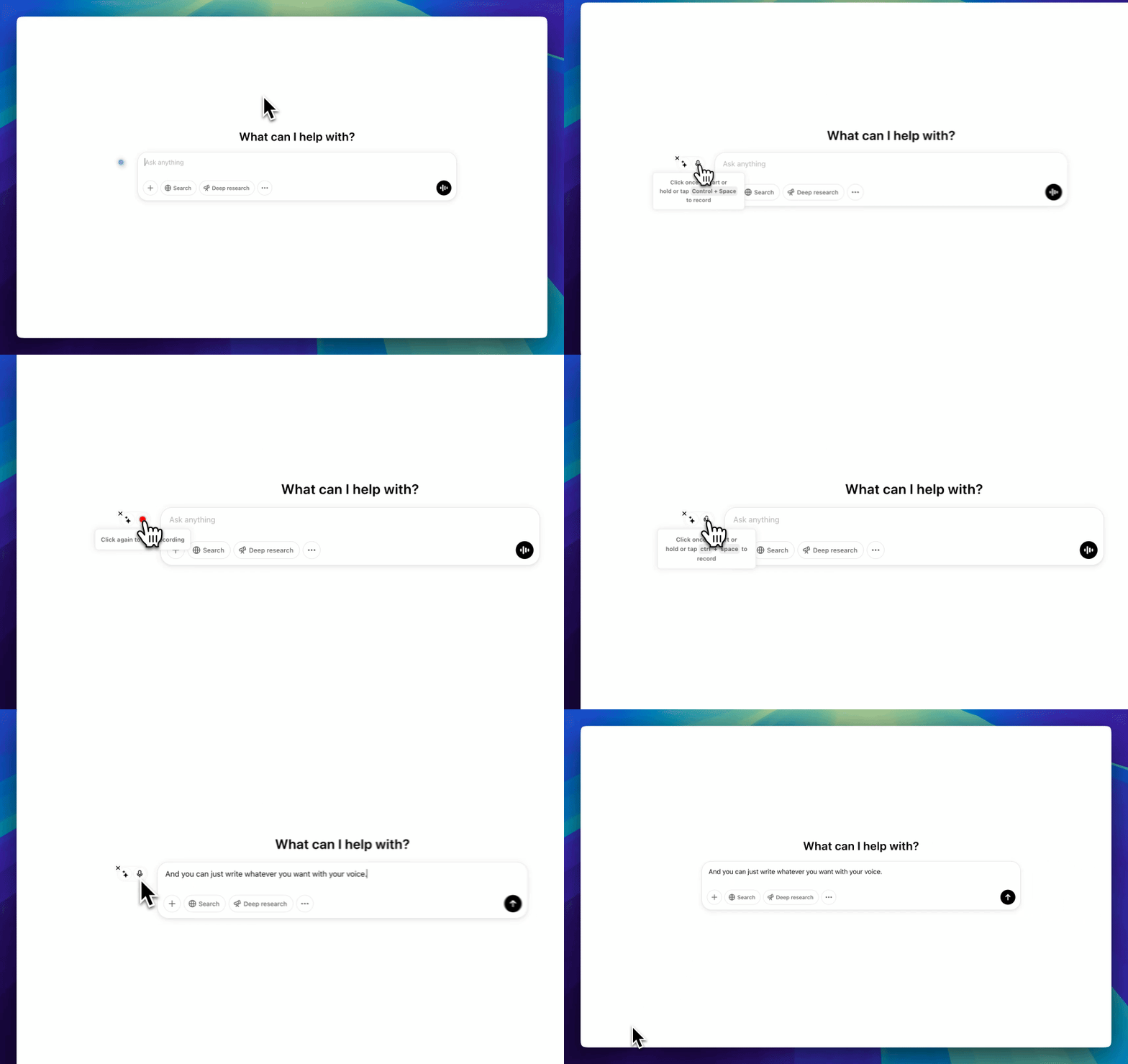
Start dictating to Voicy

Clicking on the microphone will start the speech-to-text recording for you. Once you are done talking, click on the microphone again to stop. Your dictated sentences will now show up in your chat input.

A Gif of Voicy being used in ChatGPT to dictate a prompt with voice recognition

How to use dictation in ChatGPT

Or watch the Youtube video

Step 1

Download the Voicy extension here

Voicy is a privacy-focused speech-to-text chrome extension. It adds voice dictation functionality to every text field on the internet and allows you to write with your voice, everywhere, including ChatGPT.

A screenshot of the Voicy Chrome web store page

Step 2

Open a new chat in ChatGPT

The Voicy element will now show up next to your chat input. Hover over the blue dot with your mouse to expand the element. Congratulations, you now have voice to text right inside ChatGPT.

A screenshot of a chat in ChatGPT

Step 3

Start dictating to Voicy

Clicking on the microphone will start the speech-to-text recording for you. Once you are done talking, click on the microphone again to stop. Your dictated sentences will now show up in your chat input.

A Gif of Voicy being used in ChatGPT to dictate a prompt with voice recognition

How to use dictation in ChatGPT

Or watch the Youtube video

Step 1

Download the free Voicy
extension here

Voicy is a privacy-focused speech-to-text chrome extension. It adds voice dictation functionality to every text field on the internet and allows you to write with your voice, everywhere, including ChatGPT.

A screenshot of the Voicy Chrome web store page

Step 2

Open a new chat in ChatGPT

The Voicy element will now show up next to your chat input. Hover over the blue dot with your mouse to expand the element. Congratulations, you now have voice to text right inside ChatGPT.

A screenshot of a chat in ChatGPT

Step 3

Start dictating to Voicy

Clicking on the microphone will start the speech-to-text recording for you. Once you are done talking, click on the microphone again to stop. Your dictated sentences will now show up in your chat input.

A Gif of Voicy being used in ChatGPT to dictate a prompt with voice recognition

Les avantages de la reconnaissance vocale dans ChatGPT

La dictée vocale,
plus rapide

L'utilisation d'un logiciel de reconnaissance vocale permet de doubler votre vitesse de saisie. Atteignez plus rapidement l'objectif zéro e-mail grâce à la dictée vocale.

L'utilisation d'un logiciel de reconnaissance vocale vous permet de doubler votre vitesse de saisie en moyenne.

Comment fonctionne la ponctuation dans la dictée vocale ?

Voicy ajoute automatiquement la ponctuation parfaite à votre dictée vocale.

Saisie vocale naturelle

La saisie vocale permet de rédiger des textes et des documents plus naturels et faciles à comprendre.

Saisie vocale IA

Avec Voicy, profitez également d'un accès direct à ChatGPT par reconnaissance vocale, où que vous soyez.

Dictée vocale précise pour vos prompts dans ChatGPT

Que vous souhaitiez booster votre productivité, soulager vos poignets et vos doigts, ou simplement rédiger des textes plus naturels, l'utilisation de la dictée vocale au quotidien dans ChatGPT est la solution idéale.
Voicy utilise la dernière technologie de reconnaissance vocale pour vous faire profiter de la saisie vocale sur tous les champs de texte du web, y compris ChatGPT et Claude.

Téléchargez simplement l'extension ou l'application Windows pour commencer.

En plus de la fonctionnalité de dictée vocale, Voicy vous donne également accès aux commandes IA où que vous soyez.

Si vous ne savez pas comment commencer ou formuler un e-mail, commencez simplement par le demander à Voicy.

Enfin, Voicy fonctionne dans plus de 50 langues, dont l'espagnol, l'allemand, le russe, l'hindi, le français, le néerlandais et bien d'autres.

La reconnaissance vocale Whisper partout dans votre navigateur

Sur votre application mobile ChatGPT, vous avez déjà accès à la fonctionnalité de dictée vocale d'OpenAI.

L'extension Chrome Voicy utilise en réalité la même technologie qu'OpenAI. Il s'agit de l'API Whisper, la technologie de pointe en matière de reconnaissance vocale.

Cette incroyable nouvelle technologie vous permet d'obtenir un texte parfait, précis et ponctué à partir de votre voix.

Voicy a été conçu pour les personnes qui souhaitent des transcriptions plus précises, formatées automatiquement et plus rapides que la dictée vocale de Windows.
See how it works

See how it works

Voicy in action

Use cases

Google Docs Logo

Write Google Docs with your Voice

Use Speech-To-Text inside Google Docs to write documents in half the time.

Read More

Gmail Logo

Write emails with dictation in Gmail

Automatic punctuation and formatting help you write perfect emails!

Read More

Microsoft Word Logo

Dictate right in Word - works perfectly

Stuck on that first line to start your doc? Just speak it out and it's there.

Read More

Outlook Logo

Look out, Outlook Voice-to-Text is here!

Voicy works perfectly in all Outlook versions to help you dictate emails.

Read More

Whatsapp Logo

Chat in Whatsapp with Speech to Text

Are you a talker but know that nobody likes voice notes?
Worry not, Voicy's got you!

Read More

Claude/ChatGpt logos

Speech-to-text in Claude and ChatGPT

Give AI the best possible prompt by using your voice. Better input leads to better output!

Read More

Use cases

Google Docs Logo

Write Google Docs with your Voice

Use Speech-To-Text inside Google Docs to write documents in half the time.

Read More

Gmail Logo

Write emails with dictation in Gmail

Automatic punctuation and formatting help you write perfect emails!

Read More

Microsoft Word Logo

Dictate right in Word - works perfectly

Stuck on that first line to start your doc? Just speak it out and it's there.

Read More

Outlook Logo

Look out, Outlook Voice-to-Text is here!

Voicy works perfectly in all Outlook versions to help you dictate emails.

Read More

Whatsapp Logo

Chat in Whatsapp with Speech to Text

Are you a talker but know that nobody likes voice notes?
Worry not, Voicy's got you!

Read More

Claude/ChatGpt logos

Speech-to-text in Claude and ChatGPT

Give AI the best possible prompt by using your voice. Better input leads to better output!

Read More

Works everywhere

Voicy works on all the websites and apps you use daily. This means you can use voice typing to write emails, messages, documents, blog posts, etc.

  • Microsoft Outlook Logo indicating voice dictation on Outlook
  • Microsoft Word Logo indicating microsoft word dictation with Voicy
  • Gmail logo indicating speech to text on Gmail
  • Linkedin logo
  • Substack logo
  • Facebook Messenger logo
  • Notion Logo
  • ChatGPT logo indicating speech to text on chatgpt
  • Claude Logo indicating speech to text on Claude
  • Google Docs Logo
  • Telegram logo
  • Discord Loog
  • Reddit Logo
  • Hubspot Logo
  • EverNote Logo
  • Medium logo indicating speech to text on medium
  • Trello Logo indicating speech to text on trello
  • Asana logo

Privacy First

Nobody sees your transcripts except yourself.
You can read more about our privacy policy here.

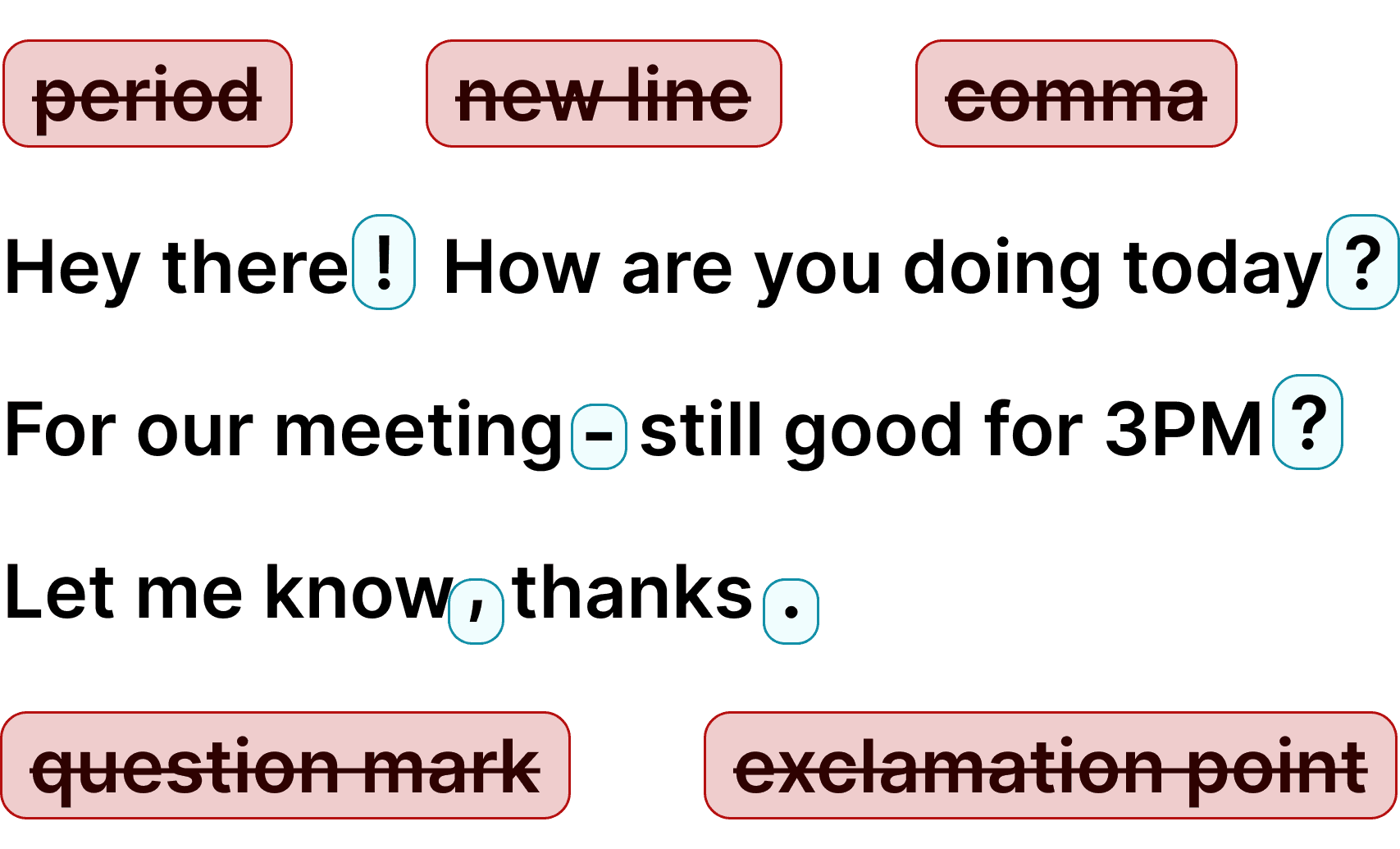
Automatic Punctuation

Voicy automatically adds perfect punctuation to your dictated text. Zero typos, perfect grammar, perfect punctuation.

Image showing a paragraph of text that has been grammar corrected by AI

+50 languages

Voicy gives you over 99% accuracy in more than 50 languages, including speech-to-text in English, German, French, Spanish, Portuguese, Mandarin, etc.

  • 🇵🇹

  • 🇫🇷

  • 🇮🇳

  • 🇷🇺

  • 🇪🇸

  • 🇨🇳

  • 🇩🇪

  • 🇬🇧

  • 🇵🇱

  • 🇰🇷

  • 🇬🇷

  • 🇺🇦

  • 🇸🇦

  • 🇦🇲

  • 🇿🇦

  • 🇮🇷

  • 🇺🇸

  • 🇫🇮

  • 🇱🇺

  • 🇯🇵

  • 🇮🇱

  • 🇸🇪

  • 🇳🇱

  • 🇩🇰

  • 🇨🇿

Works everywhere

Voicy works on all the websites and apps you use daily. This means you can use voice typing to write emails, messages, documents, blog posts, etc.

  • Microsoft Outlook Logo indicating voice dictation on Outlook
  • Microsoft Word Logo indicating microsoft word dictation with Voicy
  • Gmail logo indicating speech to text on Gmail
  • Linkedin logo
  • Substack logo
  • Facebook Messenger logo
  • Notion Logo
  • ChatGPT logo indicating speech to text on chatgpt
  • Claude Logo indicating speech to text on Claude
  • Google Docs Logo
  • Telegram logo
  • Discord Loog
  • Reddit Logo
  • Hubspot Logo
  • EverNote Logo
  • Medium logo indicating speech to text on medium
  • Trello Logo indicating speech to text on trello
  • Asana logo

Privacy First

Nobody sees your transcripts except yourself.
You can read more about our privacy policy here.

Automatic Punctuation

Voicy automatically adds perfect punctuation to your dictated text. Zero typos, perfect grammar, perfect punctuation.

Image showing a paragraph of text that has been grammar corrected by AI

+50 languages

Voicy gives you over 99% accuracy in more than 50 languages, including speech-to-text in English, German, French, Spanish, Portuguese, Mandarin, etc.

  • 🇵🇹

  • 🇫🇷

  • 🇮🇳

  • 🇷🇺

  • 🇪🇸

  • 🇨🇳

  • 🇩🇪

  • 🇬🇧

  • 🇵🇱

  • 🇰🇷

  • 🇬🇷

  • 🇺🇦

  • 🇸🇦

  • 🇦🇲

  • 🇿🇦

  • 🇮🇷

  • 🇺🇸

  • 🇫🇮

  • 🇱🇺

  • 🇯🇵

  • 🇮🇱

  • 🇸🇪

  • 🇳🇱

  • 🇩🇰

  • 🇨🇿

Works everywhere

This means your voice can write emails, messages, documents, blog posts, etc.

  • Microsoft Outlook Logo indicating voice dictation on Outlook
  • Microsoft Word Logo indicating microsoft word dictation with Voicy
  • Gmail logo indicating speech to text on Gmail
  • Linkedin logo
  • Substack logo
  • Facebook Messenger logo
  • Notion Logo
  • ChatGPT logo indicating speech to text on chatgpt
  • Claude Logo indicating speech to text on Claude
  • Google Docs Logo
  • Telegram logo
  • Discord Loog
  • Reddit Logo
  • Hubspot Logo
  • EverNote Logo
  • Medium logo indicating speech to text on medium
  • Trello Logo indicating speech to text on trello
  • Asana logo

Privacy First

Nobody sees your transcripts except yourself.
You can read more about our privacy policy here.

Automatic Punctuation

Voicy automatically adds perfect punctuation to your dictated text. Zero typos, perfect grammar, perfect punctuation.

Image showing a paragraph of text that has been grammar corrected by AI

+50 languages

Over 99% accuracy in more than 50 languages, including speech to text in English, German, French, Spanish, Portuguese, Mandarin, etc.

  • 🇵🇹

  • 🇫🇷

  • 🇮🇳

  • 🇷🇺

  • 🇪🇸

  • 🇨🇳

  • 🇩🇪

  • 🇬🇧

  • 🇵🇱

  • 🇰🇷

  • 🇬🇷

  • 🇺🇦

  • 🇸🇦

  • 🇦🇲

  • 🇿🇦

  • 🇮🇷

  • 🇺🇸

  • 🇫🇮

  • 🇱🇺

  • 🇯🇵

  • 🇮🇱

  • 🇸🇪

  • 🇳🇱

  • 🇩🇰

  • 🇨🇿

FAQ

En quoi Voicy se distingue-t-il de la dictée vocale de ChatGPT ?

Quel est le prix de l'outil de dictée vocale Voicy ?

Voyez-vous ce que j'écris avec la dictée vocale Voicy ?

Comment fonctionne la reconnaissance vocale de Voicy dans Microsoft Teams ?

Qu'est-ce que la reconnaissance vocale ?