





Voicy vs Just Press Record: Which Speech-to-Text App Should You Choose in 2026?
TL;DR
Choose Voicy if you want live dictation plus file upload transcription across Mac, Windows, browser extension, iOS, and Android.
Choose Just Press Record if you want a simple Apple-first audio recorder with transcription, Apple Watch recording, and local or iCloud Drive storage.
Best for cross-app dictation: Voicy. It is built for turning speech into text in everyday writing workflows.
Best for quick recordings: Just Press Record. Its official positioning is one-tap recording, transcription, and iCloud syncing.
Best one-time low cost: Just Press Record at $6.99 on the US App Store when checked. Voicy is cheaper than subscription tools over time only if you use its $260 lifetime plan long enough.
Privacy read: Voicy is cloud-based. Just Press Record says audio and transcripts are never uploaded to Open Planet servers, but transcription may use Apple's iCloud servers depending on device capability and language.
If you are comparing Voicy vs Just Press Record, the short answer is this: Voicy is the better choice for day-to-day dictation and file transcription across work apps, desktop, browser, and mobile. Just Press Record is the better choice if you mainly want to capture voice notes on Apple devices, transcribe those recordings, and keep them in local storage or iCloud Drive.
Answer-First Verdict
Voicy and Just Press Record solve different speech-to-text problems. Voicy is a dictation and transcription product for people who want to speak into text fields, documents, web apps, messages, and uploaded audio workflows across Mac, Windows, browser extension, iOS, and Android. It is cloud-based, has a free trial only, and costs $8.49/month, $82/year, or $260 lifetime.
Just Press Record is closer to a smart recorder than a full cross-app dictation assistant. Its official site calls it an award-winning mobile audio recorder with one-tap recording, transcription, and iCloud syncing across Mac, iPad, iPhone, and Apple Watch. The App Store listing says it can turn speech into searchable text, edit audio and transcription text, share audio and text, store recordings in iCloud Drive or locally on-device, and share audio files from other apps to Just Press Record.
So the practical verdict is simple. Choose Voicy if your goal is to write faster across apps and transcribe files. Choose Just Press Record if your goal is to record first, especially from iPhone or Apple Watch, then review or edit the transcript later.
Voicy focuses on live dictation and file upload transcription across desktop, browser, and mobile workflows.
Just Press Record focuses on Apple-device recording, transcription, editing, and iCloud syncing.
Voicy vs Just Press Record at a Glance
Category | Voicy | Just Press Record | Winner |
|---|---|---|---|
Best for | Professionals who want live dictation and file transcription across work apps, desktop, browser, and mobile. | Apple users who want fast audio capture, Apple Watch recording, searchable transcripts, and iCloud syncing. | Voicy for dictation. Just Press Record for recording. |
Platforms | Mac, Windows, browser extension, iOS, and Android. | Mac, iPhone, iPad, and Apple Watch in official sources. The App Store also lists Apple Vision compatibility details. | Voicy for broader platform coverage. |
Live dictation | Yes. Built for live speech-to-text in everyday writing surfaces. | Not positioned the same way. It records audio and turns recordings into searchable, editable transcripts. | Voicy. |
File transcription | Yes. Voicy supports file upload transcription. | The App Store says users can share audio files from other apps to Just Press Record. It is still positioned around recordings rather than broad file transcription workflows. | Voicy for general file transcription. |
Recording | Voicy is focused on dictation and transcription, not a dedicated audio recorder. | One-tap recording, pause/resume, background recording, unlimited recording time, Apple Watch recording, and audio editing. | Just Press Record. |
Browser workflows | Browser extension support. | No browser extension support found in checked primary sources. | Voicy. |
Android and Windows | Supports Windows and Android. | No official Windows or Android app support found in checked primary sources. | Voicy. |
Apple Watch | No Apple Watch support included in the provided Voicy facts. | Yes. Just Press Record has an Apple Watch app and can transfer Watch recordings to iPhone. | Just Press Record. |
Pricing | Free trial only, then $8.49/month, $82/year, or $260 lifetime. | $6.99 one-time purchase on the US App Store when checked. | Just Press Record for low upfront cost. Voicy if you need the broader workflow. |
Privacy and storage | Cloud-based transcription. | Open Planet says audio and transcripts are never uploaded to its servers. Users can store recordings in iCloud Drive or locally on-device. Transcription uses Apple's Speech-to-Text framework and may use Apple's iCloud servers depending on device and language. | Just Press Record for local or iCloud Drive storage control. Voicy for cross-platform cloud convenience. |
When Voicy Is the Better Choice

Voicy is the better fit when the main job is writing, not just recording. That includes emails, support replies, CRM notes, documents, browser-based tools, social posts, and longer dictated drafts where you want speech to become usable text right away.
The big difference is scope. Voicy covers Mac, Windows, browser extension workflows, iOS, and Android. Just Press Record is excellent inside Apple workflows, but the checked primary sources describe Mac, iPhone, iPad, and Apple Watch, not Windows, Android, or a browser extension.
Voicy is stronger for mixed-device work
Choose Voicy if your week includes:
Writing on both Mac and Windows.
Dictating into browser apps.
Switching between iPhone and Android devices across a team or family.
Uploading saved audio files for transcription.
Using speech-to-text as a writing tool, not only as a recorder.
This is especially important if you want one product for work. Just Press Record can share audio and text, and it can accept audio files from other apps, but its official product story starts with recording. Voicy starts with turning speech into text across the places you already write.
When Just Press Record Is the Better Choice
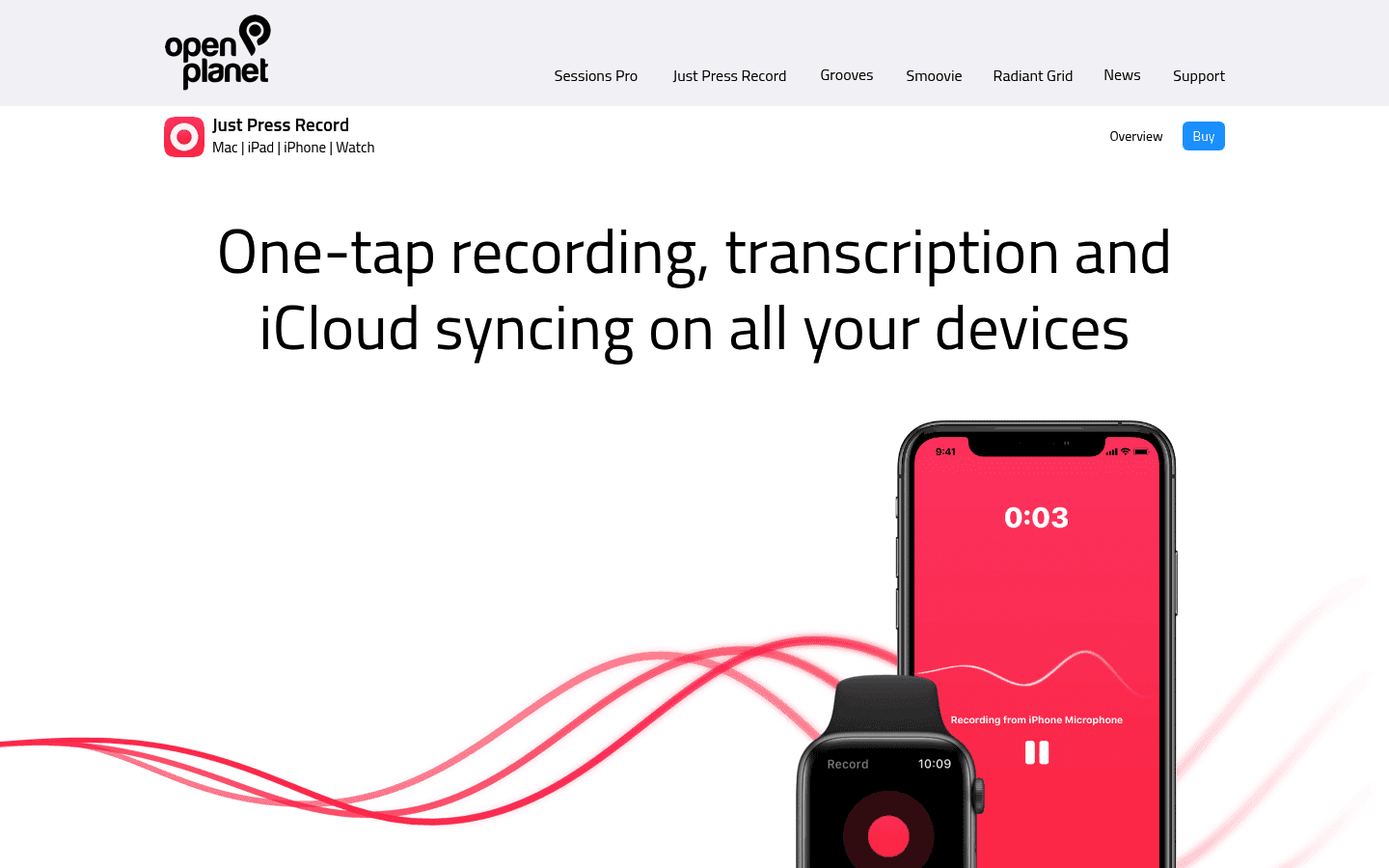
Just Press Record is the better fit if you want a clean Apple recorder that can transcribe what you record. Its official homepage says it brings one-tap recording, transcription, and iCloud syncing to Mac, iPad, iPhone, and Apple Watch. The App Store listing adds details like background recording, AirPods and external microphone support, synchronized text highlighting, audio editing, transcription text editing, and sharing audio or text to other apps.
It is also unusually clear for people who care about simple pricing. The US App Store listed Just Press Record at $6.99 when checked, with no in-app purchases shown in the App Store metadata I reviewed.
Choose Just Press Record if you want:
A one-time paid Apple app instead of a subscription.
Apple Watch voice capture.
Local on-device storage or iCloud Drive storage.
Audio recording with transcript editing.
Searchable recordings organized by date and time.
VoiceOver support and Apple accessibility features.
The tradeoff is that Just Press Record is not trying to be a cross-platform dictation layer for every writing surface. If that is what you need, Voicy is the clearer fit.
Pricing and Cost Over Time
Voicy has a free trial only. After that, it costs $8.49/month, $82/year, or $260 lifetime.
Just Press Record was listed at $6.99 on the US App Store when checked. Pricing can vary by country and App Store storefront, so treat $6.99 as the checked US price rather than a universal global price.
Cost over 1, 3, and 5 years
Scenario | Voicy | Just Press Record | Winner |
|---|---|---|---|
Trial access | Free trial only | No free trial found in checked App Store metadata. | Voicy if trial-before-paying matters. |
Upfront paid access | $8.49 for one month, $82 for one year, or $260 lifetime. | $6.99 one-time purchase on the US App Store when checked. | Just Press Record. |
Monthly paid plan for 12 months | $101.88 | $6.99 | Just Press Record saves $94.89, if its Apple recorder workflow is enough. |
Annual paid plan for 1 year | $82 | $6.99 | Just Press Record saves $75.01. |
Annual paid plan for 3 years | $246 | $6.99 | Just Press Record saves $239.01. |
Annual paid plan for 5 years | $410 | $6.99 | Just Press Record saves $403.01. |
Voicy lifetime over 5 years | $260 | $6.99 | Just Press Record saves $253.01. |
Pure price favors Just Press Record by a lot. But the purchase is not buying the same job. Just Press Record is a recorder with transcription for Apple devices. Voicy is a broader live dictation and file transcription product across more platforms.
Privacy, Cloud, and Local Processing
Voicy is cloud-based. That is part of why it can support live dictation plus file upload transcription across Mac, Windows, browser extension workflows, iOS, and Android. If your policy requires every transcription to be local-only, Voicy is not the right match.
Just Press Record gives users more storage control. Open Planet's privacy policy says, specifically for Just Press Record, that audio and transcripts are never uploaded to Open Planet servers. It says users can choose to store recordings in iCloud Drive or locally on-device, and that transcribed text is stored inside the audio files.
There is one important nuance. Open Planet says Just Press Record uses Apple's Speech-to-Text framework for transcription. It says transcription typically happens on the iOS device, but depending on device capabilities and the language being transcribed, audio may be uploaded to Apple's iCloud servers for processing. The App Store privacy section said the developer does not collect any data from the app when checked, but Apple also notes that developer privacy responses are not verified by Apple.
So the privacy decision is not just "cloud versus local." Choose Voicy if you are comfortable with cloud-based transcription and want broad platform coverage. Choose Just Press Record if you want a recorder that can keep files local or in iCloud Drive, with the caveat that transcription may still involve Apple's servers in some cases.
User Proof and Community Discussion
Just Press Record has public App Store proof. The App Store listing showed a 4.3 rating from 1.5K ratings when checked, while the SoftwareApplication schema embedded in the same page listed a 4.3 ratingValue and 1,520 reviews. The official product page also includes a quote from The Loop, but that is a publisher quote on the vendor's own site rather than an independent benchmark.
The user comments visible on the App Store are useful for understanding the product's strengths and limits. Several visible reviews discuss Apple Watch recording, iPhone syncing, VoiceOver accessibility, and transcription. Some also mention requests or issues, which is normal for an app-store review feed and should not be treated as a controlled reliability study.
For community research, search for recent discussion around your exact workflow: "Just Press Record Apple Watch transcription," "Just Press Record iCloud local storage," "Just Press Record Mac transcription," "Voicy Windows dictation," "Voicy Android dictation," and "Voicy file transcription." Avoid making the decision from a single review or forum thread.
Decision Guide
Choose Voicy if:
You need live dictation in everyday writing surfaces.
You want file upload transcription as well as live speech-to-text.
You use Mac, Windows, browser apps, iOS, and Android.
You want a browser extension workflow.
You are choosing a tool for work writing, not just audio capture.
You want a free trial before paying.
Choose Just Press Record if:
You mainly record voice notes, meetings, or ideas on Apple devices.
You want Apple Watch recording.
You prefer a low one-time App Store purchase.
You want recordings stored locally or in iCloud Drive.
You want to edit audio and transcript text inside the same recorder.
You do not need Windows, Android, or browser extension support.
Bottom Line
Voicy is the better pick for people who want a modern speech-to-text workflow across devices, apps, and uploaded files. It costs more than Just Press Record, but it solves a broader daily writing problem.
Just Press Record is the better pick if you want a simple Apple recorder with transcription, Apple Watch capture, local or iCloud Drive storage, and a very low one-time price. It is not the same category as Voicy. It is best thought of as a recording-first tool, while Voicy is a dictation-first and transcription-first tool for broader work use.
FAQs
Is Voicy better than Just Press Record?
Voicy is better if you need live dictation, file upload transcription, browser extension support, Windows support, Android support, and a workflow built for writing across apps. Just Press Record is better if you want a simple Apple recorder with transcription and Apple Watch capture.
Is Just Press Record a dictation app?
Just Press Record can transcribe recordings into searchable, editable text, but it is mainly positioned as an audio recorder. Voicy is the clearer choice if you want live dictation into writing surfaces.
Does Just Press Record work on Windows?
I did not find official Windows app support in the checked primary sources. The official sources list Apple devices such as Mac, iPhone, iPad, and Apple Watch.
Does Just Press Record work on Android?
I did not find official Android support in the checked primary sources. If Android support matters, Voicy is the better fit because it supports Android.
How much does Just Press Record cost?
The US App Store listed Just Press Record at $6.99 when checked. App Store pricing can vary by country and storefront.
How much does Voicy cost?
Voicy has a free trial only. Paid pricing is $8.49/month, $82/year, or $260 lifetime.
Can Voicy transcribe files?
Yes. Voicy supports file upload transcription in addition to live dictation.
Can Just Press Record transcribe files?
Just Press Record transcribes recordings, and the App Store listing says users can share audio files from other apps to Just Press Record. I would still describe it as a recording-first app rather than a broad file transcription product.
Which app is better for Apple Watch?
Just Press Record is better for Apple Watch. It includes an Apple Watch app, can record independently on Apple Watch, and can transfer Watch recordings to iPhone for transcription and syncing.
Which app is better for privacy?
Just Press Record has stronger local-storage language. Open Planet says audio and transcripts are never uploaded to its servers, and users can choose iCloud Drive or local on-device storage. However, transcription may use Apple's iCloud servers depending on device and language. Voicy is cloud-based.
Does Just Press Record collect data?
The App Store privacy section said the developer does not collect any data from the app when checked. Apple notes that developer privacy responses are not verified by Apple, so read the developer privacy policy too.
Which should I choose for work writing?
Choose Voicy for work writing. It is built for live dictation and file transcription across Mac, Windows, browser extension workflows, iOS, and Android. Choose Just Press Record when your workflow starts with recording audio on Apple devices.
