





Voicy vs Talon Voice: Which Speech Tool Should You Choose in 2026?
Voicy vs Talon Voice: Which Speech Tool Should You Choose in 2026?
TL;DR
Choose Voicy if you want everyday speech-to-text with live dictation and uploaded-file transcription across Mac, Windows, browser extension, iOS, and Android.
Choose Talon Voice if you want a programmable hands-free input system for voice control, coding, accessibility, eye tracking, noise control, and desktop automation.
Best mainstream dictation fit: Voicy. Talon can enter text by voice, but its official positioning is broader hands-free computer control, not simple consumer transcription.
Best technical control fit: Talon Voice. Its docs cover custom voice commands, Python scripting, eye tracking, noise recognition, and community command sets.
Pricing read: Talon is royalty-free to install and use, with Patreon support starting at $5/month. Voicy has a free trial and paid plans at $8.49/month, $82/year, or $260 lifetime.
If you are comparing Voicy vs Talon Voice, the short answer is this: Voicy is the better pick for normal dictation and transcription work. Talon Voice is the better pick if your goal is hands-free computer control, coding by voice, accessibility, and deep customization.
Answer-First Verdict
Voicy and Talon Voice both involve speech, but they solve different jobs. Voicy is a cloud-based speech-to-text app for people who want to dictate into work apps and transcribe uploaded files without building a voice-control setup. It supports Mac, Windows, browser extension use, iOS, and Android. It has a free trial, then costs $8.49/month, $82/year, or $260 lifetime.
Talon Voice is a hands-free input replacement. Its official homepage says Talon enables people to write code, play games, and control a computer with voice, eye tracking, or noises. Its docs describe Windows, macOS, and Linux X11 support, a free speech recognition engine, Dragon compatibility, eye tracking, noise recognition, and Python scripting. That makes it powerful, but it also means it is not a simple one-to-one replacement for a mainstream dictation and file transcription app.
Voicy focuses on everyday speech-to-text across desktop, browser, mobile, and uploaded files.
Talon Voice focuses on hands-free input, voice control, noise control, eye tracking, and scripting.
Voicy vs Talon Voice at a Glance
Category | Voicy | Talon Voice | Winner |
|---|---|---|---|
Best for | Professionals who want quick live dictation and uploaded-file transcription across common devices. | Technical users, coders, accessibility users, and power users who want programmable hands-free computer control. | Voicy for mainstream speech-to-text. Talon for control and coding. |
Platforms | Mac, Windows, browser extension, iOS, and Android. | Official downloads for macOS, Linux X11, and Windows. Docs list Windows 8+, macOS 10.13+, and Linux X11. | Voicy for mobile and browser extension coverage. Talon for Linux desktop users. |
Live dictation | Yes. Built for dictating text in everyday apps. | Yes, as part of a larger command and input system. Talon docs show voice commands that type text and mention speech recognition. | Voicy for simplicity. Talon for programmable control. |
File upload transcription | Yes. Voicy supports uploaded audio file transcription. | No official uploaded-file transcription workflow found in the checked Talon primary sources. | Voicy. |
Browser extension | Yes. | No dedicated browser extension found in checked primary sources. Talon can control desktop apps and browser windows through commands. | Voicy for browser-first dictation. |
Customization | Focused product setup. | Very high. Talon supports .talon files, Python scripts, custom commands, hotkeys, contexts, and community command sets. | Talon Voice. |
Pricing | Free trial only. $8.49/month, $82/year, or $260 lifetime. | EULA grants a royalty-free license to install and use. Patreon support starts at $5/month and is tied to support and early feature access. | Talon for free use. Voicy for a packaged paid transcription product. |
Privacy model | Cloud-based transcription. | Talon's EULA says metrics do not record actual input, speech, text, or screen contents, but the app may contact Talon web services for updates, package features, metrics, and crash reports. | Talon for users avoiding a cloud transcription product. Voicy for managed cloud convenience. |
When Voicy Is the Better Choice

Voicy is the better choice when you want speech-to-text to feel like a normal app, not a custom input project. You speak, get text, and use the same product across desktop, browser, and mobile.
The biggest Voicy advantage is workflow coverage. It supports live dictation plus file upload transcription. That matters if your day includes dictating emails, writing in browser tools, transcribing saved voice notes, and turning audio recordings into text.
Voicy is built for dictation and transcription
Talon is powerful, but its own homepage and docs lead with hands-free input, voice control, eye tracking, noise recognition, programming, gaming, and scripting. That is the right framing for Talon. It is not trying to be the simplest uploaded-file transcription tool.
Choose Voicy if you need:
Live dictation in daily writing tools.
Uploaded-file transcription for recordings, voice notes, interviews, or saved audio.
Mac, Windows, browser extension, iOS, and Android support.
A cloud-based product that avoids local model setup and command scripting.
A clear paid plan or lifetime option.
When Talon Voice Is the Better Choice
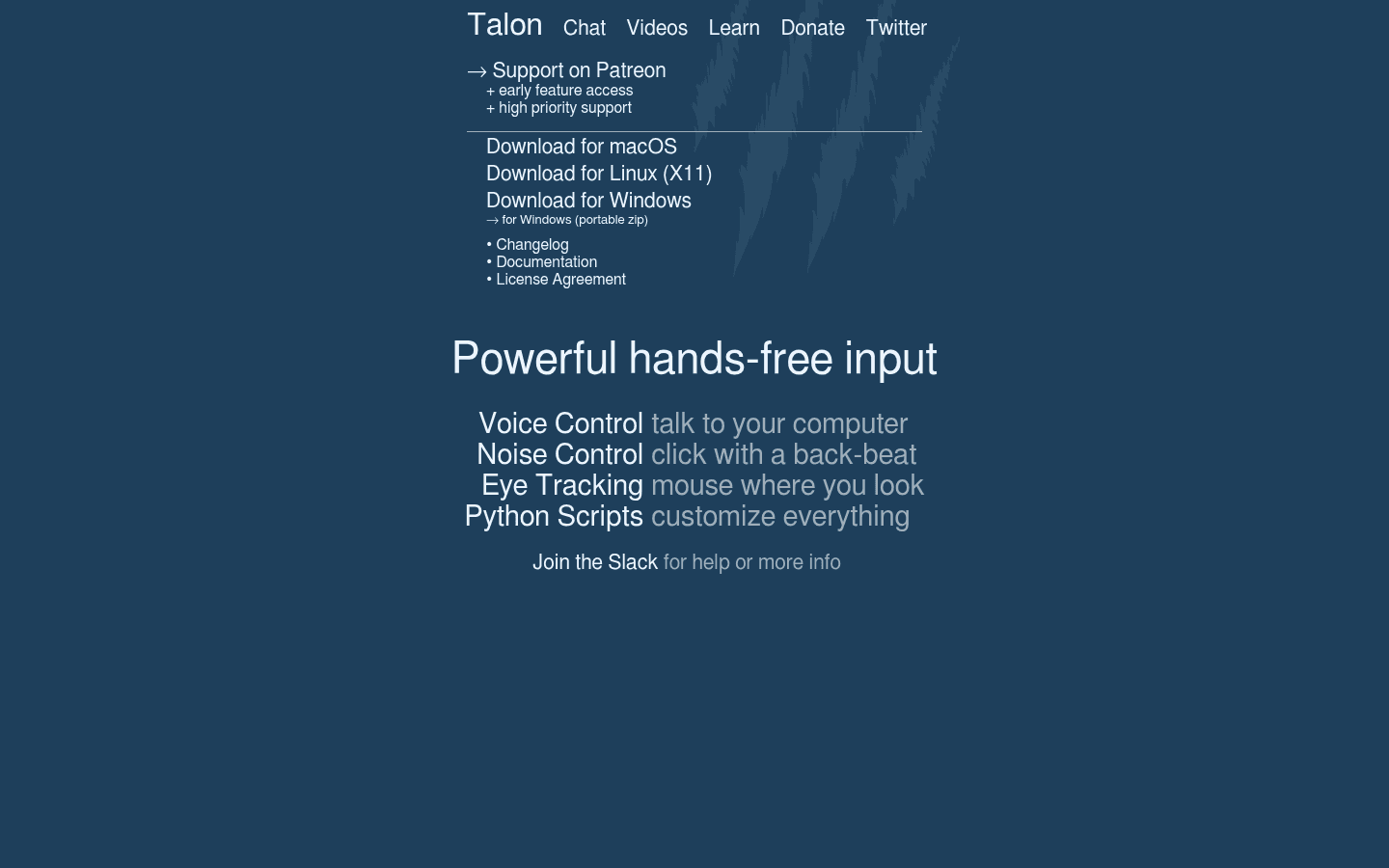
Talon Voice is the better choice when the task is bigger than dictation. If you want to move around your computer, code by voice, click with noises, use eye tracking for mouse control, and define your own command grammar, Talon is in a different category.
Its official docs say Talon aims to bring programming, realtime video gaming, command line, and full desktop computer proficiency to people with limited or no use of their hands. The same docs list Python scripting, voice commands, Dragon compatibility, a free speech recognition engine, eye tracking, and noise recognition.
Choose Talon Voice if you want:
Hands-free desktop control, not only dictated text.
Voice coding and command-line workflows.
Linux desktop support through X11.
Custom command grammars and Python scripting.
Eye tracking or noise-based input alongside speech.
A community command set and Slack-based support ecosystem.
The tradeoff is setup. Talon docs say users add scripts to the Talon home directory and install speech recognition from the app menu. The community wiki also recommends installing the Talon community user file set for beginners. That is a different onboarding path than a straightforward dictation app.
Pricing and Cost Over Time
Voicy has a free trial, then costs $8.49 per month, $82 per year, or $260 lifetime.
Talon's EULA grants a royalty-free, non-exclusive, non-transferable license to install and use the software. The homepage links to Patreon for support, early feature access, and high priority support. The checked Patreon page meta description says users can become a member for $5/month. Because Patreon support is not the same thing as a required transcription subscription, the table below separates free Talon use from optional support.
Cost over 1, 3, and 5 years
Scenario | Voicy | Talon Voice | Winner |
|---|---|---|---|
Free access | Free trial only. | Royalty-free install and use under the EULA. | Talon Voice. |
12 months on monthly billing | $101.88. | $0 if using the public app without optional Patreon support. | Talon Voice on direct cost. |
1 year on annual billing | $82. | $0 without optional Patreon support, or about $60 at $5/month. | Talon Voice on direct cost. |
3 years on annual billing | $246. | $0 without optional Patreon support, or about $180 at $5/month. | Talon Voice on direct cost. |
5 years on annual billing | $410. | $0 without optional Patreon support, or about $300 at $5/month. | Talon Voice on direct cost. |
Lifetime path | $260 lifetime. | No official lifetime purchase plan found in the checked primary sources. | Voicy for fixed paid access. |
Pure price favors Talon. Product fit is the catch. If you need an accessible, programmable input system, Talon can be a remarkable value. If you need a polished dictation and file transcription product, Voicy's paid plan is paying for that focused workflow.
Privacy and Local or Cloud Processing
Voicy is cloud-based. That makes it practical for live dictation and uploaded-file transcription across supported surfaces, but it is not a local-only transcription product.
Talon is different. The checked Talon docs describe installing speech recognition from the app menu and using Talon as a desktop input system. The EULA says communication with Talon web services happens over TLS, automatic updates may send IP address and app version, community package features may log plugin information, metrics may upload performance information, and crash reports may upload after crashes.
The most important privacy sentence in the checked EULA is that Talon metrics do not record actual input, speech, text, or screen contents. Still, I did not find a simple official promise that every possible Talon speech workflow is offline in every configuration. If privacy is the deciding factor, read the current EULA and check your installed speech engine, update, metrics, and package settings.
User Proof and Community Discussion
Talon has a real public community footprint. The official docs link users to the Talon Slack for help. The docs recommend cloning the talonhub/community command set, and the GitHub repository is public. The community wiki says Talon is free to use and supported by Patreon donations.
That community evidence supports a careful conclusion: Talon is not just a small dictation utility. It has an ecosystem around voice control, scripting, accessibility, and coding workflows. I avoided claims about accuracy, speed, Reddit sentiment, or user satisfaction because those would need stronger source-specific evidence.
For Voicy, public site proof and internal product facts support the positioning as a cross-platform speech-to-text tool with live dictation and file upload transcription. As with Talon, the safest way to use community discussion is to search by your exact workflow: daily dictation, coding by voice, RSI support, Linux X11, browser extension dictation, mobile dictation, or uploaded audio transcription.
Decision Guide
Choose Voicy if:
You want live dictation plus file upload transcription.
You need Mac, Windows, browser extension, iOS, and Android support.
You want a mainstream speech-to-text app with less setup.
You work in browser-based tools where a dedicated extension matters.
You prefer managed cloud transcription over configuring a local voice-control system.
Choose Talon Voice if:
You want hands-free control of the whole computer.
You need voice coding, command-line control, or deep automation.
You use Linux X11.
You want to define custom voice commands and Python scripts.
You want speech, eye tracking, and noise input in one system.
You are comfortable learning from docs, Slack, GitHub, and community command sets.
Bottom Line
Talon Voice is the better tool for hands-free computer control, voice coding, accessibility workflows, Linux desktop users, and people who want to customize their entire input system. It is powerful, community-driven, and cost-friendly if you can use the public app without paid support.
Voicy is the better tool for everyday dictation and transcription. It covers Mac, Windows, browser extension use, iOS, and Android. It supports live dictation and uploaded-file transcription, and its pricing is straightforward. If your goal is to turn speech and audio files into text with less setup, choose Voicy. If your goal is to control your computer by voice, choose Talon.
FAQs
Is Voicy better than Talon Voice?
Voicy is better if you want everyday dictation, uploaded-file transcription, browser extension support, iOS, and Android. Talon Voice is better if you want hands-free computer control, voice coding, eye tracking, noise input, and deep customization.
Is Talon Voice a dictation app?
Talon Voice includes speech recognition and can enter text by voice, but its official positioning is broader than dictation. It is a hands-free input system for voice control, coding, gaming, command-line work, eye tracking, noise recognition, and scripting.
Does Voicy support file upload transcription?
Yes. Voicy supports file upload transcription in addition to live dictation.
Does Talon Voice support file upload transcription?
I did not find an official uploaded-file transcription workflow in the checked Talon primary sources. Talon is positioned around live hands-free input and computer control.
How much does Voicy cost?
Voicy has a free trial, then costs $8.49 per month, $82 per year, or $260 lifetime.
How much does Talon Voice cost?
Talon's EULA grants a royalty-free license to install and use the software. The official homepage links to Patreon for support, early feature access, and high priority support, and the checked Patreon page meta description says membership starts at $5/month.
Does Talon Voice work on Windows?
Yes. Talon provides a Windows download, and the official docs list Windows 8 or newer as a system requirement.
Does Talon Voice work on Mac?
Yes. Talon provides a macOS download, and the official docs list macOS High Sierra 10.13 or newer as a system requirement.
Does Talon Voice work on Linux?
Yes, with an important limitation. The official docs list Linux X11 support and say Wayland compositors lack the APIs necessary for Talon, with Wayland support not planned.
Does Talon Voice have mobile apps?
I did not find official iOS or Android app support in the checked Talon primary sources. The checked downloads and docs focus on macOS, Linux X11, and Windows.
Which is better for privacy, Voicy or Talon Voice?
Talon is the better fit if you want to avoid a managed cloud transcription product, but read the current EULA and settings. Voicy is cloud-based, which is convenient for cross-device dictation and file transcription but not local-only.
Which should developers choose?
Developers who want voice coding, custom commands, and programmable desktop control should look at Talon Voice. Developers who mainly want to dictate text, transcribe audio files, or write in browser-based tools should choose Voicy.
