
Works everywhere
Voicy works on all the websites and apps you use daily. This means you can use voice typing to write emails, messages, documents, blog posts, etc.This means your voice can write emails, messages, documents, blog posts, etc.



















AI Speech-to-Text App
99%+ accuracy in 50+ languages.
Automatic punctuation and formatting - powered by AI.
Works in every app, everywhere.
Speech-to-text for every text field on every website.
3x faster than typing.
Error-free punctuation and grammar powered by AI.
 Download for free
 Download for free
 Download for Ubuntu/Debian
 Add to Chrome for freeDownload for free
 Download for freeDownload for freeDownload for FedoraDownload AppImageDownload for freeDownload for freeDownload for Ubuntu/DebianAdd to Chrome for freeDownload for freeDownload for freeDownload for freeDownload for FedoraDownload AppImageAlso available on Mac, Windows & Linux
Three simple steps. No training needed.
Install it on Mac, Windows, or Linux.
Any app or website where you'd normally type.
Press your shortcut and speak. Voicy types for you.
Voicy works on all the websites and apps you use daily. This means you can use voice typing to write emails, messages, documents, blog posts, etc.This means your voice can write emails, messages, documents, blog posts, etc.
Nobody sees your transcripts except you. Turn on offline mode and your voice never leaves your computer.
Read our Privacy policy.
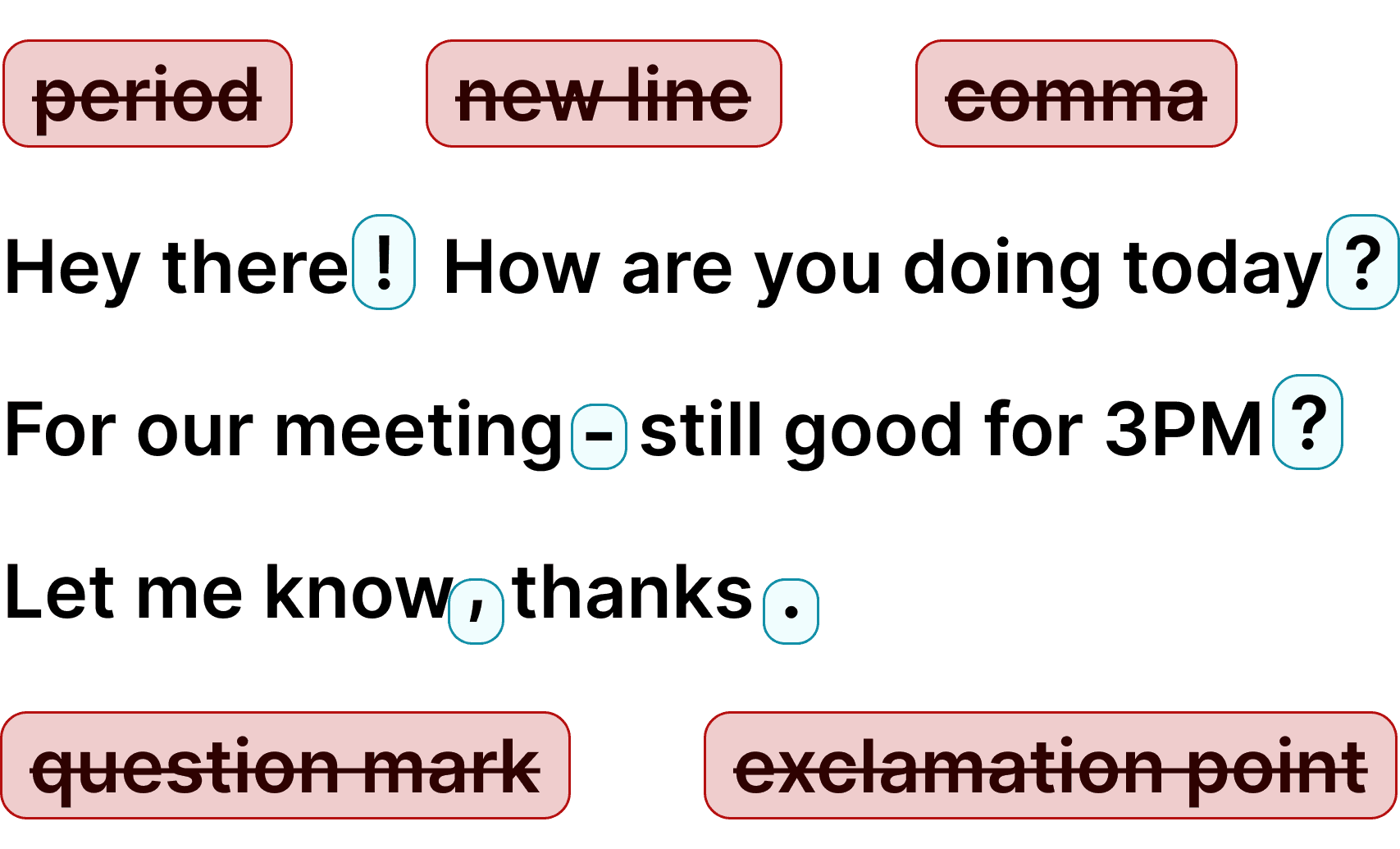
Voicy automatically adds perfect punctuation to your dictated text.
Zero typos, perfect grammar, perfect punctuation.
Voicy gives you over 99% accuracy in more than 50 languages, including speech-to-text in English, German, French, Spanish, Portuguese, Mandarin, etc.Over 99% accuracy in more than 50 languages, including speech to text in English, German, French, Spanish, Portuguese, Mandarin, etc.

I've tried other products like it, and, so far, Voicy is the most user-friendly, and it really improves my workflow.

This is the tool that I was looking for. It is amazing. I've gotten so lazy about typing anywhere. Thank you, thank you, thank you for this product!

Voicy is an absolute game-changer! This voice-to-text extension delivers exceptional accuracy, capturing my words perfectly every time. The speed is impressive.

Almost instant replies from the creator, great support great app!

I love Voicy!! The extension and the desktop app have saved me so much time. I have tried several different voice-to-text apps. None of them compares to Voicy!

I use it in combination with WhisperShortcut on my macOS. Works wonders.

Very helpful and convenient app, super easy to use, very, saves a ton of time on typing my thoughts because now I can just speak them, and get them noted down for me!

Awesome tool, very reliable and fast to use. I highly recommend this tool.

Awesome tool, now I don't have to write everything I want to say.

Super useful and fast. Makes getting ideas on the page much easier.

Absolute accessibility lifesaver, thanks to the devs for building this it's a huge productivity boost, also far better and accurate than the native windows speech to text

Damn! This was just the Speech to Text tool I was looking for. Its super fast and reliable, and works every time.

The best voice to text generator for every use! I don't like to type, so this is perfect!!!

Just got my new laptop and it was the first Chrome extension I installed.

Insane level of accuracy - I absolutely love it, huge time-saver getting my thoughts out!

Honestly one of the best tools I’ve used! It helps with my daily tasks, is impressively accurate, and saves me so much time.

This app has been an absolute lifesaver for me. I didn't know I needed this app until I started using it.

I've been a Voicy user for nearly a year now and I see constant improvements being made, especially with the Windows app now being available. I am truly a believer.

I use the app every day, whenever I’m on something to do vibe coding. It’s really super convenient for me, it lets me stay in the flow. I really love this app.

Voicy revolutionized how I interacted with AI and wrote long-form content.

This is a huge time saver! I am able to type pretty quick. But this literally lets my thoughts flow onto the screen, its incredible

What made me most impressed is the very quick responses to questions and good solutions.
30 minutes of free recording timeFree trial. No credit card required.
Dictation on Android & iPhone
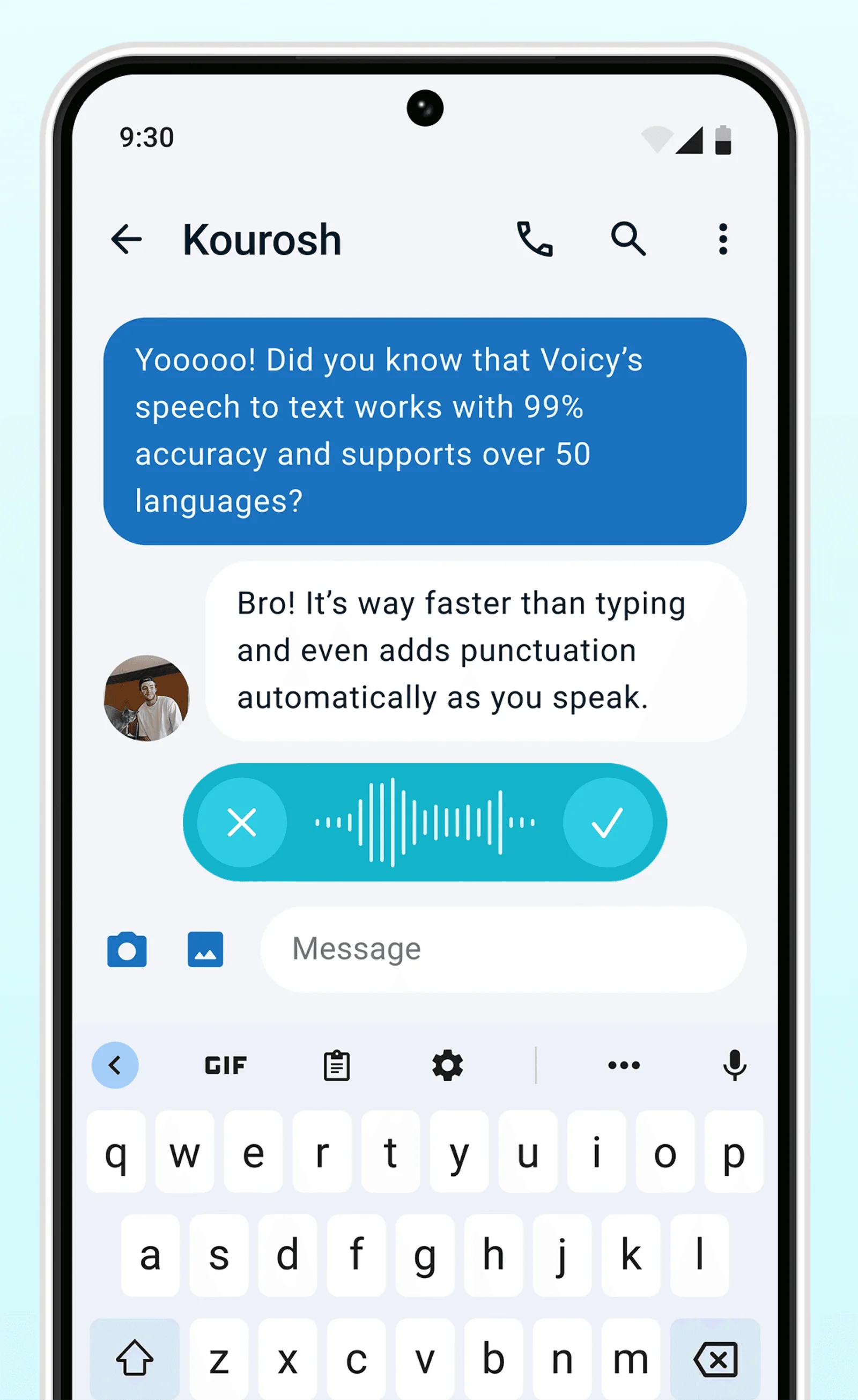
Never use Apple's or Android's annoying dictation again. Perfect dictation, 3x faster than typing.
Emails


 & more
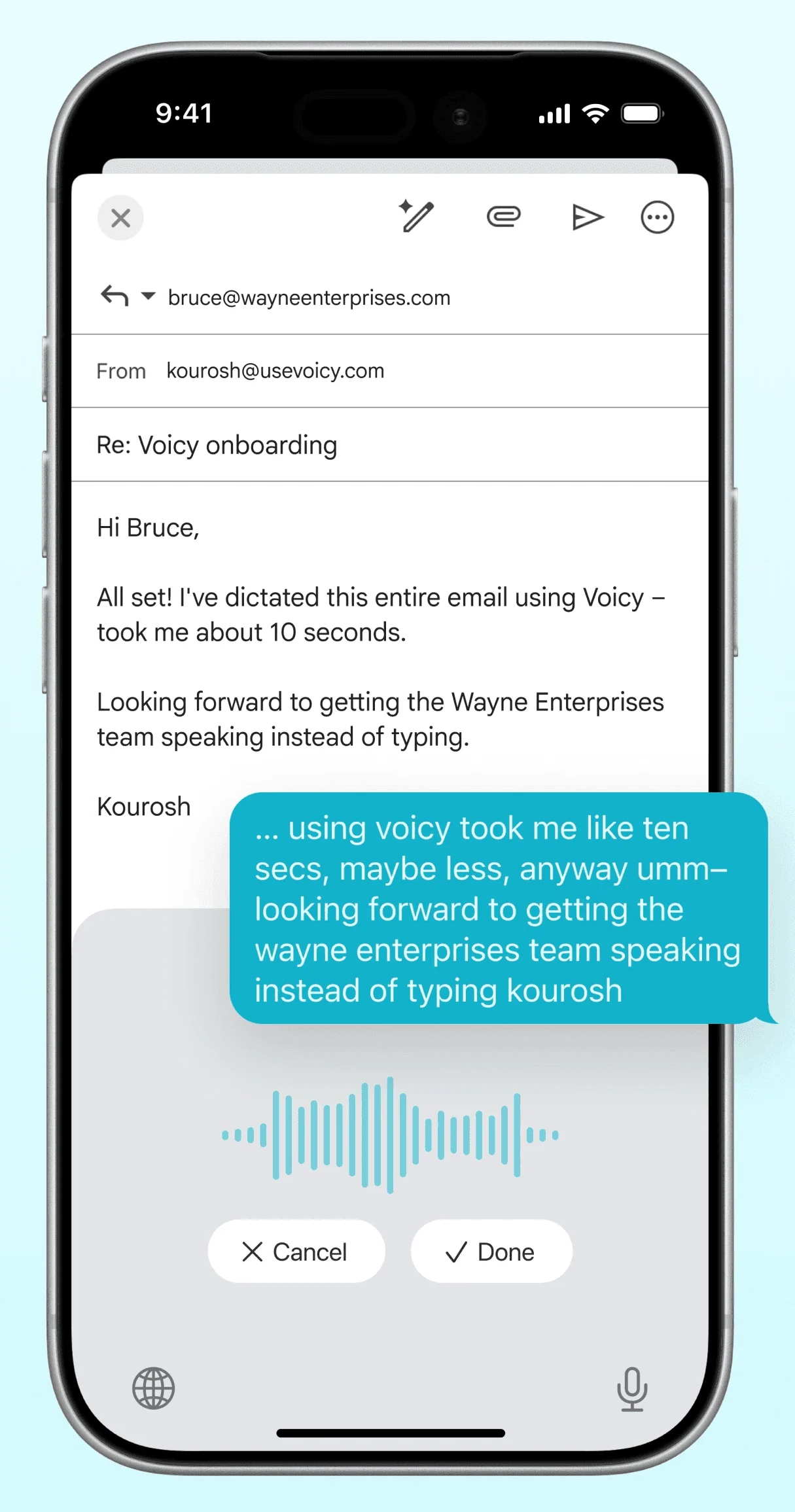
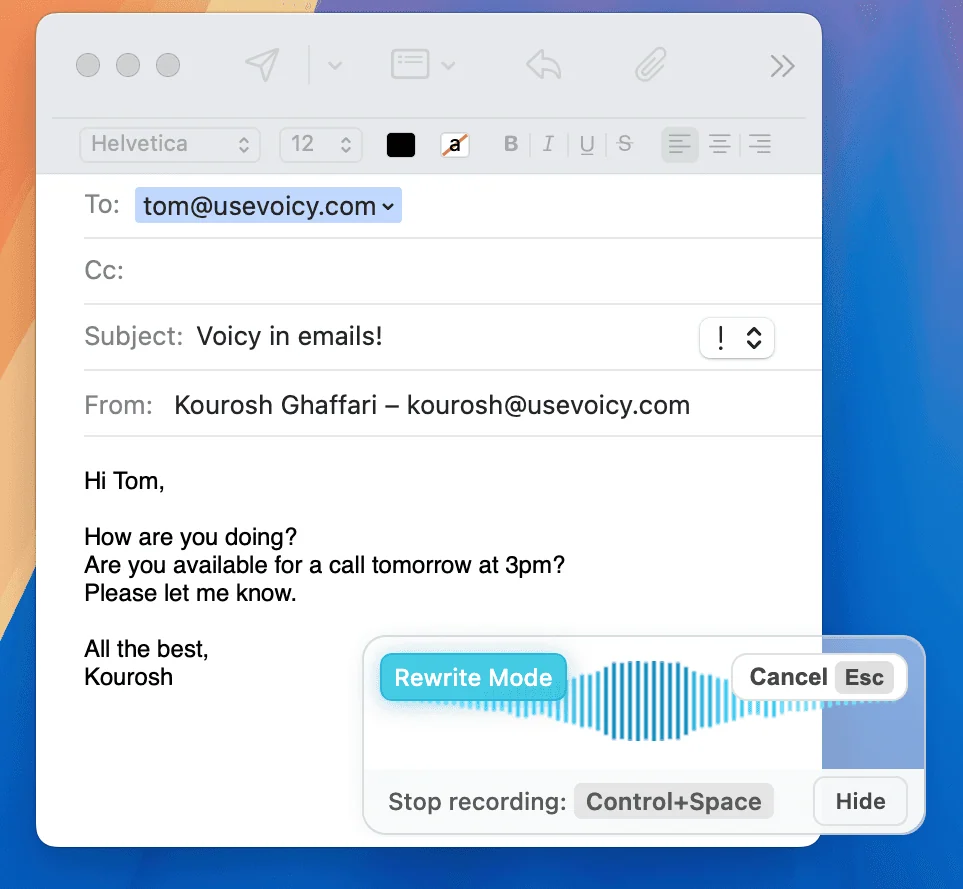
Dictate emails in every email app with Voicy. Write emails up to 3x faster with your voice thanks to:
Writing & Documents





 & more
Speech-to-text for all your documents, notes, and writings. Get your thoughts on paper faster with:
Chats, team communication, AI prompts




 & more
Whether you're chatting with friends on WhatsApp, your colleagues on Slack or Teams, or your favorite AI on ChatGPT, Gemini, Claude, etc., dictate your messages with Voicy.
Coding, terminals, vibe-coding


 & more
Use dictation in your TUI for commands, Claude Code, or Codex. Or voice-type in your favorite IDE for some fun coding (the vibe is optional)
 Google Docs
Use Speech-To-Text inside Google Docs to write documents in half the time.
Read More Gmail
GmailAutomatic punctuation and formatting help you write perfect emails!
Read More Microsoft Word
Stuck on that first line to start your doc? Just speak it out and it's there.
Read More Outlook
Voicy works perfectly in all Outlook versions to help you dictate emails.
Read More Notion
Capture notes and ideas directly in Notion with voice dictation.
Read More ChatGPT
Dictate detailed prompts directly into ChatGPT.
Read MoreOur price will never be more than 20% above our total costs.
See if you like Voicy
Start for free. No credit card required.
For the everyday user
$8.49/month
Pay once, use forever
$260
Speed up your entire org
$6.79/user/mo
30 minutes of free recording timeFree trial. No credit card required.
Voicy combines 99%+ accuracy, automatic punctuation, 50+ language support, and universal app compatibility into one affordable package. It works in every app across Mac, Windows, Linux, iOS & Android. Plans start at $8.49/month after your free trial, a fraction of the cost of Dragon while delivering comparable accuracy.
50+ languages with automatic detection. English, German, French, Spanish, Portuguese, Arabic, Hindi, Chinese, Russian, and many more. Switch languages mid-sentence — Voicy adapts without any settings changes.
Voicy offers a free trial with full features so you can test it before committing. After the trial, plans start at $8.49. Compared to Dragon ($300+) or enterprise dictation solutions, Voicy is significantly more affordable while offering similar accuracy.
Yes. Voicy doesn't store recordings or transcripts. Speech is processed in the cloud and discarded; with offline dictation (Mac, Windows and Linux apps, 25 languages) audio never leaves your computer.
Yes. Voicy has native apps for Mac (macOS 13+), Windows (10 & 11) and Linux, an iPhone & Android app, and extensions for Chrome, Edge, Brave and Opera. Same accuracy and features across all platforms. Download the app, set your shortcut, and start dictating in any application.
Voicy offers comparable accuracy to Dragon at a fraction of the cost ($8.49/month vs $300+). Unlike Dragon, which runs only on Windows, Voicy works on Mac, Windows and Linux, runs in any app, and includes AI editing features. Dragon is more established in medical/legal niches, but for general dictation, Voicy delivers more value.
Built-in dictation transcribes with basic punctuation. AI dictation also fixes grammar, removes filler and lets you edit by voice ("make this shorter"). Voicy does this in every app.
For most writing tasks, yes. Emails, documents, messages, notes, AI prompts — voice dictation handles all of these. Some tasks like coding or spreadsheet work still benefit from keyboard input. Most users find a mix works best: dictation for writing, keyboard for navigation and editing.
Voicy works in every app on Mac, Windows and Linux — email clients, word processors, browsers, messaging apps, AI tools, and more. Most built-in dictation tools and cheaper alternatives only work in select apps. Voicy operates at the system level, so anywhere you can type, you can dictate.
Voicy delivers 99%+ accuracy with automatic punctuation — accurate enough for professional emails, legal documents, medical notes, and business communications. It handles accents, technical vocabulary, and fast speech reliably. The automatic punctuation means less editing after dictation.