

Works everywhere
Voicy works on all the websites and apps you use daily. This means you can use voice typing to write emails, messages, documents, blog posts, etc.This means your voice can write emails, messages, documents, blog posts, etc.




















Speech to Text in ChatGPT
99%+ accuracy in 50+ languages.
3x faster than typing.
 Download for free
 Download for free
 Download for Ubuntu/Debian
 Add to Chrome for freeDownload for freeDownload for FedoraDownload AppImageDownload for freeDownload for freeDownload for Ubuntu/DebianAdd to Chrome for freeDownload for freeDownload for FedoraDownload AppImageAlso available on Mac, Windows & Linux
Try for free. No credit card required.
Three simple steps. No training needed.
Install it on Mac, Windows, or Linux.
Place your cursor in the prompt.
Press your shortcut and speak. Voicy types for you.
Voicy works on all the websites and apps you use daily. This means you can use voice typing to write emails, messages, documents, blog posts, etc.This means your voice can write emails, messages, documents, blog posts, etc.
Nobody sees your transcripts except you. Turn on offline mode and your voice never leaves your computer.
Read our Privacy policy.
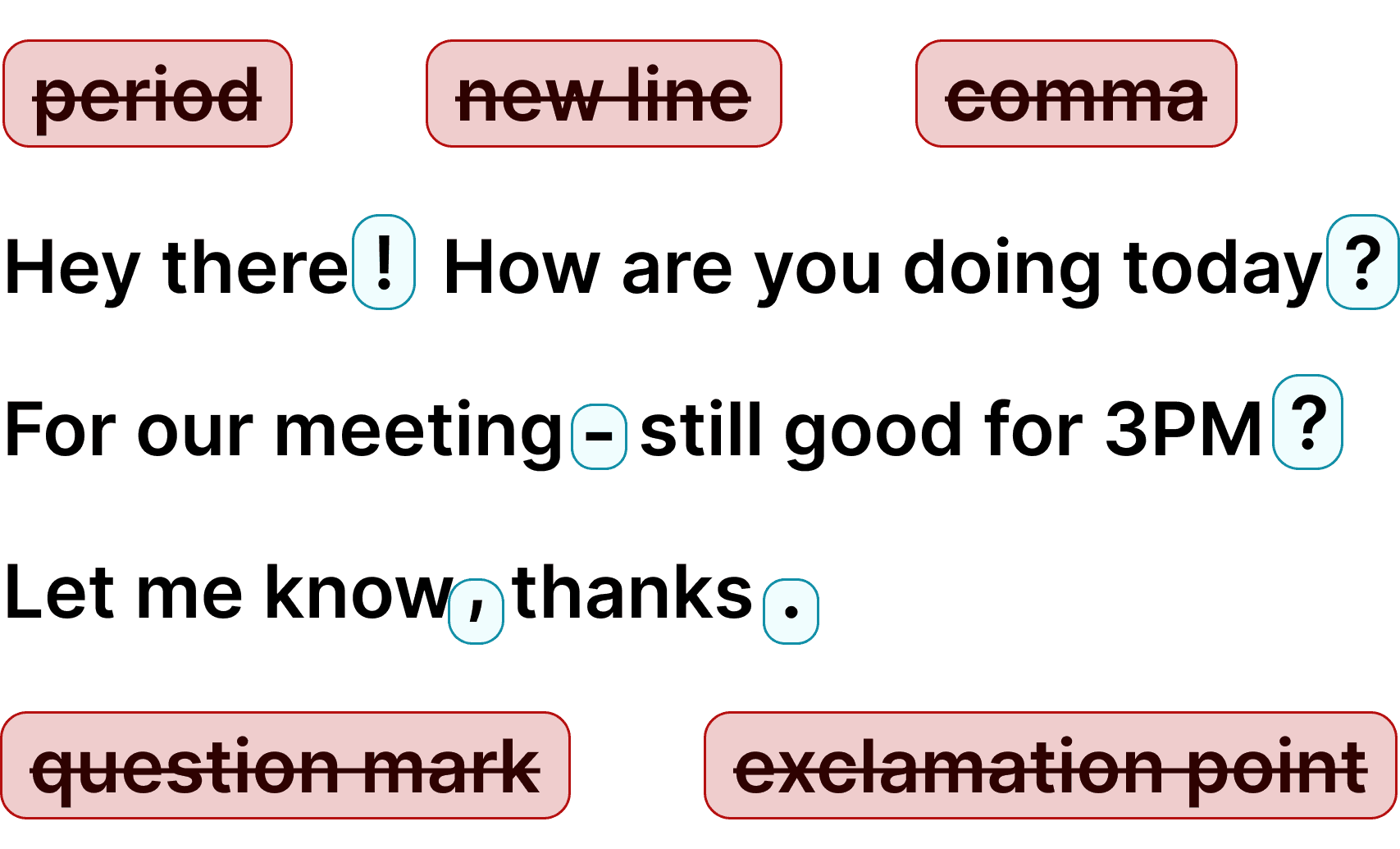
Voicy automatically adds perfect punctuation to your dictated text.
Zero typos, perfect grammar, perfect punctuation.
Voicy gives you over 99% accuracy in more than 50 languages, including speech-to-text in English, German, French, Spanish, Portuguese, Mandarin, etc.Over 99% accuracy in more than 50 languages, including speech to text in English, German, French, Spanish, Portuguese, Mandarin, etc.

I've tried other products like it, and, so far, Voicy is the most user-friendly, and it really improves my workflow.

This is the tool that I was looking for. It is amazing. I've gotten so lazy about typing anywhere. Thank you, thank you, thank you for this product!

Voicy is an absolute game-changer! This voice-to-text extension delivers exceptional accuracy, capturing my words perfectly every time. The speed is impressive.

Almost instant replies from the creator, great support great app!

I love Voicy!! The extension and the desktop app have saved me so much time. I have tried several different voice-to-text apps. None of them compares to Voicy!

I use it in combination with WhisperShortcut on my macOS. Works wonders.

Very helpful and convenient app, super easy to use, very, saves a ton of time on typing my thoughts because now I can just speak them, and get them noted down for me!

Awesome tool, very reliable and fast to use. I highly recommend this tool.

Awesome tool, now I don't have to write everything I want to say.

Super useful and fast. Makes getting ideas on the page much easier.

Absolute accessibility lifesaver, thanks to the devs for building this it's a huge productivity boost, also far better and accurate than the native windows speech to text

Damn! This was just the Speech to Text tool I was looking for. Its super fast and reliable, and works every time.

The best voice to text generator for every use! I don't like to type, so this is perfect!!!

Just got my new laptop and it was the first Chrome extension I installed.

Insane level of accuracy - I absolutely love it, huge time-saver getting my thoughts out!

Honestly one of the best tools I’ve used! It helps with my daily tasks, is impressively accurate, and saves me so much time.

This app has been an absolute lifesaver for me. I didn't know I needed this app until I started using it.

I've been a Voicy user for nearly a year now and I see constant improvements being made, especially with the Windows app now being available. I am truly a believer.

I use the app every day, whenever I’m on something to do vibe coding. It’s really super convenient for me, it lets me stay in the flow. I really love this app.

Voicy revolutionized how I interacted with AI and wrote long-form content.

This is a huge time saver! I am able to type pretty quick. But this literally lets my thoughts flow onto the screen, its incredible

What made me most impressed is the very quick responses to questions and good solutions.
30 minutes of free recording timeFree trial. No credit card required.
 Google Docs
Use Speech-To-Text inside Google Docs to write documents in half the time.
Read More Gmail
GmailAutomatic punctuation and formatting help you write perfect emails!
Read More Microsoft Word
Stuck on that first line to start your doc? Just speak it out and it's there.
Read More Outlook
Voicy works perfectly in all Outlook versions to help you dictate emails.
Read More Notion
Capture notes and ideas directly in Notion with voice dictation.
Read More Claude
Dictate detailed prompts directly into Claude.
Read MoreUsing speech recognition software increases your speed by an average of 3x. Get your thoughts on paper faster.
Voicy automatically adds perfect commas and punctuation to your transcription.
Writing with your voice creates more natural sounding, easier to understand text and documents.
Voicy also gives you direct access to ChatGPT through voice commands, wherever you are.
Whether you want to boost productivity, save your wrists and fingers from pain, or simply want to write more natural-sounding text - using talk to text for your daily work in ChatGPT is the way to go. Voicy uses the latest speech recognition technology to give you the power of your voice on every text field on the internet, ChatGPT & Claude included.
Download the Voicy app for Mac, Windows or Linux, the iPhone & Android app, or the extension for Chrome, Edge, Brave and Opera to get started.
Apart from talk to text functionality, Voicy also gives you access to AI commands everywhere. If you don't know how to start or formulate an email, simply ask Voicy to do it for you.
Finally, Voicy works in 50+ languages, including Spanish, German, Russian, Hindi, French, Dutch and many more.
ChatGPT's own mic only dictates inside ChatGPT. The Voicy chrome extension actually uses the same technology as OpenAI does. This is the state of the art Whisper API for speech recognition.
The difference is where you can use it. Voicy gives you the same accurate, punctuated text with one shortcut in ChatGPT, Gmail, Google Docs, Slack and every other app, plus AI voice commands to edit your text before you send it.
Dictation on Android & iPhone
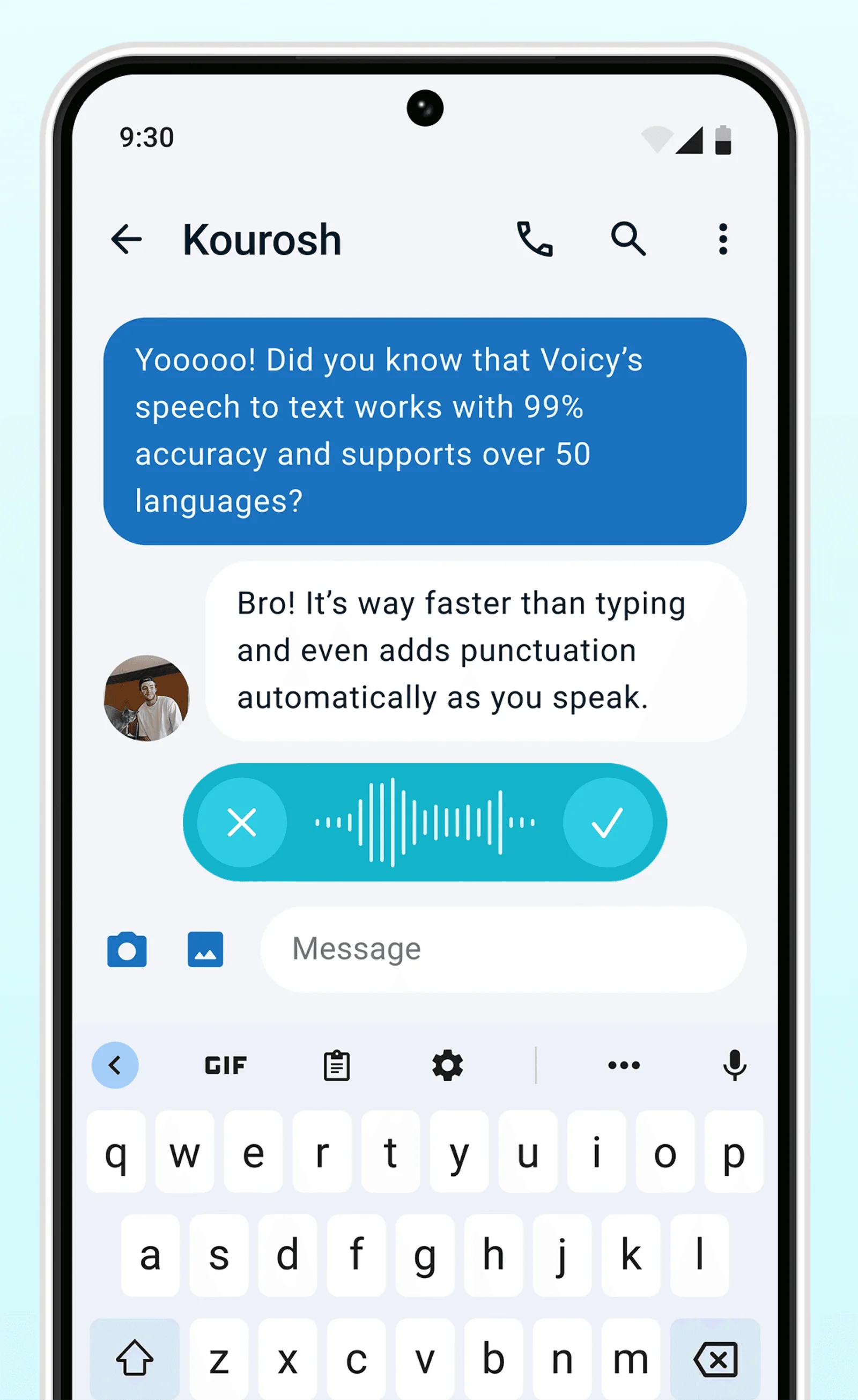
Never use Apple's or Android's annoying dictation again. Perfect dictation, 3x faster than typing.
Emails


 & more
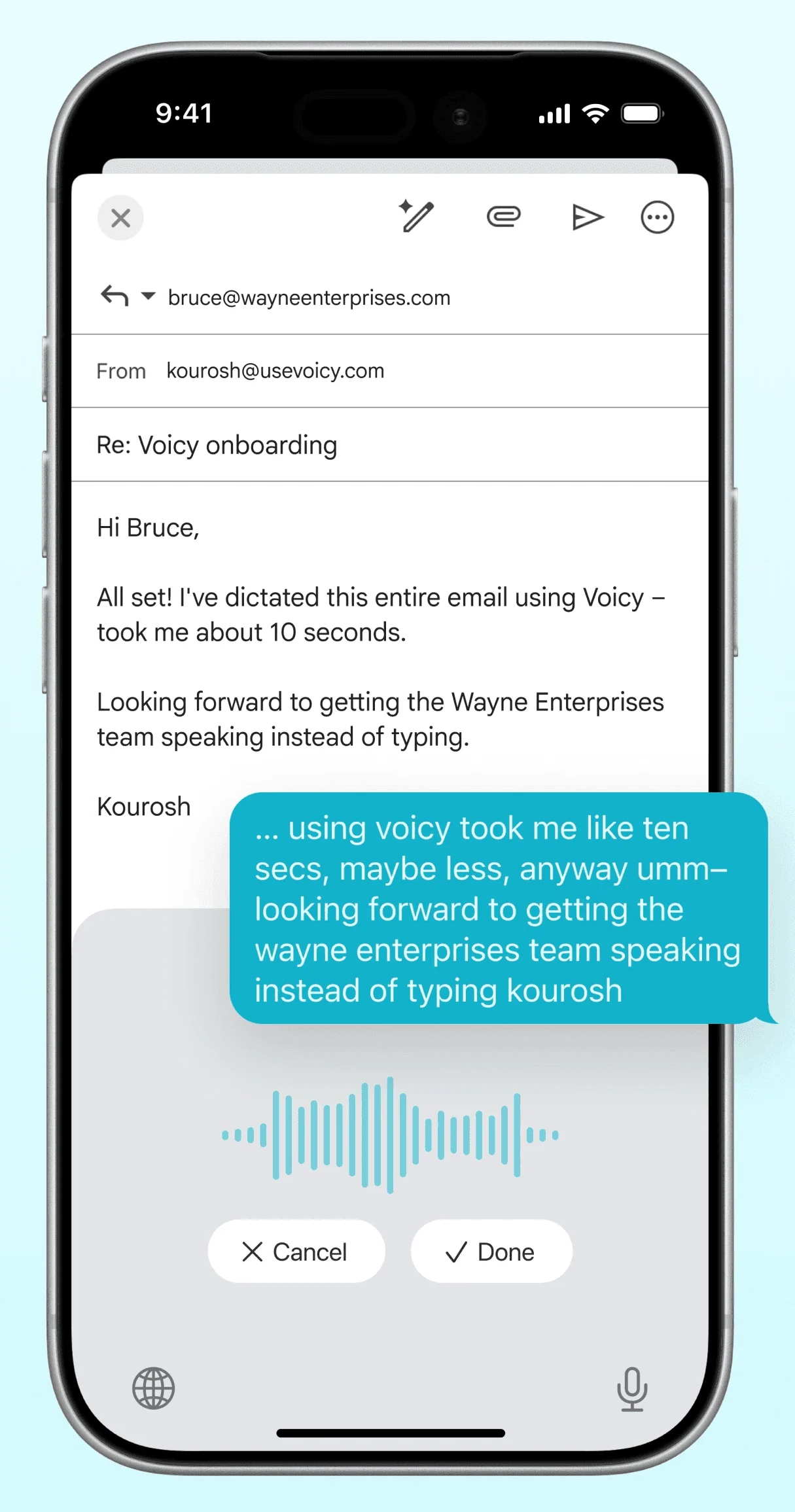
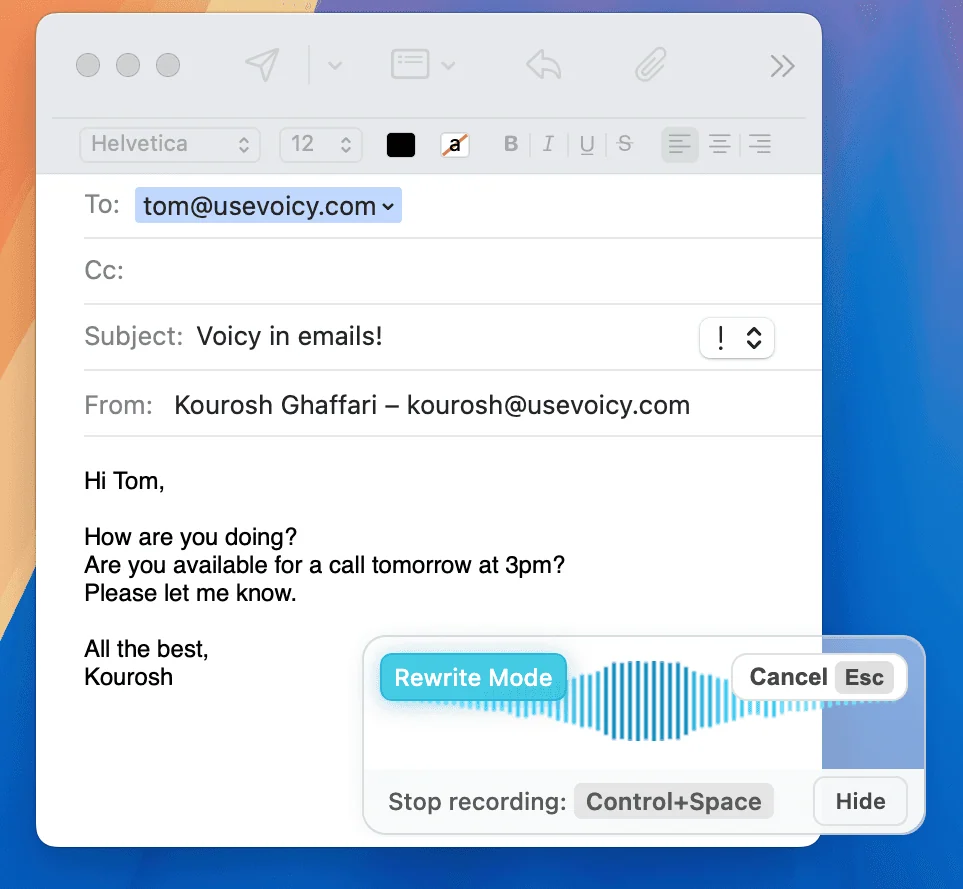
Dictate emails in every email app with Voicy. Write emails up to 3x faster with your voice thanks to:
Writing & Documents





 & more
Speech-to-text for all your documents, notes, and writings. Get your thoughts on paper faster with:
Chats, team communication, AI prompts




 & more
Whether you're chatting with friends on WhatsApp, your colleagues on Slack or Teams, or your favorite AI on ChatGPT, Gemini, Claude, etc., dictate your messages with Voicy.
Coding, terminals, vibe-coding


 & more
Use dictation in your TUI for commands, Claude Code, or Codex. Or voice-type in your favorite IDE for some fun coding (the vibe is optional)
Our price will never be more than 20% above our total costs.
See if you like Voicy
Start for free. No credit card required.
For the everyday user
$8.49/month
Pay once, use forever
$260
Speed up your entire org
$6.79/user/mo
30 minutes of free recording timeFree trial. No credit card required.
ChatGPT's mic only dictates inside ChatGPT. Voicy uses one shortcut for ChatGPT and every other app, and adds AI edits before you send.
Voicy offers a free trial where you can use all features. Because each transcription costs money, we are not able to offer a completely free tier. Our plans start at $8.49/month.
Voicy doesn't store recordings or transcripts. Speech is processed in the cloud and discarded; with offline dictation (Mac, Windows and Linux apps, 25 languages) audio never leaves your computer.
After you install the Voicy extension, you will see the Voicy element in ChatGPT. Hover over it and start speaking. Click it again when you are done to insert your transcription into the chat input.
Yes. ChatGPT has a microphone button for dictating messages and a voice mode for spoken conversations, but both only work inside ChatGPT. Voicy gives you the same speech to text with one shortcut in ChatGPT and every other app.