



Comment mettre à niveau votre outil de dictée vocale Voicy

Comment mettre à niveau votre outil de dictée vocale Voicy

Pour des raisons de sécurité, vous pouvez mettre à jour votre version directement dans l'application Voicy.
Si vous utilisez l'extension Chrome et non l'application de bureau, regardez cette vidéo.

Pour des raisons de sécurité, vous pouvez effectuer la mise à niveau directement depuis l'application de dictée vocale Voicy.
Si vous utilisez l'extension Chrome et non l'application de bureau, regardez cette vidéo.

  1. Si ce n'est pas encore fait, téléchargez l'application d'écriture par dictée vocale Voicy pour ordinateur.

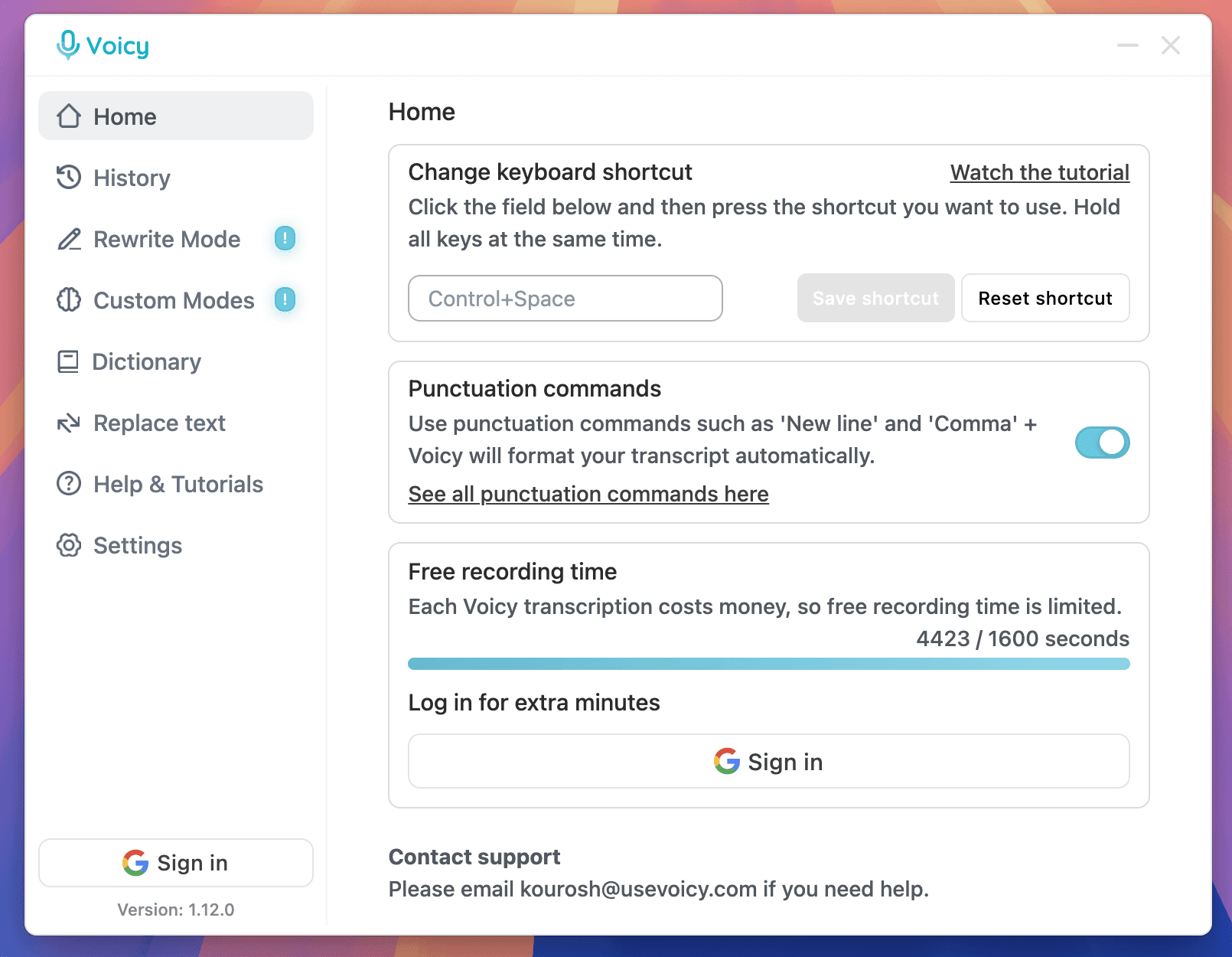
  1. Ouvrez l'application de dictée vocale Voicy sur votre ordinateur.
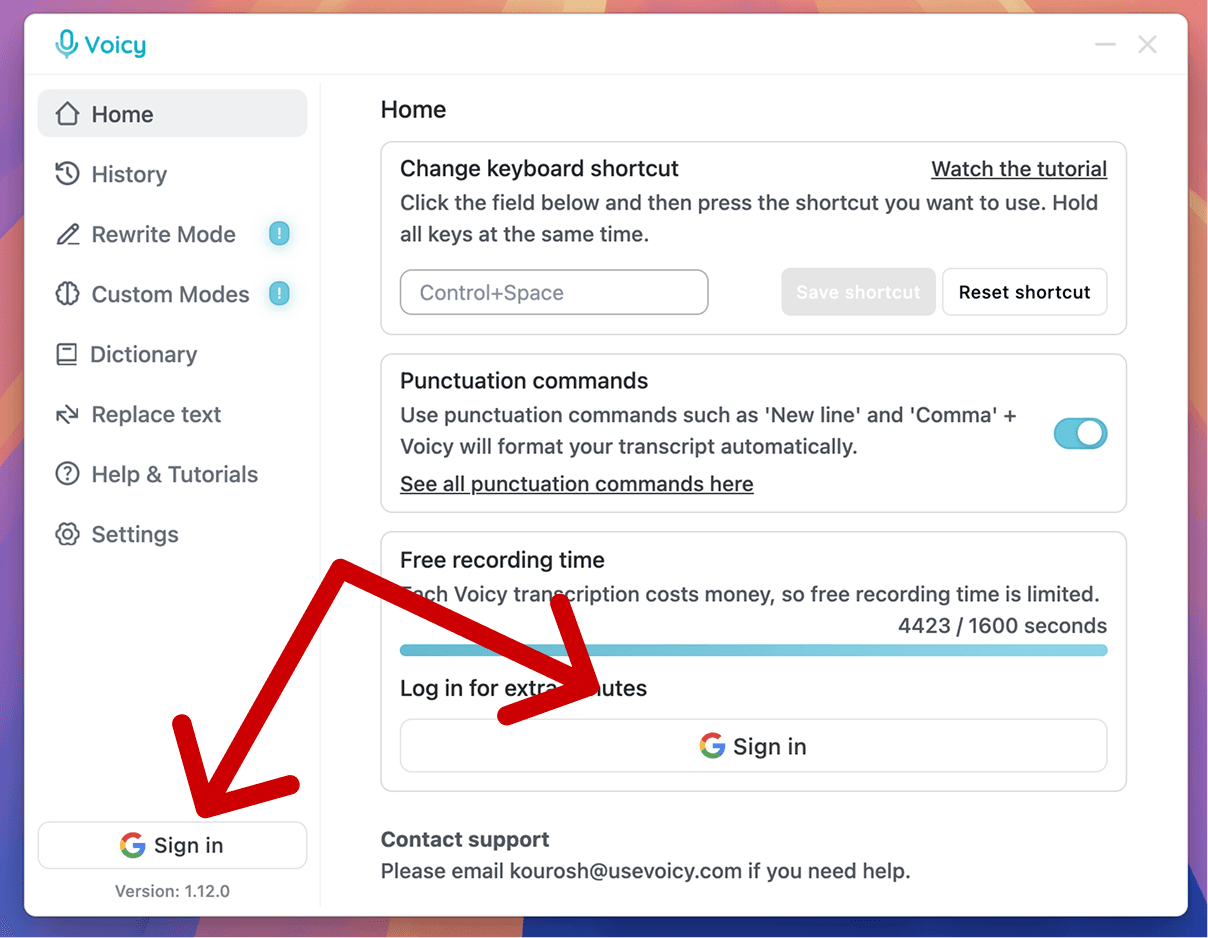
  1. Connectez-vous à Voicy, votre outil de saisie vocale, en cliquant sur l'un des boutons indiqués ci-dessous.
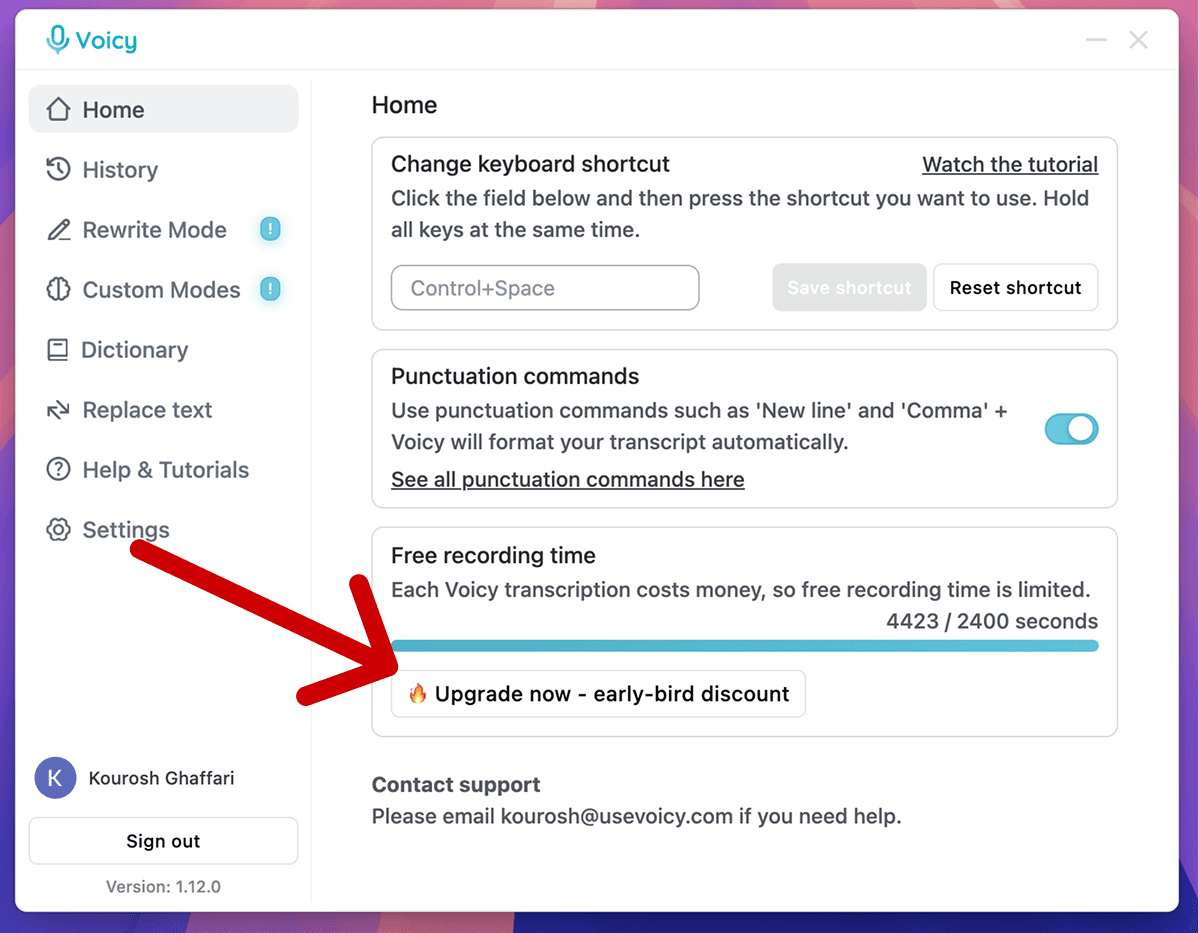
  1. Cliquez sur le bouton « Passer au forfait supérieur » situé sous la barre de limite d'enregistrement.
Essayez la dictée vocale gratuitement. Ça fonctionne partout.

No credit card required

7-day money back guarantee

+10,000 happy users

Essayez la dictée vocale gratuitement. Ça fonctionne partout.

No credit card required

7-day money back guarantee

+10,000 happy users

Free trial. No credit card required.

Image of reviewer

Nicholas Cino

Truly amazing extension. Works wonders and is really fast! Reduces time of writing complex emails by about 80%!

Image of reviewer

CL Cobb

I've tried other products like it, and, so far, Voicy is the most user-friendly, and it really improves my workflow.

Image of reviewer

Pam Lang

This is the tool that I was looking for. It is amazing. I've gotten so lazy about typing anywhere. Thank you, thank you, thank you for this product!

Image of reviewer

Steve Moore

Voicy is an absolute game-changer! This voice-to-text extension delivers exceptional accuracy, capturing my words perfectly every time. The speed is impressive.

Image of reviewer

Victor Rodriguez

Almost instant replies from the creator, great support great app!

Image of reviewer

Crystal Willis

I love Voicy!! The extension and the desktop app have saved me so much time. I have tried several different voice-to-text apps. None of them compares to Voicy!

Image of reviewer

Nicholas Cino

Truly amazing extension. Works wonders and is really fast! Reduces time of writing complex emails by about 80%!

Image of reviewer

CL Cobb

I've tried other products like it, and, so far, Voicy is the most user-friendly, and it really improves my workflow.

Image of reviewer

Pam Lang

This is the tool that I was looking for. It is amazing. I've gotten so lazy about typing anywhere. Thank you, thank you, thank you for this product!

Image of reviewer

Nicholas Cino

Truly amazing extension. Works wonders and is really fast! Reduces time of writing complex emails by about 80%!

Image of reviewer

CL Cobb

I've tried other products like it, and, so far, Voicy is the most user-friendly, and it really improves my workflow.

Image of reviewer

Pam Lang

This is the tool that I was looking for. It is amazing. I've gotten so lazy about typing anywhere. Thank you, thank you, thank you for this product!

Voicy - Speech-to-Text on Every Website | Startup Fame

FAQ

Proposez-vous un remboursement si la saisie vocale ne me convient pas ?

Quelles langues sont prises en charge par le logiciel de dictée vocale Voicy ?

Combien coûte l'application de dictée vocale Voicy ?

La dictée vocale est-elle privée ? Conservez-vous les enregistrements ?

Qu'est-ce que la reconnaissance vocale et comment fonctionne Voicy ?

La dictée vocale Voicy fonctionne-t-elle sur Mac, Windows et Chrome ?

Est-ce que Voicy est meilleur que le logiciel de reconnaissance vocale Dragon ?

Puis-je utiliser Voicy pour la saisie vocale sur Google Docs, Word et pour mes e-mails ?

Quelle est la précision de Voicy par rapport à la dictée vocale intégrée ?

