Voicy Logo

Voicy

Try for free

4.9/5

+10,000 happy users

Bye bye Apple dictation 👋

Bye bye Apple dictation 👋

The Best Speech to Text App for iPhone.

The Best Speech to Text App for iPhone.

Start for free

2x more accurate than Apple speech recognition.
Works in all apps and websites.

Automatic punctuation and formatting - powered by AI.

99% accuracy in 50 languages.
3x faster than typing.
Works in every app & website.

Free trial. No credit card needed.

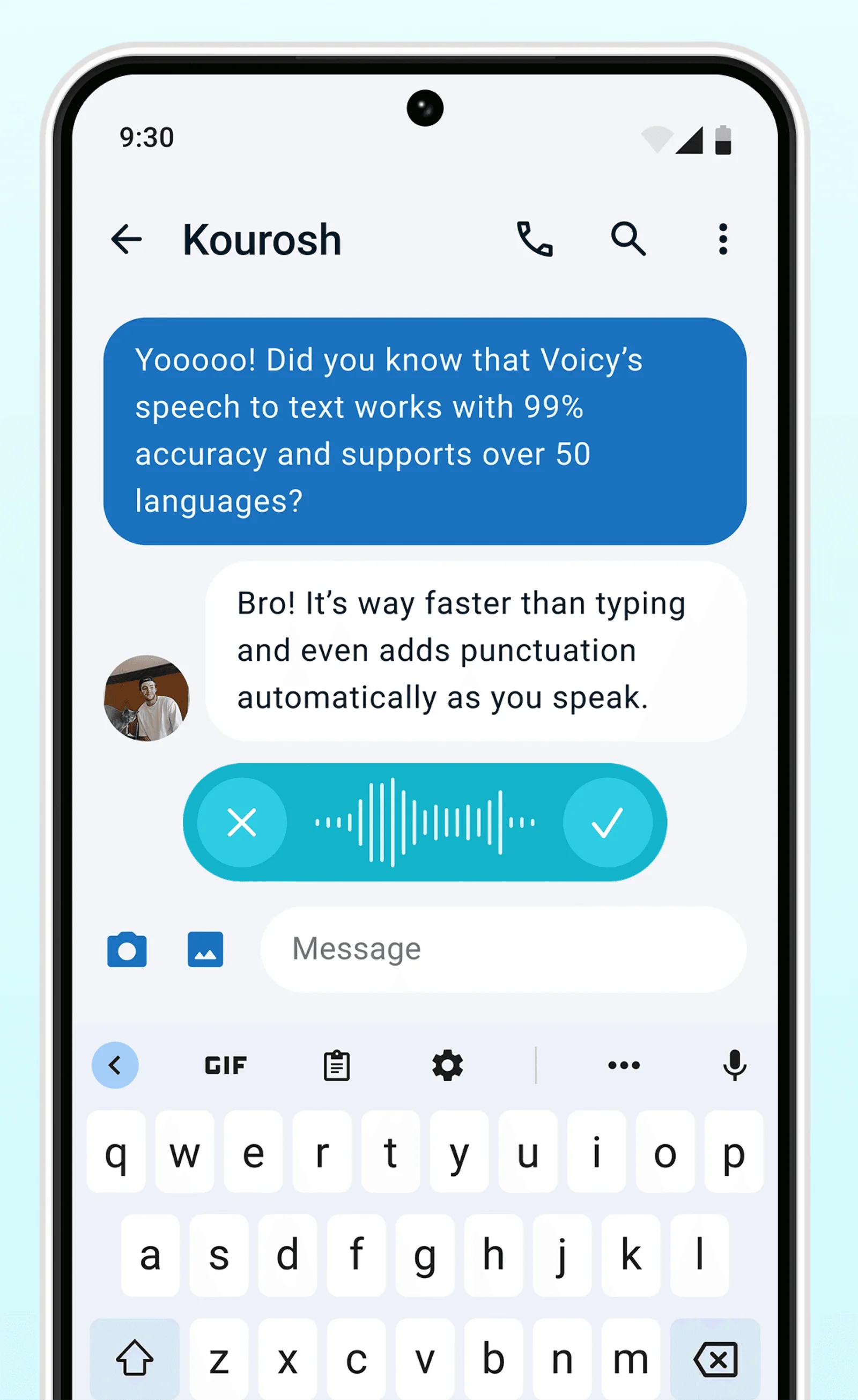
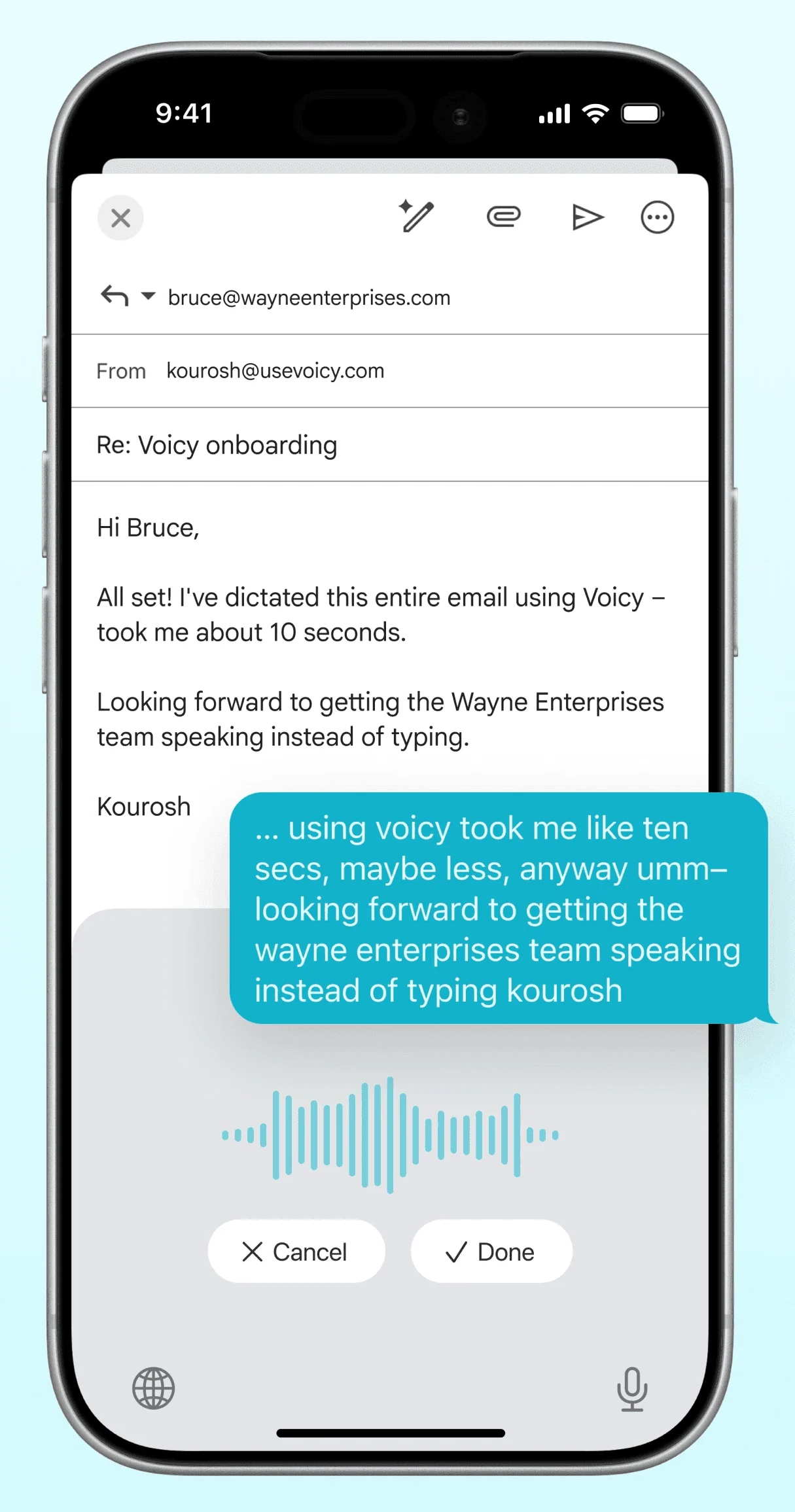
A GIF of Voicy speech to text being used on a website

Works in every iOS App and all websites

On all the websites you use

Works in every iOS App and all websites

Apple Mail Logo

Mail

Mail

Gmail logo indicating speech to text on Gmail

Gmail

Gmail

Slack Logo

Slack

Slack

Whatsapp logo indicating speech to text on Whatsapp

Whatsapp

Whatsapp

Claude Logo indicating speech to text on Claude

Claude

Claude

ChatGPT logo indicating speech to text on chatgpt

ChatGPT

ChatGPT

Apple Notes Logo

Notes

Notes

And +20,000 more

And +20,000 more

How to use Voicy Speech-to-Text on iPhone

How to use Voicy Speech-to-Text on iPhone

Step 1

Download Voicy

Try for free

Voicy is a privacy-focused speech-to-text app.

It adds the most advanced dictation technology to your iOS device, while keeping your security and privacy in mind.

A GIF of Voicy speech to text being used on a website

Step 2

Add the Voicy keyboard to your iPhone

The Voicy app adds a powerful keyboard to your iPhone that lets you use speech to text everywhere.

A gif showing the Voicy keyboard that allows dictation on iPhone

Step 2

Complete the setup (2-minutes)

The Voicy app adds a powerful keyboard to your iPhone that lets you use speech to text everywhere.

A gif showing the Voicy keyboard that allows dictation on iPhone

Congratulations! You can now use perfect speech-to-text anywhere.

Once Voicy is installed, you can use talk to text everywhere on your iPhone.


This includes all of your favourite apps and every website in your browser too!

A gif showing how Voicy's speech to text functionality works on a Windows computer

Congratulations! You can now use perfect speech-to-text anywhere.

Once Voicy is installed, you can use talk to text everywhere on your iPhone.


This includes all of your favourite apps and every website in your browser too!

A gif showing how Voicy's speech to text functionality works on a Windows computer

Works everywhere

Voicy works on all the websites and apps you use daily. This means you can use voice typing to write emails, messages, documents, blog posts, etc.

  • Microsoft Outlook Logo indicating voice dictation on Outlook
  • Microsoft Word Logo indicating microsoft word dictation with Voicy
  • Gmail logo indicating speech to text on Gmail
  • Linkedin logo
  • Substack logo
  • Facebook Messenger logo
  • Notion Logo
  • ChatGPT logo indicating speech to text on chatgpt
  • Claude Logo indicating speech to text on Claude
  • Google Docs Logo
  • Telegram logo
  • Discord Loog
  • Reddit Logo
  • Hubspot Logo
  • EverNote Logo
  • Medium logo indicating speech to text on medium
  • Trello Logo indicating speech to text on trello
  • Asana logo

Privacy First

Nobody sees your transcripts except yourself.
You can read more about our privacy policy here.

Automatic Punctuation

Voicy automatically adds perfect punctuation to your dictated text. Zero typos, perfect grammar, perfect punctuation.

Image showing a paragraph of text that has been grammar corrected by AI

+50 languages

Voicy gives you over 99% accuracy in more than 50 languages, including speech-to-text in English, German, French, Spanish, Portuguese, Mandarin, etc.

  • 🇵🇹

  • 🇫🇷

  • 🇮🇳

  • 🇷🇺

  • 🇪🇸

  • 🇨🇳

  • 🇩🇪

  • 🇬🇧

  • 🇵🇱

  • 🇰🇷

  • 🇬🇷

  • 🇺🇦

  • 🇸🇦

  • 🇦🇲

  • 🇿🇦

  • 🇮🇷

  • 🇺🇸

  • 🇫🇮

  • 🇱🇺

  • 🇯🇵

  • 🇮🇱

  • 🇸🇪

  • 🇳🇱

  • 🇩🇰

  • 🇨🇿

Works everywhere

This means your voice can write emails, messages, documents, blog posts, etc.

  • Microsoft Outlook Logo indicating voice dictation on Outlook
  • Microsoft Word Logo indicating microsoft word dictation with Voicy
  • Gmail logo indicating speech to text on Gmail
  • Linkedin logo
  • Substack logo
  • Facebook Messenger logo
  • Notion Logo
  • ChatGPT logo indicating speech to text on chatgpt
  • Claude Logo indicating speech to text on Claude
  • Google Docs Logo
  • Telegram logo
  • Discord Loog
  • Reddit Logo
  • Hubspot Logo
  • EverNote Logo
  • Medium logo indicating speech to text on medium
  • Trello Logo indicating speech to text on trello
  • Asana logo

Privacy First

Nobody sees your transcripts except yourself.
You can read more about our privacy policy here.

Automatic Punctuation

Voicy automatically adds perfect punctuation to your dictated text. Zero typos, perfect grammar, perfect punctuation.

Image showing a paragraph of text that has been grammar corrected by AI

+50 languages

Over 99% accuracy in more than 50 languages, including speech to text in English, German, French, Spanish, Portuguese, Mandarin, etc.

  • 🇵🇹

  • 🇫🇷

  • 🇮🇳

  • 🇷🇺

  • 🇪🇸

  • 🇨🇳

  • 🇩🇪

  • 🇬🇧

  • 🇵🇱

  • 🇰🇷

  • 🇬🇷

  • 🇺🇦

  • 🇸🇦

  • 🇦🇲

  • 🇿🇦

  • 🇮🇷

  • 🇺🇸

  • 🇫🇮

  • 🇱🇺

  • 🇯🇵

  • 🇮🇱

  • 🇸🇪

  • 🇳🇱

  • 🇩🇰

  • 🇨🇿

Works everywhere

Voicy works on all the websites and apps you use daily. This means you can use voice typing to write emails, messages, documents, blog posts, etc.

  • Microsoft Outlook Logo indicating voice dictation on Outlook
  • Microsoft Word Logo indicating microsoft word dictation with Voicy
  • Gmail logo indicating speech to text on Gmail
  • Linkedin logo
  • Substack logo
  • Facebook Messenger logo
  • Notion Logo
  • ChatGPT logo indicating speech to text on chatgpt
  • Claude Logo indicating speech to text on Claude
  • Google Docs Logo
  • Telegram logo
  • Discord Loog
  • Reddit Logo
  • Hubspot Logo
  • EverNote Logo
  • Medium logo indicating speech to text on medium
  • Trello Logo indicating speech to text on trello
  • Asana logo

Privacy First

Nobody sees your transcripts except yourself.
You can read more about our privacy policy here.

Automatic Punctuation

Voicy automatically adds perfect punctuation to your dictated text. Zero typos, perfect grammar, perfect punctuation.
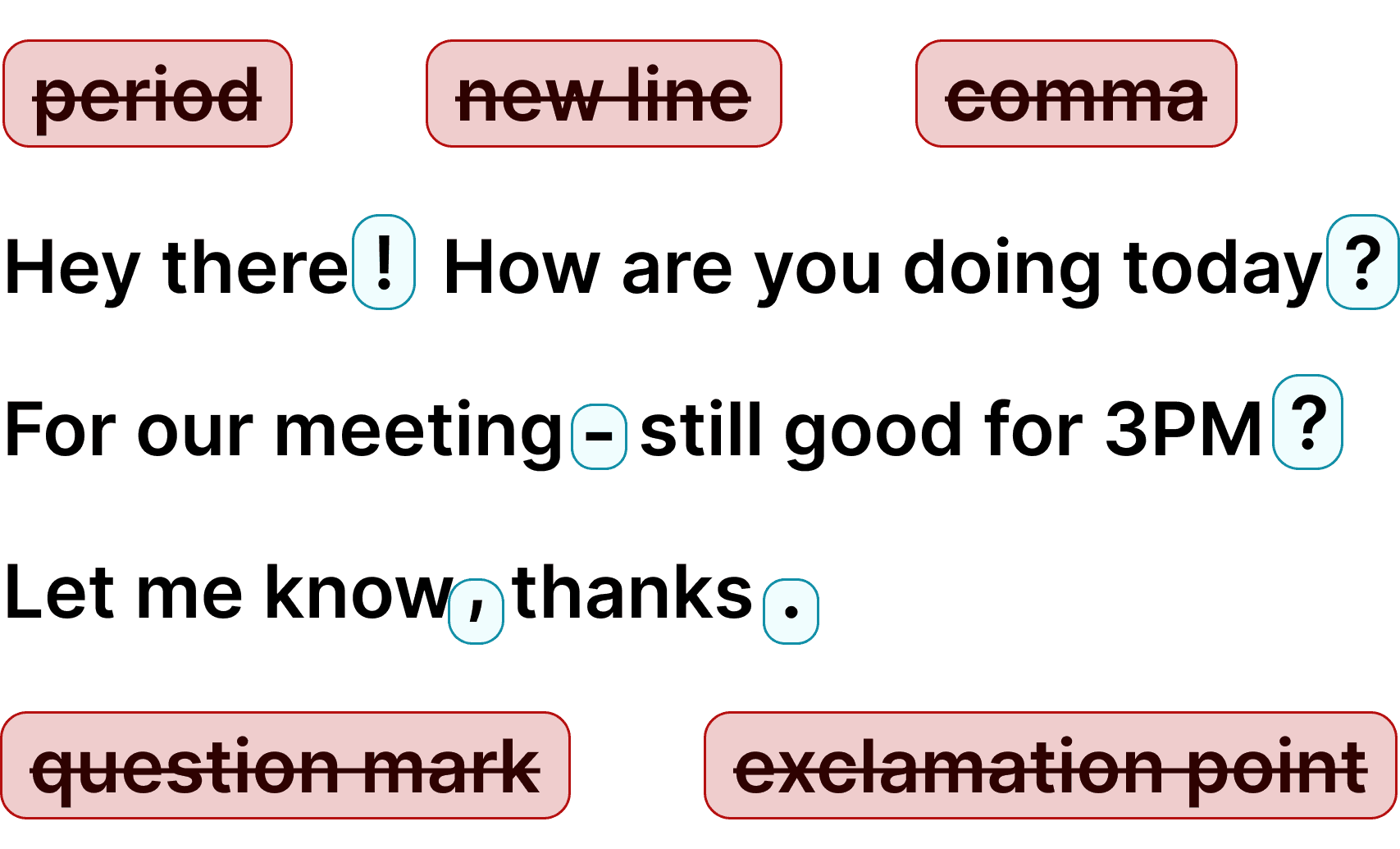
Image showing a paragraph of text that has been grammar corrected by AI

+50 languages

Voicy gives you over 99% accuracy in more than 50 languages, including speech-to-text in English, German, French, Spanish, Portuguese, Mandarin, etc.

  • 🇵🇹

  • 🇫🇷

  • 🇮🇳

  • 🇷🇺

  • 🇪🇸

  • 🇨🇳

  • 🇩🇪

  • 🇬🇧

  • 🇵🇱

  • 🇰🇷

  • 🇬🇷

  • 🇺🇦

  • 🇸🇦

  • 🇦🇲

  • 🇿🇦

  • 🇮🇷

  • 🇺🇸

  • 🇫🇮

  • 🇱🇺

  • 🇯🇵

  • 🇮🇱

  • 🇸🇪

  • 🇳🇱

  • 🇩🇰

  • 🇨🇿

Voicy vs Apple iOS native dictation

Voicy vs Apple iOS native dictation

FeatureVoicy⭐ RecommendedApple Dictation
Accuracy99%+ with AI cleanup90%, but accuracy varies by language
Auto punctuationYesSometimes
Works in any appYesYes
Fast supportYes, dedicated Voicy supportStandard Apple support
AI writing assistantYesNo
Offline modeNoYes, in many languages
Audio file transcriptionYesNo
Cross-device workflowYes, across mobile, desktopOnly Apple Devices

Privacy FAQs

Voicy is a privacy-focused speech-to-text app. It adds advanced AI dictation to Mac, Windows, browser workflows, iOS, and Android, while keeping your security and privacy in mind.

Can you read what I write with Voicy?

Nobody can read your transcripts or listen to your recordings.

Do you save my recordings and transcripts?

We do not store your transcripts or recordings anywhere in our database.

Where is my dictation stored?

Your transcripts are only stored on your device locally.

Do you use my transcripts for research or to train an AI?

We do not use your recordings to train an AI model or for any other purpose. We do not store your transcripts or recordings at all.

Privacy FAQs

Voicy is a privacy-focused speech-to-text app. It adds advanced AI dictation to Mac, Windows, browser workflows, iOS, and Android, while keeping your security and privacy in mind.

Can you read what I write with Voicy?

Nobody can read your transcripts or listen to your recordings.

Do you save my recordings and transcripts?

We do not store your transcripts or recordings anywhere in our database.

Where is my dictation stored?

Your transcripts are only stored on your device locally.

Do you use my transcripts for research or to train an AI?

We do not use your recordings to train an AI model or for any other purpose. We do not store your transcripts or recordings at all.

Privacy FAQs

Voicy is a privacy-focused speech-to-text app. It adds advanced AI dictation to Mac, Windows, browser workflows, iOS, and Android, while keeping your security and privacy in mind.

Can you read what I write with Voicy?

Nobody can read your transcripts or listen to your recordings.

Do you save my recordings and transcripts?

We do not store your transcripts or recordings anywhere in our database.

Where is my dictation stored?

Your transcripts are only stored on your device locally.

Do you use my transcripts for research or to train an AI?

We do not use your recordings to train an AI model or for any other purpose. We do not store your transcripts or recordings at all.

Image of reviewer

CL Cobb

I've tried other products like it, and, so far, Voicy is the most user-friendly, and it really improves my workflow.

Image of reviewer

Pam Lang

This is the tool that I was looking for. It is amazing. I've gotten so lazy about typing anywhere. Thank you, thank you, thank you for this product!

Image of reviewer

Steve Moore

Voicy is an absolute game-changer! This voice-to-text extension delivers exceptional accuracy, capturing my words perfectly every time. The speed is impressive.

Image of reviewer

Victor Rodriguez

Almost instant replies from the creator, great support great app!

Image of reviewer

Crystal Willis

I love Voicy!! The extension and the desktop app have saved me so much time. I have tried several different voice-to-text apps. None of them compares to Voicy!

Image of reviewer

CL Cobb

I've tried other products like it, and, so far, Voicy is the most user-friendly, and it really improves my workflow.

Image of reviewer

Pam Lang

This is the tool that I was looking for. It is amazing. I've gotten so lazy about typing anywhere. Thank you, thank you, thank you for this product!

Image of reviewer

CL Cobb

I've tried other products like it, and, so far, Voicy is the most user-friendly, and it really improves my workflow.

Image of reviewer

Pam Lang

This is the tool that I was looking for. It is amazing. I've gotten so lazy about typing anywhere. Thank you, thank you, thank you for this product!

Voicy - Speech-to-Text on Every Website | Startup Fame

Try Voicy for free. It works everywhere.

+10,000 happy users

30 minutes of free recording time

Try Voicy for free. It works everywhere.

+10,000 happy users

Free trial. No credit card required.

Start for free

Try Voicy for free. It works everywhere.

+10,000 happy users

30 minutes of free recording time

Where people dictate with Voicy

Where people dictate with Voicy

Where people dictate with Voicy

Emails
Emails

Voice-typing Emails

Voice-typing Emails

Voice-typing Emails

Gmail Logo
Outlook Logo
Yahoo Mail Logo
Apple Mail Logo
Proton Mail Logo
Superhuman email Logo

& more

Dictate emails in every email app with Voicy.
Write emails up to 4x faster with your voice thanks to:

Dictate emails in every email app with Voicy.
Write emails up to 4x faster with your voice thanks to:

Dictate emails in every email app with Voicy.
Write emails up to 4x faster with your voice thanks to:

99% accuracy in 50 languages
Automatic punctuation + formatting
AI rewriting for professional emails

99% accuracy in 50 languages
Automatic punctuation + formatting
AI rewriting for professional emails

99% accuracy in 50 languages
Automatic punctuation + formatting
AI rewriting for professional emails

Start for free

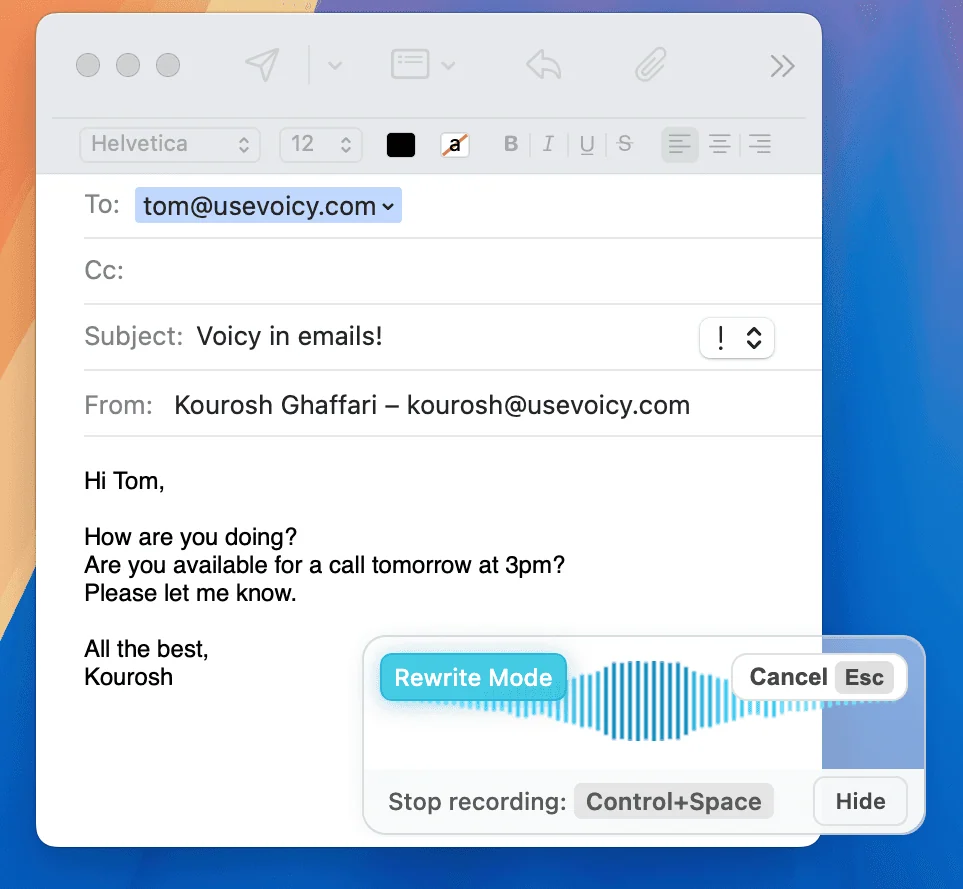
Image showing speech to text for email with Voicy in the apple mail email app.
A gif showing how Voicy's speech to text functionality works on a Windows computer
Writing & Documents
Writing & documents
Writing & Documents

Dictating Documents

Dictating Documents

Dictating Documents

Microsoft Word Logo
Google Docs Logo
Evernote logo
Notion Logo
Proton Mail Logo
Superhuman email Logo

& more

Speech-to-text for all your documents, notes, and writings.
Get your thoughts on paper faster with:

Speech-to-text for all your documents, notes, and writings.
Get your thoughts on paper faster with:

Near-perfect accuracy in 50 languages
AI rewriting & editing

Automatic cleanups and punctuation

99% accuracy in 50 languages.
AI rewriting & editing.

Automatic punctuation + formatting.

Near-perfect accuracy in 50 languages
AI rewriting & editing

Automatic cleanups and punctuation

Chats, team communication, AI prompts

Speech-to-text in all chats
(Humans or AI)

Speech-to-text in all chats
(Humans or AI)

Speech-to-text in all chats
(Humans or AI)

Whatsapp Logo
Slack Logo
Microsoft Teams Logo
ChatGPT Logo
Google Gemini Logo
Claude Logo

& more

Whether you're chatting with friends on WhatsApp, your colleagues on Slack or Teams, or your favorite AI on ChatGPT, Gemini, Claude, etc., dictate your messages with Voicy.

Chat with friends on WhatsApp, your team on Slack or Teams, or an AI on ChatGPT, Gemini, Claude, etc.
No need for a keyboard.

99% accurate in 50 languages
Lightning-fast dictation
AI rewriting & editing

99% accurate in 50 languages
Lightning-fast dictation
AI rewriting & editing

99% accurate in 50 languages
Lightning-fast dictation
AI rewriting & editing

A GIF of Voicy speech to text chrome extension being used in ChatGPT to dictate a prompt
Coding, terminals, vibe-coding

Talk to your terminal, or code in your IDE

Talk to your terminal, or code in your IDE

Talk to your terminal, or code in your IDE

VSCode Logo
IntelliJ Logo
Cursor Logo
PyCharm Logo
Codex Logo
Claude Code logo

& more

Use dictation in your TUI for commands, Claude Code, or Codex. Or voice-type in your favorite IDE for some fun coding (the vibe is optional)

Use dictation in your TUI for commands, Claude Code, or Codex. Or voice-type in your favorite IDE for some fun coding (the vibe is optional)

Works in all terminals and IDEs
Write longer & better prompts in half the time

Understands coding terminology

Works in all terminals and IDEs.
Write longer & better prompts in half the time.

Understands coding terminology.

Try for free

The Benefits of using Speech to Text

The Benefits of using Speech to Text

Write 3x faster

Write 3x faster

Write 3x faster without typing

Write 3x faster without typing

On average, writing with your voice increases your typing speed by 3x.


The standard typing speed is 40 words per minute. With speech-to-text, you can easily get to 120 words per minute.

On top of that, Voicy automatically adds punctuation and formatting to your spoken text.

On average, writing with your voice increases your typing speed by 3x.

On top of that, Voicy automatically adds punctuation and formatting to your spoken text.

Privacy-first

Privacy-first

Privacy-first dictation for all your work

Privacy-first dictation for all your work

Voicy doesn't store your recordings or transcripts.
Nobody can read what you are writing with Voicy.

Additionally, we don't use your recordings to train any AI models. Everything remains fully private.

Voicy doesn't store your recordings or transcripts.
Nobody can read what you are writing with Voicy.

Better than Native Dictation

Better than Native Dictation

2x Better
than Native Dictation

The better alternative to your computer's built-in dictation

The better alternative to your computer's built-in dictation

Whether you're on a Mac, Windows, or using a browser extension - Voicy's speech to text accuracy is consistently twice as good as your device's native dictation.

Fewer errors, fewer edits, more productivity. It's the best dictation app for people who write a lot.

Whether you're on a Mac, Windows, or using a browser extension - Voicy's speech to text accuracy is consistently twice as good as your device's native dictation.

"It feels like magic. I haven't found a single mistake yet."

+10,000 happy users

30 minutes of free recording time

"It feels like magic. I haven't found a single mistake yet."

+10,000 happy users

Free trial. No credit card required.

Start for free

"It feels like magic. I haven't found a single mistake yet."

+10,000 happy users

30 minutes of free recording time

FAQ

What makes Voicy the best speech to text app?

What languages does Voicy's dictation software support?

How much does the Voicy dictation app cost?

Is my voice dictation private? Do you store recordings?

What is speech to text and how does Voicy work?

Does Voicy work on Mac, Windows, and Chrome?

Is Voicy better than Dragon dictation software?

Can I use Voicy for voice typing in Google Docs, Word, and email?

How accurate is Voicy compared to built-in dictation?