 Add to Chrome for free
 Download for free
 Download for free
Works everywhere
Voicy works on all the websites and apps you use daily. This means you can use voice typing to write emails, messages, documents, blog posts, etc.This means your voice can write emails, messages, documents, blog posts, etc.



















Speech to text in Microsoft Edge
Use speech to text in Microsoft Edge with 99%+ accuracy in 50+ languages.
Voice typing works across websites, forms, email, and docs right inside your browser.
Also works on Brave, Opera, Arc, Vivaldi, Chrome
Three simple steps. No training needed.
Install it on Mac, Windows, or Linux.
Place your cursor where you want to dictate.
Press your shortcut and speak. Voicy types for you.
Voicy works on all the websites and apps you use daily. This means you can use voice typing to write emails, messages, documents, blog posts, etc.This means your voice can write emails, messages, documents, blog posts, etc.
Nobody sees your transcripts except you. Turn on offline mode and your voice never leaves your computer.
Read our Privacy policy.
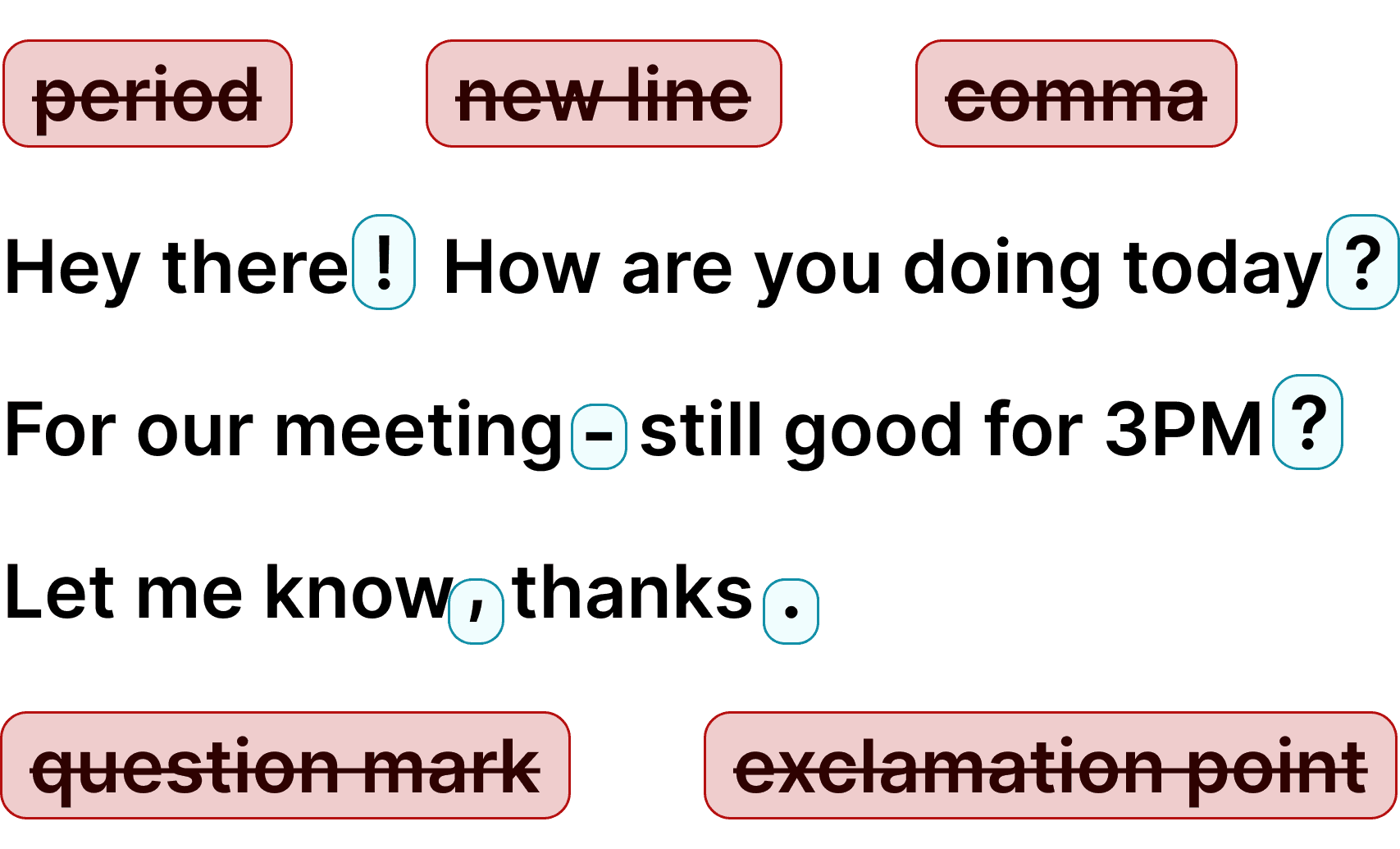
Voicy automatically adds perfect punctuation to your dictated text.
Zero typos, perfect grammar, perfect punctuation.
Voicy gives you over 99% accuracy in more than 50 languages, including speech-to-text in English, German, French, Spanish, Portuguese, Mandarin, etc.Over 99% accuracy in more than 50 languages, including speech to text in English, German, French, Spanish, Portuguese, Mandarin, etc.

I've tried other products like it, and, so far, Voicy is the most user-friendly, and it really improves my workflow.

This is the tool that I was looking for. It is amazing. I've gotten so lazy about typing anywhere. Thank you, thank you, thank you for this product!

Voicy is an absolute game-changer! This voice-to-text extension delivers exceptional accuracy, capturing my words perfectly every time. The speed is impressive.

Almost instant replies from the creator, great support great app!

I love Voicy!! The extension and the desktop app have saved me so much time. I have tried several different voice-to-text apps. None of them compares to Voicy!

I use it in combination with WhisperShortcut on my macOS. Works wonders.

Very helpful and convenient app, super easy to use, very, saves a ton of time on typing my thoughts because now I can just speak them, and get them noted down for me!

Awesome tool, very reliable and fast to use. I highly recommend this tool.

Awesome tool, now I don't have to write everything I want to say.

Super useful and fast. Makes getting ideas on the page much easier.

Absolute accessibility lifesaver, thanks to the devs for building this it's a huge productivity boost, also far better and accurate than the native windows speech to text

Damn! This was just the Speech to Text tool I was looking for. Its super fast and reliable, and works every time.

The best voice to text generator for every use! I don't like to type, so this is perfect!!!

Just got my new laptop and it was the first Chrome extension I installed.

Insane level of accuracy - I absolutely love it, huge time-saver getting my thoughts out!

Honestly one of the best tools I’ve used! It helps with my daily tasks, is impressively accurate, and saves me so much time.

This app has been an absolute lifesaver for me. I didn't know I needed this app until I started using it.

I've been a Voicy user for nearly a year now and I see constant improvements being made, especially with the Windows app now being available. I am truly a believer.

I use the app every day, whenever I’m on something to do vibe coding. It’s really super convenient for me, it lets me stay in the flow. I really love this app.

Voicy revolutionized how I interacted with AI and wrote long-form content.

This is a huge time saver! I am able to type pretty quick. But this literally lets my thoughts flow onto the screen, its incredible

What made me most impressed is the very quick responses to questions and good solutions.
30 minutes of free recording timeFree trial. No credit card required.
 Google Docs
Use Speech-To-Text inside Google Docs to write documents in half the time.
Read More Gmail
GmailAutomatic punctuation and formatting help you write perfect emails!
Read More Microsoft Word
Stuck on that first line to start your doc? Just speak it out and it's there.
Read More Outlook
Voicy works perfectly in all Outlook versions to help you dictate emails.
Read More Notion
Capture notes and ideas directly in Notion with voice dictation.
Read More ChatGPT
Dictate detailed prompts directly into ChatGPT.
Read MoreOn average, voice typing can increase the speed of writing by 3x.
Instead of using your keyboard, simply click on the keyboard shortcut, start speaking, and you will see the text on your screen instantly.
Additionally, you always get perfect grammar and punctuation.
By completely cutting out the thousands of keystrokes we make every day, Voicy simply reduces the need to use your fingers and keyboard.
An ergonomic mouse and keyboard are great. No keyboard is even better.
Voicy gives you more accurate speech to text in Edge, automatic punctuation, and a smoother writing flow on sites such as Gmail, LinkedIn, Notion, and Slack.
Voicy adds voice recognition to every text field on every website, including Gmail, Outlook, Slack, Whatsapp, Telegram and many more. Enjoy 99%+ accuracy and lightning fast transcriptions, wherever you're working.
Save time & your wrist by writing with your voice.
Microsoft Edge is a solid browser, but its built-in dictation flow is still limited. With Voicy, you get better speech to text in Edge, faster voice typing, and cleaner punctuation across Gmail, LinkedIn, Notion, Slack, and other sites you already use.
Microsoft Edge doesn't include its own voice typing for web pages. Its built-in Read Aloud feature reads text to you rather than typing what you say. On Windows you can press Win+H to use Windows Voice Typing in Edge, but it's a basic system tool with no AI editing.
Voicy's Edge extension adds a microphone to every text field, transcribes with 99%+ accuracy and automatic punctuation, and works the same way on Gmail, LinkedIn, Notion, Slack and any other site.
Apart from writing with your voice, Voicy also gives you access to AI commands everywhere. If you don't know how to start or formulate an email, simply ask Voicy to do it for you.
Finally, Voicy works in 50+ languages, including Spanish, German, Russian, Hindi, French, Dutch and many more.
Our price will never be more than 20% above our total costs.
See if you like Voicy
Start for free. No credit card required.
For the everyday user
$8.49/month
Pay once, use forever
$260
Speed up your entire org
$6.79/user/mo
30 minutes of free recording timeFree trial. No credit card required.
Not for typing in web pages; on Windows you can press Win+H. Voicy's Edge extension adds AI dictation to every site.
Voicy uses AI-powered speech recognition with automatic punctuation and language detection across the apps and sites where you write.
Voicy works in 50+ languages including German, French, Arabic, Portuguese, Spanish, Hindi, Simplified Chinese, Hebrew, and many more.
Voicy offers a free trial with all features. Paid plans start at $8.49/month.
Voicy doesn't store recordings or transcripts. Speech is processed in the cloud and discarded; with offline dictation (Mac, Windows and Linux apps, 25 languages) audio never leaves your computer.
Open edge://extensions or visit the Chrome Web Store and allow extensions from other stores if Edge prompts you. Choose Voicy, click Add to Edge, review permissions, and confirm the install.