TL;DR
- Choose Voicy if you want dictation that also works offline, rewrites your words, transcribes files, and follows you to Mac, Linux, iPhone, Android and the browser.
- Choose Windows Voice Typing if you only need quick, free dictation on a Windows PC with an internet connection.
- Value: Windows Voice Typing is free with Windows. Voicy is $82/year or $260 lifetime and adds offline mode, rewriting and every other device.
- Privacy reality: Windows Voice Typing uses Microsoft's online speech recognition. Voicy is online by default with an offline mode in its desktop apps.
If you are comparing Voicy vs Windows Voice Typing, the short answer is this: Win+H is a good free start for short text on Windows. Voicy is the upgrade when you want dictation that works offline, rewrites rough speech, transcribes recordings and works beyond Windows. See our Windows speech-to-text guide for more.
Answer-First Verdict
Voicy wins for people who dictate every day. It works offline on Windows, adds automatic punctuation and a Dictionary for names, rewrites rough speech into polished text, and transcribes uploaded recordings. The same app runs on Mac, Linux, iPhone, Android and the browser. More than 10,000 people use it, and they have dictated over 500 million words.
Windows Voice Typing is built into Windows 10 and 11. Press the Windows key and H in any text box and start talking. It needs an internet connection and offers optional automatic punctuation.
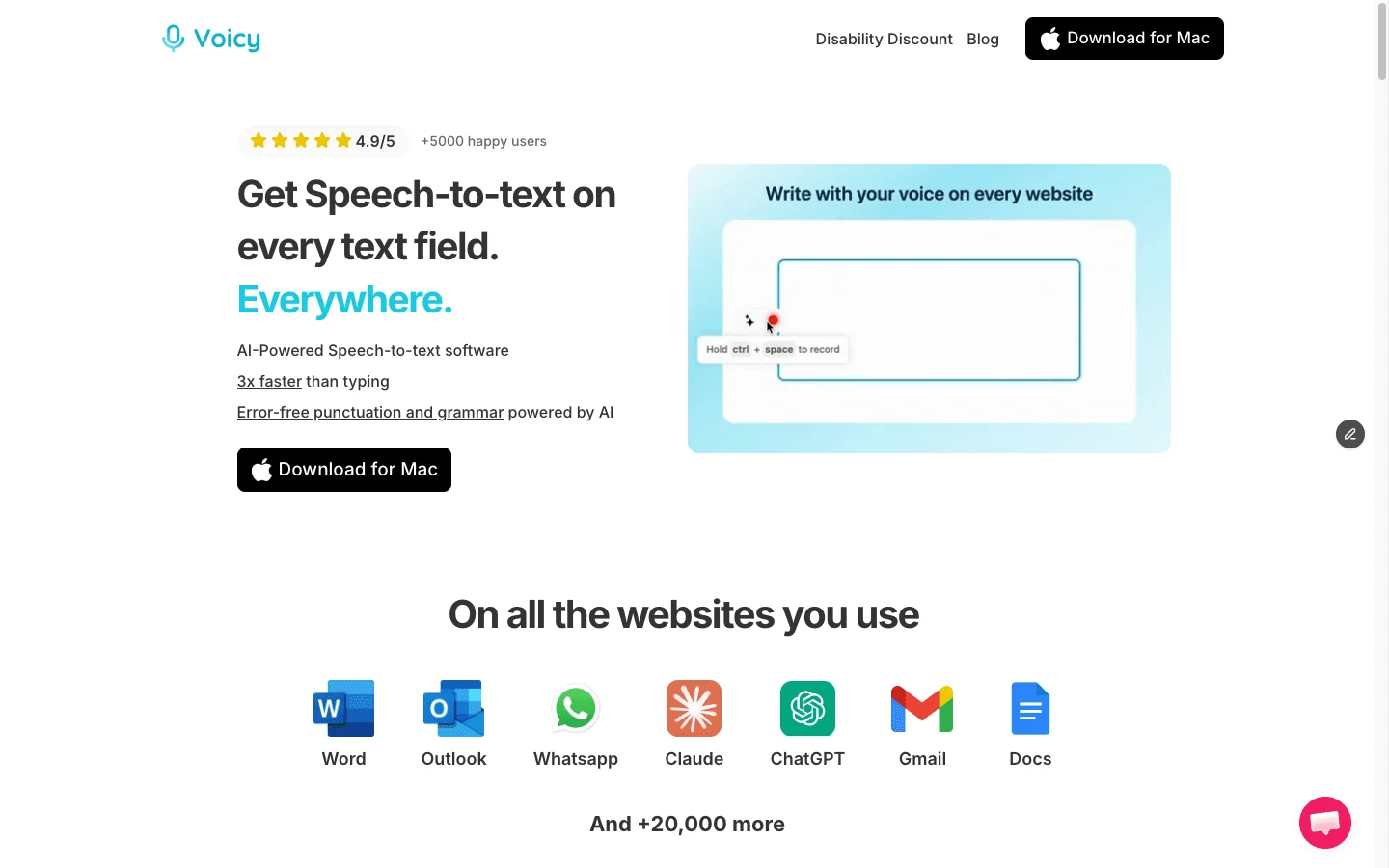
Voicy is built for everyday speech-to-text across the places people already write.
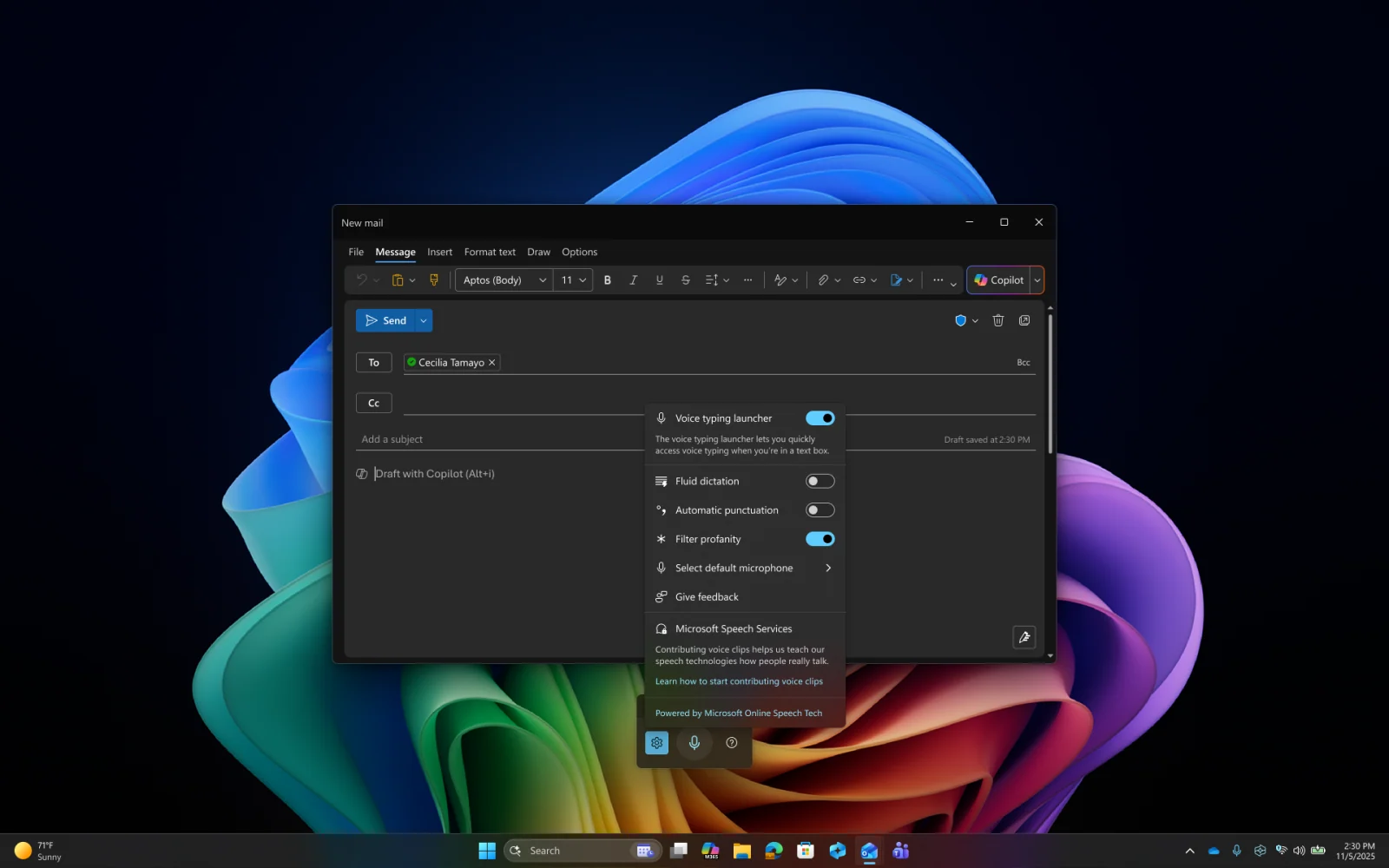
Windows Voice Typing opens with Win+H in any text box on Windows 10 and 11.
Best-For Table
Use case | Best pick | Why |
|---|---|---|
Dictating without internet | Voicy | Offline mode on Windows, Mac and Linux. Windows Voice Typing needs an internet connection. |
Polished emails from rough speech | Voicy | Rewrite Mode turns what you said into a clean message. |
Uploaded recordings | Voicy | Transcribe audio or video files of up to 60 minutes each. |
Writing on Mac, phone or browser too | Voicy | One plan covers Mac, Windows, Linux, iPhone, Android and the browser. |
Names and specialist terms | Voicy | The Dictionary learns names and terms you use often. |
Occasional short text on Windows | Windows Voice Typing | Already installed and free. |
Feature Comparison
Feature | Voicy | Windows Voice Typing | Practical winner |
|---|---|---|---|
Start dictation | Your chosen shortcut, in any app. | Win+H in a text box. | Tie. |
Internet required | No for normal dictation in offline mode. | Yes. | Voicy. |
Automatic punctuation | Yes. | Optional setting. | Tie. |
AI rewriting | Rewrite Mode and Custom Modes. | No. | Voicy. |
Custom vocabulary | Dictionary and voice shortcuts. | No. | Voicy. |
File transcription | Yes, up to 60 minutes per file. | No. | Voicy. |
Platforms | Mac, Windows, Linux, iPhone, Android, browser. | Windows 10 and 11. | Voicy. |
Price | $82/year or $260 lifetime. | Free with Windows. | Windows Voice Typing. |
Pricing and Cost Over Time
Voicy pricing is $8.49 per month, $82 per year, or $260 for lifetime access. The free trial includes 30 minutes of recording and every feature, with no credit card. Teams of three or more pay $6.79 per user per month, and students and people with disabilities get 20% off.
Windows Voice Typing has no separate charge on an eligible Windows 10 or 11 PC.
Scenario | Voicy | Windows Voice Typing | Difference |
|---|---|---|---|
12 months | $82 annual or $8.49/month | $0 | Free on Windows. |
Lifetime | $260 once | $0 | Free on Windows. |
What you get for the price | Offline mode, rewriting, file transcription, Dictionary, every device | Online dictation on Windows | Voicy adds more. |
Start with Win+H if it covers you. Voicy is worth its price once you want offline dictation, rewriting, file transcription or the same tool on your Mac and phone.
Offline Dictation
Windows Voice Typing uses Microsoft's online speech recognition, so it stops when your connection drops. Voicy's offline mode runs normal dictation on your Windows PC after a one-time model download, so you can keep writing on a train or a patchy connection.
Rewriting, Vocabulary and Files
Voicy adds Rewrite Mode to turn rough speech into a polished email, a Dictionary for names and terms, and voice shortcuts that insert saved text. It also transcribes uploaded recordings of up to 60 minutes.
Windows Voice Typing types what you say, with optional automatic punctuation and a profanity filter. It doesn't rewrite text or transcribe files.
Platform Coverage
Windows Voice Typing is for Windows only. Voicy covers Windows plus Mac, Linux, iPhone, Android and the browser, with one plan for all of them.
If you need to control the whole PC by voice, look at Windows Voice Access, a separate accessibility feature. Our Wispr Flow vs Windows Speech Recognition comparison covers Windows voice tools in more depth.
Privacy and Data Handling
Voicy is online by default. In the Mac, Windows and Linux apps, offline mode runs normal dictation on your computer after a one-time model download, so that audio stays on your device. Rewrite Mode, Custom Modes and file transcription use the internet. Voicy does not keep normal recordings or transcripts on its servers or use them to train AI, and local history on your computer clears after three days.
Windows Voice Typing uses online speech recognition powered by Azure Speech services, according to Microsoft's documentation. Review your Windows microphone and online speech settings.
If you want dictation that stays on your computer, Voicy's offline mode is the option here.
Who Should Choose Windows Voice Typing?
Stay with Windows Voice Typing if free, simple and online is enough.
- You only write on a Windows PC.
- You dictate short messages occasionally.
- You always have an internet connection.
- You don't need rewriting, file transcription or custom vocabulary.
Who Should Choose Voicy?
Choose Voicy if you dictate often and want more than Win+H.
- You want dictation that keeps working without the internet.
- You want one tool for live dictation, rewriting and file transcription.
- You write in email, documents, browser apps, notes, messages and AI tools.
- You use a mix of Mac, Windows, Linux, iPhone, Android and the browser.
- You want automatic punctuation and a Dictionary for names and terms.
- You want a lifetime option instead of another subscription.
- You are reducing typing because of speed, focus, RSI, arthritis or hand pain.
Related Comparisons
- Voicy vs Wispr Flow
- Voicy vs Mac Dictation
- Wispr Flow vs Windows Speech Recognition
- Windows speech to text
Final Verdict
Windows Voice Typing is a good free start. If you write a few short messages on a connected Windows PC, Win+H may be all you need.
Once dictation becomes a daily habit, Voicy is the better choice. It works offline, rewrites rough speech, learns your names and terms, transcribes recordings, and follows you to Mac, Linux, iPhone, Android and the browser.
FAQs
Is Voicy better than Windows Voice Typing?
For daily dictation, yes. Voicy works offline on Windows, rewrites rough speech, has a Dictionary for names, transcribes uploaded files, and runs on Mac, Linux, iPhone, Android and the browser. Windows Voice Typing is free and fine for occasional short text on a connected Windows PC.
How do I start Windows Voice Typing?
Click in a text box and press the Windows key and H. Wait for the Listening prompt, then speak. You need a microphone and an internet connection.
Does Windows Voice Typing work offline?
No. Microsoft says voice typing uses online speech recognition and needs an internet connection. Voicy's offline mode runs normal dictation on your PC after a one-time download.
Does Windows Voice Typing add punctuation?
Yes, if you turn on automatic punctuation in its settings. Voicy adds punctuation automatically.
Is Windows Voice Typing the same as Voice Access?
No. Voice Typing (Win+H) is for dictating text. Voice Access is a separate Windows 11 feature for controlling the PC by voice.
Does Voicy have a free plan?
Voicy has a free trial with 30 minutes of recording and every feature, with no credit card. Paid plans are $8.49 per month, $82 per year, or $260 lifetime.
Does Voicy work on Windows?
Yes. Voicy has apps for Windows, Mac and Linux, plus iPhone, Android and a browser extension.
Can Voicy transcribe audio files?
Yes. Voicy transcribes uploaded audio and video files of up to 60 minutes each on paid plans, alongside live dictation.
When is it worth paying for Voicy?
When you dictate often and want offline dictation, rewriting, file transcription, custom vocabulary or the same tool on your Mac and phone.