
Verdict: should you use Wispr Flow Free or Pro?
Stay with Flow Free for occasional emails, messages and AI prompts. Upgrade to Pro when dictation becomes a daily habit, the free limits interrupt your work, or desktop Command Mode earns its place in your routine. Flow suits people who want spoken drafts cleaned up across their apps. Consider an alternative if you need offline dictation, native Linux support, uploaded-recording transcription, cheaper subscription price with similar features or a one-time purchase rather than another subscription.
What Wispr Flow does well
Flow goes beyond typing the words it hears. It can remove filler, handle spoken self-corrections and turn a rambling draft into readable text in the app you already use.
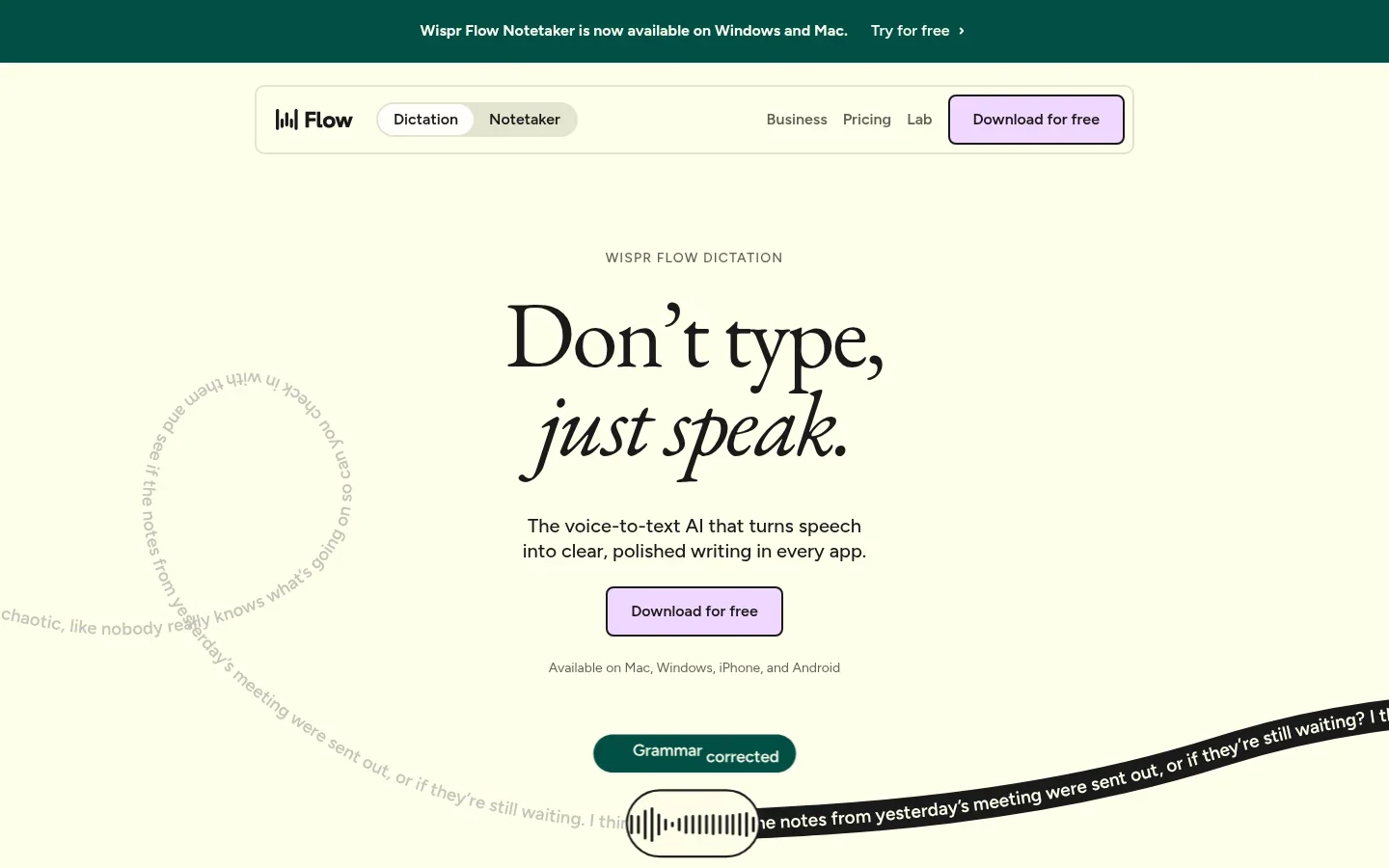
- Emails: speak the greeting, message and sign-off without dictating every line break. Flow can format the result as an email instead of one long paragraph.
- Work messages: say “Let's meet Tuesday, actually Wednesday” and let cleanup resolve the correction. Read the final date before sending.
- Documents: speak a rough paragraph or a list. Filler removal and punctuation reduce the tidying needed before you start editing the ideas.
- AI prompts: explain the task, background and constraints in one pass, then insert the prompt into your chosen assistant. The same dictation tool also works in your email and document apps.
Dictionary learning helps with recurring vocabulary. Add a client name or technical term yourself, or enable automatic learning from spelling corrections. It reduces repeated fixes; it does not guarantee every unfamiliar name will be right.
Snippets save repeated typing, not recognition errors. Use a short spoken trigger for a standard reply or a recurring block of text. Personal dictionary entries and snippets are included in Free; shared versions are a Pro collaboration feature.
Cleanup: improve the words you just spoke
Cleanup handles fillers, false starts, repetitions, punctuation and spoken corrections in new dictation. It is useful when you know what you want to say but do not want “um” and abandoned phrases in the result.
It can also remove a repetition you intended to keep. Desktop Auto Cleanup offers control over that processing; None turns it off. On iOS, disabling Smart formatting sets cleanup to None, including loss of automatic punctuation and line breaks. Android Smart Formatting is always applied, with no equivalent off switch.
Styles: choose how the result looks
Styles controls capitalization, punctuation and presentation. A work email can look more formal than a personal message without issuing an editing command each time. It affects new dictations, not a paragraph you wrote yesterday.
The current Styles guide includes mobile support. Mac, Windows and Android use app categories; iOS can use one default sound everywhere or a category-based layout. Category-style notices specify English, so do not assume identical formatting in every supported language.
Command Mode: give instructions about existing text
Highlight a paragraph and ask Flow to shorten it, or ask it to turn rough notes into a reply. This is a separate action from normal dictation: you hold the Command Mode shortcut, speak the instruction and release it.
In-place text editing is available on Mac and Windows and remains experimental. Turn it on in Settings → Experimental. The Command Mode guide lists paid-subscription and trial access. It sends the current text-box contents and selected text with your instruction, so check what is in the field before using it.
Do not upgrade expecting the same editing tool on your phone. The current iOS behavior can open a web search from spoken commands, but in-place text editing is not working there. Android is not listed for Command Mode. Try the desktop feature during a trial rather than buying Pro for an experimental feature alone.
Accuracy and everyday experience
Flow's strongest everyday use is getting a readable first draft into the right app. Emails, work chats, document drafts and longer AI prompts benefit from cleanup without copying text between tools. The remaining work is checking intent: unusual names, technical terms, dates and an overly formal sentence can still need attention.
For numerical context, a published single-session test of version 1.5.433 on May 27, 2026 reported 3.9% aggregate word error rate across six recordings, with roughly 1–3 seconds from stopping to text appearing. It used synthetic English speech delivered through a virtual audio cable, default Light cleanup, and Windows 11 on a Ryzen AI 9 HX 370 machine with 32 GB RAM. Those are historical test conditions, not a current-version guarantee or a measurement of your voice.
In that test, everyday and long-form samples were around 97% word accuracy, while the coding sample was around 93%. Names, technical spellings and a missing figure still needed correction. A word score also does not tell you whether the punctuation or tone matches what you intended.
The useful takeaway is simple: test an email, a message with an unusual name and a detailed prompt. Count the corrections you make before using the text. Smooth wording is valuable, but not if it silently changes a date or removes a qualification.
Wispr Flow Free vs Pro: what are you paying for?
Free includes the core writing workflow. Pro mainly removes volume friction and adds paid tools, not a promise of better recognition. The current US pricing is $15 per user monthly or $144 per year ($12/month equivalent). Twelve monthly payments total $180, so annual billing saves $36 before tax or discounts. Regional and app-store pricing can differ.
| Buying question | Free | Pro |
|---|---|---|
| How much can I dictate? | Weekly platform-dependent allowances; see below. | Unlimited dictation. |
| Can I use a dictionary and snippets? | Yes, personal entries and snippets. | Personal plus shared dictionary and snippets. |
| Can I edit existing text with Command Mode? | Not as a permanent Free feature; eligible trials can include it. | Experimental desktop Command Mode access. |
| What about meetings? | Limited Notetaker access. | Higher meeting limits and longer history; not automatically unlimited Notetaker. |
| Do I need team features? | No shared team workspace. | Shared workspace and billing tools included, but not a reason for a solo user to upgrade. |
The free allowance is not an immediate cutoff
The headline 2,000 desktop words is a soft allowance, not the hard stop. The current limit guidance gives these usual weekly figures:
| Platform | Soft allowance | Hard maximum |
|---|---|---|
| Mac and Windows | 2,000 words | 5,000 words |
| iOS | 550 words | 750 words |
| Android | 1,000 words | 1,500 words |
Dictation can continue beyond the soft allowance, with slowdowns or notices; the hard limit blocks further starts. An already accepted dictation is not cut off mid-recording. iPhone and Android draw on a shared mobile count but apply different thresholds. Limits can vary by account and change without an app update, so check your displayed plan rather than treating these figures as a permanent entitlement. Weekly allowances reset on Sunday.
Stay Free if a few messages and prompts fit comfortably and you do not need Command Mode. Choose Pro if you dictate throughout the day, repeatedly encounter limits, or save meaningful editing time with its desktop tools. Test monthly before committing to a year if you are still building the habit.
Desktop versus mobile: the features are not identical
| Feature | Mac and Windows | iPhone | Android |
|---|---|---|---|
| Start dictation | Customizable shortcut; hold/release or hands-free. | Flow keyboard microphone in another app. | Floating Flow Bubble with a text field and keyboard open. |
| Cleanup controls | Auto Cleanup settings; None disables processing. | Smart formatting toggle maps to Auto Cleanup; off produces raw text. | Smart Formatting always applied; no off toggle. |
| Styles | App-category styles, including recognized web apps. | Default sound everywhere, or category tabs on some layouts; keyboard choice can override. | App-category styles after personalization. |
| Command Mode | Experimental in-place editing; eligible paid plan or trial. | Spoken web-search behavior, not working in-place editing. | Not listed as available. |
| Notetaker | Meeting and voice-memo workflow. | Not currently listed. | Not currently listed. |
For desktop dictation, the finished text appears after you stop, rather than word by word while you speak. Mobile insertion also depends on the app: Android intentionally hides the bubble in sensitive fields, including many banking apps. Four-platform support is useful, but it is not feature parity.
Privacy: processing, training and storage are separate
Flow's speech recognition runs in the cloud. The following controls affect different parts of the process; changing one does not automatically change the others.
- Processing: audio goes to cloud recognition. Turning off model improvement does not make transcription local.
- Training: “Improve the model for everyone” controls use of content to improve Wispr's models. Check this before recording sensitive material. Voluntary feedback can include session content and has separate data-use terms.
- Cloud storage: Dictation cloud storage controls server copies of audio, transcripts and history for cross-device access. Review existing stored data separately from whether future storage is enabled.
- Local history: copies on your own device have separate retention controls. Local history does not prove that the audio was processed locally.
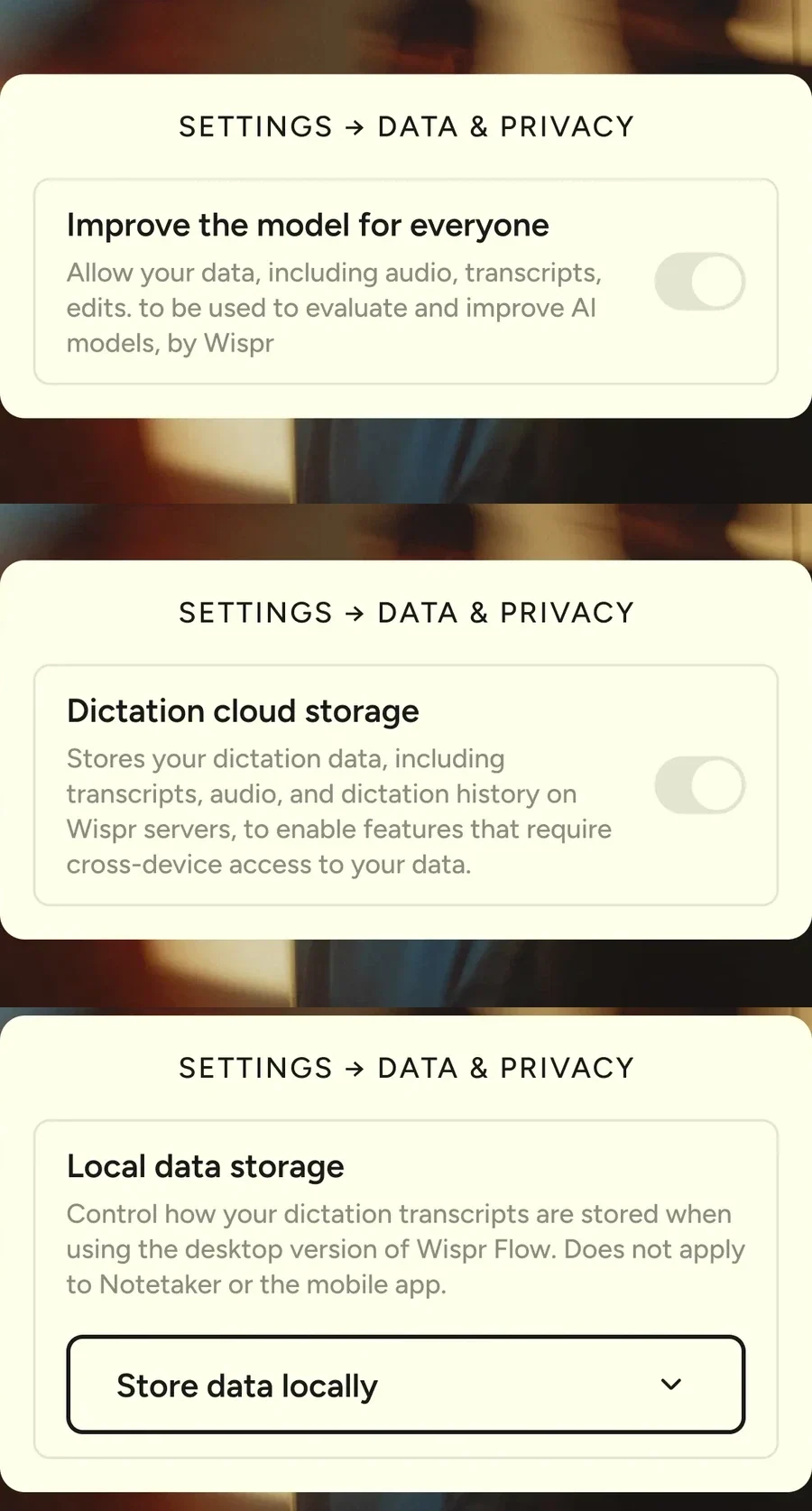
Wispr's data controls also distinguish optional Context Awareness from app and text-box information used for formatting. Review the actual switches after account changes; organization policies can lock them. Our dictation privacy comparison explains the same distinctions across apps.
Notetaker has its own plan and storage rules
Notetaker records meetings and voice memos on Mac and Windows. Free has limited access; Pro adds higher limits and longer history. The October 20 pricing page advertises temporary full access through October 31 for eligible Notetaker activation, so do not treat a promotion as the permanent plan allowance.
Meeting transcripts and summaries are stored in Wispr's cloud, separately from the dictation-storage switch. Check retention and consent before recording. Notetaker can capture audio offline in supported circumstances and process it after reconnection; that is offline recording, not offline speech recognition.
Limitations to check before subscribing
- Connection and platform fit: dictation needs internet, there is no native Linux app listed, and the desktop/mobile differences above can decide the purchase.
- Editing control: cleanup can remove deliberate repetition or make a casual sentence too formal. Names, figures and precise code still deserve a manual check.
- Your working environment: speaking client messages aloud may be unsuitable in a shared office or on a train, even if recognition handles the noise.
- Existing recordings: Flow does not accept uploaded audio or video for transcription on any plan. Notetaker capturing its own meeting is different from importing an interview file.
- Experimental tools and billing: Command Mode is not a guaranteed replacement for your editor. Annual billing is a commitment, and unlimited dictation does not mean unlimited meeting access.
Wispr Flow vs Voicy: which should you choose?
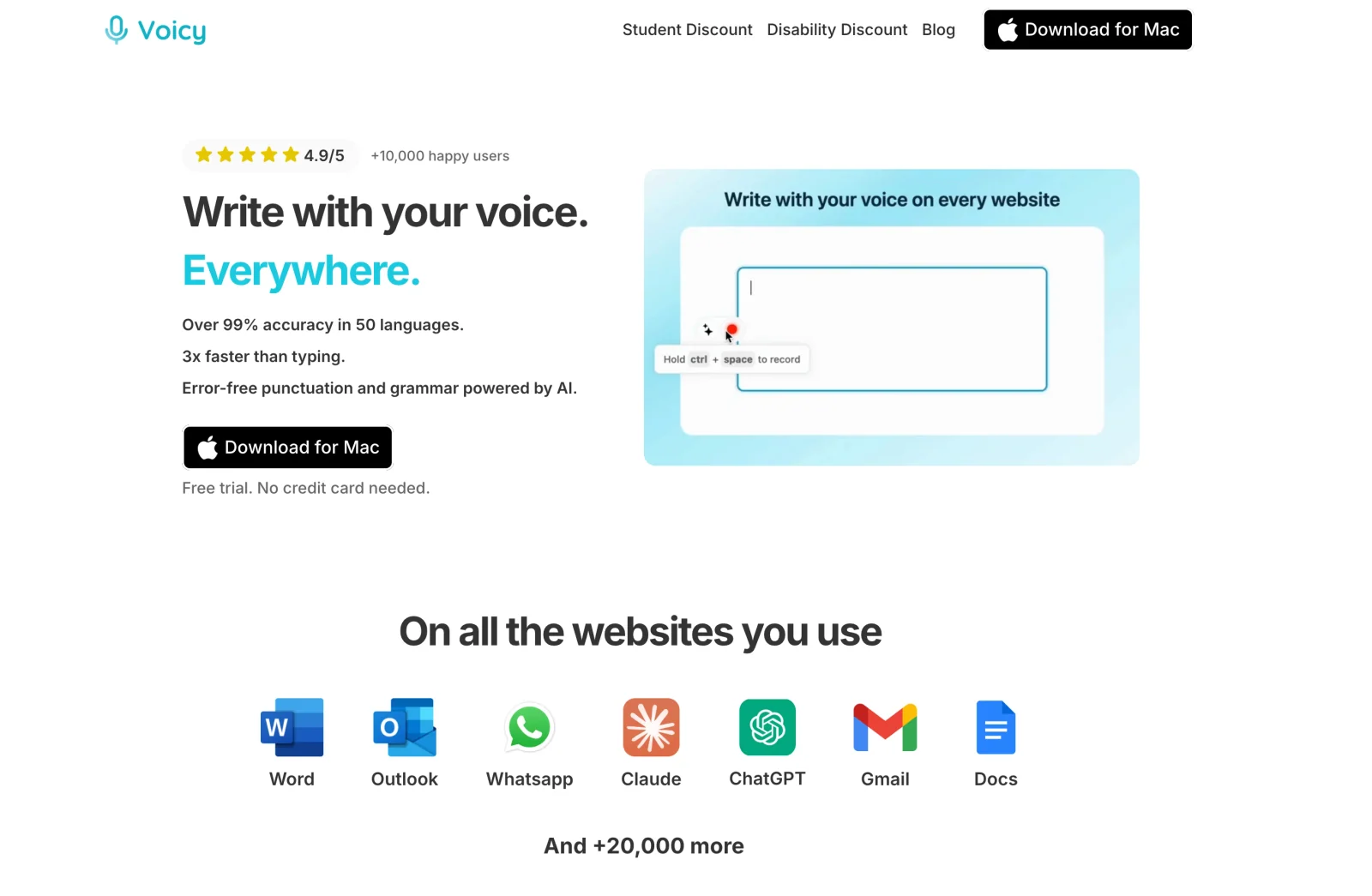
Both are everyday dictation apps. The stronger reasons to compare Voicy are cost, offline desktop use, Linux and saved recordings, not a generic claim that it works across devices.
| Decision | Wispr Flow | Voicy |
|---|---|---|
| Free use | Permanent Free plan with weekly allowances. | Free trial, not a permanent free allowance. |
| Paid pricing | US Pro: $15/month or $144/year ($12/month equivalent). No lifetime option listed. | $8.49/month, $82/year or $260 lifetime. |
| Offline desktop dictation | No; speech recognition is cloud-based. | Normal dictation can run locally on Mac, Windows and Linux after model download. |
| Native Linux | Not listed; desktop apps are Mac and Windows. | Native Linux desktop app available. |
| Rewriting | Cleanup for spoken output, Styles for presentation, experimental desktop Command Mode for instructions. | Rewrite Mode edits selected text; Custom Modes process new dictation. Both require internet. |
| Uploaded-file transcription | No audio/video file upload; Notetaker records its own meetings. | Paid online file transcription, up to 60 minutes per file; copy or TXT download. |
Choose Flow Free if it already covers your use. Its recurring allowance is a better deal than buying another app for occasional dictation. Flow Pro makes sense if you like its cleanup, mobile workflow and desktop editing enough to use them every day.
Voicy has a clear price advantage for paid individual use: $82 annually versus Flow Pro's $144, a $62 difference at these listed rates. Its pricing options also include a lifetime purchase if you want to avoid recurring billing.
Choose based on where you work. Voicy's offline desktop dictation can keep normal recognition on your computer after setup, while native Linux support fills a platform gap in Flow. Offline mode does not cover Rewrite Mode, Custom Modes or uploaded-file transcription: those still need internet.
For saved interviews or voice memos, Voicy's Transcribe File workflow is another concrete difference. It does not turn Voicy into a full subtitle or interview-editing suite, but it lets you transcribe a recording you already have.
Other alternatives need only a short look: built-in dictation may be enough for very occasional messages; MacWhisper suits recorded-file work. For configurable local dictation, see our Flow vs Superwhisper comparison rather than treating this review as an alternatives roundup.
Final choice: stay Free, upgrade or try Voicy?
- Stay with Flow Free for light writing when its allowance and cleanup suit you.
- Upgrade to Flow Pro when daily use makes the limits a recurring nuisance, or tested desktop Command Mode saves enough editing time to justify the subscription.
- Try Voicy when lower paid pricing, a lifetime option, Linux, local desktop dictation or uploaded recordings are the deciding needs.
Need one of those Voicy advantages? Try Voicy with a real email or document during its free trial, then compare the corrections and workflow before paying.
FAQs
Is Wispr Flow free?
Yes. Flow has a permanent Free plan with weekly dictation limits. Current usual soft/hard limits are 2,000/5,000 words on desktop, 550/750 on iOS and 1,000/1,500 on Android. Mobile usage shares one count, and account-specific limits can differ.
How much does Wispr Flow Pro cost?
US card pricing is $15 per user monthly or $144 per year, equivalent to $12 per month. Twelve monthly payments total $180. Regional prices, store subscriptions, tax and discounts can differ.
Is Command Mode the same as automatic cleanup?
No. Cleanup edits new dictation, Styles controls its presentation, and Command Mode follows spoken instructions to edit existing text. In-place Command Mode editing is an experimental Mac and Windows feature requiring an eligible paid subscription or trial.
Does Wispr Flow work offline?
Dictation needs internet because speech recognition runs in the cloud. Desktop Notetaker can capture meeting audio offline in supported circumstances, but processing that saved audio into a transcript requires reconnection.
Are Styles available on mobile?
Yes. Android supports app-category Styles. On iOS, Your default sound applies one style everywhere; some users see category tabs instead. A keyboard choice can override the iOS style. This is not the same as desktop Command Mode.
Does turning off model training stop cloud storage?
No. Model improvement, dictation cloud storage and local history are separate controls. Turning off training does not stop cloud speech processing or automatically disable storage. Notetaker has separate cloud-storage rules.
Can Wispr Flow transcribe an uploaded recording?
No. Current guidance says existing audio or video files cannot be uploaded for transcription on any plan. Notetaker records meetings itself; importing existing meeting transcripts is text import, not audio transcription.
When should I choose Voicy instead?
Compare Voicy for lower paid pricing, a lifetime option, native Linux support, offline desktop dictation or uploaded-file transcription. Voicy has a trial rather than a permanent free allowance. Its rewriting and file transcription still need internet.
 Download for free
 Download for free
 Download for Ubuntu/Debian
 Add to Chrome for free
 Download for free