Summary
Our Apple Dictation review starts with a simple recommendation: try the free built-in tool before paying for basic voice typing. It is a sensible choice for messages, notes and email drafts on Apple devices. Look elsewhere when you need a shared workflow with Windows or Linux, saved-file transcription, or writing tools that go beyond entering text.
Three strengths
- No subscription: built into Mac, iPhone and iPad at no extra charge.
- Cross-app text entry: dictate messages, emails and notes where you normally type.
- On-device options: supported device and language combinations can recognize speech without internet.
Three limitations
- Apple devices only: no equivalent Apple Dictation app for Windows, Linux or Android.
- No file uploads: keyboard Dictation cannot transcribe a saved interview.
- Setup-dependent features: offline support, automatic punctuation and editing commands vary by hardware, OS and language.
Apple Dictation at a glance
| Your need | Our recommendation |
|---|---|
| Quick messages on Apple devices | Start with built-in Dictation. |
| Long drafts with occasional typing | Try it first; check the silence timeout and correction effort. |
| Fully hands-free computer use | Look at Voice Control, not just keyboard Dictation. |
| Private offline writing | Verify the processing notice for your exact setup. |
| Windows, Linux or Android as well | Compare a cross-platform app. |
| Transcribing a saved interview | Use a file-transcription tool, not keyboard Dictation. |
What is Apple Dictation, and what is it not?
Apple Dictation turns speech into text where you would otherwise type. On Mac, you start it with a keyboard shortcut or Edit → Start Dictation. On iPhone and iPad, the keyboard microphone is the familiar entry point.
It is not limited to one writing app. That makes it useful even if you do not want to install or learn another tool. Put the cursor in your text field, speak, then check the result.
Voice Control is a separate accessibility feature. It adds spoken navigation and editing for people who need to use less keyboard, mouse or touch input. On Mac, when Voice Control is on, you dictate through Voice Control rather than standard Dictation. Do not judge either tool by the other one's command list.
Siri is the assistant, not the keyboard microphone. On a Mac with a Microphone key, Apple distinguishes a press and release for Dictation from holding the key for Siri. Sharing a privacy settings page does not make these the same feature.
What is Apple Dictation useful for each day?
Reply to a message without typing every word
A clear two-sentence reply is the easiest place to start. Say what time you can meet and what the other person should bring. Read the date and name before sending.
This is where free makes a strong case. If you dictate a few messages each day and only correct an occasional word, another subscription may add very little. You do not need a professional writing system to say you will be ten minutes late.
Draft an email or a page of notes
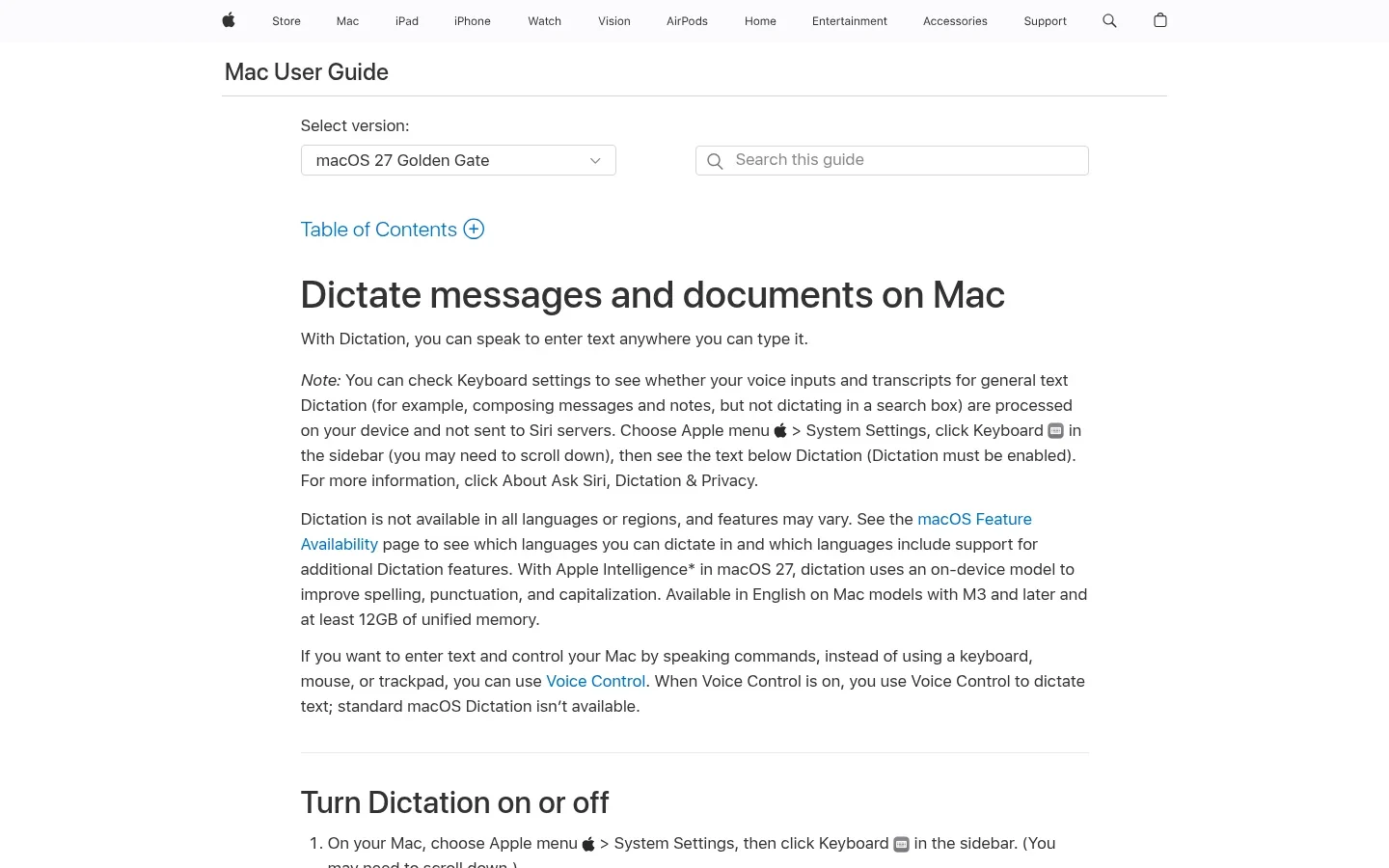
Dictation also works for longer text. Speak one idea at a time, say “new paragraph” when you change topics, then edit the draft. On Apple silicon Macs, Apple says you can type during dictation without ending the session.
That mixed workflow matters. You can speak the body of an email, type an exact reference number, and return to speech. Dictation does not need to replace every keystroke to be useful.
Do not confuse the 30-second silence timeout with a 30-second length limit. Apple's current Mac guide says you can dictate text of any length, but listening stops after 30 seconds without speech. A long pause to think can end the session; a long paragraph does not automatically hit a 30-second cap.
Add punctuation and structure
Say “comma,” “question mark,” “new line” or “new paragraph” when you want to control the shape of the text. Automatic punctuation can add commas, periods and question marks in supported languages.
If automatic punctuation makes a technical sentence awkward, turn it off and speak the marks yourself. That is a setting to try before concluding that the whole tool is unsuitable.
The distinction is simple: punctuation helps shape your words. It is not the same as asking a writing assistant to turn scattered ideas into a polished client email.
Enter a detailed prompt or rough outline
Explaining a task aloud can be easier than typing a long setup. State the goal, the context and the format you want. Then read through the inserted text before submitting it.
For an outline, speak the main points first and arrange them afterward. Expect to fix headings, lists and exact names yourself. Standard Dictation is a text-entry tool, not a promise that every spoken idea becomes a finished document.
Setup: Mac and iPhone are not identical
On Mac, open System Settings → Keyboard → Dictation. Turn it on, choose your language and check the microphone source. Set a shortcut you can remember, place the cursor in a document and start dictating.
Apple allows more than one dictation language. Select the correct language and region rather than assuming a change to the system language solves everything. The current Mac guide explains how to switch languages beside the cursor or with the Globe key.
On iPhone, go to Settings → General → Keyboard → Enable Dictation. Tap a text field, then the keyboard microphone. The keyboard stays available so you can mix typing and speech.
The current iPhone guide also describes spoken spelling, selection and deletion commands. Those instructions are version-specific. Do not assume an older phone or Mac supports the same editing commands because both features are called Dictation.
Newer enhancements have narrower hardware limits than basic Dictation. The Mac guide checked for this review lists an English Apple Intelligence enhancement in macOS 27 for M3 or later Macs with at least 12 GB of unified memory. It improves spelling, punctuation and capitalization. That is not the minimum requirement for ordinary Dictation, and it is not a feature every Apple silicon owner gets.
The iPhone guide likewise lists separate device requirements for its newer enhancement. Check your installed OS and model against the guide before buying hardware for a feature. The practical question is what your current device supports, not what a general Apple Intelligence announcement promises.
Accuracy: judge the corrections, not a percentage
There is no useful universal accuracy number for Apple Dictation. A quiet room, clear microphone and everyday sentence are a different task from dictating a drug name beside a busy road.
The review question is not whether it ever gets a word wrong. It is whether correcting the draft takes less effort than typing it from scratch.
Try three pieces of your own writing:
- A normal email with a greeting and sign-off.
- A note containing a person's surname, a date and a number.
- A paragraph with the terms you use at work.
Use the same microphone and app for each attempt. Count wrong words, but also check missing negatives, odd punctuation and changes to meaning. “Do not renew” becoming “do renew” is more serious than a misplaced comma.
On Mac, ambiguous text can be underlined in blue so you can choose another word. That is helpful, but it does not flag every possible error. Read the whole message before sending it.
Standard Mac Dictation does not expose the same dedicated custom vocabulary controls you get in specialist dictation apps. That does not mean it can never learn from context or recognize a technical word. It means you should not buy into a workflow that depends on importing a controlled vocabulary without checking the actual tool.
If the microphone never starts, fix that before comparing recognition quality. Our Mac Dictation troubleshooting guide covers setup and common failures.
Apple Dictation pricing: genuinely free
Standard Apple Dictation has no separate subscription or paid Pro tier. It is included on compatible Apple devices. You are not using a seven-day trial that later locks the microphone.
| Cost question | Apple Dictation |
|---|---|
| Monthly subscription | $0 for the built-in feature. |
| Annual or lifetime upgrade | No separate Dictation license to buy. |
| Hardware | A compatible Apple device is required. |
| Other costs | Cellular data can cost money; newer features can require newer hardware. |
That makes the buying test unusually clear. Do not pay for another app merely because you dictate every day. Pay when it solves a problem you actually encounter: repeated corrections, a missing platform, recorded files or too much editing after each draft.
A free tool that fits your work is better value than a paid tool with features you never use.
Offline use, languages and privacy
Apple Dictation can work offline, but “Apple device” is not a complete privacy specification. Processing depends on the device, software, language and feature you use.
On Mac, Apple tells you to check the notice below Dictation in Keyboard settings. It states whether voice input and transcripts for general text dictation are processed on your device rather than sent to Siri servers. Read that notice with Dictation enabled.
Apple's iPhone guide says Dictation runs on-device in many languages without internet. It also warns that dictated text in a search field may be sent to a search engine. Local speech recognition does not make the resulting web search local.
Language support has several layers. A language may support basic dictation without the same automatic punctuation, emoji or newer editing features. Check Apple's feature availability list and the equivalent list for your phone. Avoid treating a single language count as proof of full offline support.
For sensitive work, check three separate things:
- Recognition: where is your speech processed for this device and language?
- Improvement sharing: have you opted in to Improve Siri & Dictation or its newer equivalent?
- Destination: does the app receiving the text sync documents or send them to a server?
Apple's privacy notice, dated October 30, 2026 when checked, says audio is not stored by Apple unless you opt in to its improvement program. It also describes request-related data, contextual information and separate retention rules. “Audio not stored” is not the same as “no information ever leaves the device.”
Turn off optional improvement sharing if that is your preference, but do not mistake the switch for an offline-mode button. For regulated client or patient information, ask your organization to approve the full workflow. A local microphone path alone does not settle legal or security requirements.
The limitations that could make you switch
- Apple-only reach: built-in Dictation does not give you the same app on Windows, Linux or Android.
- Pauses: 30 seconds of silence can end a session. That matters if you stop often to think or consult notes.
- Specialized writing: exact names, acronyms and code-like text need checking. A good plain-English email does not prove specialist accuracy.
- Saved recordings: keyboard Dictation does not have an upload button for an interview or audio file. Apple's separate recording features are not part of this workflow.
- Hands-free completion: entering words is only one step. Navigation, selection and correction may call for Voice Control instead.
- Uneven feature support: hardware, OS, region and language can change what is available.
None of those makes the free feature bad. They define the point where comparing an Apple Dictation alternative becomes worth your time.
Apple Dictation vs Voicy: when is paying worthwhile?
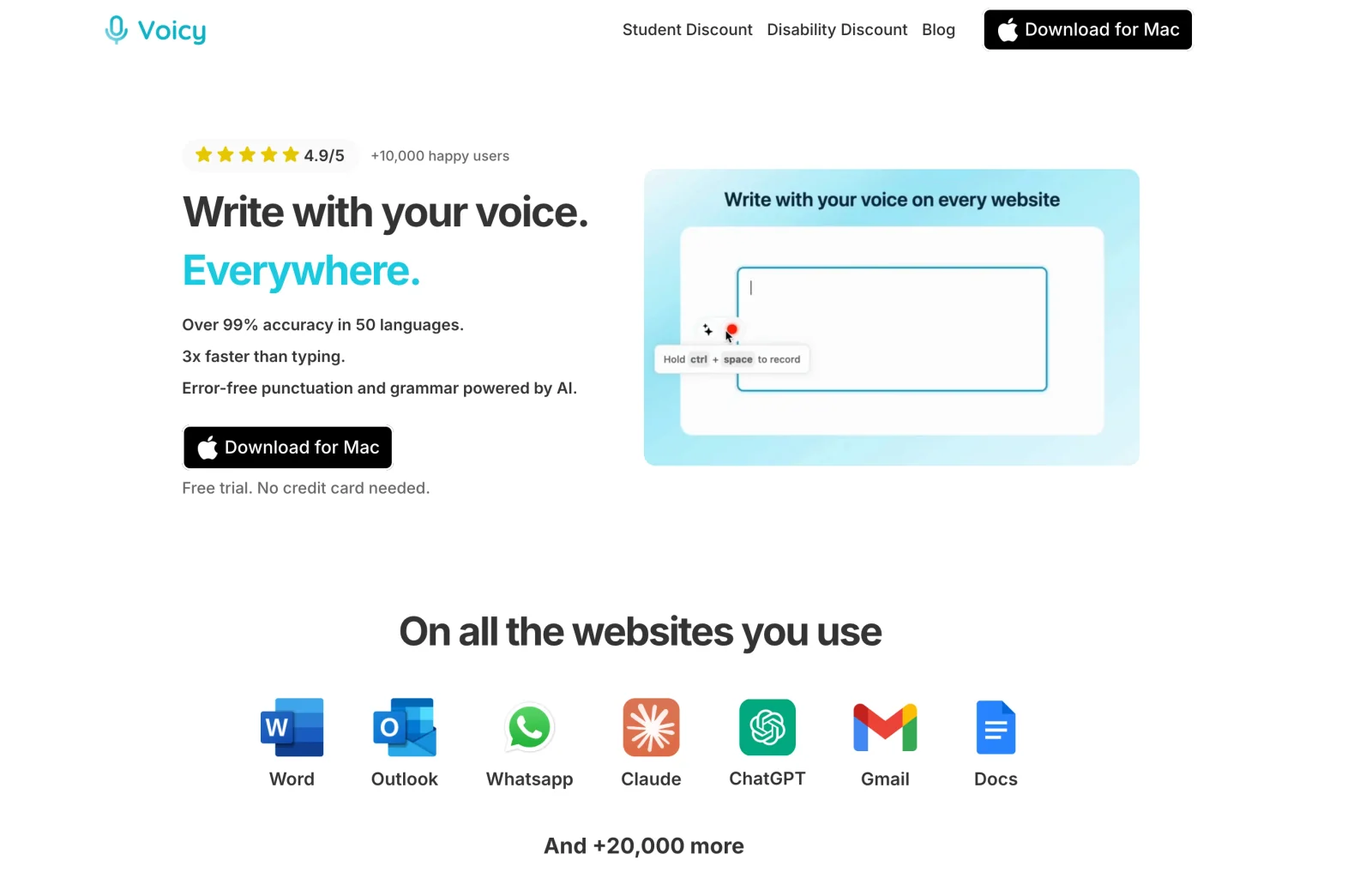
Stay with Apple Dictation if it already covers your writing. Try Voicy when you need more than Apple-only text input. Voicy's strongest reasons to consider it here are platform choice, online writing tools and saved-file transcription, not a claim that paid speech recognition is always better.
| Decision | Apple Dictation | Voicy |
|---|---|---|
| Cost | Free built-in feature. | $8.49/month, $82/year or $260 lifetime; free trial. |
| Platforms | Mac, iPhone and iPad. | Mac, Windows, Linux, iOS and Android. |
| Offline use | Depends on device, language and settings. | Normal desktop dictation after model download; Mac requires macOS 15+. |
| Editing a draft | Dictation commands and separate Apple features vary by platform. | Online Rewrite Mode for selected text; Custom Modes for new dictation. |
| Existing recordings | No file upload in keyboard Dictation. | Paid online file transcription, up to 60 minutes per file. |
Voicy is useful if your workday moves from a Mac to a Windows PC or Linux laptop. You can use one product across those platforms rather than learning a different built-in dictation tool on each. Mobile apps are available too, but do not assume every desktop feature is identical on a phone.
For editing, Rewrite Mode can shorten or change the tone of selected text. Custom Modes apply saved instructions to new dictation. If you tend to speak rough notes rather than finished sentences, that extra step may be the reason to pay. Both tools need internet.
Voicy also offers offline desktop dictation after downloading a model. On Mac, it needs macOS 15 or later. Offline mode covers normal dictation, not rewriting, Custom Modes or file transcription. Apple already provides on-device dictation in supported setups, so offline use alone is not an automatic reason to switch.
For a recorded note, Transcribe File accepts an existing audio or video file on a paid plan, up to 60 minutes long. That is a different job from pressing the keyboard microphone. It still needs an internet connection even when desktop Offline mode is enabled.
Check Voicy's pricing against the time you actually save. The $82 annual plan costs less than twelve $8.49 monthly payments, but free Apple Dictation still costs less than either. Use the trial to compare a real email and document, not to chase an unsupported accuracy claim. Our Voicy vs Mac Dictation comparison covers the choice in more detail.
Final choice: keep the free tool or upgrade?
Start with Apple Dictation for basic voice typing on Apple devices. Check your language and privacy settings, then use it for a normal day's writing. It may already do enough.
Try Voicy if you can name the missing feature: another operating system, rewriting your draft or transcribing a saved file. If your real goal is fully hands-free control, evaluate Voice Control separately. Buying a dictation app does not automatically solve that need.
This review draws on official documentation checked November 4, 2026, not a hands-on accuracy benchmark.
FAQs
Is Apple Dictation free?
Yes. Standard Dictation is built into Mac, iPhone and iPad without a separate subscription. You need a compatible Apple device; cellular data charges can still apply.
Does Apple Dictation work offline?
It can, but support depends on your device, software and language. Check the processing notice in Keyboard settings. Apple says iPhone Dictation runs on-device in many languages; dictated searches can still send text to a search engine.
Why does Mac Dictation stop after 30 seconds?
Apple documents a stop after 30 seconds without speech. That is a silence timeout, not a 30-second maximum recording length. Its current Mac guide says you can dictate text of any length.
Is Apple Dictation the same as Voice Control or Siri?
No. Dictation enters text, Voice Control adds hands-free navigation and editing, and Siri is an assistant. On Mac, enabling Voice Control replaces standard Dictation with Voice Control dictation.
Can Apple Dictation handle technical words?
It can recognize some technical words, but names, acronyms and unusual spellings need checking. Standard Mac Dictation does not offer the same dedicated custom vocabulary controls as specialist dictation apps.
Does Apple Dictation support every language offline?
No. Language, region, on-device processing, automatic punctuation and newer editing features have separate support limits. Check the availability list for your device and the language selected in its settings.
Can I upload an audio file to Apple Dictation?
No. Keyboard Dictation is live text input, not an audio-file upload service. Recording and transcription features elsewhere in Apple software are separate tools with their own requirements.
Should I use Apple Dictation or Voicy?
Start with Apple Dictation if free text input on Apple devices covers your work. Try Voicy for a workflow across Mac, Windows, Linux, iOS and Android, online rewriting or paid file transcription. Voicy offers a free trial, not a permanent free plan.
 Download for free
 Download for free
 Download for Ubuntu/Debian
 Add to Chrome for free