Verdict: should you use OpenWhispr?
OpenWhispr suits desktop users who want free dictation with local models, plus meeting notes and an AI assistant in the same app. Start with Free: local dictation is unlimited, and you can bring your own API key for cloud transcription. Pro makes sense when you'd rather use OpenWhispr's own cloud without limits, record more than five hours of meetings a month, or need sync and the iPhone app. Its main limits are complexity and data flow: there are more settings to learn, each feature can send data to a different place, and there is no validated Android release. If OpenWhispr isn't the right fit, compare the best OpenWhispr alternatives.
OpenWhispr at a glance
| Buying question | What you get |
|---|---|
| Primary use | Dictation into any desktop app, plus meeting notes, audio imports and an AI assistant. |
| Platforms | Mac, Windows and Linux desktop. iPhone and iPad app on paid plans. No validated public Android release. |
| Free version | Unlimited local dictation, bring-your-own-key cloud transcription, 2,000 OpenWhispr Cloud words a week and five meeting hours a month. |
| Pro pricing | $8 monthly or $80 a year. Business $16 per user monthly or $160 a year. Checked November 9, 2026. |
| Offline capabilities | Local Whisper and Parakeet models for dictation; local language models for cleanup. |
| Meeting transcription | Recording with speaker labels and notes: five hours a month on Free, 20 on Pro, unlimited on Business. |
| Source | Open source under the MIT license. Current desktop release v1.11.0, October 29, 2026. |
OpenWhispr Free vs Pro: what are you paying for?
Pro buys more of OpenWhispr's own cloud and extra workflow features, not permission to dictate. Local dictation is unlimited and free on every plan, and Free already includes speaker labels and the custom dictionary.
| Feature | Free | Pro | Business |
|---|---|---|---|
| Price | $0 | $8/month or $80/year | $16/user/month or $160/user/year |
| Local speech models | Unlimited | Unlimited | Unlimited |
| OpenWhispr Cloud transcription | 2,000 words/week | Unlimited | Unlimited |
| Your own API keys | Included; your provider bills you | Included | Included |
| Meeting recordings | 5 hours/month | 20 hours/month | Unlimited |
| Speaker labels and custom dictionary | Included | Included | Included |
| Agent mode | No | Yes | Yes |
| Sync and iPhone/iPad app | No | Yes | Yes |
| API, MCP and remote CLI | Local CLI only | Yes | Yes |
| Chat over your data | No | No | Yes |
| Support | Community | Priority |
These differences come from the official plan comparison, checked November 9, 2026. Enterprise adds SSO, SCIM provisioning, audit logs and organization-wide retention controls for a custom price.
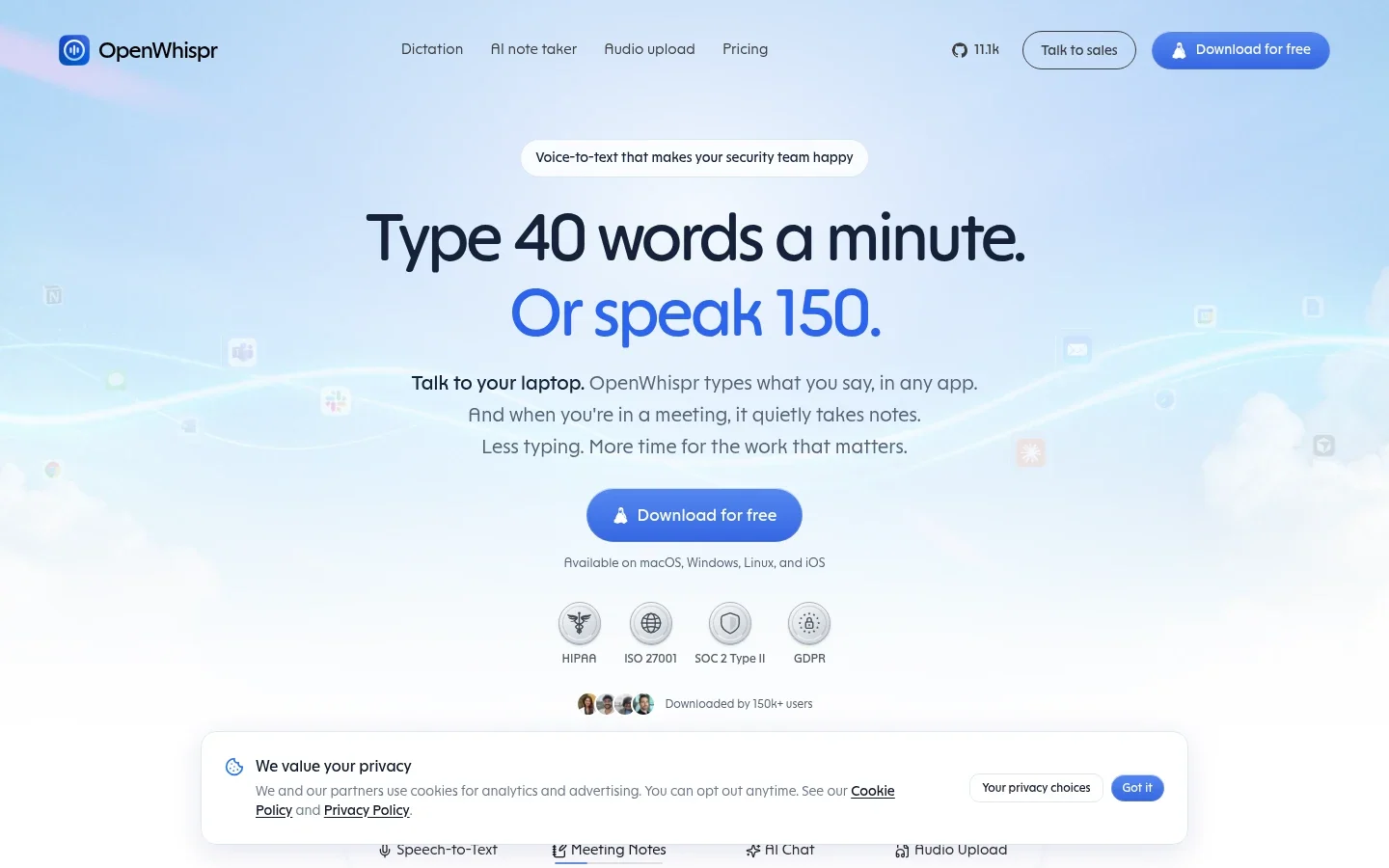
The annual cards show Pro at $6.67 a month and Business at $13.33. Those are the yearly prices divided by twelve, not monthly billing. Twelve monthly Pro payments total $96, so paying yearly saves $16. Check currency, tax and terms at checkout.
Free is enough if… you dictate with a local model, or you already pay for an API provider and are happy to use your own key. Five meeting hours a month covers a weekly one-hour call.
Pro is worth considering if… you want OpenWhispr's cloud without a weekly word cap, record more than five hours of meetings a month, or need sync and the iPhone app. Three hour-long client calls a week is a clearer reason to upgrade than “Pro must be more accurate.”
Dictating into apps: local, your key or OpenWhispr Cloud
Place your cursor in an email, document or AI prompt, press the global shortcut and speak. OpenWhispr inserts the text where your cursor is, without a separate transcription window.
You choose where recognition happens. A local model keeps audio on your computer. Your own API key sends audio straight to that provider, which bills you. OpenWhispr Cloud is the managed option, capped on Free and unlimited on Pro. The quickstart walks through each.
The custom dictionary helps with recurring names and terms. It can also learn from your corrections: after pasting, it watches edits you make in that field. Turn that off if you don't want it.
The AI assistant: instructions, not transcription
Dictation writes down what you say. The voice assistant acts on instructions instead, such as rewriting selected text or drafting a reply. The pricing page lists agent mode as a Pro feature, so check what Free includes in your version. The official repository also describes an optional screenshot-context feature.
That's useful when you know what you want to say but not the exact words. “Thank them, explain the delay and offer Tuesday” is a drafting request. A quote is a different task, where keeping the exact words matters more than polishing them.
Check dates, figures and promises in anything the assistant writes. If you turn on screen context, think about what else is visible before using it near sensitive documents.
Meetings and audio files: capture the call, then review it
OpenWhispr records meetings with speaker labels and notes, and connects to your calendar. It also imports existing audio and video, including batches. For many people the plan decision comes down to meeting hours: five a month on Free, 20 on Pro and unlimited on Business.
On Mac, system-audio capture needs macOS 14.2 or later and the matching system permission, separate from microphone access. The repository says Intel Macs lack live speaker identification and voice fingerprinting, though they can still record and transcribe meetings.
Get any consent you need before recording a call. Treat summaries as drafts: check who agreed to each action and whether the transcript supports it.
Accuracy and performance: what to expect
Your recognition model and cleanup model both shape the result, and each can be local or cloud. There is no single OpenWhispr accuracy score.
- Clear speech with a local model: local Whisper and Parakeet are among the options. If a local model needs little correction, there's no accuracy reason to pay for cloud transcription.
- Other languages: the “100+ languages” figure covers the whole product, not every local model. Check your language against the model you choose.
- Names, numbers and technical terms: add recurring names to the dictionary, then still check client names, amounts and acronyms.
- Cleanup: a language model can make text more readable, and it can also change meaning. Compare plain transcription with cleanup on before leaving it on.
- Meetings: a good solo dictation result doesn't prove the app will capture a quiet remote participant or label speakers correctly. Test a real call with system audio and your microphone together.
Before upgrading, test a representative email and a technical note. Use a local model first, then cloud if you need it. Compare the corrections you make, not just the speed.
Practical limitations to check before paying
Platforms. Desktop apps cover Mac, Windows and Linux. The iPhone and iPad app comes with paid plans. The mobile repository says Android can be built locally, but release validation isn't yet part of its CI, so don't count on an Android app. The project moves quickly; check the shipped app, not the repository, if a mobile feature matters.
Intel Macs. Meetings record and transcribe, but live speaker identification and voice fingerprinting aren't available.
Setup. There is more to configure than in a single-purpose dictation app: recognition source, cleanup model, dictionary learning, meetings, calendar and sync. Get basic dictation working first, then add features one at a time.
Extra charges. Bring-your-own-key is not free cloud transcription. Your provider bills usage under its own terms, and an ordinary chatbot subscription isn't the same as API credit.
Privacy and offline use: follow the whole workflow
Local recognition keeps audio on your device, but “zero data retention” doesn't describe every OpenWhispr feature. The privacy policy, updated November 5, 2026, separates processing, local history, backup and sharing.
- Local recognition: no audio leaves your computer for that step. Cloud cleanup can still send the recognized text elsewhere.
- Your own provider: desktop bring-your-own-key sends audio straight to that provider, under its terms.
- OpenWhispr Cloud: audio is processed without being stored by OpenWhispr; content-free service and billing records are kept.
- Local audio history: desktop dictation audio is kept for 30 days by default. You can change that or turn it off.
- Backup and shared notes: desktop backup is off by default; mobile backup is on by default on paid plans. Shared notes and team-space notes are stored in the cloud whatever your backup setting.
The policy also covers cloud note indexing, provider access for AI features and separate mobile analytics. The MIT-licensed code is open to inspection, which is valuable, but it doesn't replace checking which providers you've chosen. For sensitive work, check recognition, cleanup, backup, sharing and local retention one by one. Our dictation privacy comparison separates these processing and storage decisions.
OpenWhispr alternatives: which fits your workflow?
OpenWhispr vs Voicy: which suits everyday writing?
OpenWhispr is a broad workspace with many settings. Voicy is focused on writing: install it, click a text field and speak, on your computer, your phone or in the browser. Automatic punctuation, grammar fixes and AI rewriting work without choosing models or managing API keys. Over 500 million words have been dictated with Voicy.
| Buying criterion | OpenWhispr | Voicy |
|---|---|---|
| Primary workflow | Dictation, AI assistant, meeting notes and audio imports in one desktop app. | Ready-to-send writing in any app or website, with automatic punctuation and grammar; recordings can be transcribed too. |
| Platform coverage | Mac, Windows and Linux; iPhone and iPad on paid plans. No validated public Android release. | Mac, Windows, Linux, iPhone, Android and a Chrome extension. One plan covers unlimited personal devices. |
| Setup | Choose local models, your own API keys or OpenWhispr Cloud for recognition and for cleanup. | Install, click a text field and speak. Online dictation needs no model to choose; offline mode is an optional download. |
| Languages | 100+ across the product; local coverage depends on the model. | 50+ languages online; the offline model has its own, smaller list. |
| Offline availability | Local speech and cleanup models on desktop. | Optional offline dictation on Mac, Windows and Linux after a model download (macOS 15+ on Mac). |
| AI rewriting | Voice assistant (agent mode listed on Pro); cleanup with local, your-key or OpenWhispr Cloud models. | Built in: Rewrite Mode for selected text and Custom Modes for new dictation, with no API keys to manage. Both run online. |
| Uploaded/imported files | Meeting capture with speaker labels, plus audio and video imports; hours depend on plan. | Audio and video transcription up to 60 minutes per file; copy the text or download it as TXT. |
| Pricing | Free plan; Pro $8/month or $80/year; Business $16/user/month. | Free trial with 30 minutes of recording and every feature, no card needed. Then $8.49/month, $82/year or $260 once; 20% student and disability discounts. |
Voicy's guides cover file transcription, offline mode, Rewrite Mode and pricing.
OpenWhispr fits best if you want free local dictation, control over providers and meeting notes in the same app.
Voicy fits best if writing is your main job and you want it on Android or in the browser as well as your computer, with less to configure. The $260 lifetime plan also lets you pay once instead of subscribing.
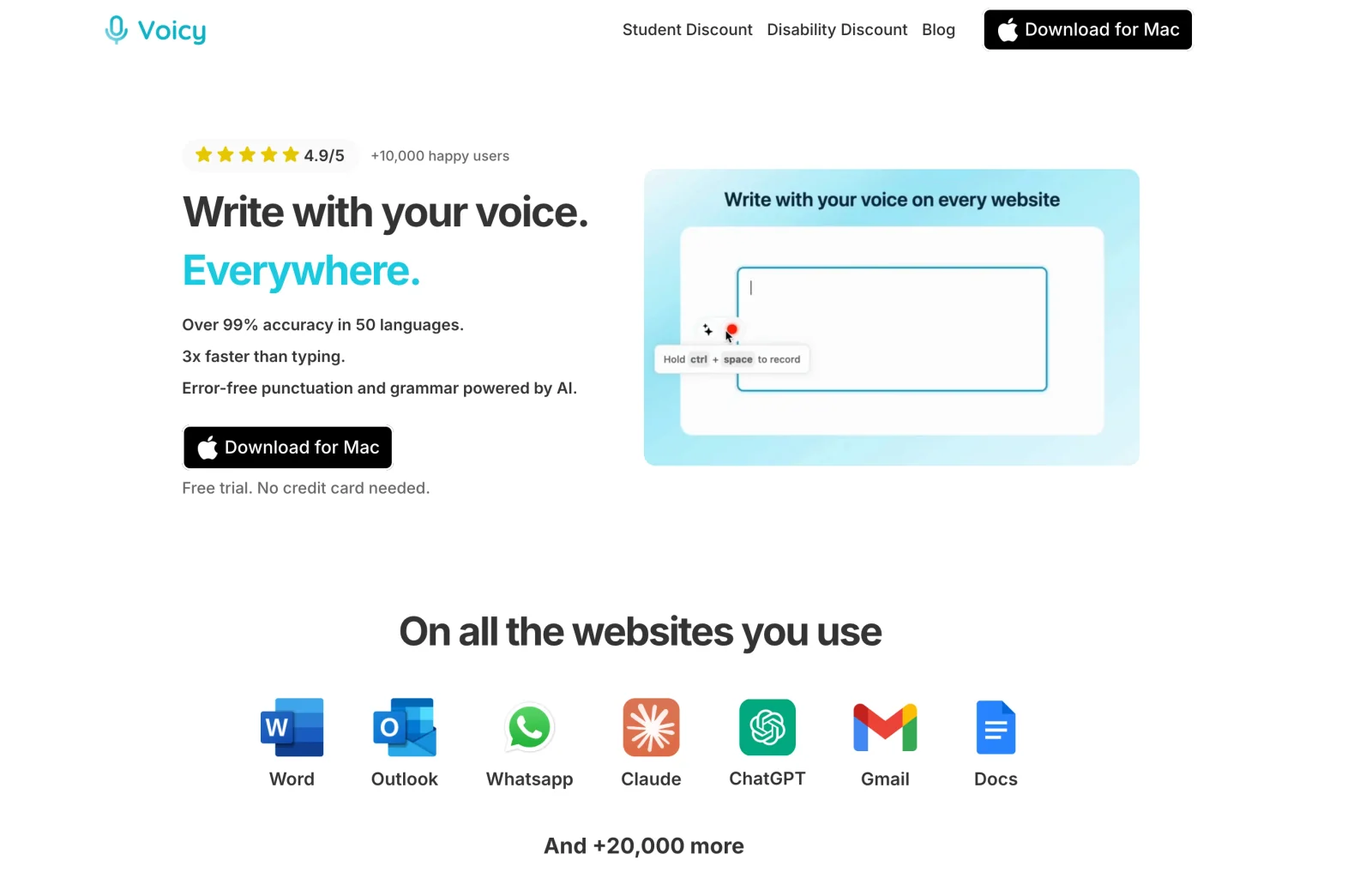
Writing is your main task? Try Voicy free with a real email or note. The trial includes 30 minutes of recording and every feature, with no card needed.
Two other options worth a quick look
Wispr Flow: the more guided product for the same writing workflow, but its speech recognition is cloud-based. Its US Pro price is $15 monthly or $144 yearly, against OpenWhispr Pro's $8 or $80. Read our Wispr Flow review.
Handy: if you only want plain voice typing, Handy is simpler: free, MIT-licensed, no account and no paid tiers, but no meetings. See our Handy review. On a recent Mac, our FluidVoice review covers another free option with local text cleanup.
Final recommendation: Free, Pro or another app?
- Stay with Free if you dictate with local models or your own API key, and five meeting hours a month is enough. Keep using it until a specific limit costs you time.
- Upgrade to Pro for unlimited OpenWhispr Cloud transcription, 20 meeting hours a month, agent mode, sync or the iPhone app. Paying yearly saves $16.
- Choose Voicy if writing is your main job and you want one simple app across your computer, phone and browser, including Android.
FAQs
What is the main difference between OpenWhispr Free and Pro?
Free includes unlimited local dictation, bring-your-own-key cloud transcription, 2,000 words a week of OpenWhispr Cloud and five meeting-recording hours a month. Pro adds unlimited OpenWhispr Cloud transcription, 20 meeting hours, agent mode, sync, the iPhone and iPad app, and API and MCP access.
How much does OpenWhispr Pro cost?
The pricing page, checked November 9, 2026, lists Pro at $8 monthly or $80 a year. The $6.67 a month shown on the annual card is the yearly price divided by twelve. Business is $16 per user monthly or $160 a year.
Does OpenWhispr work offline?
Yes, with downloaded local speech models, on every plan. To keep AI cleanup offline too, use a local language model. OpenWhispr Cloud, your own cloud providers and sync need internet.
Does OpenWhispr support iPhone and Android?
Paid plans include an iPhone and iPad app. No validated public Android release is established by the sources checked; the mobile repository says Android can be built locally, but release validation is not yet part of its CI.
Can OpenWhispr transcribe meetings and audio files?
Yes. It records meetings with speaker labels and notes, and imports existing audio and video. Free includes five meeting hours a month, Pro 20 and Business unlimited. Intel Macs lack live speaker identification.
Does OpenWhispr keep my recordings?
Its November 5 privacy policy says desktop dictation audio is kept locally for 30 days by default, with settings to change or disable that. OpenWhispr Cloud processes audio without storing it, while shared notes and backups follow different rules.
Is OpenWhispr private because it is open source?
Not automatically. The MIT-licensed code is open to inspection, but your chosen speech and cleanup providers, backups, shared notes and local retention decide where your content goes. Check each workflow you use.
Is OpenWhispr a good Wispr Flow alternative?
For many people, yes. OpenWhispr can run speech recognition locally, while Wispr Flow's recognition is cloud-based. OpenWhispr Pro is $8 monthly or $80 yearly, against Wispr Flow's US price of $15 monthly or $144 yearly. Wispr Flow is the more guided product; OpenWhispr gives more control.
Should I choose OpenWhispr or Voicy?
Choose OpenWhispr for free local use, provider control and meeting notes. Choose Voicy if writing is your main job: it works on Android and in the browser as well as desktop and iPhone, needs no model or API-key setup, and offers a $260 lifetime plan alongside monthly and yearly billing.
 Download for free
 Download for free
 Download for Ubuntu/Debian
 Add to Chrome for free