





Voicy vs Handy: Which Speech-to-Text App Should You Choose in 2026?
TL;DR
Choose Voicy if you want a polished cloud-based dictation and transcription product across Mac, Windows, browser extension, iOS, and Android.
Choose Handy if you want a free, open-source, offline desktop dictation app that runs on your own computer.
Best privacy fit: Handy, because its official site says your voice stays on your computer and transcription happens locally.
Best workflow fit: Voicy, because it supports live dictation plus file upload transcription across more everyday devices and surfaces.
Best price: Handy is free. Voicy has a free trial, then costs $8.49/month, $82/year, or $260 lifetime.
If you are comparing Voicy vs Handy, the short answer is this: Handy is the better fit for technical desktop users who want free, local, open-source dictation. Voicy is the better fit for people who want a finished cross-device speech-to-text product with browser extension support, mobile apps, and file upload transcription.
Answer-First Verdict
Voicy is the stronger daily tool if your speech-to-text work happens across more than one device or format. It supports Mac, Windows, browser extension use, iOS, Android, live dictation, and file upload transcription. It is cloud-based, has a free trial, and paid plans are $8.49/month, $82/year, or $260 lifetime.
Handy is the stronger choice if your top priorities are cost, ownership, and local processing. Its official site calls it a free and open-source speech-to-text app, and its docs say transcription runs locally on your device. The tradeoff is scope. Handy is a desktop app for macOS, Windows, and Linux, with no official mobile app, browser extension, or uploaded-file transcription workflow found in the checked primary sources.
Voicy is built for speech-to-text across desktop, browser, mobile, and uploaded files.
Handy focuses on free, open-source, local desktop speech-to-text.
Voicy vs Handy at a Glance
Category | Voicy | Handy | Winner |
|---|---|---|---|
Best for | People who want dictation and file transcription across desktop, browser, and mobile. | People who want a free, offline, open-source desktop dictation app. | Voicy for broader workflows. Handy for local-first desktop use. |
Platforms | Mac, Windows, browser extension, iOS, and Android. | macOS, Windows, and Linux downloads are listed. No official mobile app or browser extension found in checked primary sources. | Voicy for device coverage. Handy for Linux desktop users. |
Dictation model | Live dictation into everyday writing workflows. | Push-to-talk or shortcut-based segment recording, then local transcription and paste. | Voicy for a productized live workflow. Handy for local segment dictation. |
File upload transcription | Yes. Voicy supports file upload transcription in addition to live dictation. | No official uploaded-file transcription workflow found in checked primary sources. Handy's FAQ says it only transcribes microphone input. | Voicy. |
Pricing | Free trial, then $8.49/month, $82/year, or $260 lifetime. | Free. Donations and sponsorships are encouraged. | Handy. |
Privacy model | Cloud-based transcription. | Local transcription by default. Handy says your voice stays on your computer. Cloud AI providers are only involved if you enable cloud post-processing. | Handy. |
Product maturity | Commercial product with cross-platform apps and paid plans. | Open-source project at version 0.9.4 during this draft, with public known issues and active development notes. | Depends on preference. Voicy for managed product. Handy for open source. |
When Voicy Is the Better Choice

Voicy is the better pick when dictation is part of your normal workday, not a weekend setup project. You can use it across Mac, Windows, browser extension workflows, iPhone, and Android. You can also transcribe uploaded files, which matters if your audio does not always come from a live microphone.
That makes Voicy a better fit for people who move between email, documents, forms, chat, notes, voice memos, and recorded audio. Handy is simple by design. Voicy is broader by design.
Voicy covers more real-world writing surfaces
The browser extension is a practical difference. A lot of writing now happens inside web apps: Gmail, CRMs, support tools, CMS fields, dashboards, internal tools, and forms. Voicy is built for that kind of cross-app workflow.
Choose Voicy if you regularly need:
Speech-to-text on Mac, Windows, iOS, Android, and in browser-based work.
Live dictation plus file upload transcription.
A managed product instead of an open-source desktop setup.
One tool for quick replies, long drafts, and saved audio files.
A paid product with monthly, annual, and lifetime options.
When Handy Is the Better Choice
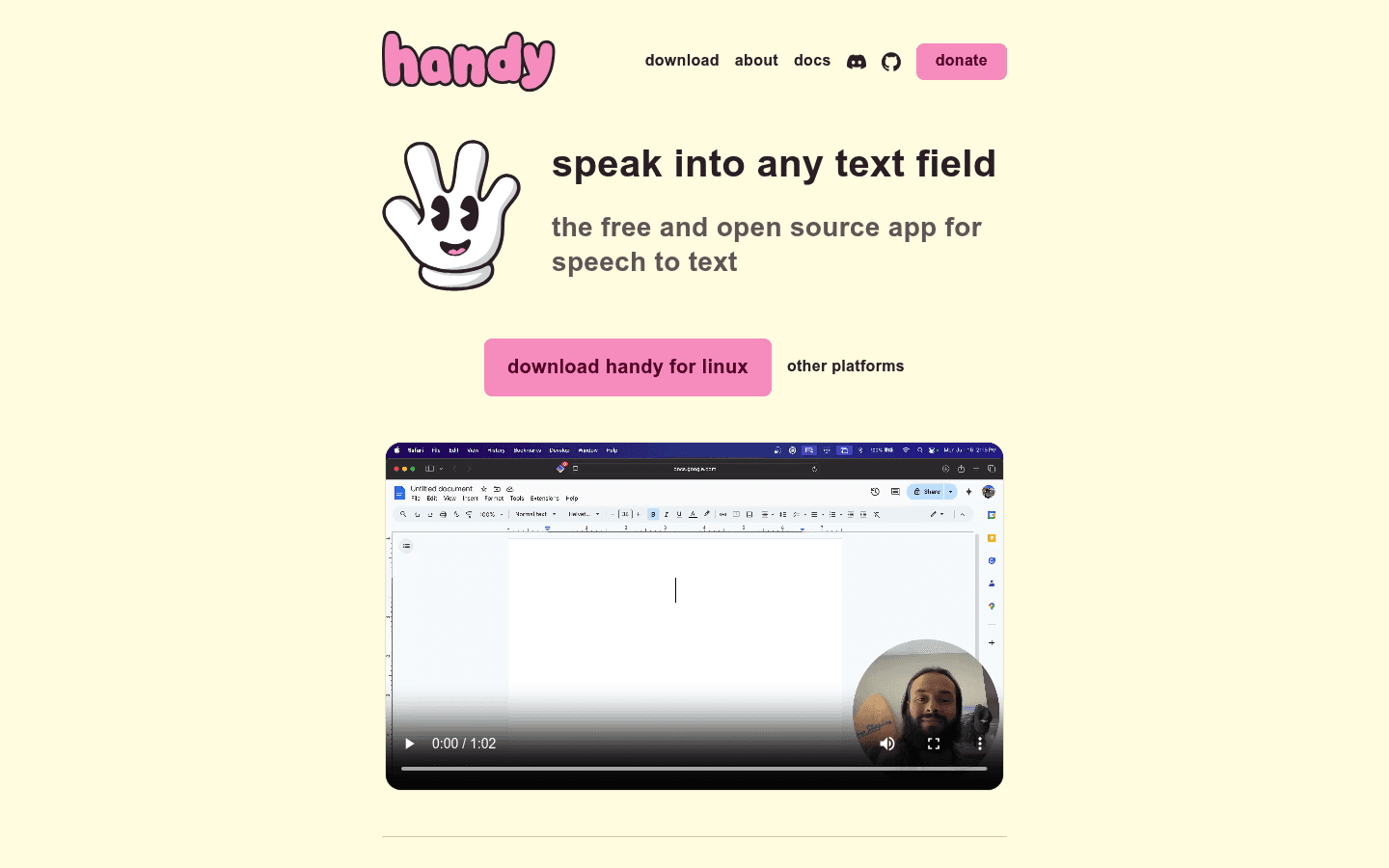
Handy is easy to respect. Its homepage says accessibility tooling belongs in everyone's hands, not behind a paywall. The project is free, open source, and focused on one job: press a shortcut, speak, and paste the transcribed text into a text field.
The biggest reason to choose Handy is privacy. Its official site says your voice stays on your computer. Its FAQ says all speech-to-text transcription happens locally, and the only network requests are for downloading models and checking for updates. There is an important exception: if you enable post-processing with a cloud AI provider, transcriptions are sent to that provider's API.
Choose Handy if you want:
A free speech-to-text app with no subscription.
Open-source code you can inspect, fork, or modify.
Local desktop transcription on macOS, Windows, or Linux.
Whisper or Parakeet model choices that run on your device.
A simple push-to-talk workflow instead of a larger commercial app.
The tradeoff is that Handy is not trying to cover every speech-to-text workflow. Its FAQ says it does not currently transcribe system audio and does not yet support real-time/live captions. In the primary sources checked for this draft, I also did not find official mobile apps, browser extension support, or uploaded-file transcription.
Pricing and Cost Over Time
Handy wins on price. Its official site presents the app as free and open source. There are donation and sponsorship paths, but no required subscription price was found in the checked primary sources.
Voicy has a free trial, but it is not a permanent free product. Voicy costs $8.49 per month, $82 per year, or $260 for lifetime access.
Cost over 1, 3, and 5 years
The math is simple if Handy fits your workflow: Handy stays at $0 required cost, while Voicy is paid after the free trial. The reason to pay for Voicy is not lower price. It is broader platform coverage, file upload transcription, mobile access, and a managed product experience.
Scenario | Voicy | Handy | Winner |
|---|---|---|---|
Required upfront cost | Free trial, then paid | $0 | Handy. |
Monthly paid plan for 12 months | $101.88 | $0 required | Handy saves $101.88. |
Annual plan for 1 year | $82 | $0 required | Handy saves $82. |
Annual plan for 3 years | $246 | $0 required | Handy saves $246. |
Annual plan for 5 years | $410 | $0 required | Handy saves $410. |
Lifetime option | $260 | Not needed for free access | Handy for cost. Voicy if you want lifetime access to a broader paid product. |
Cost is only one part of the decision. If you are comfortable with desktop-only local dictation, Handy is hard to beat. If you need mobile, browser extension use, file upload transcription, and less setup work, Voicy is the more complete paid option.
Privacy and Cloud Processing
This is the clearest Handy win. Handy's official homepage says your voice stays on your computer. The docs say all selected speech-to-text models run entirely on your device. The FAQ says Handy does not send speech-to-text data to the cloud, except when you choose cloud AI post-processing.
Voicy is cloud-based. That makes it easier to offer the same product across more devices and to support file upload transcription, but it is not the right fit for people with a strict local-only rule.
So the privacy choice is not subtle. Pick Handy if local/offline transcription is the main requirement. Pick Voicy if you are comfortable with cloud transcription and need broader product coverage.
User Proof and Community Discussion
For public proof, the two products show different kinds of trust. Voicy is a commercial product with public product marketing, paid plans, and cross-platform positioning. Handy is an open-source project with a public GitHub repository, an MIT license, release artifacts, issues, discussions, and community contribution paths.
At the time of research for this draft, the GitHub API reported more than 28,000 stars for `cjpais/Handy`. That is useful proof of developer interest, but it is not the same as a formal user satisfaction score. I avoided making claims about Handy's accuracy, speed, or review sentiment beyond what the primary sources support.
If you are checking community discussion, look for recent threads that match your exact setup: macOS or Windows permissions, Linux display server behavior, Whisper or Parakeet model choice, hardware performance, post-processing setup, and whether you need mobile or file uploads. Handy's public docs also list known issues and limitations, which is a good sign for transparency but still worth reading before relying on it for daily work.
Decision Guide
Choose Voicy if:
You need Mac, Windows, browser extension, iOS, and Android support.
You want live dictation plus file upload transcription.
You want a managed product with a simpler cross-device setup.
You write in web apps where a browser extension matters.
You are comfortable with cloud-based transcription.
Choose Handy if:
You want free desktop dictation.
You want local/offline speech-to-text by default.
You use macOS, Windows, or Linux.
You like open-source tools and do not mind reading docs or tuning settings.
You do not need mobile apps, browser extension support, or uploaded-file transcription.
Bottom Line
Handy is the better choice if your decision starts with local processing, open source, and price. It is free, transparent, and focused. For a desktop user who wants simple push-to-talk dictation without sending audio to the cloud, Handy is the obvious app to test first.
Voicy is the better choice if you need a broader speech-to-text workflow. It costs money after the free trial, but it covers Mac, Windows, browser extension use, iOS, Android, live dictation, and file upload transcription. If you need dictation and transcription across real work, not just a local desktop text field, Voicy is the stronger pick.
FAQs
Is Voicy better than Handy?
Voicy is better if you need cross-device speech-to-text, browser extension use, and file upload transcription. Handy is better if you want free, open-source, offline desktop dictation.
Is Handy free?
Yes. Handy's official site describes it as free and open source. Donations and sponsorships are available, but no required subscription price was found in the checked primary sources.
Does Voicy have a free plan?
Voicy has a free trial, but it is not a fully free product. Its paid plans are $8.49 per month, $82 per year, or $260 lifetime.
Which is cheaper, Voicy or Handy?
Handy is cheaper if it fits your needs because it has a $0 required cost. Voicy costs $8.49/month, $82/year, or $260 lifetime after its free trial.
Does Handy work offline?
Yes. Handy's official site and docs say speech-to-text transcription happens locally on your device. Its FAQ says the only network requests are for downloading models and checking for updates, unless you enable cloud AI post-processing.
Is Voicy cloud-based?
Yes. Voicy is cloud-based. That helps support its cross-platform dictation and file upload transcription workflow, but it is not local-only.
Does Handy work on Windows?
Yes. Handy's download page lists Windows x64 and Windows ARM downloads, including installer and MSI options.
Does Handy work on Mac?
Yes. Handy's download page lists Mac downloads for Apple Silicon and Intel Macs.
Does Handy work on iPhone or Android?
I did not find official Handy iPhone or Android apps in the checked primary sources. Handy is presented as a desktop app for macOS, Windows, and Linux.
Can Handy transcribe uploaded audio files?
I did not find an official uploaded-file transcription workflow in the checked primary sources. Handy's FAQ says it only transcribes microphone input and does not currently transcribe system audio.
Can Voicy transcribe uploaded files?
Yes. Voicy supports file upload transcription in addition to live dictation.
Which app is better for privacy?
Handy is better for privacy if you require local/offline speech-to-text. Voicy is cloud-based, so choose it when broader device coverage and file transcription matter more than local-only processing.
