

4.9/5

+10,000 happy users

Chrome Store rating

Speech to Text
in Claude Code

Speech to Text
in Claude Code

Claude Logo

Write AI prompts with your voice in Claude Code
3x faster than typing prompts
Over 99% accuracy in +50 languages

Over 99% accuracy in 50 languages
3x faster than typing emails
Automatic punctuation powered by AI
Free speech-to-text Chrome extension

A Gif of Voicy Speech to Text eing used in Claude Code to write prompts with your Voice

See how it works

See how it works

Voicy in action

Image of reviewer

Nicholas Cino

Truly amazing extension. Works wonders and is really fast! Reduces time of writing complex emails by about 80%!

Image of reviewer

CL Cobb

I've tried other products like it, and, so far, Voicy is the most user-friendly, and it really improves my workflow.

Image of reviewer

Pam Lang

This is the tool that I was looking for. It is amazing. I've gotten so lazy about typing anywhere. Thank you, thank you, thank you for this product!

Image of reviewer

Steve Moore

Voicy is an absolute game-changer! This voice-to-text extension delivers exceptional accuracy, capturing my words perfectly every time. The speed is impressive.

Image of reviewer

Victor Rodriguez

Almost instant replies from the creator, great support great app!

Image of reviewer

Crystal Willis

I love Voicy!! The extension and the desktop app have saved me so much time. I have tried several different voice-to-text apps. None of them compares to Voicy!

Voicy - Speech-to-Text on Every Website | Startup Fame
Featured on Twelve Tools
Image of reviewer

Nicholas Cino

Truly amazing extension. Works wonders and is really fast! Reduces time of writing complex emails by about 80%!

Image of reviewer

CL Cobb

I've tried other products like it, and, so far, Voicy is the most user-friendly, and it really improves my workflow.

Image of reviewer

Pam Lang

This is the tool that I was looking for. It is amazing. I've gotten so lazy about typing anywhere. Thank you, thank you, thank you for this product!

Image of reviewer

Nicholas Cino

Truly amazing extension. Works wonders and is really fast! Reduces time of writing complex emails by about 80%!

Image of reviewer

CL Cobb

I've tried other products like it, and, so far, Voicy is the most user-friendly, and it really improves my workflow.

Image of reviewer

Pam Lang

This is the tool that I was looking for. It is amazing. I've gotten so lazy about typing anywhere. Thank you, thank you, thank you for this product!

Voicy - Speech-to-Text on Every Website | Startup Fame

How to use Speech-to-Text in Claude Code

How to use Speech-to-Text in Claude Code

How to use Speech-to-Text in Claude Code

Step 1

Download the Voicy app here

Download the free Voicy
extension here

Voicy is a privacy-focused speech-to-text Mac & Windows app. It adds AI-powered speech recognition to every app and website on your computer.
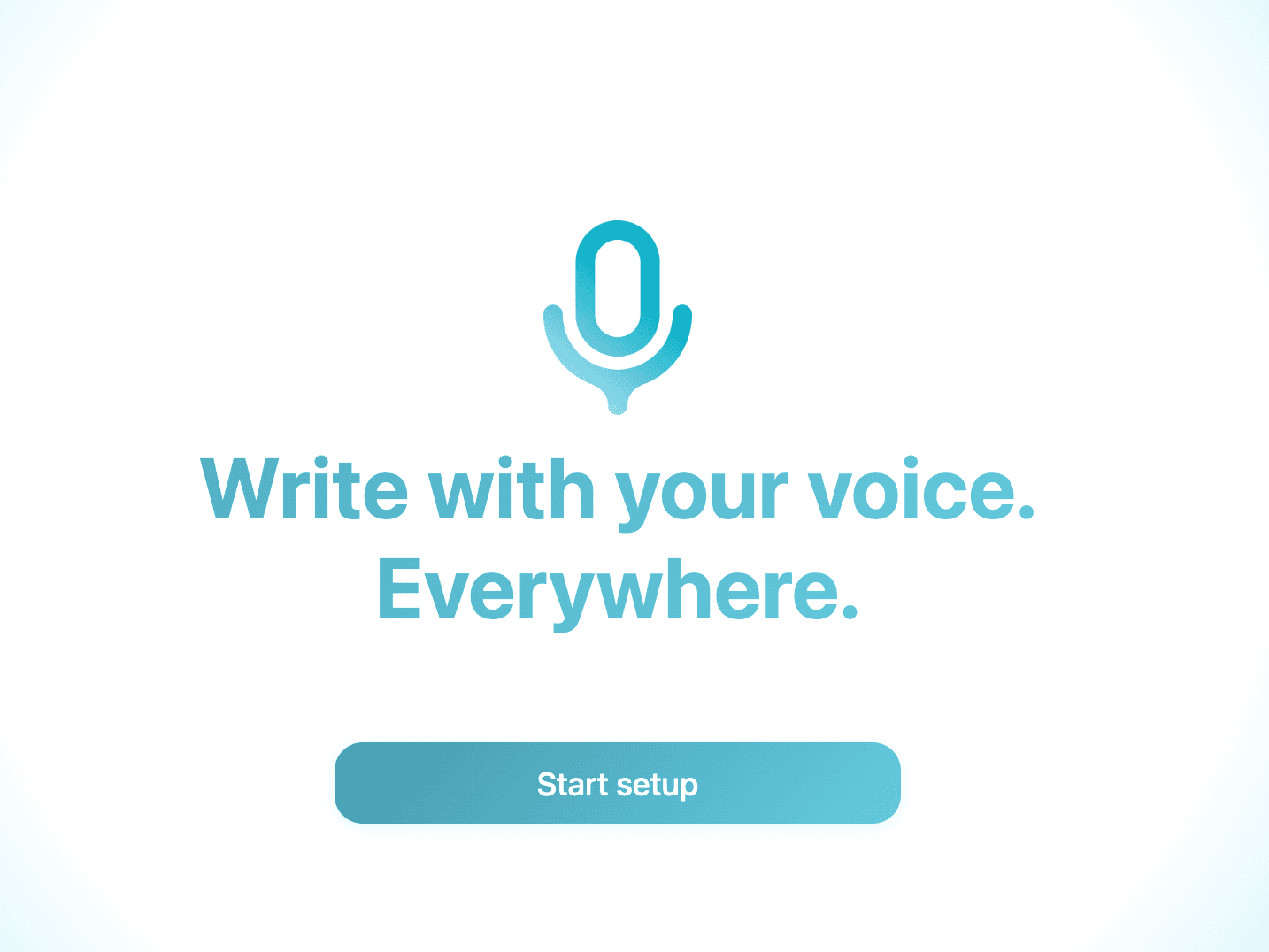
A screenshot of Voicy's voice typing app onboarding page.

Step 2

Open Claude Code

The Voicy element will now show up next to your chat input. Hover over the blue dot with your mouse to expand the element. Congratulations, you now have voice to text right inside Claude.
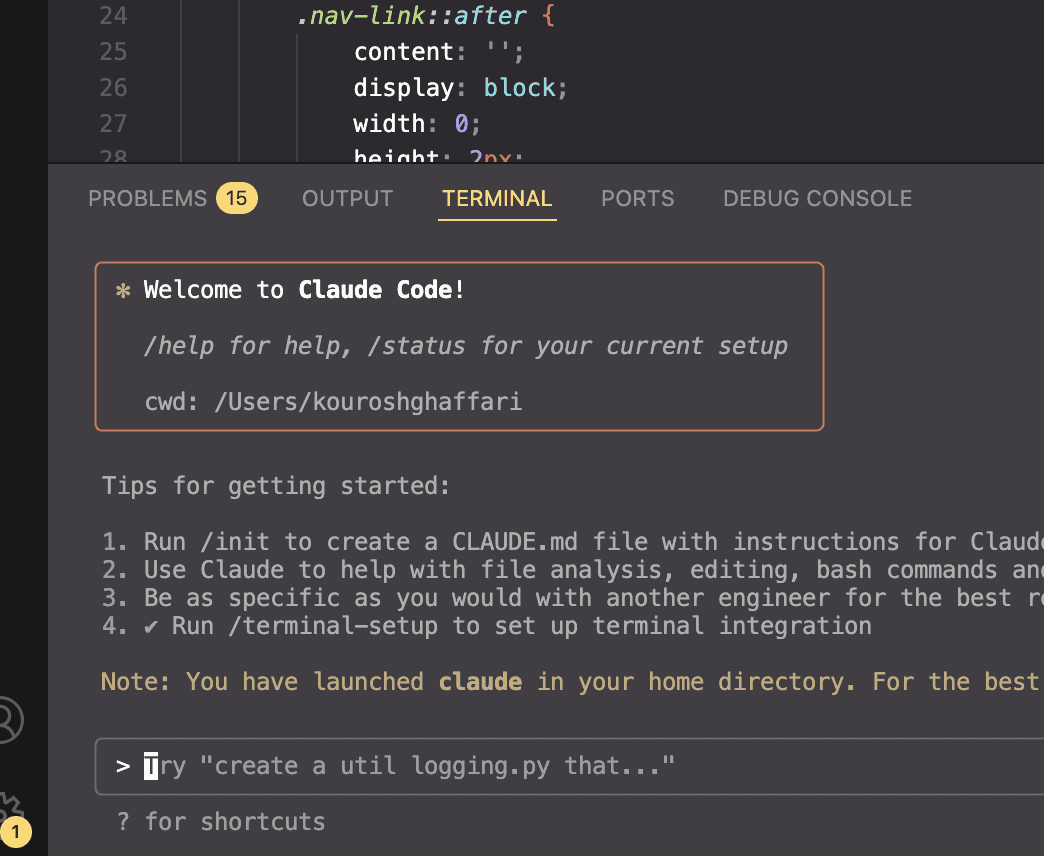
A screenshot of Claude Code being opened in the terminal.

Step 3

Start dictating to Voicy

You can start and stop recordings in Voicy with a custom keyboard shortcut. Your transcribed text will automatically be added to Claude Code.

A Gif of Voicy Speech to Text  being used in Claude Code to write prompts with your Voice

Try Voicy for free. It works everywhere.

No credit card required

7-day money back guarantee

+10,000 happy users

Try Voicy for free. It works everywhere.

No credit card required

7-day money back guarantee

+10,000 happy users

Try Voicy for free. It works everywhere.

No credit card required

7-day money back guarantee

+10,000 happy users

The benefits of speech to text in Claude Code

Your thoughts on paper,
faster

Using dictation software increases your speed by an average of 3x. Write longer, more detailed prompts.

Using speech recognition software increases your speed by an average of 2x.

Express yourself

Not sure how to explain something to Claude? Just throw in your entire brain dump and the AI will get it!

Vibe-Coding with
Claude

Typing on the keyboard is absolutely not the vibe. You know what is though? Speaking to your AI.

AI Edits

Voicy also lets you edit your prompts by using AI. Let AI improve your prompt before sending it to Claude.

Works everywhere

Voicy works on all the websites and apps you use daily. This means you can use voice typing to write emails, messages, documents, blog posts, etc.

  • Microsoft Outlook Logo indicating voice dictation on Outlook
  • Microsoft Word Logo indicating microsoft word dictation with Voicy
  • Gmail logo indicating speech to text on Gmail
  • Linkedin logo
  • Substack logo
  • Facebook Messenger logo
  • Notion Logo
  • ChatGPT logo indicating speech to text on chatgpt
  • Claude Logo indicating speech to text on Claude
  • Google Docs Logo
  • Telegram logo
  • Discord Loog
  • Reddit Logo
  • Hubspot Logo
  • EverNote Logo
  • Medium logo indicating speech to text on medium
  • Trello Logo indicating speech to text on trello
  • Asana logo

Privacy First

Nobody sees your transcripts except yourself.
You can read more about our privacy policy here.

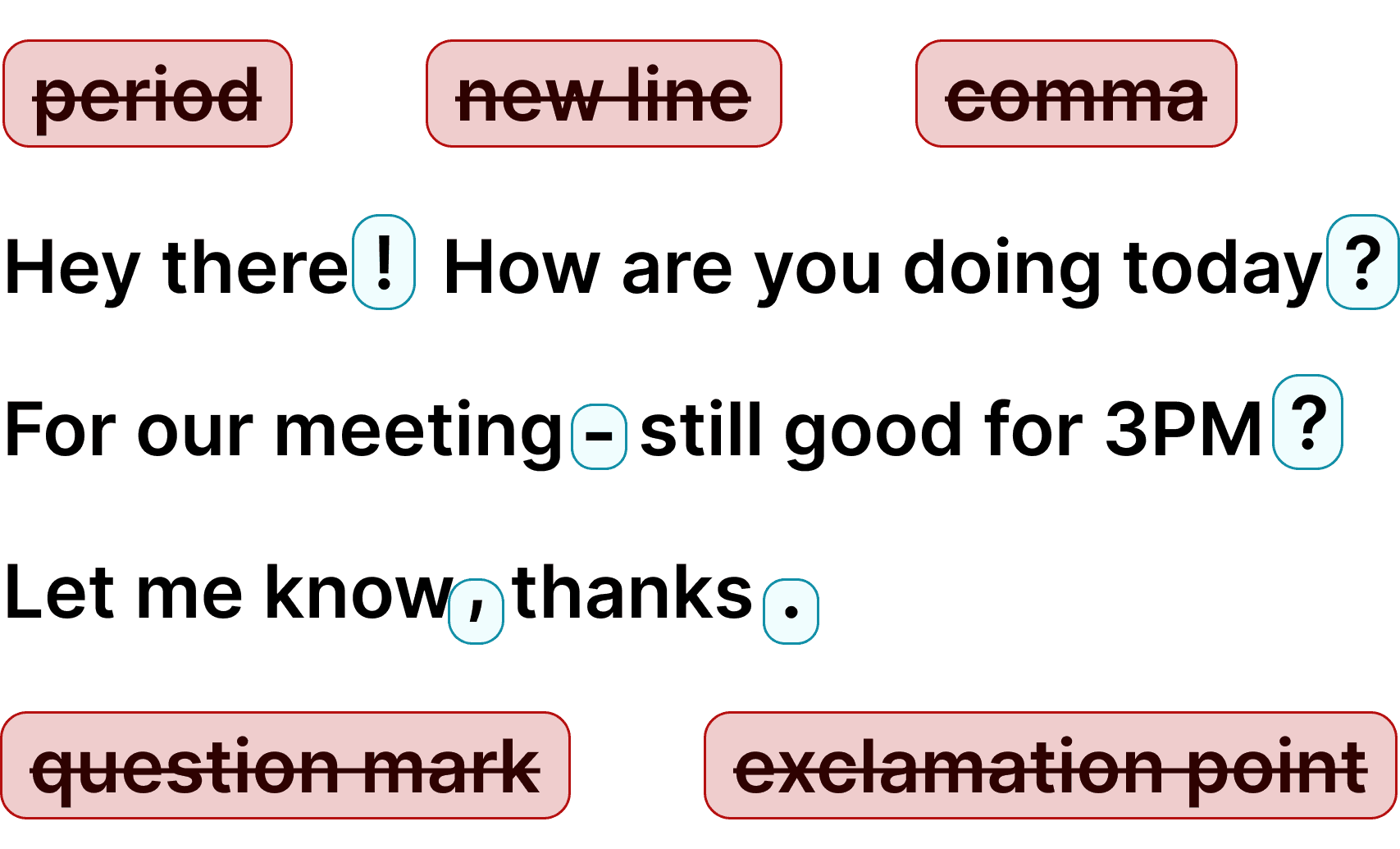
Automatic Punctuation

Voicy automatically adds perfect punctuation to your dictated text. Zero typos, perfect grammar, perfect punctuation.

Image showing a paragraph of text that has been grammar corrected by AI

+50 languages

Voicy gives you over 99% accuracy in more than 50 languages, including speech-to-text in English, German, French, Spanish, Portuguese, Mandarin, etc.

  • 🇵🇹

  • 🇫🇷

  • 🇮🇳

  • 🇷🇺

  • 🇪🇸

  • 🇨🇳

  • 🇩🇪

  • 🇬🇧

  • 🇵🇱

  • 🇰🇷

  • 🇬🇷

  • 🇺🇦

  • 🇸🇦

  • 🇦🇲

  • 🇿🇦

  • 🇮🇷

  • 🇺🇸

  • 🇫🇮

  • 🇱🇺

  • 🇯🇵

  • 🇮🇱

  • 🇸🇪

  • 🇳🇱

  • 🇩🇰

  • 🇨🇿

Works everywhere

Voicy works on all the websites and apps you use daily. This means you can use voice typing to write emails, messages, documents, blog posts, etc.

  • Microsoft Outlook Logo indicating voice dictation on Outlook
  • Microsoft Word Logo indicating microsoft word dictation with Voicy
  • Gmail logo indicating speech to text on Gmail
  • Linkedin logo
  • Substack logo
  • Facebook Messenger logo
  • Notion Logo
  • ChatGPT logo indicating speech to text on chatgpt
  • Claude Logo indicating speech to text on Claude
  • Google Docs Logo
  • Telegram logo
  • Discord Loog
  • Reddit Logo
  • Hubspot Logo
  • EverNote Logo
  • Medium logo indicating speech to text on medium
  • Trello Logo indicating speech to text on trello
  • Asana logo

Privacy First

Nobody sees your transcripts except yourself.
You can read more about our privacy policy here.

Automatic Punctuation

Voicy automatically adds perfect punctuation to your dictated text. Zero typos, perfect grammar, perfect punctuation.

Image showing a paragraph of text that has been grammar corrected by AI

+50 languages

Voicy gives you over 99% accuracy in more than 50 languages, including speech-to-text in English, German, French, Spanish, Portuguese, Mandarin, etc.

  • 🇵🇹

  • 🇫🇷

  • 🇮🇳

  • 🇷🇺

  • 🇪🇸

  • 🇨🇳

  • 🇩🇪

  • 🇬🇧

  • 🇵🇱

  • 🇰🇷

  • 🇬🇷

  • 🇺🇦

  • 🇸🇦

  • 🇦🇲

  • 🇿🇦

  • 🇮🇷

  • 🇺🇸

  • 🇫🇮

  • 🇱🇺

  • 🇯🇵

  • 🇮🇱

  • 🇸🇪

  • 🇳🇱

  • 🇩🇰

  • 🇨🇿

Works everywhere

This means your voice can write emails, messages, documents, blog posts, etc.

  • Microsoft Outlook Logo indicating voice dictation on Outlook
  • Microsoft Word Logo indicating microsoft word dictation with Voicy
  • Gmail logo indicating speech to text on Gmail
  • Linkedin logo
  • Substack logo
  • Facebook Messenger logo
  • Notion Logo
  • ChatGPT logo indicating speech to text on chatgpt
  • Claude Logo indicating speech to text on Claude
  • Google Docs Logo
  • Telegram logo
  • Discord Loog
  • Reddit Logo
  • Hubspot Logo
  • EverNote Logo
  • Medium logo indicating speech to text on medium
  • Trello Logo indicating speech to text on trello
  • Asana logo

Privacy First

Nobody sees your transcripts except yourself.
You can read more about our privacy policy here.

Automatic Punctuation

Voicy automatically adds perfect punctuation to your dictated text. Zero typos, perfect grammar, perfect punctuation.

Image showing a paragraph of text that has been grammar corrected by AI

+50 languages

Over 99% accuracy in more than 50 languages, including speech to text in English, German, French, Spanish, Portuguese, Mandarin, etc.

  • 🇵🇹

  • 🇫🇷

  • 🇮🇳

  • 🇷🇺

  • 🇪🇸

  • 🇨🇳

  • 🇩🇪

  • 🇬🇧

  • 🇵🇱

  • 🇰🇷

  • 🇬🇷

  • 🇺🇦

  • 🇸🇦

  • 🇦🇲

  • 🇿🇦

  • 🇮🇷

  • 🇺🇸

  • 🇫🇮

  • 🇱🇺

  • 🇯🇵

  • 🇮🇱

  • 🇸🇪

  • 🇳🇱

  • 🇩🇰

  • 🇨🇿

Use cases

Google Docs Logo

Write Google Docs with your Voice

Use Speech-To-Text inside Google Docs to write documents in half the time.

Read More

Gmail Logo

Write emails with dictation in Gmail

Automatic punctuation and formatting help you write perfect emails!

Read More

Microsoft Word Logo

Dictate right in Word - works perfectly

Stuck on that first line to start your doc? Just speak it out and it's there.

Read More

Outlook Logo

Look out, Outlook Voice-to-Text is here!

Voicy works perfectly in all Outlook versions to help you dictate emails.

Read More

Whatsapp Logo

Chat in Whatsapp with Speech to Text

Are you a talker but know that nobody likes voice notes?
Worry not, Voicy's got you!

Read More

Claude/ChatGpt logos

Speech-to-text in Claude and ChatGPT

Give AI the best possible prompt by using your voice. Better input leads to better output!

Read More

Use cases

Google Docs Logo

Write Google Docs with your Voice

Use Speech-To-Text inside Google Docs to write documents in half the time.

Read More

Gmail Logo

Write emails with dictation in Gmail

Automatic punctuation and formatting help you write perfect emails!

Read More

Microsoft Word Logo

Dictate right in Word - works perfectly

Stuck on that first line to start your doc? Just speak it out and it's there.

Read More

Outlook Logo

Look out, Outlook Voice-to-Text is here!

Voicy works perfectly in all Outlook versions to help you dictate emails.

Read More

Whatsapp Logo

Chat in Whatsapp with Speech to Text

Are you a talker but know that nobody likes voice notes?
Worry not, Voicy's got you!

Read More

Claude/ChatGpt logos

Speech-to-text in Claude and ChatGPT

Give AI the best possible prompt by using your voice. Better input leads to better output!

Read More

FAQ

Can I use speech to text in Claude Code?

How much does Voicy cost for Claude Code?

Is my Claude Code dictation private?

How does Voicy work with Claude Code in the terminal?

Is Voicy better than Claude Code's built-in /voice command?

Does Voicy work in the terminal for Claude Code?

Can I vibe code with voice dictation?

Does Voicy handle technical terms and code vocabulary?

Twice as accurate as Claude's own dictation

No credit card required

7-day money back guarantee

+10,000 happy users

Twice as accurate as Claude's own dictation

No credit card required

7-day money back guarantee

+10,000 happy users

Twice as accurate as Claude's own dictation

No credit card required

7-day money back guarantee

+10,000 happy users

Vibe coding with voice dictation in Claude Code

Vibe coding is all about flow — describing what you want and letting the AI build it. But typing out detailed prompts breaks that flow. With Voicy's speech to text in Claude Code, you can describe entire features, explain bugs, and give architectural direction just by talking. Your prompts come out longer, more natural, and more detailed — which means Claude Code gives you better results. Whether you're building a new feature, debugging, or refactoring, voice dictation keeps you in the zone.

Voicy also gives you AI editing commands. Not sure how to phrase a prompt? Dictate a rough version, then ask Voicy's AI to clean it up before you send it to Claude Code. It works in over 50 languages, so non-English developers can vibe code in their native language too. Voicy runs on both Mac and Windows — just install the app, set your keyboard shortcut, and start dictating into Claude Code's terminal.

Why developers choose Voicy for Claude Code

Claude Code runs in your terminal, which means you need a speech to text tool that works at the system level — not just in the browser. Voicy is a desktop app for Mac and Windows that works in every application, including terminal windows. Press your keyboard shortcut, describe what you want to build, and Voicy transcribes it with 99%+ accuracy and automatic punctuation. No copy-pasting from a separate app. No browser extension required. Your dictated prompts go straight into Claude Code.

Voicy uses AI-powered speech recognition with over 99% accuracy. It handles technical vocabulary — function names, programming terms, file paths — far better than basic dictation tools. Automatic punctuation means your prompts come out clean without manual editing. Voicy supports 50+ languages, so international developers can dictate in their native language. At 8.49 per month, it costs less than most developer tools and works across your entire workflow.

Vibe coding with voice: the natural way to use Claude Code

The vibe coding movement is built on one idea: describe what you want in plain language, and let AI build it. But most developers still type their prompts — which is slow, tiring, and interrupts the creative flow. Voice dictation is the missing piece. Speak your ideas naturally, and Claude Code turns them into working code.

With Voicy, you can describe an entire feature in 30 seconds that would take 3 minutes to type. Your prompts end up more detailed and more natural — which is exactly what Claude Code responds best to. Developers who switch to voice dictation report writing better prompts and getting better code output as a result.

Speech to text options for Claude Code

Claude Code recently added a built-in /voice command that lets you have two-way voice conversations. It's great for quick back-and-forth — but it's not a dictation tool. When you need precise, well-structured prompts with exact wording, a dedicated speech to text tool gives you more control over what Claude Code receives.

Voicy works at the system level, which means it's not limited to Claude Code. The same keyboard shortcut that dictates into your terminal also works in your browser, your email, your docs, and every other app. One tool, one shortcut — voice typing everywhere on your Mac or Windows computer.