





Voicy vs Monologue: Which Dictation App Should You Choose in 2026?
TL;DR
Choose Voicy if you want live dictation plus file upload transcription across Mac, Windows, browser extension, iOS, and Android.
Choose Monologue if you live in the Apple ecosystem and want dictation, voice notes, meeting notes, offline transcription on Mac, and Apple Watch support.
Best platform coverage: Voicy covers Mac, Windows, browser extension, iOS, and Android. Monologue lists Mac, iPhone, iPad, and Apple Watch.
Best paid value: Voicy is cheaper than Monologue Pro on monthly and annual billing, and it offers a lifetime plan.
Privacy read: Voicy is cloud-based. Monologue has a mixed model: offline/local options, zero-retention provider language for dictation, and synced cloud storage for Notes.
If you are comparing Voicy vs Monologue, the short answer is this: Voicy is the better fit for people who need speech-to-text across desktop, mobile, browser workflows, and uploaded files. Monologue is the better fit for Apple-first users who want a polished dictation and notes system with offline transcription and Apple Watch support.
Answer-First Verdict
Voicy is the more practical everyday choice if you need one dictation product across mixed devices. It supports Mac, Windows, browser extension use, iOS, Android, live dictation, and file upload transcription. It is cloud-based, has a free trial, and costs $8.49/month, $82/year, or $260 lifetime.
Monologue is narrower by platform, but deeper for Apple users. Its official site positions it around dictation, voice notes, bot-free meeting notes, MCP/API/CLI access, and offline transcription on Mac. Its pricing page lists a free trial with 1,000 dictation words and 10 recorded notes, then Monologue Pro at $15/month or $12/month billed annually at $144.
Voicy focuses on speech-to-text across everyday apps, websites, desktop, mobile, and uploaded files.
Monologue focuses on dictation, voice notes, meetings, and workflows across Apple devices.
Voicy vs Monologue at a Glance
Category | Voicy | Monologue | Winner |
|---|---|---|---|
Best for | Professionals who want dictation and file transcription across desktop, browser, and mobile. | Apple-first users who want dictation, voice notes, meetings, and developer-friendly note access. | Voicy for broader daily coverage. Monologue for Apple-native notes and meetings. |
Platforms | Mac, Windows, browser extension, iOS, and Android. | Mac, iPhone, iPad, and Apple Watch. | Voicy. |
Live dictation | Yes. Built for live speech-to-text in everyday writing surfaces. | Yes. Monologue says it lets you dictate wherever you type on Apple devices. | Tie. |
Recorded audio and notes | Yes. Voicy supports file upload transcription as well as live dictation. | Yes for recorded notes and meetings. Monologue's terms also reference recording and uploading recordings. | Voicy for general file transcription. Monologue for notes and meetings. |
Browser workflows | Browser extension support. | No browser extension found in checked primary sources. Monologue can work in web apps through the Mac app. | Voicy. |
Offline or local mode | Cloud-based transcription. | Pricing lists offline transcription, and the homepage says local models are available when you want speed or privacy. | Monologue. |
Free access | Free trial only. | Free trial with 1,000 dictation words and 10 recorded notes. | Tie. Both are trials, not permanent free unlimited plans. |
Paid pricing | $8.49/month, $82/year, or $260 lifetime. | $15/month, or $12/month billed annually at $144. | Voicy. |
Privacy model | Cloud-based transcription. | Dictation audio and transcripts are not saved on Monologue servers, according to its data privacy page. Notes store audio, transcript, and summary in your account so they can sync. | Monologue for documented offline and zero-retention details. Neither is a simple local-only product for every workflow. |
When Voicy Is the Better Choice

Voicy is the better pick when your speech-to-text work crosses devices, operating systems, and file types. You might dictate in a browser tool on Windows, answer email on Mac, capture something on your phone, then upload a recorded audio file for transcription later.
That is where Voicy has the clearer fit. Monologue is excellent for Apple users, but its checked primary sources focus on Mac, iPhone, iPad, and Apple Watch. Voicy covers Apple users too, while also adding Windows, Android, browser extension use, and direct file upload transcription.
Voicy covers mixed-device teams
Choose Voicy if your work happens across:
Mac and Windows machines.
Browser-based tools, forms, CRMs, support dashboards, and admin panels.
iOS and Android devices.
Live writing plus uploaded audio files.
Workflows where a browser extension matters more than an Apple Watch app.
Voicy is stronger on paid cost
Voicy monthly is $8.49. Monologue Pro monthly is $15. Over 12 months, that is $101.88 for Voicy versus $180 for Monologue, so Voicy saves $78.12 on monthly billing.
Annual billing is similar. Voicy is $82/year and Monologue Pro is $144/year, so Voicy saves $62 each year. Voicy also has a $260 lifetime plan, while I did not find a Monologue lifetime plan in the checked primary pricing source.
When Monologue Is the Better Choice
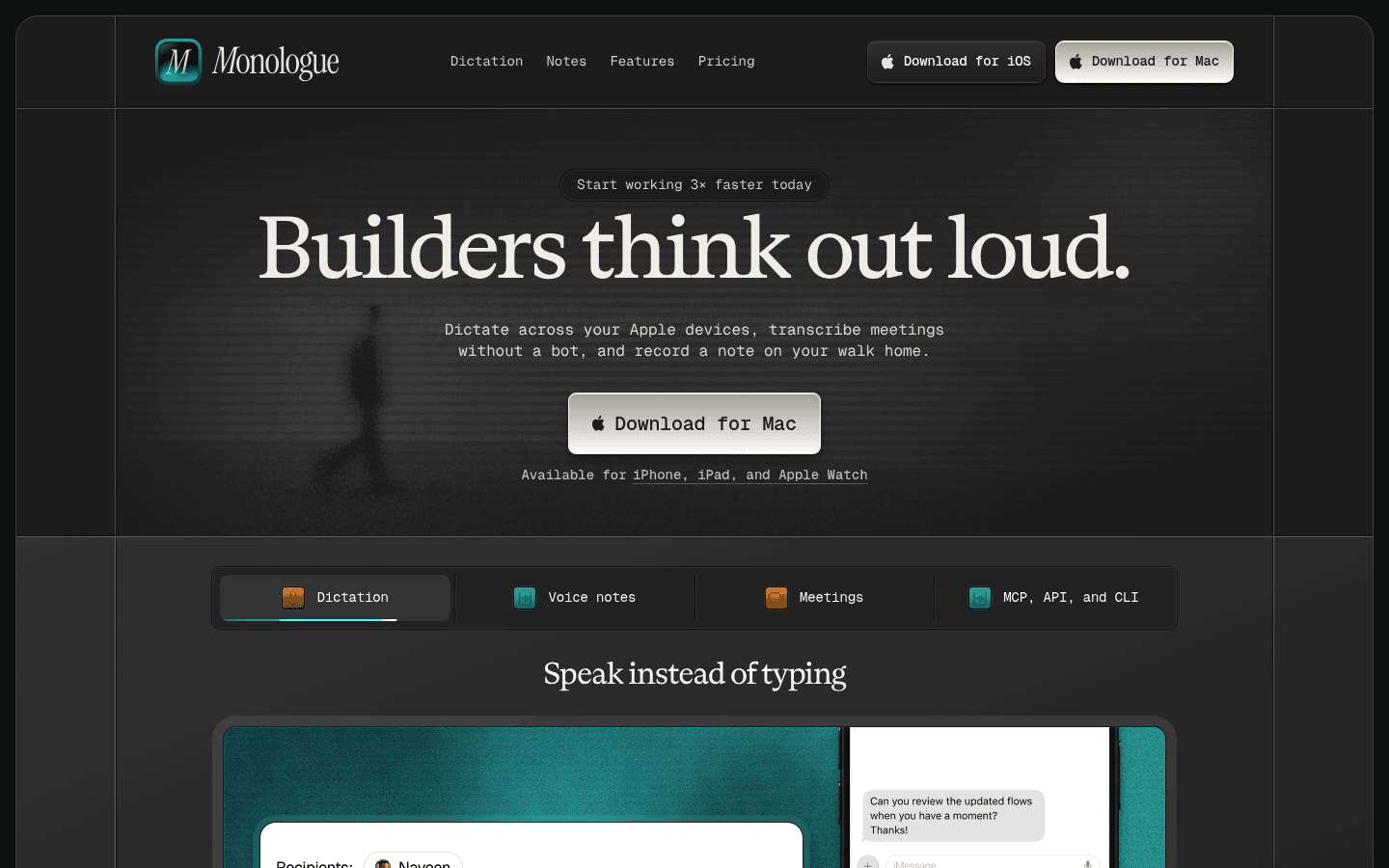
Monologue is the better pick if you are all-in on Apple devices and want more than a dictation box. Its official homepage describes dictation, voice notes, bot-free meeting notes, MCP/API/CLI access, custom modes, dictionaries, and offline transcription on Mac.
That mix is especially useful for people who record thoughts throughout the day and want them synced into a structured notes system. The Apple Watch support also matters if you capture voice notes away from your desk.
Choose Monologue if you want:
Mac, iPhone, iPad, and Apple Watch support.
Dictation plus recorded notes and meeting notes in one Apple-first product.
Offline transcription on Mac.
Personal dictionary, custom modes, and context-aware formatting.
Saved notes accessible through MCP, API, and CLI tools.
Published data privacy language that separates Dictation handling from Notes storage.
The tradeoff is platform reach. I did not find official Windows, Android, or browser extension support in the checked Monologue primary sources.
Pricing and Cost Over Time
Voicy costs $8.49 per month, $82 per year, or $260 for lifetime access. Voicy has a free trial, but it is not a fully free product.
Monologue's pricing page lists a free trial with 1,000 dictation words, 10 recorded notes, offline transcription, context-aware formatting, and 100+ languages. Monologue Pro costs $15 per month when billed monthly, or $12 per month when billed annually at $144.
Cost over 1, 3, and 5 years
Scenario | Voicy | Monologue | Winner |
|---|---|---|---|
Trial access | Free trial only | Free trial with 1,000 dictation words and 10 recorded notes | Monologue if the published trial limits help you evaluate fit. |
Monthly paid plan for 12 months | $101.88 | $180 | Voicy saves $78.12. |
Annual paid plan for 1 year | $82 | $144 | Voicy saves $62. |
Annual paid plan for 3 years | $246 | $432 | Voicy saves $186. |
Annual paid plan for 5 years | $410 | $720 | Voicy saves $310. |
5 years with Voicy lifetime | $260 | $720 on annual Monologue Pro | Voicy saves $460. |
Lifetime option | $260 | Not listed in checked primary pricing source | Voicy. |
The practical read: Monologue is easy to trial if you want to test its Apple workflow. Voicy wins on paid price, long-term cost, and one-time purchase flexibility.
Privacy, Cloud, and Local Processing
Voicy is cloud-based. That makes it straightforward to support live dictation and file upload transcription across Mac, Windows, browser extension workflows, iOS, and Android. It is not the right answer if your rule is local-only transcription.
Monologue is more nuanced. Its homepage says it works offline with local models when you want speed or privacy, and its pricing page lists offline transcription. Its Data Privacy page says Dictation audio and transcripts are not saved on Monologue servers, Deep Context screenshots are deleted immediately after processing, and AI providers process dictation with zero data retention.
Monologue Notes are different. The same Data Privacy page says that when you record a Note, Monologue securely stores its audio, transcript, and summary in your account so they can sync across devices. Its Privacy Policy also says local on-device audio files and transcripts may be deleted after 14 days, and that Groq, Fireworks, and OpenRouter are current third-party AI providers.
So the privacy decision is not simply cloud versus local. Choose Voicy if you are comfortable with cloud-based transcription and need broader platform and file coverage. Choose Monologue if Apple-device support, offline transcription, and Monologue's documented Dictation data handling are the deciding factors.
User Proof and Community Discussion
Monologue has public user proof that is worth noting carefully. Its App Store listing showed 4.8 out of 5 from 270 ratings when checked, and the listing includes user reviews about Mac and iPhone workflows. Monologue's own site also lists companies where users work, but that should be read as marketing proof, not a controlled product test.
Voicy's public site has shown social proof such as a high public rating and happy-user count. As with any comparison, do not treat homepage badges or app-store reviews as lab results. They are useful signals for what to test during a trial.
For community research, search for recent discussion around your exact setup: Windows versus Mac, Android versus iPhone, browser extension needs, uploaded-file transcription, offline transcription, Apple Watch voice notes, meetings, and how comfortable you are with synced note storage.
Decision Guide
Choose Voicy if:
You want live dictation plus file upload transcription.
You need Mac, Windows, browser extension, iOS, and Android support.
You write in web apps where a browser extension is useful.
You want the lower paid price on monthly or annual billing.
You want the option to buy lifetime access.
You are comfortable with cloud-based transcription.
Choose Monologue if:
You use Mac, iPhone, iPad, and Apple Watch.
You want dictation, voice notes, and bot-free meeting notes in one product.
You care about offline transcription on Mac.
You want Apple Watch capture or synced Notes access.
You want MCP, API, and CLI access to saved notes.
You prefer Monologue's published privacy model for Dictation data.
Bottom Line
Monologue is a strong Apple-first dictation and notes product. If you work on Mac and iPhone, record voice notes often, want meeting notes without a bot, and like the idea of Apple Watch capture, it deserves a serious trial.
Voicy is the better fit for broader speech-to-text work. It supports more platforms, includes browser extension use, handles live dictation and uploaded files, costs less than Monologue Pro, and offers a lifetime plan. If your work spans Apple and non-Apple devices, or if file transcription is a must-have, Voicy is the cleaner choice.
FAQs
Is Voicy better than Monologue?
Voicy is better if you need broader platform support, browser extension use, lower paid pricing, and file upload transcription. Monologue is better if you are Apple-first and want dictation, notes, meetings, Apple Watch support, and offline transcription on Mac.
Does Voicy have a free plan?
Voicy has a free trial, but it is not a fully free product. Its paid plans are $8.49 per month, $82 per year, or $260 lifetime.
Does Monologue have a free plan?
Monologue lists a free trial. The checked pricing page says the trial includes 1,000 dictation words, 10 recorded notes, offline transcription, context-aware formatting, and 100+ languages.
How much does Monologue cost?
Monologue Pro costs $15 per month when billed monthly, or $12 per month when billed annually at $144.
Which is cheaper, Voicy or Monologue?
Voicy is cheaper for paid use. Voicy is $8.49/month or $82/year, while Monologue Pro is $15/month or $144/year on annual billing.
Does Voicy work on Windows?
Yes. Voicy supports Mac, Windows, browser extension use, iOS, and Android.
Does Monologue work on Windows or Android?
I did not find official Windows or Android support in the checked Monologue primary sources. Monologue lists Mac, iPhone, iPad, and Apple Watch.
Can Voicy transcribe files?
Yes. Voicy supports file upload transcription in addition to live dictation.
Can Monologue transcribe uploaded files?
Monologue officially supports recorded notes and meeting notes, and its terms reference recording and uploading recordings. I did not find the same broad, general file upload transcription positioning that Voicy offers.
Which app is better for privacy?
Monologue publishes more detailed privacy language, including offline transcription, no server saving for Dictation audio and transcripts, and zero-retention provider processing for Dictation. Voicy is cloud-based. Monologue Notes are stored in your account for sync, so neither choice should be described as local-only for every workflow.
Does Monologue support Apple Watch?
Yes. Monologue lists Apple Watch support, along with Mac, iPhone, and iPad.
