





Voicy vs Whisper Memos: Which Speech-to-Text App Should You Choose in 2026?
TL;DR
Choose Voicy if you want live dictation plus file upload transcription across Mac, Windows, browser extension, iOS, and Android.
Choose Whisper Memos if you mainly want to record voice memos on iPhone or Apple Watch and receive transcriptions, summaries, emails, reminders, and integrations.
Best everyday dictation: Voicy, because it is built for writing with your voice across apps, websites, desktop, and mobile.
Best voice memo capture: Whisper Memos, because its official site centers on one-tap recording, Apple Watch capture, formatted emails, summaries, and memo routing.
Best annual price: Whisper Memos at $60/year beats Voicy at $82/year. Voicy has the cheaper monthly price and a $260 lifetime plan.
Privacy read: both are cloud-based for transcription. Whisper Memos' policy says it sends audio to OpenAI Whisper and uses GPT-4 to structure text, with a Private Mode option that deletes transcripts after processing.
If you are comparing Voicy vs Whisper Memos, the short answer is this: Voicy is the better fit for people who want a speech-to-text tool they can use across computers, browsers, phones, and uploaded files. Whisper Memos is the better fit for Apple users who want to capture spoken ideas as memos, then receive clean text, summaries, reminders, and app automations after the recording.
Answer-First Verdict
Voicy is the stronger daily dictation choice in 2026. It supports Mac, Windows, browser extension use, iOS, Android, live dictation, and file upload transcription. It is cloud-based, offers a free trial, and costs $8.49/month, $82/year, or $260 lifetime.
Whisper Memos is not positioned like a cross-app dictation replacement. Its official homepage says, "Record a voice memo, receive it as email." Its App Store listing describes a voice recorder that transcribes recordings, creates AI summaries, imports audio files, and sends results to email or integrations. That is useful, but it is a different workflow from speaking directly into every app where you write.
Voicy focuses on writing with your voice across apps, websites, desktop, mobile, and uploaded files.
Whisper Memos focuses on recording voice memos on iPhone and Apple Watch, then turning them into formatted text, summaries, emails, and integrations.
Voicy vs Whisper Memos at a Glance
Category | Voicy | Whisper Memos | Winner |
|---|---|---|---|
Best for | People who want live speech-to-text and file transcription across work apps and devices. | People who want fast voice memo capture, summaries, emails, reminders, and automations. | Voicy for dictation. Whisper Memos for memo capture. |
Platforms | Mac, Windows, browser extension, iOS, and Android. | Official sources center on iPhone and Apple Watch. The App Store record also lists supported iPad devices. | Voicy. |
Live dictation into apps | Yes. Voicy is built for live dictation in everyday writing surfaces. | Not the main workflow. Whisper Memos records memos, then returns text by email or integrations. | Voicy. |
Voice notes and memos | Useful when you want speech-to-text or uploaded file transcription. | Core workflow: record on iPhone or Apple Watch, transcribe, summarize, email, and route memos. | Whisper Memos. |
File import | Yes. Voicy supports file upload transcription. | Yes. The App Store listing says it can import MP3, M4A, WAV, AAC, FLAC, and OGG files. | Tie. |
Browser workflows | Browser extension support. | No browser extension support found in checked primary sources. | Voicy. |
Offline or local processing | Cloud-based transcription. | Offline recording is listed, but transcription uses cloud processing according to the privacy policy. | Neither for local-only transcription. Whisper Memos wins for offline capture. |
Free access | Free trial only. | Free to try according to official pricing and docs. | Tie. Both are trials, not unlimited free products. |
Paid pricing | $8.49/month, $82/year, or $260 lifetime. | $10/month, or $5/month billed annually at $60/year. | Voicy monthly and lifetime. Whisper Memos annual. |
Privacy model | Cloud-based transcription. | Policy says audio is transmitted to OpenAI Whisper and GPT-4 is used to organize text. Docs mention Private Mode with transcripts deleted after processing. | Whisper Memos has more public detail. Voicy is clearer if you accept cloud transcription and need broader coverage. |
When Voicy Is the Better Choice

Choose Voicy if your main job is writing with your voice. That might mean answering email, drafting documents, writing in web tools, filling CRM fields, sending chat replies, or converting an audio file into text later.
The important difference is where the text appears. Voicy is made for live dictation in the places you already type. Whisper Memos is made for capturing a recording and turning that recording into useful output after the fact.
Voicy fits broader work setups
Voicy is the better fit if you need:
Mac and Windows support.
Browser extension workflows.
iOS and Android support.
Live dictation plus file upload transcription.
One speech-to-text tool for mixed devices or teams.
A lifetime purchase option instead of only a subscription.
Voicy is cheaper month to month
Voicy costs $8.49/month. Whisper Memos costs $10/month. Over 12 months on monthly billing, Voicy costs $101.88 and Whisper Memos costs $120. That makes Voicy $18.12 cheaper for monthly subscribers.
The lifetime plan also matters. Voicy lifetime is $260. Whisper Memos did not list a lifetime plan in the checked primary pricing source.
When Whisper Memos Is the Better Choice
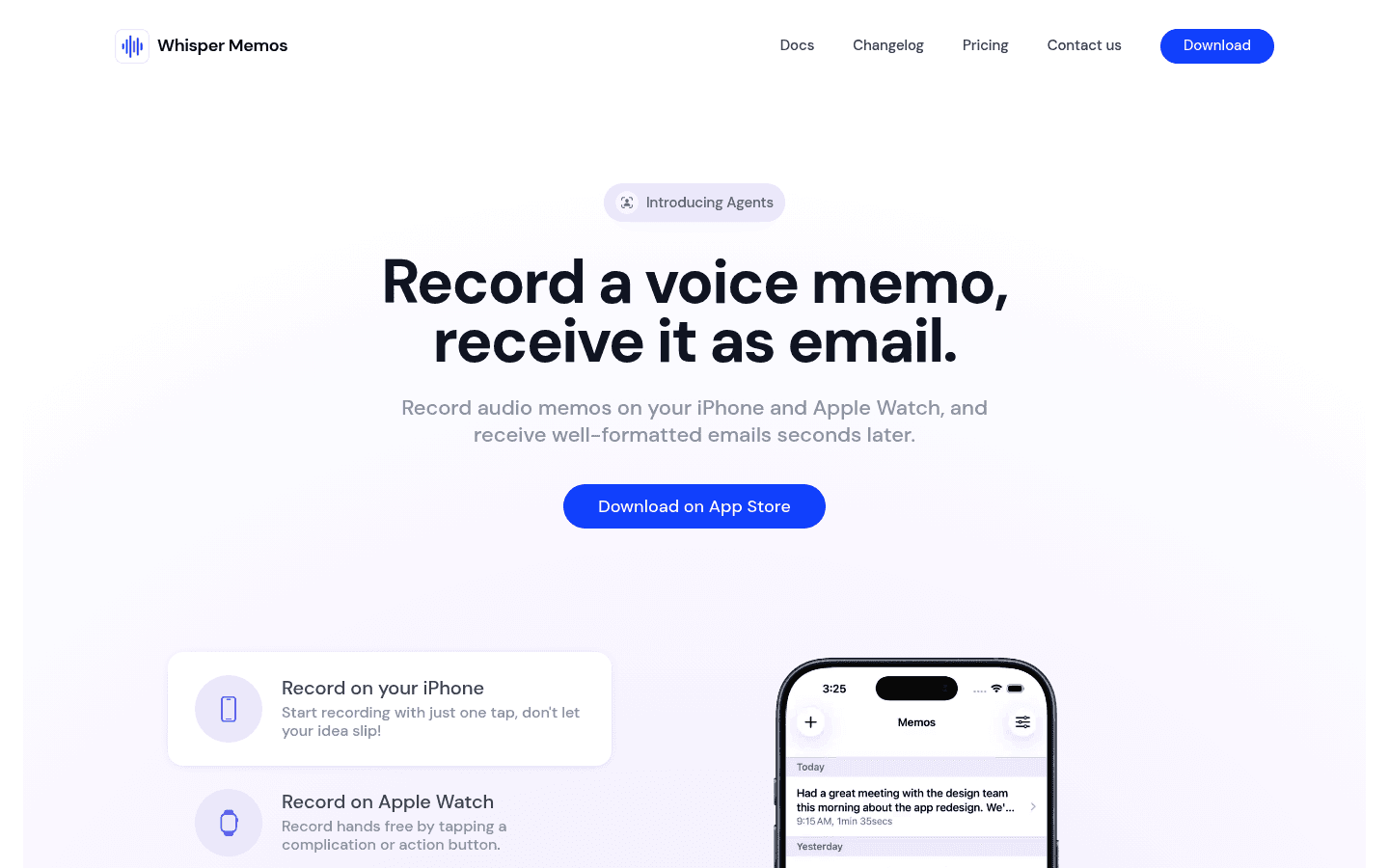
Choose Whisper Memos if your main problem is not typing into apps. Its strength is quickly recording a thought, meeting, reminder, or brain dump on iPhone or Apple Watch, then getting useful text back.
The official homepage and docs describe a focused memo pipeline: press record, speak, get transcription and formatting, receive it by email, route it with Zapier, or customize summaries with your own prompts. The App Store listing also says it supports lock screen widgets, Live Activity, Siri, Shortcuts, Apple Watch standalone recording, and importing common audio file formats.
Choose Whisper Memos if you want:
iPhone and Apple Watch voice memo capture.
Formatted emails from recordings.
AI summaries and custom summary prompts.
Reminder extraction from spoken memos.
Zapier routing to apps such as Notion, Todoist, Google Docs, and more.
Audio file import for recorded material.
The lower annual subscription price.
The tradeoff is that Whisper Memos is not documented as a Windows, Android, browser extension, or cross-app live dictation product in the checked primary sources.
Pricing and Cost Over Time
Voicy costs $8.49 per month, $82 per year, or $260 for lifetime access. Voicy has a free trial, but it is not a fully free product.
Whisper Memos' pricing page lists two paid options: $10/month when billed monthly, or $5/month billed annually at $60/year. The same page says Whisper Memos is free to try and that all plans unlock the full experience.
Cost over 1, 3, and 5 years
Scenario | Voicy | Whisper Memos | Winner |
|---|---|---|---|
Trial access | Free trial only | Free to try | Tie. |
Monthly paid plan for 12 months | $101.88 | $120 | Voicy saves $18.12. |
Annual paid plan for 1 year | $82 | $60 | Whisper Memos saves $22. |
Annual paid plan for 3 years | $246 | $180 | Whisper Memos saves $66. |
Annual paid plan for 5 years | $410 | $300 | Whisper Memos saves $110 on annual plans. |
5 years with Voicy lifetime | $260 | $300 on annual Whisper Memos | Voicy saves $40. |
Lifetime option | $260 | Not listed in checked primary pricing source | Voicy. |
The pricing read depends on your time horizon and workflow. Whisper Memos wins if you want the cheapest annual voice memo product. Voicy wins if you want the cheaper monthly plan, broader dictation coverage, or a one-time lifetime purchase.
Privacy, Cloud, and Local Processing
Voicy is cloud-based. That is why it can support live dictation and file upload transcription across Mac, Windows, browser extension workflows, iOS, and Android. It is not the right choice if your requirement is local-only speech-to-text.
Whisper Memos is also not local-only for transcription. Its privacy policy says the app uses OpenAI's Whisper model to transcribe audio files, which entails transmitting the audio file to OpenAI. The same policy says it uses the GPT-4 API to structure transcribed text into organized paragraphs.
Whisper Memos does have privacy-friendly workflow notes that matter. Its getting started docs say there is a Private Mode where transcripts are automatically deleted after processing, and that recordings are only used for transcription. Its pricing and App Store pages also list offline recording, which means you can capture audio while offline and sync later. That is not the same as offline transcription.
So the privacy decision is practical. Choose Voicy if you are comfortable with cloud processing and want broader live dictation plus file upload coverage. Choose Whisper Memos if you are comfortable with its OpenAI/GPT cloud processing model and want a memo app with a documented Private Mode.
User Proof and Community Discussion
Whisper Memos has public App Store proof. The Apple iTunes lookup returned a 4.5518 average rating from 386 ratings when checked, and the App Store listing is active under Median Tech, s.r.o. Its site also emphasizes that it is made by an indie developer and offers support from the founder.
Voicy's public site shows social proof such as a 4.9/5 rating and more than 10,000 happy users in the captured homepage screenshot. Treat both kinds of proof as buyer signals, not controlled tests. They tell you that real people use the products, but they do not prove which one will fit your device mix or privacy rules.
For community research, search recent discussion around the exact workflow you need: cross-app dictation, Windows support, Android support, Apple Watch recording, memo-to-email workflows, Zapier routing, private mode, uploaded audio files, and whether you want text to appear immediately where your cursor is.
Decision Guide
Choose Voicy if:
You want live dictation plus file upload transcription.
You need Mac, Windows, browser extension, iOS, and Android support.
You write in many apps and websites during the day.
You want the lower monthly price.
You want a lifetime option.
You are comfortable with cloud-based transcription.
Choose Whisper Memos if:
You want to record voice memos on iPhone or Apple Watch.
You want formatted emails, summaries, reminders, or Zapier routing after recording.
You need to import existing audio files into a memo workflow.
You want standalone Apple Watch recording and offline capture.
You want the lower annual subscription price.
You are comfortable with transcription through OpenAI Whisper and text structuring through GPT-4.
Bottom Line
Whisper Memos is a strong voice memo product. If your workflow starts with "I need to capture this thought on my phone or watch and receive it as organized text," it deserves a trial. Its annual price is attractive, and the memo automation features are more specific than a plain recorder.
Voicy is the better fit for broader speech-to-text work. It covers more platforms, works better as a daily dictation tool, includes browser extension use, handles live dictation and uploaded files, and gives you monthly, annual, and lifetime pricing. If you want to write with your voice across your actual work surfaces, choose Voicy.
FAQs
Is Voicy better than Whisper Memos?
Voicy is better if you want live dictation across apps, websites, desktop, mobile, and uploaded files. Whisper Memos is better if you want to record voice memos on iPhone or Apple Watch and receive transcriptions, summaries, emails, reminders, and automations.
Is Whisper Memos a dictation app?
Whisper Memos supports voice-to-text workflows, but its primary official positioning is voice memo recording. It records audio, transcribes it, summarizes it, and sends or routes the result. That is different from live cross-app dictation into every text field.
Does Voicy have a free plan?
Voicy has a free trial, but it is not a fully free product. Its paid plans are $8.49 per month, $82 per year, or $260 lifetime.
Does Whisper Memos have a free plan?
Whisper Memos says it is free to try. Its pricing page lists paid plans at $10/month or $5/month billed annually at $60/year.
Which is cheaper, Voicy or Whisper Memos?
Voicy is cheaper month to month at $8.49/month versus $10/month for Whisper Memos. Whisper Memos is cheaper on annual billing at $60/year versus $82/year for Voicy. Voicy also offers a $260 lifetime plan.
Does Whisper Memos work on Windows or Android?
I did not find official Windows or Android support in the checked primary sources. Whisper Memos' official pages focus on iPhone and Apple Watch, and the App Store record lists Apple device support.
Does Voicy work on Windows and Android?
Yes. Voicy supports Mac, Windows, browser extension use, iOS, and Android.
Can Voicy transcribe audio files?
Yes. Voicy supports file upload transcription in addition to live dictation.
Can Whisper Memos import audio files?
Yes. The App Store listing says Whisper Memos can import MP3, M4A, WAV, AAC, FLAC, and OGG files for transcription and summaries.
Is Whisper Memos local or cloud-based?
Whisper Memos can record while offline, but its privacy policy says transcription uses OpenAI's Whisper model and sends audio to OpenAI. It also says GPT-4 is used to structure transcribed text. That means transcription is cloud-based, not local-only.
Which app is better for Apple Watch voice notes?
Whisper Memos is the better fit for Apple Watch voice notes. Its official site and App Store listing highlight Apple Watch recording, complications, and standalone recording. Voicy is stronger when you need broader dictation across computers, browsers, phones, and uploaded files.
