

















4.9/5

+5000 happy users

Chrome Store rating

Best Descript Alternative - Simple Voice-to-Text That Works Everywhere

Best Descript Alternative - Simple Voice-to-Text That Works Everywhere

Descript Logo

Write with your voice in every app & website
Over 99.9% accuracy in 50 languages
3x faster than typing

Over 99% accuracy in 50 languages
Automatic punctuation
Zero training needed

A gif showing how Voicy's speech to text functionality works on a Windows computer

Why choose Voicy over Descript?

💰 Price

Reviews

🎯 Accuracy

Speed

🌐 Integration

🤖 Voice Commands

🔒 Privacy

📞 Support

Voicy

$8.49/month & $220 lifetime

4.8/5 (Chrome Web Store)

+99% in 50 languages

Fast, cloud powered

All apps and websites

AI commands + editing

Privacy by design

Phone + Email

Descript Logo

Descript

$19-89/month + credits

4.6/5 (G2)

95%

Fast, cloud powered

Mac, Windows

Not available

Cloud processing

Priority support (paid)

Image of reviewer

Nicholas Cino

Truly amazing extension. Works wonders and is really fast! Reduces time of writing complex emails by about 80%!

Image of reviewer

CL Cobb

I've tried other products like it, and, so far, Voicy is the most user-friendly, and it really improves my workflow.

Image of reviewer

Pam Lang

This is the tool that I was looking for. It is amazing. I've gotten so lazy about typing anywhere. Thank you, thank you, thank you for this product!

Image of reviewer

Steve Moore

Voicy is an absolute game-changer! This voice-to-text extension delivers exceptional accuracy, capturing my words perfectly every time. The speed is impressive.

Image of reviewer

Victor Rodriguez

Almost instant replies from the creator, great support great app!

Image of reviewer

Crystal Willis

I love Voicy!! The extension and the desktop app have saved me so much time. I have tried several different voice-to-text apps. None of them compares to Voicy!

Voicy - Speech-to-Text on Every Website | Startup Fame
Featured on Twelve Tools
Image of reviewer

Nicholas Cino

Truly amazing extension. Works wonders and is really fast! Reduces time of writing complex emails by about 80%!

Image of reviewer

CL Cobb

I've tried other products like it, and, so far, Voicy is the most user-friendly, and it really improves my workflow.

Image of reviewer

Pam Lang

This is the tool that I was looking for. It is amazing. I've gotten so lazy about typing anywhere. Thank you, thank you, thank you for this product!

Image of reviewer

Nicholas Cino

Truly amazing extension. Works wonders and is really fast! Reduces time of writing complex emails by about 80%!

Image of reviewer

CL Cobb

I've tried other products like it, and, so far, Voicy is the most user-friendly, and it really improves my workflow.

Image of reviewer

Pam Lang

This is the tool that I was looking for. It is amazing. I've gotten so lazy about typing anywhere. Thank you, thank you, thank you for this product!

Voicy - Speech-to-Text on Every Website | Startup Fame

Works everywhere

Voicy works on all the websites and apps you use daily. This means you can use voice typing to write emails, messages, documents, blog posts, etc.

  • Microsoft Outlook Logo indicating voice dictation on Outlook
  • Microsoft Word Logo indicating microsoft word dictation with Voicy
  • Gmail logo indicating speech to text on Gmail
  • Linkedin logo
  • Substack logo
  • Facebook Messenger logo
  • Notion Logo
  • ChatGPT logo indicating speech to text on chatgpt
  • Claude Logo indicating speech to text on Claude
  • Google Docs Logo
  • Telegram logo
  • Discord Loog
  • Reddit Logo
  • Hubspot Logo
  • EverNote Logo
  • Medium logo indicating speech to text on medium
  • Trello Logo indicating speech to text on trello
  • Asana logo

Privacy First

Nobody sees your transcripts except yourself.
You can read more about our privacy policy here.

Automatic Punctuation

Voicy automatically adds perfect punctuation to your dictated text. Zero typos, perfect grammar, perfect punctuation.

Image showing a paragraph of text that has been grammar corrected by AI

+50 languages

Voicy gives you over 99% accuracy in more than 50 languages, including speech-to-text in English, German, French, Spanish, Portuguese, Mandarin, etc.

  • 🇵🇹

  • 🇫🇷

  • 🇮🇳

  • 🇷🇺

  • 🇪🇸

  • 🇨🇳

  • 🇩🇪

  • 🇬🇧

  • 🇵🇱

  • 🇰🇷

  • 🇬🇷

  • 🇺🇦

  • 🇸🇦

  • 🇦🇲

  • 🇿🇦

  • 🇮🇷

  • 🇺🇸

  • 🇫🇮

  • 🇱🇺

  • 🇯🇵

  • 🇮🇱

  • 🇸🇪

  • 🇳🇱

  • 🇩🇰

  • 🇨🇿

Works everywhere

This means your voice can write emails, messages, documents, blog posts, etc.

  • Microsoft Outlook Logo indicating voice dictation on Outlook
  • Microsoft Word Logo indicating microsoft word dictation with Voicy
  • Gmail logo indicating speech to text on Gmail
  • Linkedin logo
  • Substack logo
  • Facebook Messenger logo
  • Notion Logo
  • ChatGPT logo indicating speech to text on chatgpt
  • Claude Logo indicating speech to text on Claude
  • Google Docs Logo
  • Telegram logo
  • Discord Loog
  • Reddit Logo
  • Hubspot Logo
  • EverNote Logo
  • Medium logo indicating speech to text on medium
  • Trello Logo indicating speech to text on trello
  • Asana logo

Privacy First

Nobody sees your transcripts except yourself.
You can read more about our privacy policy here.

Automatic Punctuation

Voicy automatically adds perfect punctuation to your dictated text. Zero typos, perfect grammar, perfect punctuation.

Image showing a paragraph of text that has been grammar corrected by AI

+50 languages

Over 99% accuracy in more than 50 languages, including speech to text in English, German, French, Spanish, Portuguese, Mandarin, etc.

  • 🇵🇹

  • 🇫🇷

  • 🇮🇳

  • 🇷🇺

  • 🇪🇸

  • 🇨🇳

  • 🇩🇪

  • 🇬🇧

  • 🇵🇱

  • 🇰🇷

  • 🇬🇷

  • 🇺🇦

  • 🇸🇦

  • 🇦🇲

  • 🇿🇦

  • 🇮🇷

  • 🇺🇸

  • 🇫🇮

  • 🇱🇺

  • 🇯🇵

  • 🇮🇱

  • 🇸🇪

  • 🇳🇱

  • 🇩🇰

  • 🇨🇿

Works everywhere

Voicy works on all the websites and apps you use daily. This means you can use voice typing to write emails, messages, documents, blog posts, etc.

  • Microsoft Outlook Logo indicating voice dictation on Outlook
  • Microsoft Word Logo indicating microsoft word dictation with Voicy
  • Gmail logo indicating speech to text on Gmail
  • Linkedin logo
  • Substack logo
  • Facebook Messenger logo
  • Notion Logo
  • ChatGPT logo indicating speech to text on chatgpt
  • Claude Logo indicating speech to text on Claude
  • Google Docs Logo
  • Telegram logo
  • Discord Loog
  • Reddit Logo
  • Hubspot Logo
  • EverNote Logo
  • Medium logo indicating speech to text on medium
  • Trello Logo indicating speech to text on trello
  • Asana logo

Privacy First

Nobody sees your transcripts except yourself.
You can read more about our privacy policy here.

Automatic Punctuation

Voicy automatically adds perfect punctuation to your dictated text. Zero typos, perfect grammar, perfect punctuation.

Image showing a paragraph of text that has been grammar corrected by AI

+50 languages

Voicy gives you over 99% accuracy in more than 50 languages, including speech-to-text in English, German, French, Spanish, Portuguese, Mandarin, etc.

  • 🇵🇹

  • 🇫🇷

  • 🇮🇳

  • 🇷🇺

  • 🇪🇸

  • 🇨🇳

  • 🇩🇪

  • 🇬🇧

  • 🇵🇱

  • 🇰🇷

  • 🇬🇷

  • 🇺🇦

  • 🇸🇦

  • 🇦🇲

  • 🇿🇦

  • 🇮🇷

  • 🇺🇸

  • 🇫🇮

  • 🇱🇺

  • 🇯🇵

  • 🇮🇱

  • 🇸🇪

  • 🇳🇱

  • 🇩🇰

  • 🇨🇿

How to use Voicy's Speech-to-Text

How to use Voicy's Speech-to-Text

How to use Voicy's Speech-to-Text

Step 1

Download the Voicy app here

Download the free Voicy
extension here

Voicy is a privacy-focused speech-to-text app. It adds the most advanced dictation technology to your Windows & Mac computer and allows you to write with your voice everywhere.
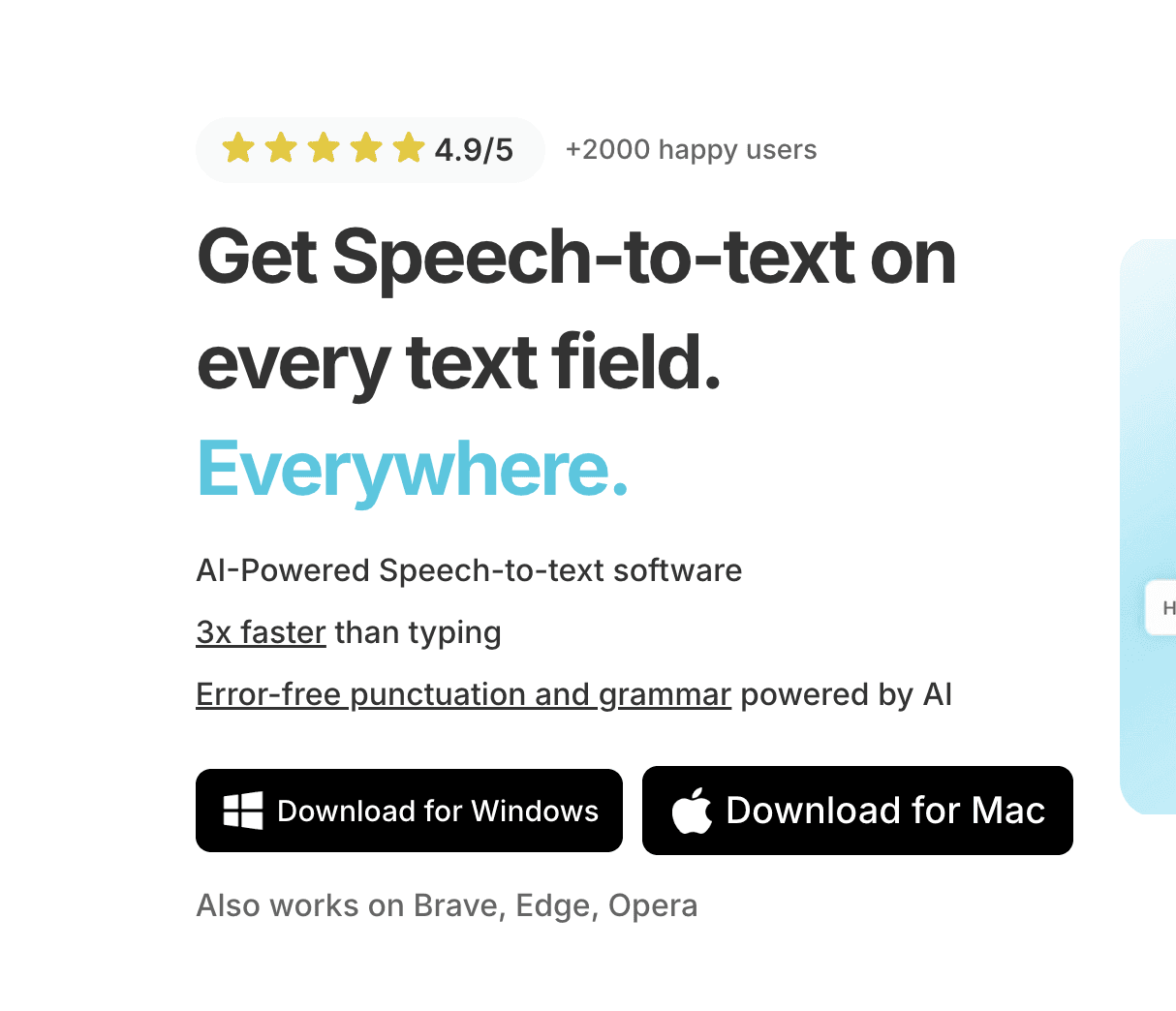
A screenshot of the Windows Speech-to-Text app download page.

Step 2

Complete the setup (2-minutes)
and select your keyboard shortcut.

During the Voicy setup, you can select a keyboard shortcut to use to start and stop your recordings. It's the easiest way to use dictation on your computer.

A screenshot of the voice see speech to text apps setup page.

Step 3

Start dictating to Voicy

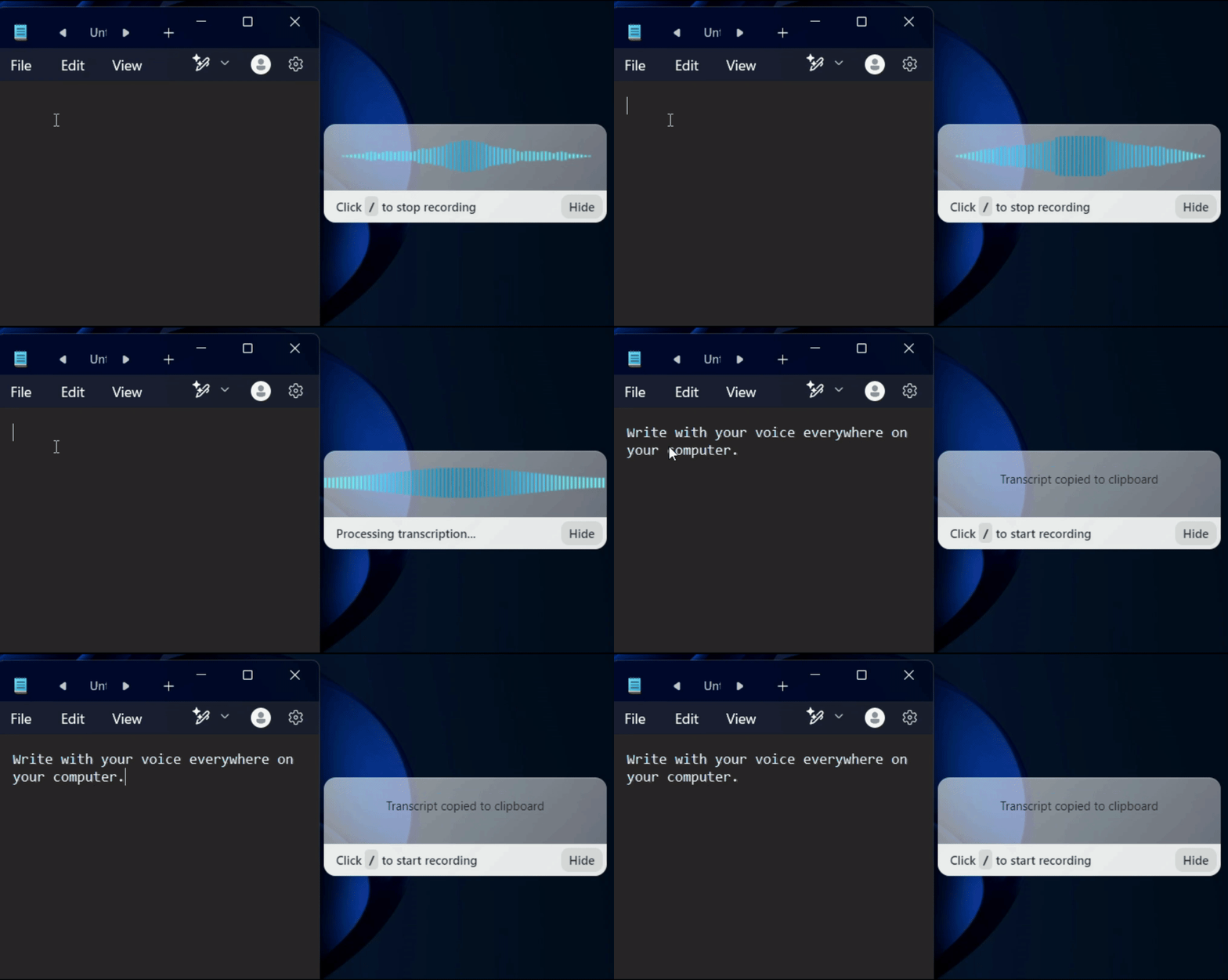
Once Voicy is installed, you can use talk to text everywhere on your computer. This includes all of your apps and every website in your browser too!

A gif showing how Voicy's speech to text functionality works on a Windows computer

Descript Alternative: Simple Voice-to-Text That Works Everywhere

Looking for a Descript alternative focused on dictation, not video editing? Voicy delivers professional speech-to-text for all your apps—Gmail, Slack, Google Docs, ChatGPT, coding IDEs, and more. While Descript excels at video production, Voicy gives you straightforward dictation that works everywhere you type, with no learning curve and no media minute limits.

Descript is a powerful video editor with transcription features, charging $19-89 per month with monthly minute limits and AI credit systems. If you just need reliable dictation without the video editing complexity, Voicy provides unlimited speech-to-text for a one-time payment. No minute counting, no credit top-ups, no subscription fees—just simple dictation that works.

Why choose simple dictation over a video editor?

Descript is designed for creators who edit videos and podcasts. It offers amazing tools for media production but comes with complexity and costs that don't make sense if you just need dictation. Most people don't need green screen removal, AI avatars, or multi-track editing—they just want to write with their voice in everyday apps.

Voicy focuses exclusively on doing one thing exceptionally well: speech-to-text dictation that works everywhere. No video tools, no learning curve, no monthly fees. Just professional-grade voice typing for your daily work at a fair, one-time price. Simple is better when all you need is dictation.
Use cases

Google Docs Logo

Write Google Docs with your Voice

Use Speech-To-Text inside Google Docs to write documents in half the time.

Read More

Gmail Logo

Write emails with dictation in Gmail

Automatic punctuation and formatting help you write perfect emails!

Read More

Microsoft Word Logo

Dictate right in Word - works perfectly

Stuck on that first line to start your doc? Just speak it out and it's there.

Read More

Outlook Logo

Look out, Outlook Voice-to-Text is here!

Voicy works perfectly in all Outlook versions to help you dictate emails.

Read More

Whatsapp Logo

Chat in Whatsapp with Speech to Text

Are you a talker but know that nobody likes voice notes?
Worry not, Voicy's got you!

Read More

Claude/ChatGpt logos

Speech-to-text in Claude and ChatGPT

Give AI the best possible prompt by using your voice. Better input leads to better output!

Read More

Use cases

Google Docs Logo

Write Google Docs with your Voice

Use Speech-To-Text inside Google Docs to write documents in half the time.

Read More

Gmail Logo

Write emails with dictation in Gmail

Automatic punctuation and formatting help you write perfect emails!

Read More

Microsoft Word Logo

Dictate right in Word - works perfectly

Stuck on that first line to start your doc? Just speak it out and it's there.

Read More

Outlook Logo

Look out, Outlook Voice-to-Text is here!

Voicy works perfectly in all Outlook versions to help you dictate emails.

Read More

Whatsapp Logo

Chat in Whatsapp with Speech to Text

Are you a talker but know that nobody likes voice notes?
Worry not, Voicy's got you!

Read More

Claude/ChatGpt logos

Speech-to-text in Claude and ChatGPT

Give AI the best possible prompt by using your voice. Better input leads to better output!

Read More

Pricing

4.9/5

+2000 happy users

Fair pricing policy

Every transcript on Voicy costs us money, but our price will never be more than 20% above our total costs.

Voicy for your entire team?

Contact us at [email protected] for custom pricing plans for your team.

FAQ

What is Descript and why might I need an alternative?

What is the difference between Voicy and Descript?

Do you see what I write with Voicy?

Is Voicy as accurate as Descript?

What is speech-to-text?

Do I need Descript if I have Voicy?