




























Privacy First
Nobody sees your transcripts except yourself.
You can read more about our privacy policy here.
Step 1
Voicy is a privacy-focused dictation app built for professionals who need accuracy and speed. It adds advanced voice-to-text to every application on your computer — from case management systems to legal research platforms.

Step 2
Set up your keyboard shortcut (2 minutes)
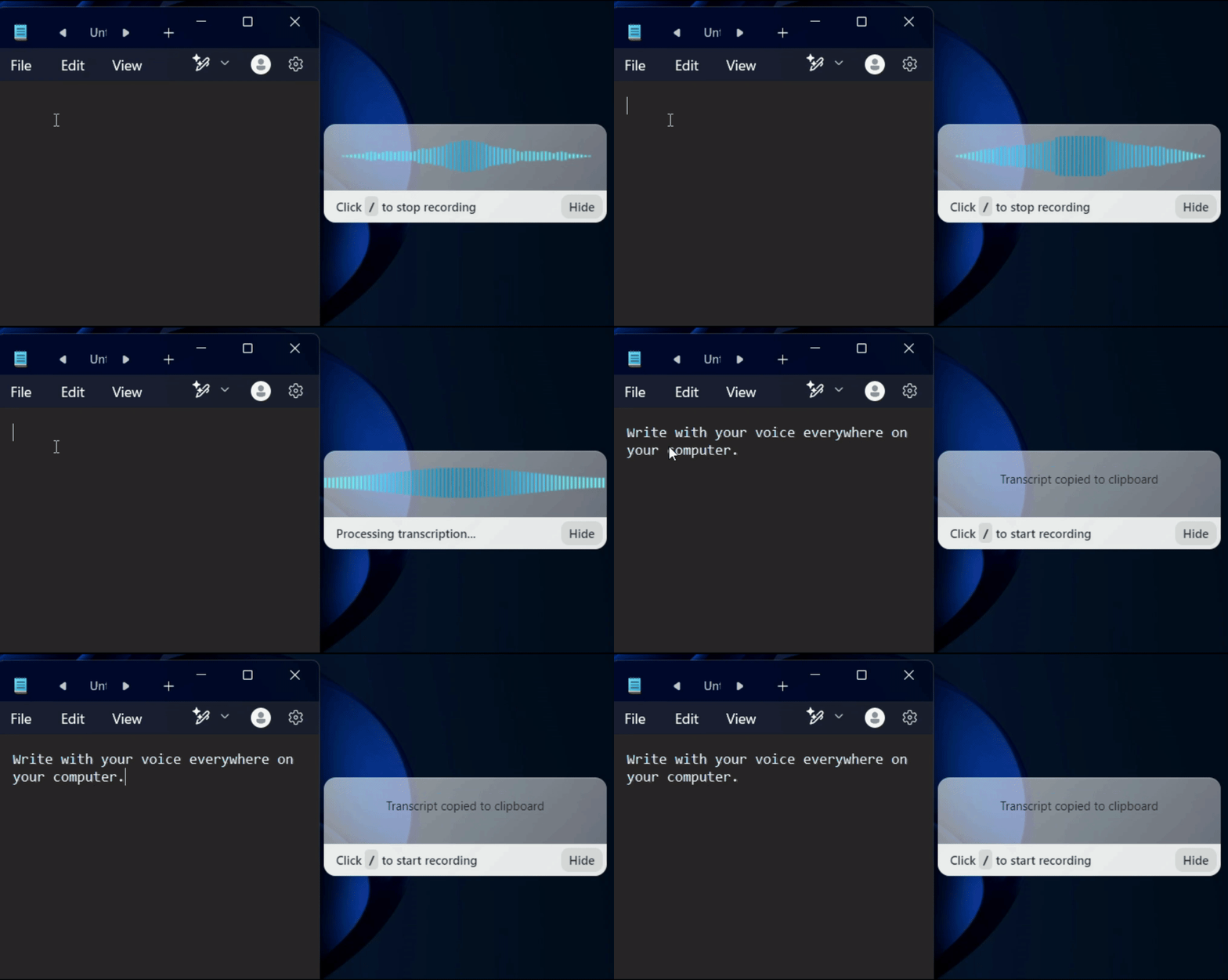
During setup, choose a keyboard shortcut to start and stop dictation. Press it in any application — your case management system, email client, or document editor — and start speaking.

Step 3
Start dictating in any legal application
Once installed, dictate anywhere on your computer. Draft briefs in Word, enter time in your billing software, take notes in your case management system, or write emails — all with your voice.
3x faster
than Typing
Every minute spent typing is billable time lost.
Voice dictation lets you draft documents, case notes, and client communications three times faster than typing.
More output in less time means more billable hours.
Privacy First
Attorney-client privilege demands secure handling of sensitive information.
No recordings stored, no data sent to servers, no confidentiality risks.
Works in every legal app
Unlike Dragon Legal which only works in Word, Voicy adds voice dictation to every text field on your computer.
Clio, PracticePanther, MyCase, Westlaw, LexisNexis, your billing software, email - all of it.
One tool for everything.
Legal dictation software
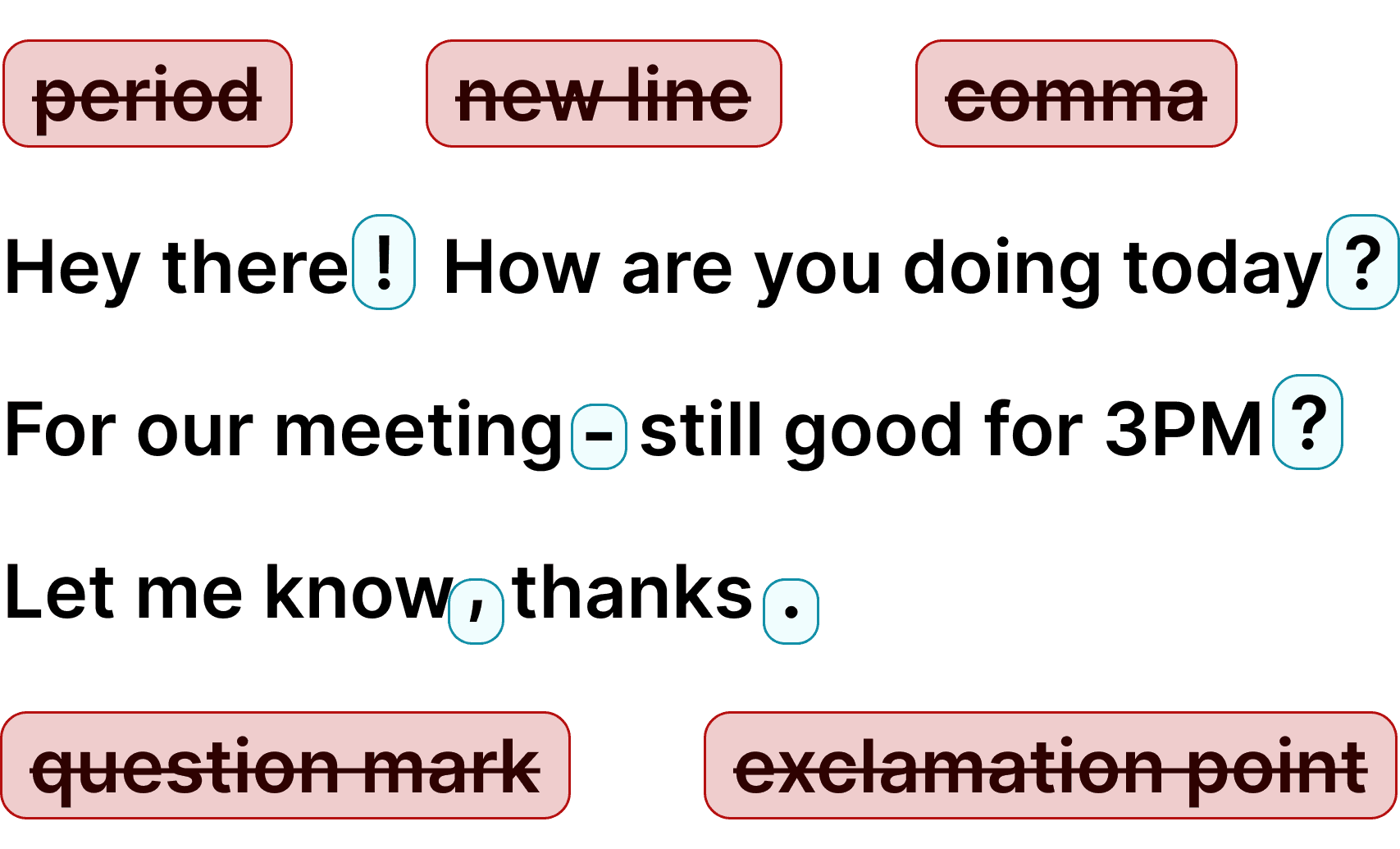
Voicy adds voice-to-text to every application on your computer, making it the ideal dictation tool for legal professionals. Draft briefs, enter billing notes, write emails, and take case notes — all with your voice.
Save hours every week while protecting client confidentiality. Try it free and see how voice dictation transforms your legal workflow.
Why traditional legal dictation software is falling behind
Dragon Legal used to be the gold standard for legal dictation, but it requires expensive licensing, IT deployment, and voice training. Modern AI-powered speech recognition has made these requirements obsolete.
Voicy uses the latest OpenAI Whisper technology, the most accurate speech recognition available, with no training needed. It works instantly, costs a fraction of Dragon Legal, and runs on both Mac and Windows.



FAQ
How is Voicy different from Dragon Legal?
Is Voicy secure enough for attorney-client privileged work?
Does Voicy understand legal terminology?
Which legal software does Voicy work with?
Can I use Voicy on both Mac and Windows?
How much does Voicy cost compared to Dragon Legal?
Do you store my dictated text or recordings?
How accurate is Voicy for legal dictation?