






















Step 1
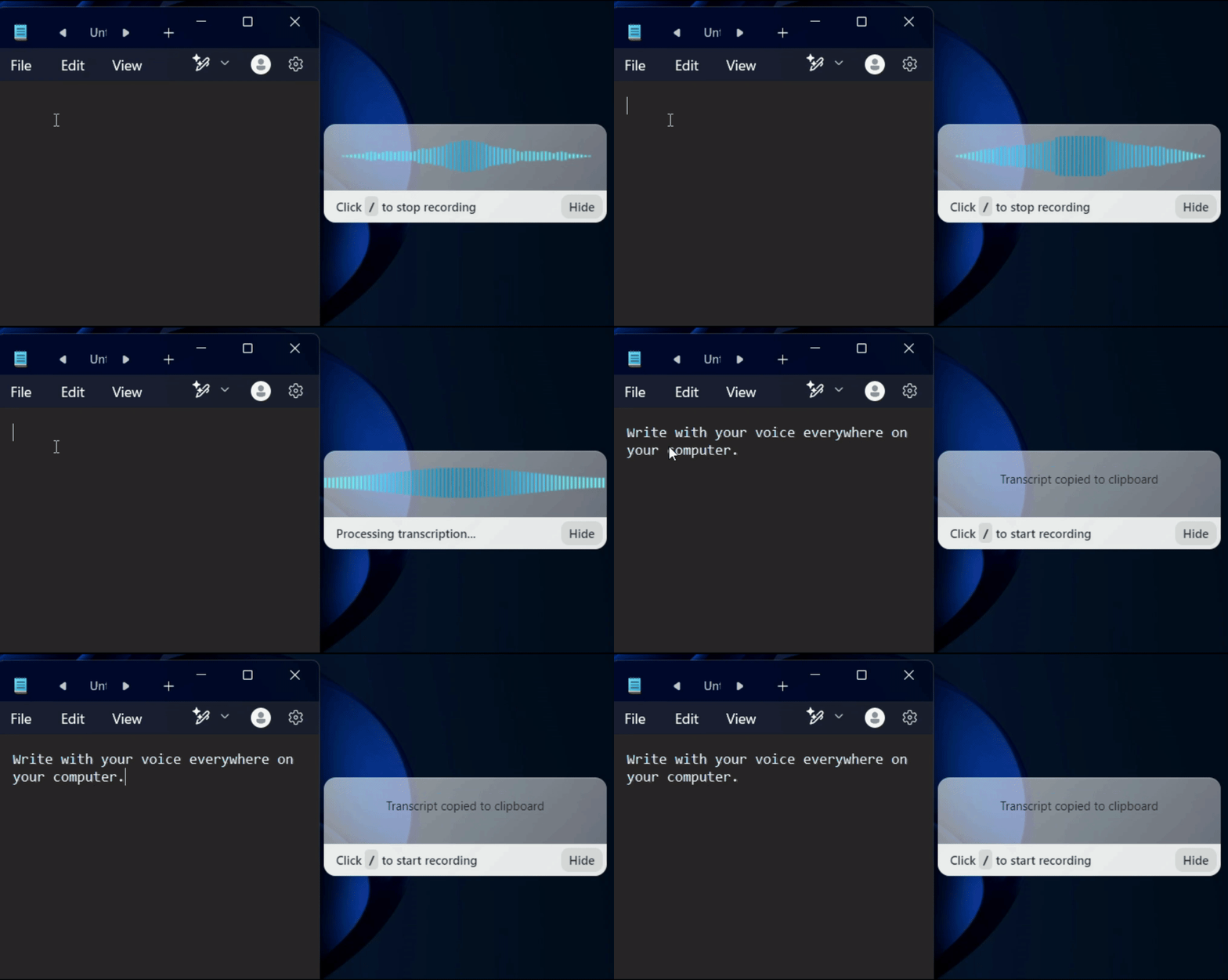
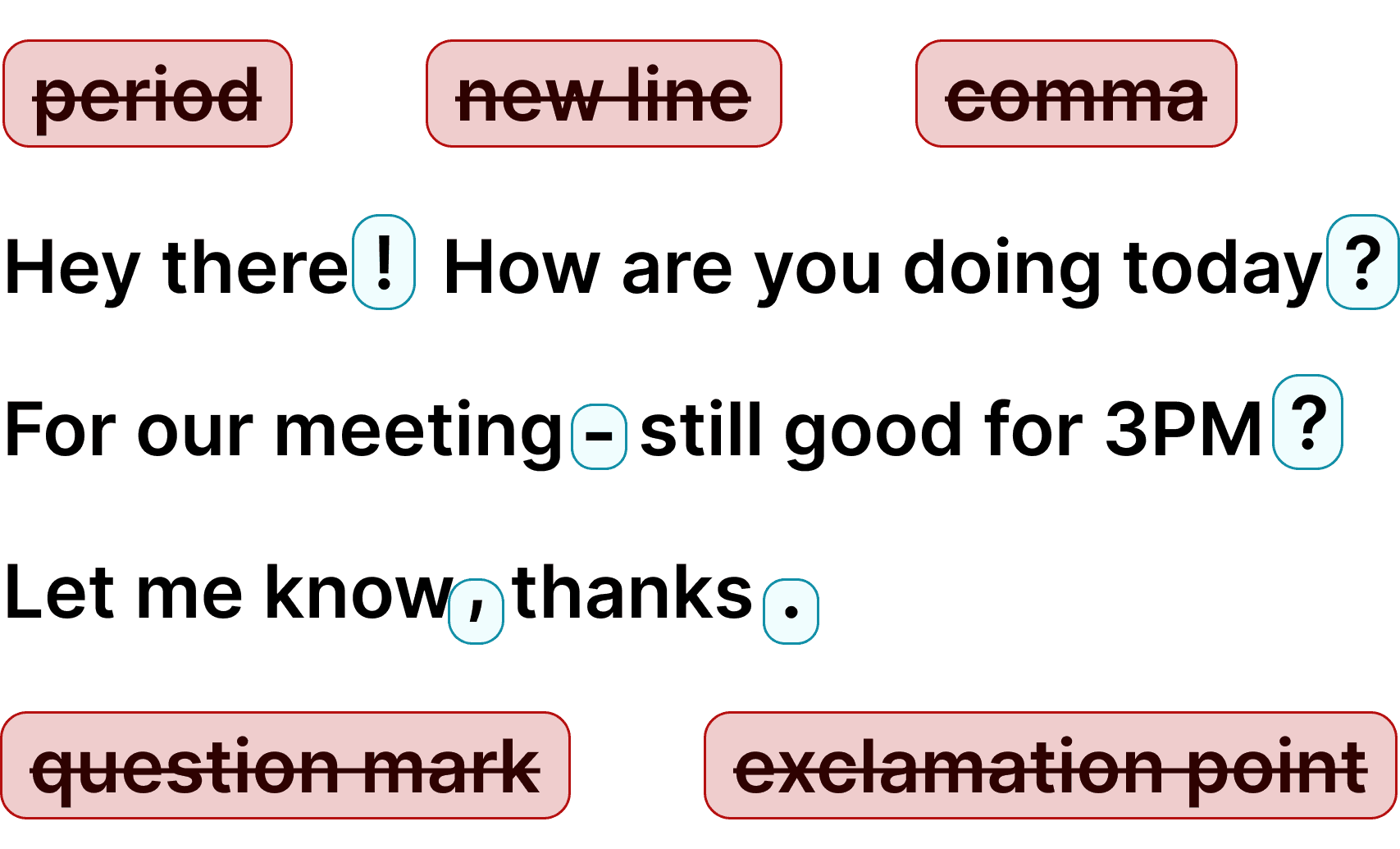
Voicy is a privacy-focused speech-to-text app. It adds the most advanced dictation technology to your Windows & Mac computer and allows you to write with your voice everywhere.
Step 2
Complete the setup (2-minutes)
and select your keyboard shortcut.
During the Voicy setup, you can select a keyboard shortcut to use to start and stop your recordings. It's the easiest way to use dictation on your computer.

Step 3
Start dictating to Voicy
Once Voicy is installed, you can use talk to text everywhere on your computer. This includes all of your apps and every website in your browser too!
Otter.ai alternative: Dictate everywhere with Voicy
Looking for an Otter.ai alternative that works everywhere, not just meetings? Voicy delivers professional speech-to-text for all your apps and websites—Gmail, Slack, Google Docs, ChatGPT, and more. While Otter excels at meeting transcription, Voicy gives you universal dictation that works wherever you type, with no minute limits and no recurring subscription fees.
Otter.ai charges $17-30 per user per month for meeting transcription with minute limits. Voicy costs less as a one-time payment and works in every app you use—not just Zoom or Teams. Whether you need dictation for writing emails, coding, messaging, or brainstorming, Voicy provides unlimited speech-to-text everywhere on your computer without the meeting-only restrictions.
Why choose universal dictation over meeting-only transcription?
Otter.ai is excellent for recording and transcribing Zoom, Teams, and Google Meet sessions. However, most people need dictation for more than just meetings—emails, documents, Slack messages, code comments, and brainstorming. Voicy provides professional speech-to-text wherever you type, not just in video calls.
We offer lifetime pricing with unlimited dictation because we focus on the product, not corporate overhead. Otter charges $17-30 per user per month because it targets enterprise teams with sales infrastructure. Voicy serves individuals and small teams who want powerful dictation without the enterprise price tag or minute-counting restrictions.
FAQ
What is Otter.ai and why might I need an alternative?
What is the difference between Voicy and Otter.ai?
Do you see what I write with Voicy?
Is Voicy as accurate as Otter.ai?
What is speech-to-text?
Is Voicy easier to set up than Otter.ai?