
Works everywhere
Voicy works on all the websites and apps you use daily. This means you can use voice typing to write emails, messages, documents, blog posts, etc.This means your voice can write emails, messages, documents, blog posts, etc.

















Speech to Text Desktop App for Developers
Dictate documentation, issue updates, and AI prompts.
3x faster than typing.
Over 99% accuracy in more than 50 languages.
Try for free. No credit card required.
And +20,000 more
Three simple steps. No training needed.
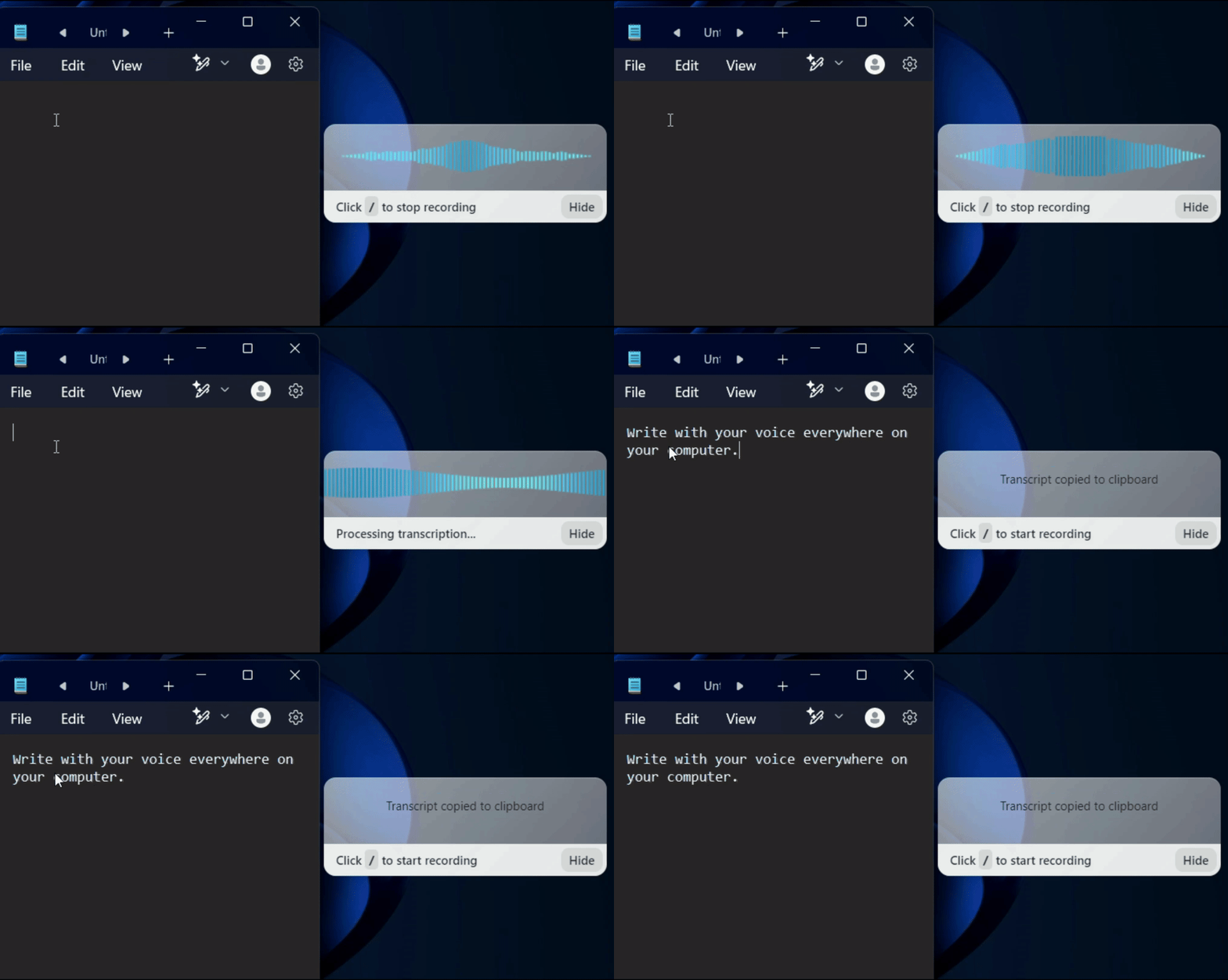
Install it on Mac, Windows, or Linux.
Any app or website where you'd normally type.
Press your shortcut and speak. Voicy types for you.
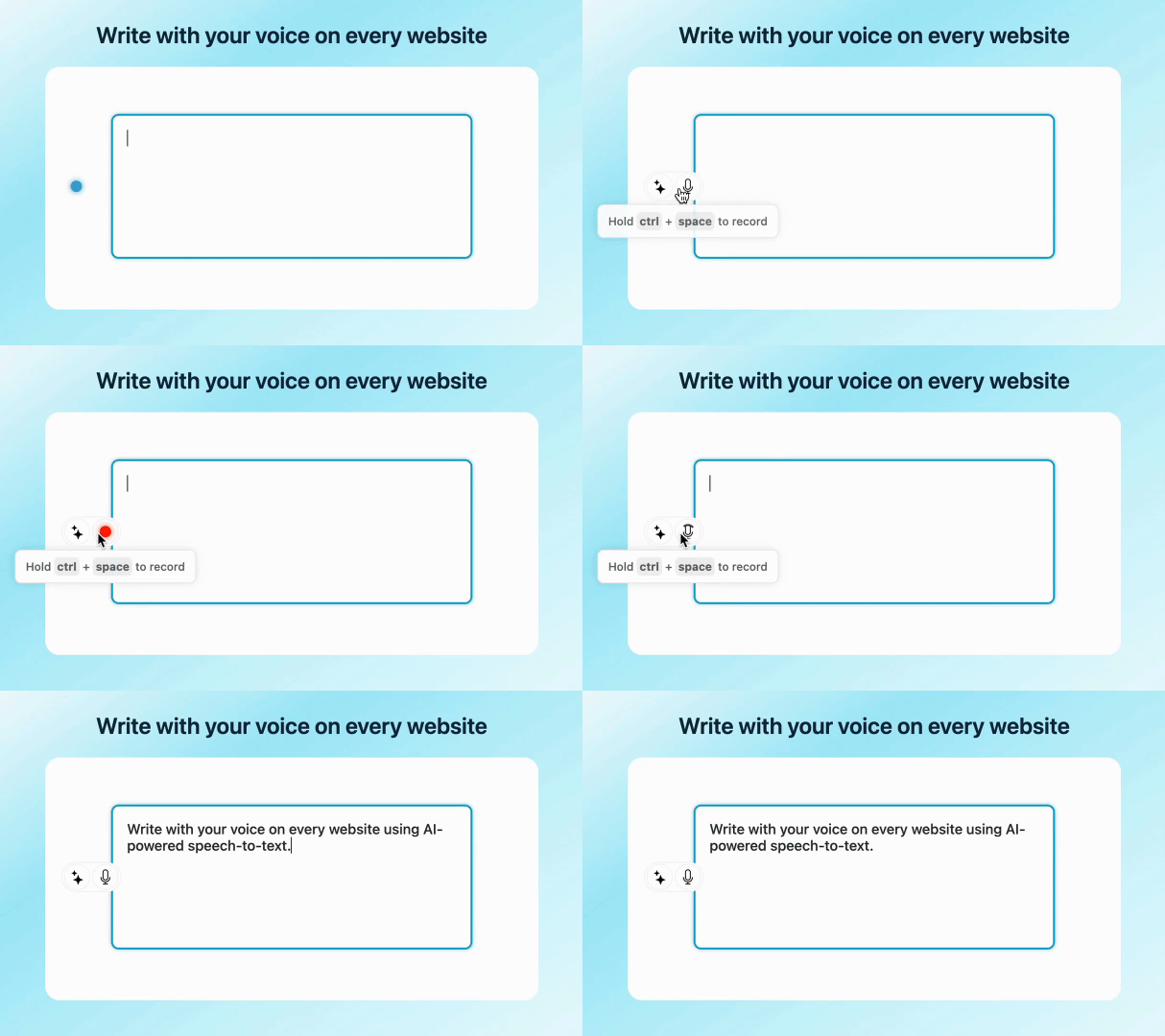
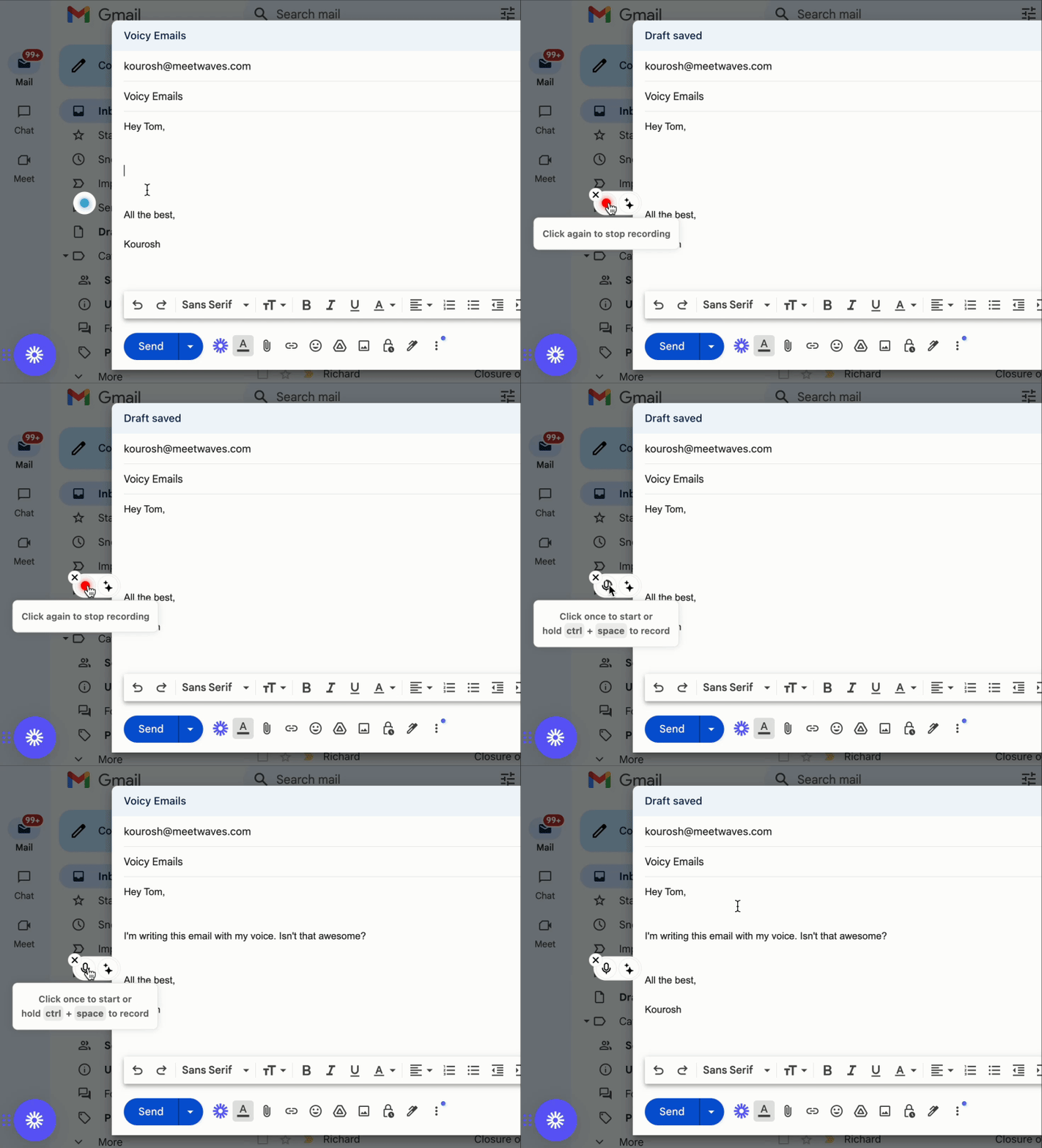
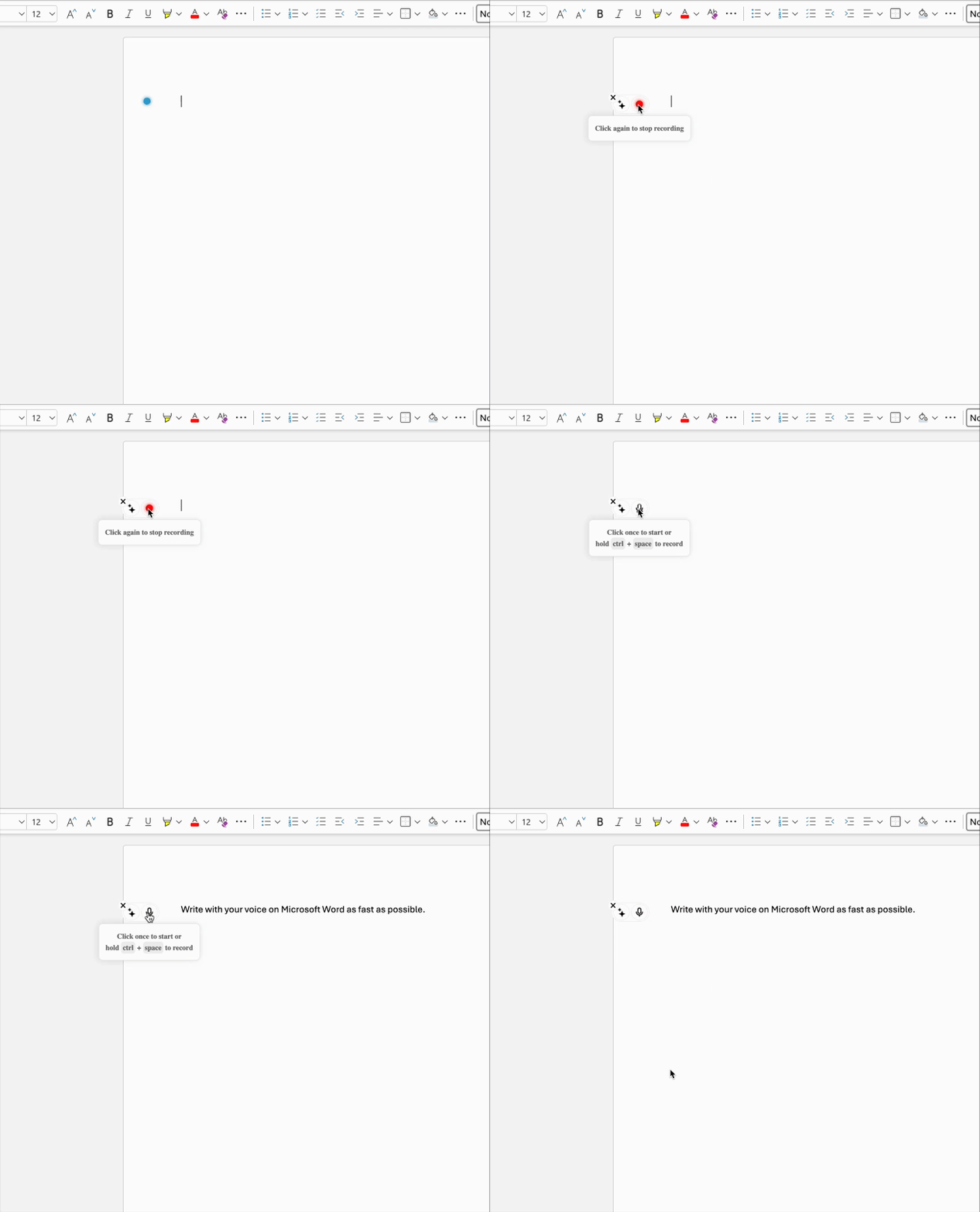
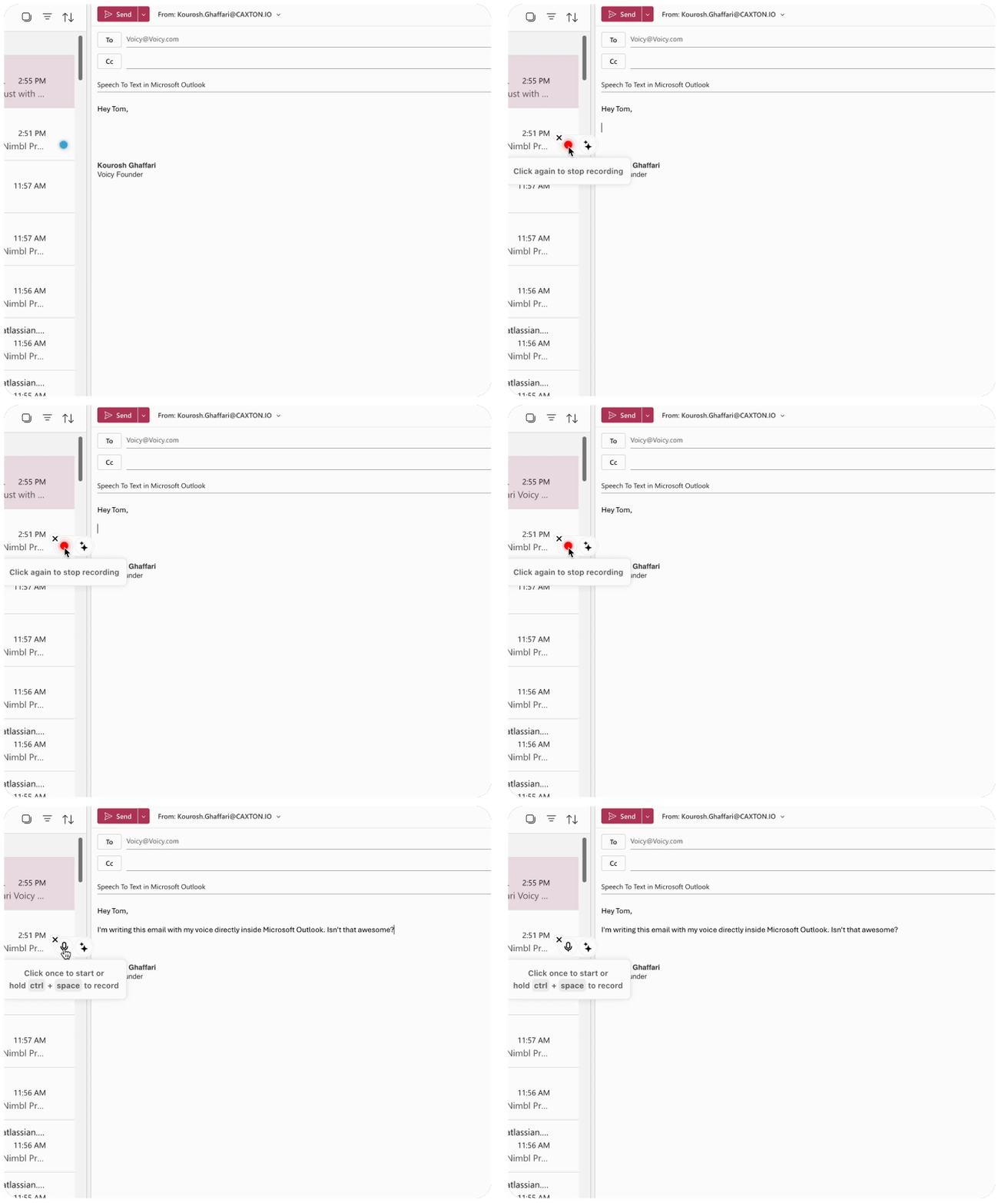
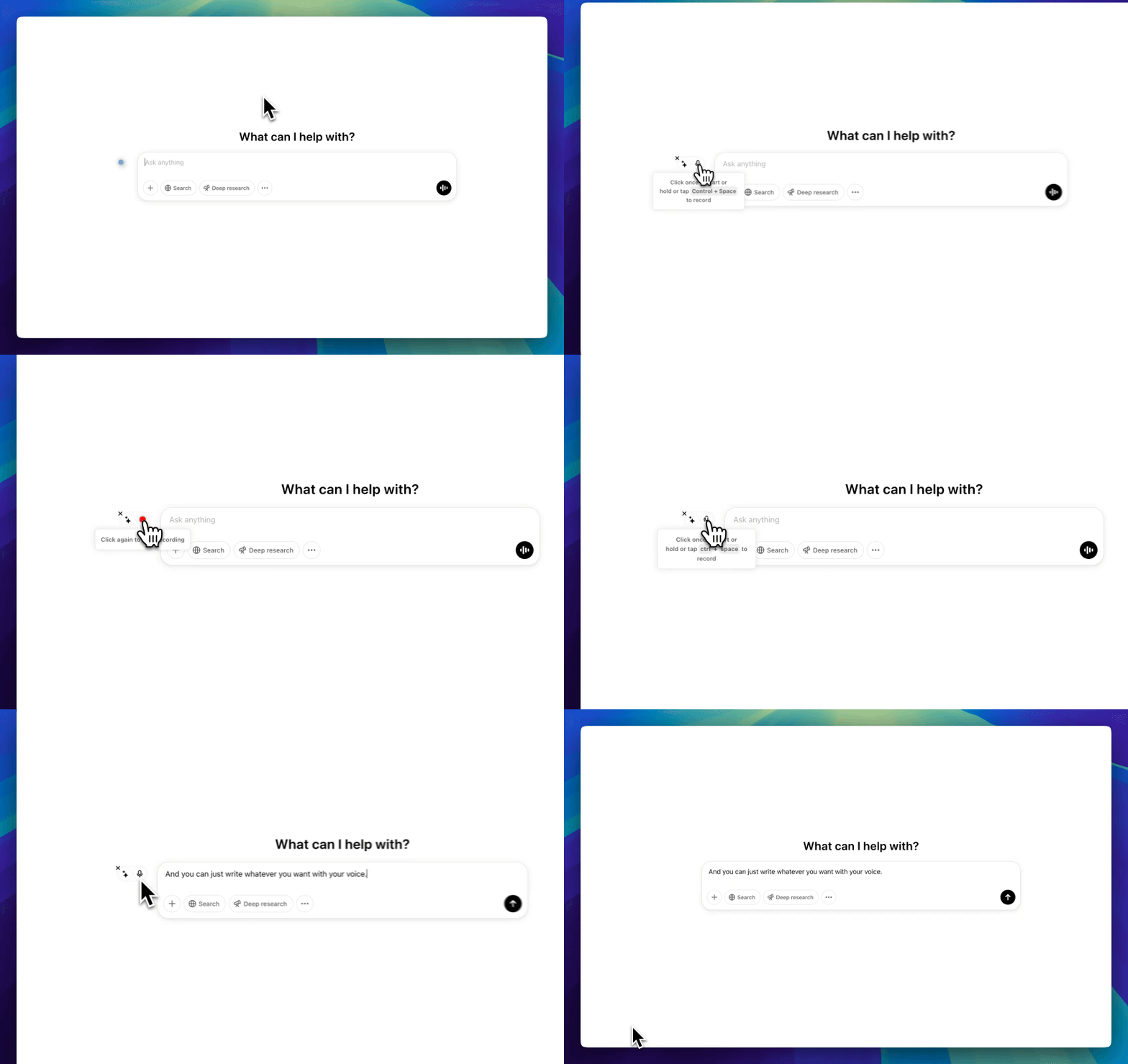
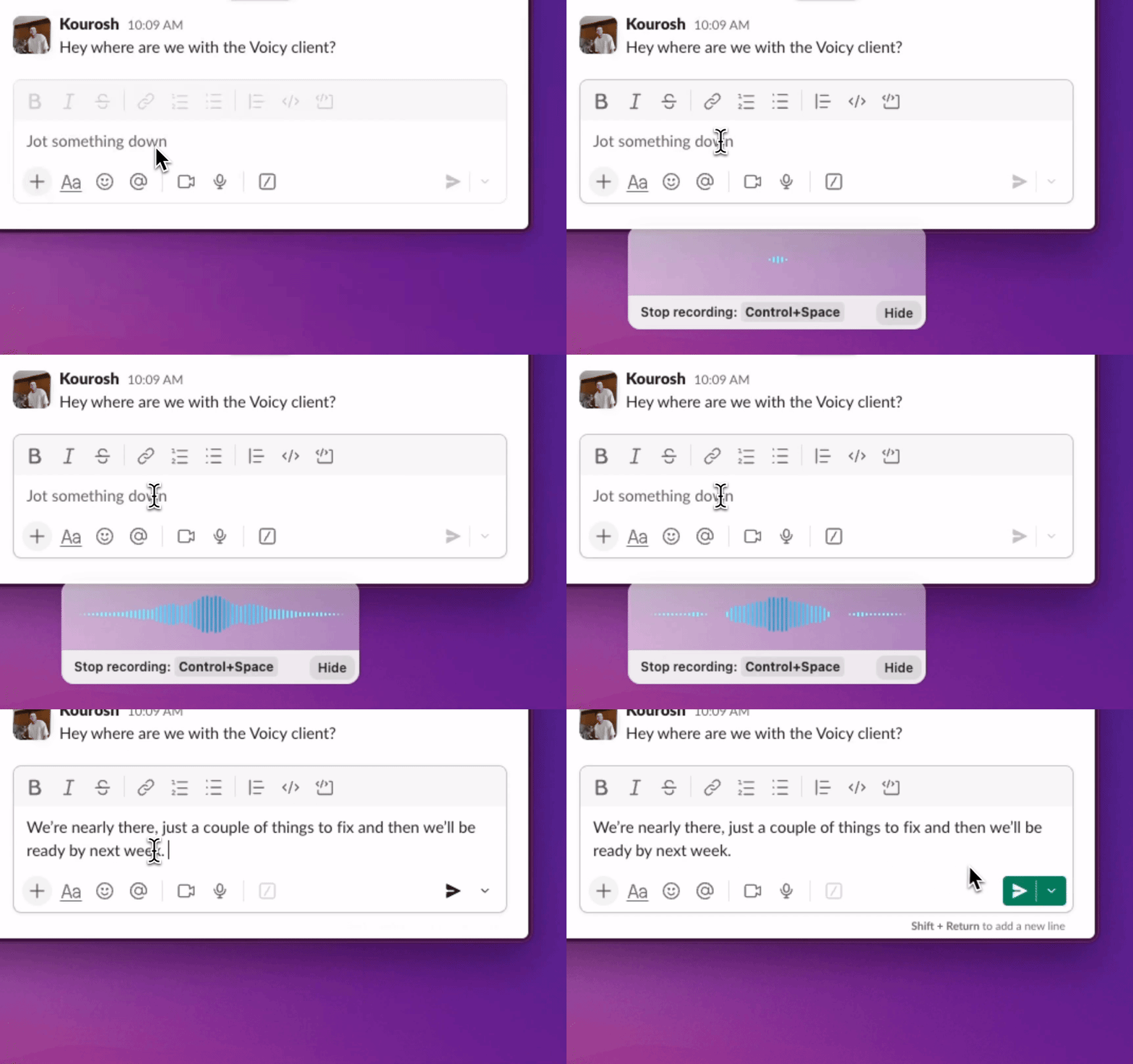
Voicy works on all the websites and apps you use daily. This means you can use voice typing to write emails, messages, documents, blog posts, etc.This means your voice can write emails, messages, documents, blog posts, etc.
Nobody sees your transcripts except yourself.
You can read more about our privacy policy here.
Voicy automatically adds perfect punctuation to your dictated text.
Zero typos, perfect grammar, perfect punctuation.
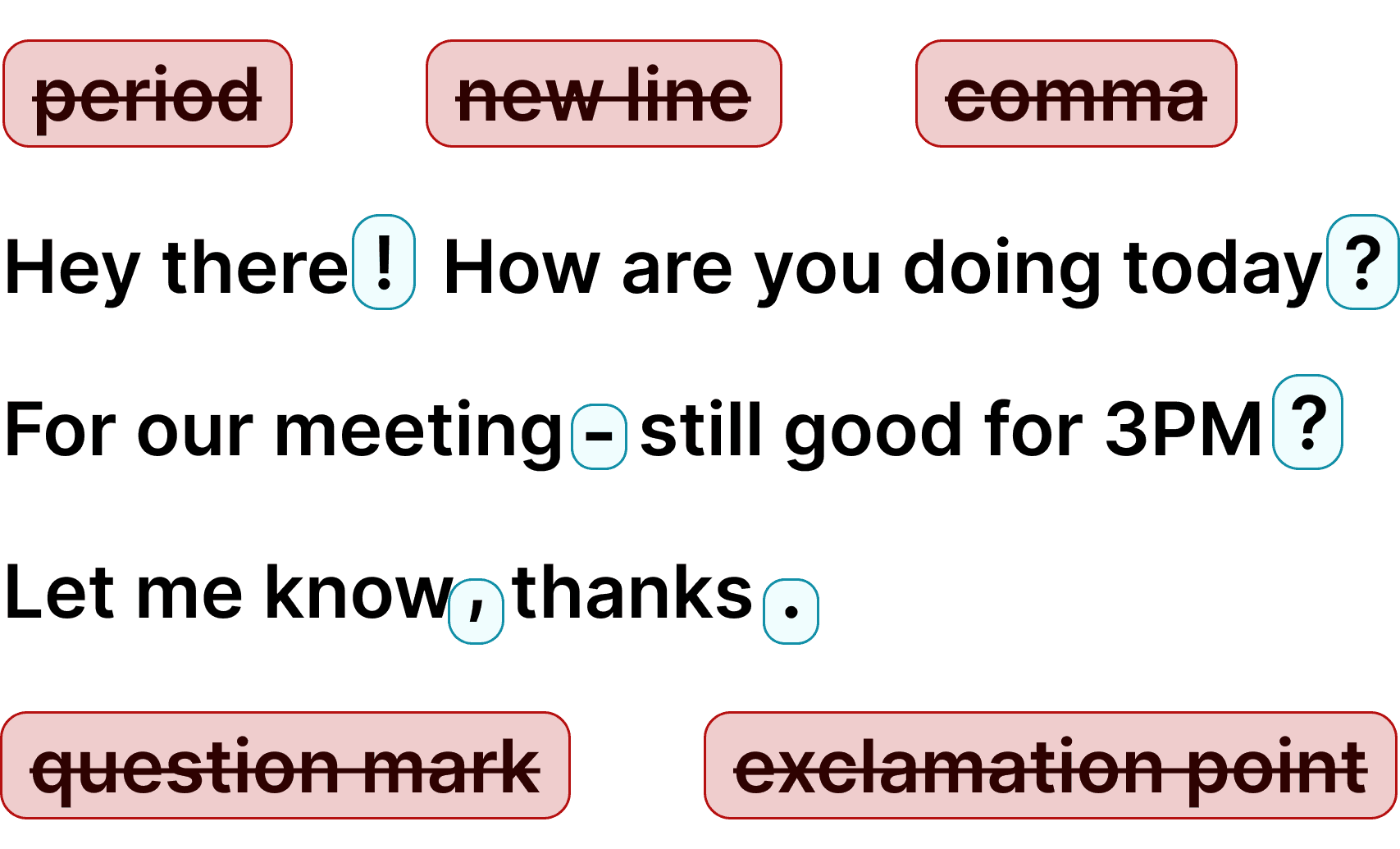
Voicy gives you over 99% accuracy in more than 50 languages, including speech-to-text in English, German, French, Spanish, Portuguese, Mandarin, etc.Over 99% accuracy in more than 50 languages, including speech to text in English, German, French, Spanish, Portuguese, Mandarin, etc.
Loved by thousands of users

I've tried other products like it, and, so far, Voicy is the most user-friendly, and it really improves my workflow.

This is the tool that I was looking for. It is amazing. I've gotten so lazy about typing anywhere. Thank you, thank you, thank you for this product!

Voicy is an absolute game-changer! This voice-to-text extension delivers exceptional accuracy, capturing my words perfectly every time. The speed is impressive.

Almost instant replies from the creator, great support great app!

I love Voicy!! The extension and the desktop app have saved me so much time. I have tried several different voice-to-text apps. None of them compares to Voicy!

I use it in combination with WhisperShortcut on my macOS. Works wonders.

Very helpful and convenient app, super easy to use, very, saves a ton of time on typing my thoughts because now I can just speak them, and get them noted down for me!

Awesome tool, very reliable and fast to use. I highly recommend this tool.

Awesome tool, now I don't have to write everything I want to say.

Super useful and fast. Makes getting ideas on the page much easier.

Absolute accessibility lifesaver, thanks to the devs for building this it's a huge productivity boost, also far better and accurate than the native windows speech to text

Damn! This was just the Speech to Text tool I was looking for. Its super fast and reliable, and works every time.

The best voice to text generator for every use! I don't like to type, so this is perfect!!!

Just got my new laptop and it was the first Chrome extension I installed.

Insane level of accuracy - I absolutely love it, huge time-saver getting my thoughts out!

Honestly one of the best tools I’ve used! It helps with my daily tasks, is impressively accurate, and saves me so much time.

This app has been an absolute lifesaver for me. I didn't know I needed this app until I started using it.

I've been a Voicy user for nearly a year now and I see constant improvements being made, especially with the Windows app now being available. I am truly a believer.

I use the app every day, whenever I’m on something to do vibe coding. It’s really super convenient for me, it lets me stay in the flow. I really love this app.

Voicy revolutionized how I interacted with AI and wrote long-form content.

This is a huge time saver! I am able to type pretty quick. But this literally lets my thoughts flow onto the screen, its incredible

What made me most impressed is the very quick responses to questions and good solutions.
Every minute spent typing docs and tickets is focus time lost.
Voice dictation helps you write PR summaries, docs, and issue updates much faster than typing. More output in less time means faster shipping and fewer context switches.
Engineering teams handle sensitive product context that should stay protected.
Use privacy-first workflows with no unnecessary exposure of internal notes.
Unlike editor-only tools, Voicy works across IDEs, terminals, docs, chat, and browser apps.
One workflow everywhere.
Voicy adds speech-to-text across your full developer workflow. Draft PR notes, technical docs, issue updates, and team messages — all with your voice.
Save hours every week while staying focused. Try it free and see how voice dictation improves your developer workflow.
Most built-in dictation tools break when you move between IDEs, docs, and terminals. Developers need one workflow that works in VS Code, Cursor, terminal apps, Slack, and browser tools without extra setup.
Voicy gives you one desktop dictation layer across your stack. Dictate code comments, PR notes, tickets, docs, and prompts with high accuracy and minimal cleanup.
 Google Docs
Dictate architecture notes, specs, and meeting summaries in Google Docs.
Read More Slack
SlackSpeak clear team updates directly in Slack without breaking coding flow.
Read More Cursor
Dictate PR descriptions and technical documentation in Cursor.
Read More Linear
Create tickets, bug notes, and status updates directly in Linear.
Read More Notion
Capture debugging findings and research notes in Notion.
Read More Claude Code
Speak detailed coding prompts directly into Claude Code.
Read MoreOur price will never be more than 20% above our total costs.
See if you like Voicy
Start for free. No credit card required.
For the everyday user
$8.49/month
Pay once, use forever
$260
Speed up your entire org
$6.79/user/mo
Yes. Voicy works in VS Code, Cursor, and other editors because it runs at the desktop level and writes into any active text field.
Yes. You can use Voicy in terminal workflows, command notes, and CLI-related text input fields where typing normally works.
Yes. Voicy handles technical vocabulary well, and you can refine phrasing for code comments, docs, and tickets quickly.
Use Voicy across IDEs, terminals, GitHub, Jira, Linear, Slack, Notion, Google Docs, ChatGPT, and Claude.
Yes. Voicy is available on both Mac and Windows.
Yes. You can start with a free trial and test Voicy in your real development workflow.
Voicy processes your speech to create text and does not store your recordings or transcriptions after processing. Review the privacy policy before dictating sensitive project information.
Voicy is designed for high-accuracy speech-to-text so you can draft technical content with minimal cleanup.