





Voicy vs Mac Dictation: Which Speech-to-Text Tool Should You Choose in 2026?
TL;DR
Choose Voicy if you want live dictation plus file upload transcription across Mac, Windows, browser extension, iOS, and Android.
Choose Mac Dictation if you only need the built-in macOS way to speak text into places where you can type.
Best for cross-platform work: Voicy, because Apple Dictation is built into macOS and does not cover Windows, Android, or browser extension workflows as a standalone product.
Best no-extra-cost option: Mac Dictation, because it is included with macOS and has no separate app price.
Best for file transcription: Voicy, because it supports file upload transcription. Apple Mac Dictation is for dictating text, not broad upload-and-transcribe workflows.
Privacy read: Voicy is cloud-based. Apple says general text Dictation may be processed on-device, but users should check Keyboard settings because some voice inputs and transcripts may be sent to Siri servers.
If you are comparing Voicy vs Mac Dictation, the short answer is simple: Voicy is better for people who want a dedicated dictation and transcription tool across devices, apps, browsers, and uploaded files. Mac Dictation is better if you want the no-extra-cost dictation feature already built into macOS.
Answer-First Verdict
Voicy is the better choice if speech-to-text is part of your daily work. It supports Mac, Windows, browser extension, iOS, and Android, and it includes both live dictation and file upload transcription. Voicy is cloud-based, offers a free trial only, and costs $8.49/month, $82/year, or $260 lifetime.
Mac Dictation is the better choice if you are on a Mac and need basic voice typing without buying another app. Apple says Dictation lets you speak to enter text anywhere you can type it. It is not a separate Windows, Android, browser extension, or file transcription product.
The practical verdict: start with Mac Dictation if your needs are light and Mac-only. Choose Voicy when you need a fuller speech-to-text workflow that follows you across platforms and handles uploaded audio files too.
Voicy focuses on live dictation and file upload transcription across desktop, browser, and mobile workflows.
Mac Dictation is Apple's built-in macOS feature for speaking text into places where you can type.
Voicy vs Mac Dictation at a Glance
Category | Voicy | Mac Dictation | Winner |
|---|---|---|---|
Best for | People who want live dictation and file transcription across work apps, browsers, desktop, and mobile. | Mac users who want built-in voice typing anywhere they can type text. | Voicy for broader work. Mac Dictation for simple Mac-only use. |
Platforms | Mac, Windows, browser extension, iOS, and Android. | Built into macOS. No separate Windows app, Android app, or browser extension found in Apple sources checked for Mac Dictation. | Voicy. |
Live dictation | Yes. Built for live speech-to-text in everyday writing surfaces. | Yes. Apple says you can speak to enter text anywhere you can type it on Mac. | Tie for Mac text entry. Voicy for cross-platform dictation. |
File upload transcription | Yes. Voicy supports file upload transcription. | No broad upload-and-transcribe workflow found in checked Apple Dictation sources. It is for dictating text into typed fields. | Voicy. |
Browser workflows | Browser extension support. | Can dictate into places where macOS lets you type, including many browser text fields. No standalone browser extension found. | Voicy for browser extension workflow. |
Windows and Android | Supports Windows and Android. | No. Mac Dictation is a macOS feature. | Voicy. |
Languages and dictation features | Voicy supports dictation and transcription workflows. Language coverage should be checked in the current product before purchase. | Apple lists Dictation language availability by region, plus separate availability for on-device/modeless dictation, auto-punctuation, and emoji dictation. | Mac Dictation for Apple's public language matrix. Voicy for workflow scope. |
Pricing | Free trial only, then $8.49/month, $82/year, or $260 lifetime. | Included with macOS. No separate Dictation app price. | Mac Dictation. |
Privacy and processing | Cloud-based transcription. | Apple says users can check Keyboard settings to see whether general text Dictation voice inputs and transcripts are processed on device and not sent to Siri servers. Apple also says users can choose whether to share Siri and Dictation audio recordings. | Mac Dictation when on-device processing is available for your language and setup. Voicy if cloud processing is acceptable and you need broader features. |
Dedicated product depth | Dedicated app and service for speech-to-text workflows. | Built-in macOS feature, not a full transcription product. | Voicy. |
When Voicy Is the Better Choice

Voicy is the better fit when dictation is a work tool, not just a Mac convenience. It is built for live dictation and file upload transcription across more places than the built-in macOS feature covers.
That matters if you write in many apps or move between devices during the day. You might start a note on Mac, reply to a customer in a browser app, switch to Windows later, and then transcribe an audio file from your phone. Mac Dictation can help inside macOS text fields, but it does not become a cross-platform transcription layer.
If you want more context before choosing, Voicy also has guides for speech-to-text on Mac, voice typing apps, and dictating inside tools like Google Docs.
Voicy is stronger for mixed-device work
Choose Voicy if your week includes:
Dictating on Mac and Windows.
Writing inside browser apps with a browser extension workflow.
Using iOS and Android devices.
Uploading saved audio files for transcription.
Turning speech into work-ready text across documents, messages, notes, and web apps.
Trying a dedicated speech-to-text app before paying.
Voicy costs more because it is a product, not a built-in OS feature. The tradeoff is that you get a broader workflow: live dictation plus file transcription across Mac, Windows, browser extension, iOS, and Android.
When Mac Dictation Is the Better Choice
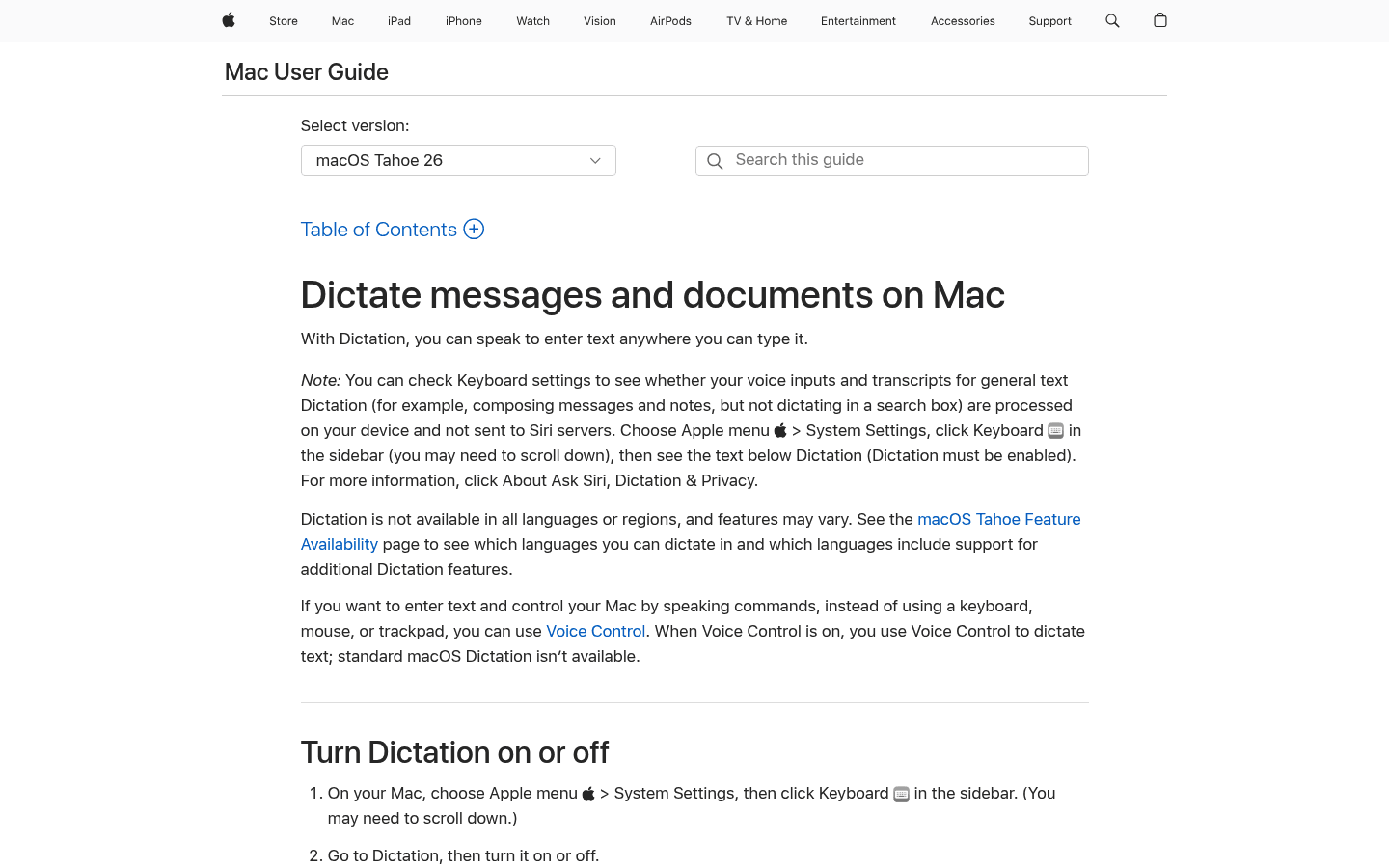
Mac Dictation is the better fit when your needs are simple, local to your Mac, and tied to places where you can already type. Apple describes it plainly: with Dictation on your Mac, you can speak to enter text anywhere you can type it.
It also has one clear pricing advantage. There is no separate Mac Dictation plan, subscription, or app purchase. If you own a supported Mac, you can turn it on in Keyboard settings and start using it.
Choose Mac Dictation if you want:
No extra software purchase.
Basic voice typing in macOS text fields.
A feature built into System Settings.
Keyboard shortcuts or the Microphone key to start dictation.
Automatic punctuation in supported languages.
Multiple dictation languages, where supported.
On-device dictation where your Mac model and language support it.
The tradeoff is scope. Mac Dictation is helpful, but it is not trying to be a paid, cross-platform dictation and file transcription product.
Pricing and Cost Over Time
Voicy has a free trial only. After that, it costs $8.49/month, $82/year, or $260 lifetime.
Mac Dictation is included with macOS. It has no separate price in the Apple sources checked. That makes it the cheapest option if you already use a Mac and do not need a separate transcription product.
Cost over 1, 3, and 5 years
Scenario | Voicy | Mac Dictation | Winner |
|---|---|---|---|
Trial access | Free trial only. | Included with macOS. No separate trial needed. | Mac Dictation for no extra cost. Voicy if you need to trial a dedicated product. |
Upfront paid access | $8.49 for one month, $82 for one year, or $260 lifetime. | $0 separate cost if you already own a compatible Mac. | Mac Dictation. |
Monthly paid plan for 12 months | $101.88. | $0 separate cost. | Mac Dictation saves $101.88 if basic Mac-only dictation is enough. |
Annual paid plan for 1 year | $82. | $0 separate cost. | Mac Dictation saves $82. |
Annual paid plan for 3 years | $246. | $0 separate cost. | Mac Dictation saves $246. |
Annual paid plan for 5 years | $410. | $0 separate cost. | Mac Dictation saves $410. |
Voicy lifetime over 5 years | $260. | $0 separate cost. | Mac Dictation saves $260. |
Price alone favors Mac Dictation. But price is not the whole decision. You are comparing a built-in Mac feature with a dedicated cloud-based dictation and transcription product. Pay for Voicy only if the extra workflow matters.
Privacy, Cloud, and Local Processing
Voicy is cloud-based. If your workplace requires local-only transcription for every word and every uploaded file, Voicy is not the right fit. If cloud processing is acceptable, Voicy gives you broader platform coverage and file upload transcription.
Mac Dictation has more nuance than "always local." Apple says you can check Keyboard settings to see whether your voice inputs and transcripts for general text Dictation are processed on your device and not sent to Siri servers. Apple also says Dictation is not available in all languages or regions, and features may vary.
Apple's support page also says users can choose whether to share audio recordings to improve Siri and Dictation. If they opt in, Apple may store audio of Siri and Dictation interactions from the Mac and may review a sample of stored audio. Apple says users can later turn Improve Siri and Dictation on or off in Privacy and Security settings, and can delete Siri and Dictation history.
So the privacy decision is practical. Choose Mac Dictation if you need the strongest chance of on-device general text dictation on a supported Mac and supported language. Choose Voicy if cloud-based transcription is acceptable and you need a fuller cross-device workflow.
Public Proof and Community Discussion
Mac Dictation has strong public proof in one narrow sense: it is documented directly by Apple and built into macOS. The Apple Support page explains how to enable it, how to start dictation with a shortcut or Microphone key, how to switch languages, and how privacy settings work.
The better community question is not whether Mac Dictation exists. It is whether it is enough for your workflow. Public discussions around Apple Dictation often center on setup, language support, microphone input, Siri and Dictation privacy, and how dictation behaves in specific apps. Treat those discussions as troubleshooting context, not as accuracy benchmarks.
For your own research, search for the exact tasks you care about: "Mac Dictation file transcription," "Mac Dictation Windows alternative," "Mac Dictation browser extension," "macOS Dictation on device language," and "Voicy file transcription." Avoid deciding from one forum thread or one social post.
Decision Guide
Choose Voicy if:
You need live dictation in daily writing surfaces.
You want file upload transcription as well as live speech-to-text.
You use Mac, Windows, browser apps, iOS, and Android.
You want a browser extension workflow.
You are choosing a tool for work writing, not only casual Mac voice typing.
You are comfortable with cloud-based transcription.
Choose Mac Dictation if:
You only need voice typing on a Mac.
You want no separate subscription or app purchase.
You do not need file upload transcription.
You do not need Windows, Android, or a standalone browser extension.
Your preferred language and features are supported by Apple.
You want to check whether general text Dictation can be processed on your device.
Bottom Line
Voicy is the better pick for people who need a dedicated speech-to-text workflow across devices, apps, browsers, and uploaded audio files. It costs money after the free trial, but it solves more than built-in Mac voice typing.
Mac Dictation is the better pick for Mac users who want a no-extra-cost way to speak text into places where they can type. It is useful, already available in macOS, and strong for simple needs. It is not a replacement for a cross-platform dictation and file transcription product.
FAQs
Is Voicy better than Mac Dictation?
Voicy is better if you need live dictation, file upload transcription, Windows support, Android support, browser extension support, and mobile apps. Mac Dictation is better if you only need built-in voice typing on a Mac at no separate cost.
Is Mac Dictation free?
Mac Dictation is included with macOS and has no separate Dictation app price in the Apple sources checked. You still need a supported Mac.
Is Voicy free?
No. Voicy offers a free trial only. Paid pricing is $8.49/month, $82/year, or $260 lifetime.
Does Mac Dictation work on Windows?
No. Mac Dictation is a macOS feature. If you need speech-to-text on Windows, Voicy is the better fit.
Does Mac Dictation work on Android?
No. Mac Dictation is not an Android app. Voicy supports Android.
Does Mac Dictation have a browser extension?
No standalone Mac Dictation browser extension was found in the Apple sources checked. You may be able to dictate into browser text fields on macOS, but that is different from a dedicated browser extension workflow.
Can Mac Dictation transcribe uploaded audio files?
Apple's Mac Dictation support page describes speaking to enter text anywhere you can type. It does not describe a broad file upload transcription workflow. Voicy supports file upload transcription.
Can Voicy transcribe files?
Yes. Voicy supports file upload transcription in addition to live dictation.
Is Mac Dictation processed on device?
Sometimes, depending on the Mac, language, and settings. Apple says users can check Keyboard settings to see whether general text Dictation voice inputs and transcripts are processed on device and not sent to Siri servers.
Is Voicy cloud-based?
Yes. Voicy uses cloud-based transcription. Do not choose it if your policy requires every transcription workflow to be local-only.
Which is better for privacy?
Mac Dictation may be better for privacy when on-device processing is available for your setup and you do not opt in to sharing Siri and Dictation audio. Voicy is cloud-based, so it is better only if cloud processing is acceptable for your use case.
Which is better for long recordings?
Voicy is the clearer choice for uploaded audio transcription. Apple says Mac Dictation lets you dictate text of any length without a timeout, but that is still live dictation into text, not a general file transcription workflow.
Which should I choose for work writing?
Choose Voicy if your work writing spans apps, browsers, desktop, mobile, and uploaded files. Choose Mac Dictation if your work is Mac-only and basic voice typing is enough.
