If you mainly draft in Word, start with Word Dictate. If your day moves between documents, client emails and practice-management software, consider a cross-app tool such as Voicy. For specialist legal vocabulary and voice commands, compare Dragon Legal v16 and Dragon Legal Anywhere. For recordings that support staff turn into documents, look at Philips SpeechLive or BigHand.
Voicy is our product. We have included it where it fits and said where it does not. Prices below were checked on November 5, 2026, in US dollars before tax.Summary
Best if you draft in Word: Microsoft Word Dictate - included with Microsoft 365, nothing new to install.
Best for moving between Word, email and practice software: Voicy - one dictation shortcut for desktop apps and web fields on Mac, Windows and Linux.
Best for deep legal vocabulary on Windows: Dragon Legal v16 - legal word lists, citation formatting and clause commands.
Best firm-managed cloud Dragon: Dragon Legal Anywhere - shared vocabulary and commands, run from Microsoft Azure.
Best for routing dictation to assistants: Philips SpeechLive - record, route, transcribe, with published per-user prices.
Best for larger firms with support teams: BigHand - dictation workflow with priorities and an audit trail.
Best free option on Mac and iPhone: Apple Dictation - built in, fine for short notes.
Best polished cloud AI dictation: Wispr Flow - clean output, BAA available, cloud only.
Best for local models and deep settings: Superwhisper - on-device models plus custom modes.
Best for interviews and recordings on Mac: MacWhisper - local file transcription with speaker labels.
Paralegals and legal assistants: Voicy or Word Dictate for your own drafting; SpeechLive or BigHand if attorneys route recordings to you.
Top Picks At A Glance
| Tool | Best fit | Platforms | Processing | Price (checked Nov 5, 2026) |
|---|---|---|---|---|
| Voicy | Drafting across Word, email and web fields | Mac, Windows, Linux, browser extension, iOS, Android | Cloud by default; offline mode in desktop apps | $8.49/month, $82/year or $260 lifetime |
| Dragon Legal v16 | Heavy legal drafting on Windows | Windows 10 and 11 | Desktop software | Quote from Nuance; resellers list about $800 one-time |
| Dragon Legal Anywhere | Firm-managed Dragon | Windows client, Citrix and VDI; mobile app | Cloud (Microsoft Azure) | Quote from Nuance; resellers list $65/month or $780/year on a one-year term |
| Philips SpeechLive | Routing dictation to assistants | Web, Windows, Mac, iOS, Android | Cloud (Azure, US region) | From $21.90/user/month; speech recognition from $47.80 (billed annually) |
| BigHand | Firms with a central support team | Desktop, iPhone, iPad | Cloud (SaaS) | Quote only |
| Word Dictate | Drafting inside Word | Windows, Mac, web, mobile | Cloud; needs internet | Included with Microsoft 365 |
| Apple Dictation | Short notes on Apple devices | Mac, iPhone, iPad | On device in many languages; check settings | Free |
| Wispr Flow | Polished cloud dictation | Mac, Windows, iOS, Android | Cloud only | Free tier; Pro $15/month or $12/month billed annually |
| Superwhisper | Local models and custom modes | Mac, Windows, iOS, Android | Local or cloud, your choice | Free tier; Pro $8.49/month, $84.99/year or $249.99 lifetime |
| MacWhisper | Interviews and recordings | Mac, iPhone, iPad | Local by default | Free; Pro €64 one-time |
Key Takeaways
Start with where you write. Word-only drafting, cross-app writing and assistant workflows need different tools.
Dragon is still the legal specialist, but Nuance publishes no price for either Dragon Legal product; you buy through sales or a reseller.
"Private" means different things. Some tools run on your device, some process in the cloud with zero-retention options, and some do both depending on the feature.
Names, numbers, negation and citations are where legal dictation goes wrong. Test them before you buy.
Hardware is optional. A SpeechMike helps for routed recordings, not for typing an email.
Everyday Drafting And Cross-App Writing
These tools help you write your own documents, emails and notes. They work best when the lawyer, not an assistant, produces the final text.
1. Voicy: Best For Moving Between Word, Outlook And Your Practice System
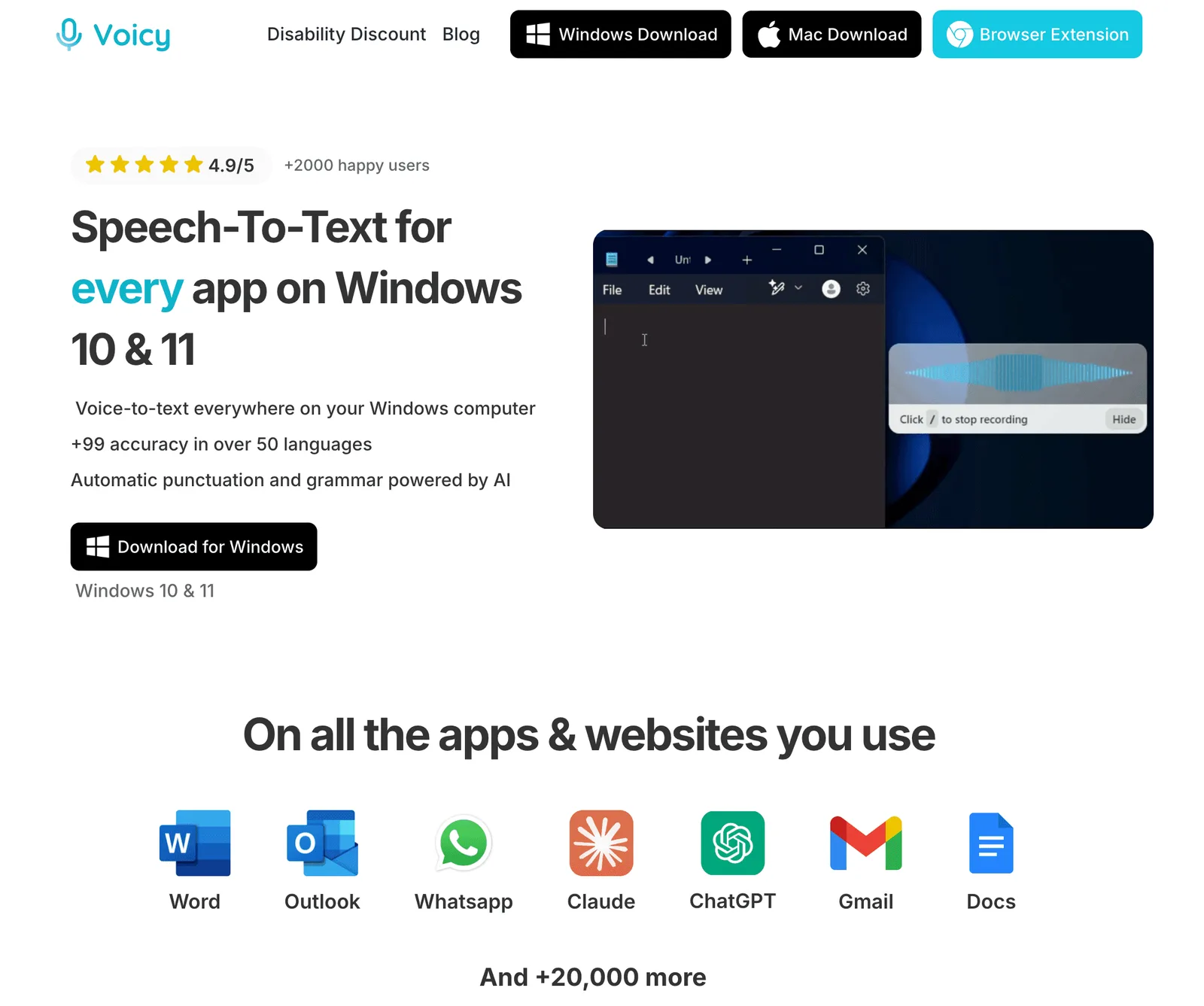
If you move between Word, Outlook and your practice-management system, Voicy is worth testing. It works on Mac, Windows and Linux, with a browser extension for web text fields, so the same shortcut works in a Word draft, an Outlook reply and a matter note in a web app.
In A Legal Workflow
After a client call, click into the matter note in your practice-management system and dictate the call summary. Move to Outlook and dictate the follow-up email. Then open the Word draft and speak the next section. Voicy types where your cursor is; it does not connect to Clio or your document management system, so test it in the exact fields you use.
Key Features
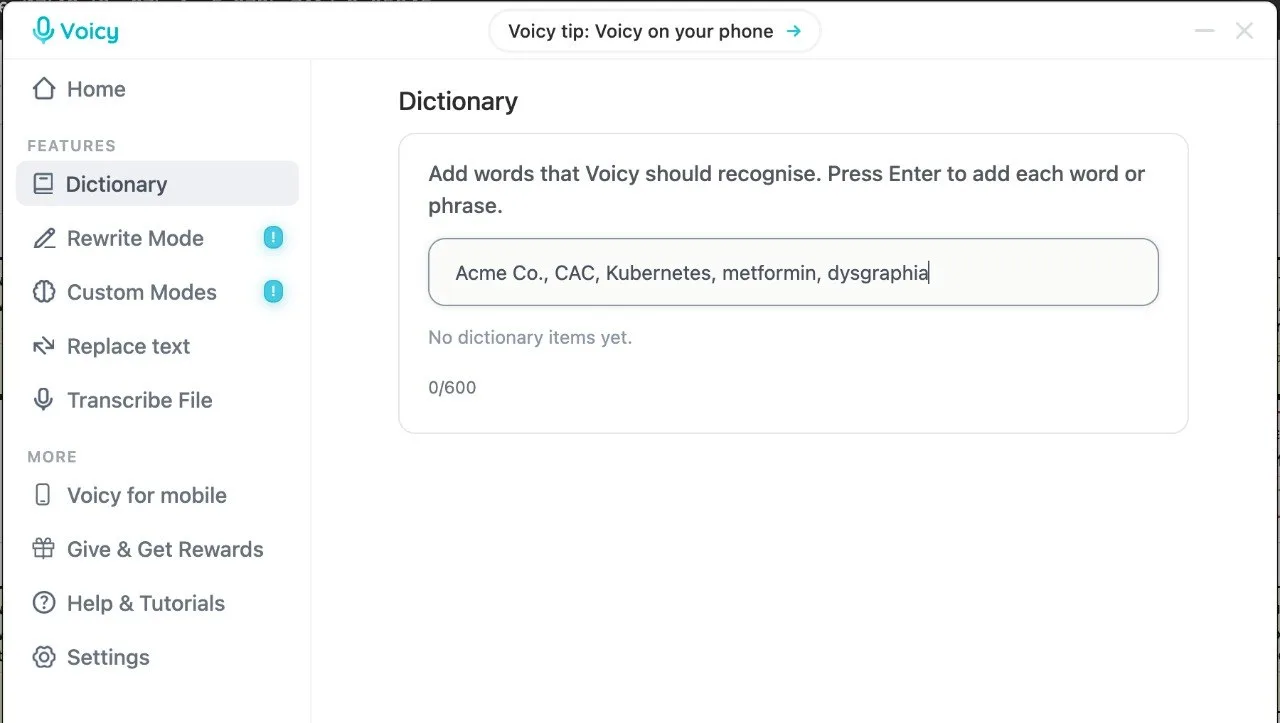
Dictionary: add recurring client names, opposing counsel, court names and specialist terms. The 600-character limit counts letters, spaces and separators, so add the terms Voicy gets wrong rather than your whole contact list.
Voice shortcuts: save a spoken phrase such as "insert engagement acknowledgment" and Voicy types the full saved paragraph. Useful for standard acknowledgments, headings and boilerplate clauses.
Offline mode: in the Mac, Windows and Linux apps, the speech model runs on your computer and normal dictation audio stays on your device. Voice shortcuts also work offline. Rewrite Mode and Custom Modes still need internet, and file transcription asks before sending audio online.
File transcription: upload a recorded memo of up to 60 minutes on a paid plan.
Retention: Voicy does not keep normal recordings or transcripts on its servers or use them to train AI. Local history on your computer is cleared after three days and can be turned off.
Pros
One tool for Word, Outlook, browser fields and mobile
Offline mode on desktop for plain dictation
Voice shortcuts for repeated clauses
Live dictation and file transcription in one app
Low price, with a lifetime option
Cons
No legal vocabulary pack or automatic citation formatting.
The Dictionary is capped at 600 characters.
No voice commands for editing or navigating a document, unlike Dragon.
Cloud by default; offline mode is desktop only and excludes AI features.
Pricing
Voicy has a free trial, then paid plans at $8.49/month, $82/year or $260 lifetime.
Best For
Solo lawyers and small firms who write in many apps every day.
Paralegals who move between intake notes, emails and web portals.
Mac or Linux users who cannot run Dragon Legal.
For the product page and setup, see Voicy for legal dictation.
2. Microsoft Word Dictate: Best If You Draft In Word
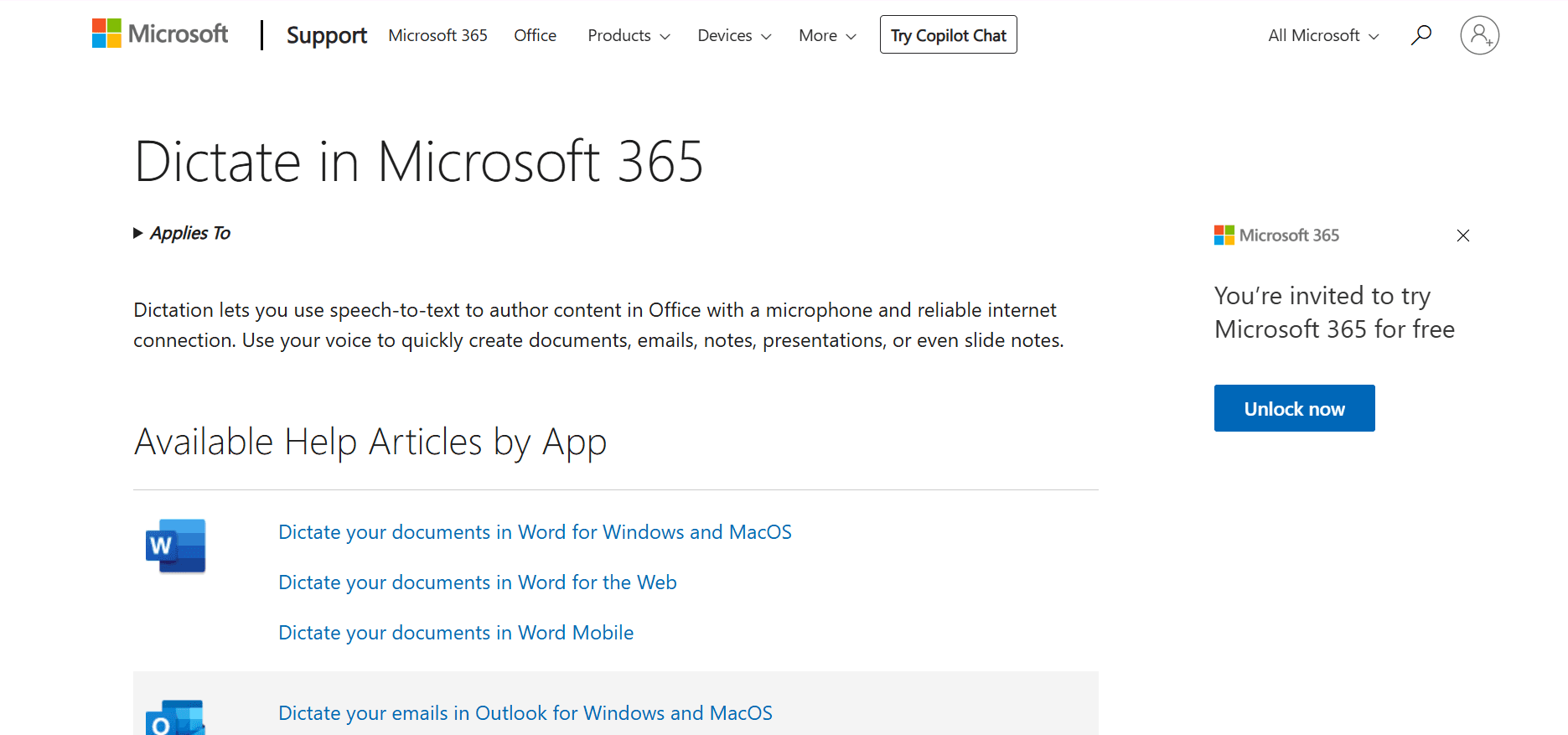
If you draft mostly in Word and your firm already pays for Microsoft 365, Word Dictate is the obvious first test. Click Dictate on the Home tab and start speaking into the document.
In A Legal Workflow
Open your letter or motion template, place the cursor in the body and dictate, using spoken commands such as "new paragraph" and "comma". Microsoft's separate Transcribe feature can turn an uploaded recording into a transcript with speaker labels, but it is limited to 300 minutes a month and, per Microsoft, to Word for Microsoft 365 on Windows in commercial tenants.
Key Features
Built into Word and Outlook for Microsoft 365 subscribers.
Voice commands for punctuation, editing, formatting, lists and comments.
Auto Punctuation where the language supports it.
A "Filter sensitive phrases" setting that masks flagged words with asterisks.
Pros
No extra purchase for Microsoft 365 firms.
Familiar for anyone who lives in Word.
Useful voice commands for formatting.
Cons
Needs a reliable internet connection; no offline mode.
No documented custom vocabulary for client names or legal terms.
Only works inside Microsoft apps, not your practice system or browser forms.
Pricing
Included with Microsoft 365. Microsoft 365 Personal is $9.99/month or $99.99/year; business plan prices vary. Check our guide to dictating in Microsoft Word for setup.
Best For
Lawyers who draft almost everything in Word.
Firms that want to test dictation before buying anything.
3. Apple Dictation: Best Free Option On Mac And iPhone
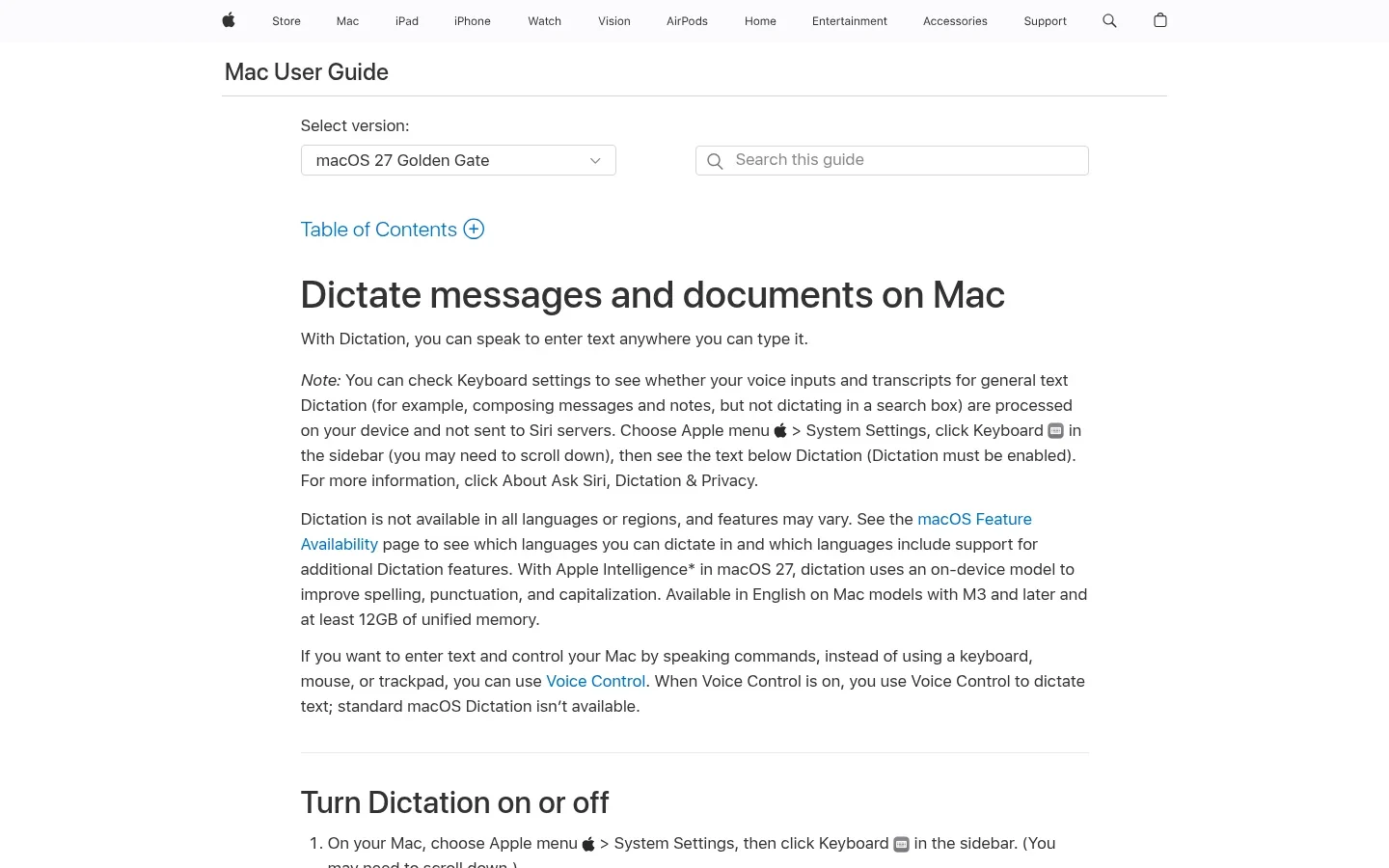
Apple Dictation is already on your Mac, iPhone and iPad. It is the quickest way to find out whether speaking a draft suits you.
In A Legal Workflow
Between hearings, reply to a colleague or capture a quick note on your iPhone. On a Mac, dictate a short email or the first rough paragraph of a memo, then edit by keyboard.
Key Features
Free and built into macOS, iOS and iPadOS.
No time limit on dictation, though it stops after 30 seconds of silence.
On-device processing for general dictation in many languages; check Keyboard settings to confirm.
In macOS 27, an on-device model improves punctuation in English on M3 or later Macs with at least 12GB of memory.
Pros
Free and already installed.
Can run on device.
Good for short notes and replies.
Cons
No custom dictionary for client names or legal terms.
No file transcription or text shortcuts.
Apple devices only.
Pricing
Free with Apple devices.
Best For
Mac and iPhone lawyers trying dictation for the first time.
Short replies and notes rather than long documents.
4. Wispr Flow: Best Polished Cloud Dictation
Wispr Flow suits lawyers who want clean, well-punctuated text across apps and whose firm accepts cloud processing with the right agreements in place. Its FAQ says transcription always happens in the cloud. Read our Wispr Flow review for the full verdict.
In A Legal Workflow
Dictate a client update in Outlook and a matter note in a web app with the same shortcut. Firms can share a dictionary and text snippets across a team on paid plans.
Key Features
Works in any app on Mac, Windows, iOS and Android.
Personal dictionary and snippets; shared team dictionary on Pro and above.
SOC 2 Type II and ISO 27001 certified, per Wispr.
A Business Associate Agreement for HIPAA support is available on any plan; zero data retention is an admin setting for Enterprise and BAA accounts.
Pros
Polished output with little cleanup.
Strong security documentation.
Team dictionaries and snippets.
Cons
Cloud only; no offline mode.
Even with training turned off, Wispr says it still uploads metadata such as the app and URL you dictate into.
No Linux app.
Pricing
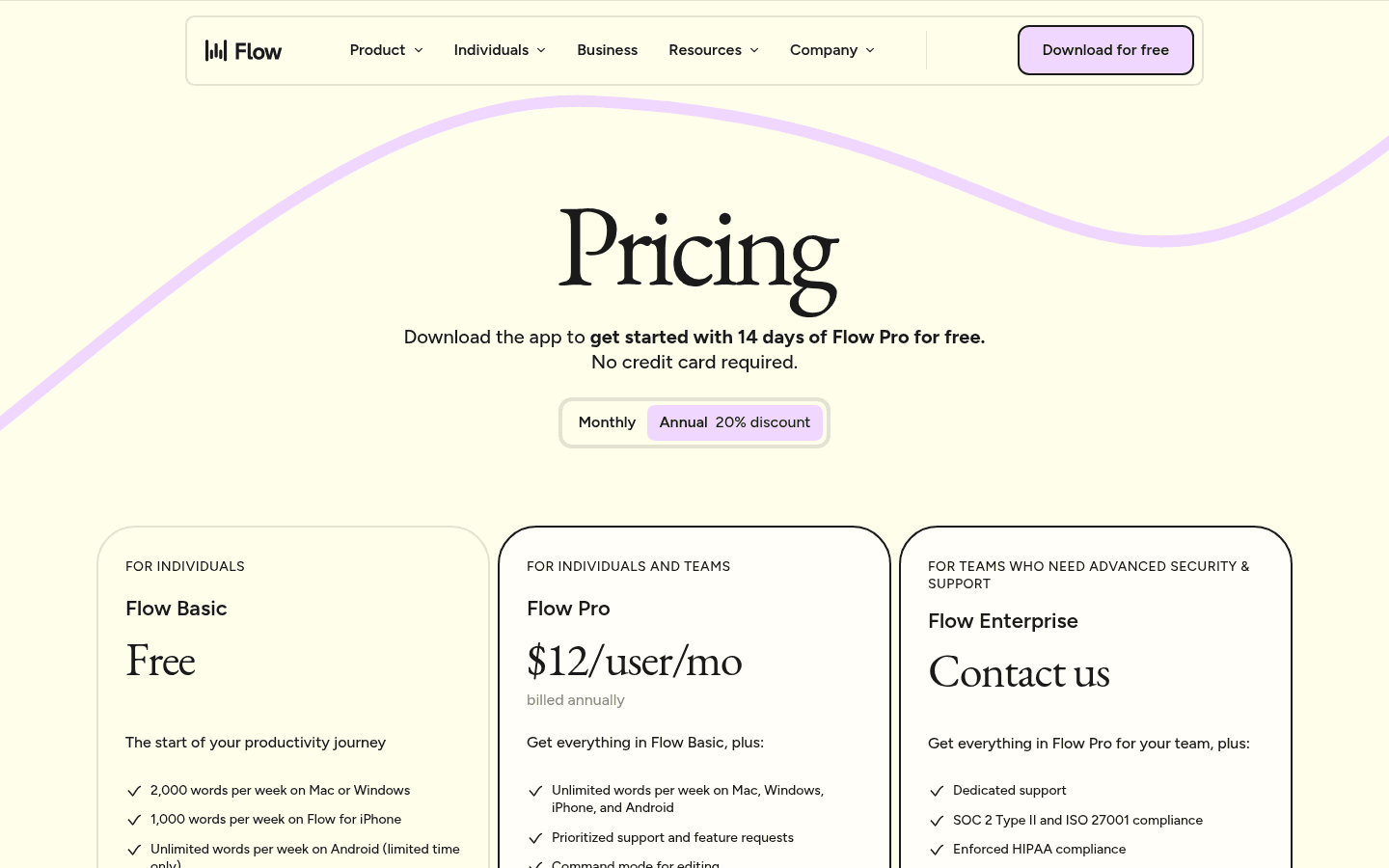
Free tier with a weekly word limit. Pro is $15/user/month, or $12/user/month billed annually. Team plans cost more.
Best For
Lawyers who want polished AI dictation across devices.
Firms comfortable with cloud processing under a BAA or zero-retention setup.
5. Superwhisper: Best For Local Models And Deep Settings
Superwhisper fits lawyers who want to choose where speech is processed. On-device models work without internet, and custom modes let you shape output for different tasks. See our Superwhisper review.
In A Legal Workflow
Use a local model for confidential drafting, and a separate mode for tidying an email. Add client names and abbreviations to its vocabulary once.
Key Features
On-device models that keep audio on your machine.
Custom vocabulary for names and specialist terms.
Custom modes with your choice of AI model.
File transcription; SOC 2 Type II and HIPAA claims on the vendor's site.
Pros
Real local processing option.
Highly configurable.
One license across Mac, Windows, iOS and Android.
Cons
Modes take time to learn.
Cloud AI modes can send text to third-party models, so check each mode.
Local models run best on Apple Silicon Macs.
Pricing
Free tier. Pro is $8.49/month, $84.99/year or $249.99 lifetime.
Best For
Technical lawyers who want local models and fine control.
Firms that want to choose local or cloud per task.
Specialist Legal Dictation
These are built for legal work first, with legal vocabularies, citation handling and voice commands. Nuance sells both through its sales team rather than with a public price; resellers list prices.
6. Dragon Legal v16: Best For Deep Legal Vocabulary On Windows
Dragon Legal v16 is still the specialist choice for heavy drafting on Windows. Nuance says its legal vocabulary was trained on more than 400 million words from legal documents. Read our Dragon Professional 16 review for how the v16 engine works day to day.
In A Legal Workflow
Say a custom command to insert a standard clause, dictate the argument, and let Dragon format the legal citations. Later, transcribe a single-speaker recording made on the move.
Key Features
Built-in legal vocabulary and importable custom word lists.
Automatic formatting of legal citations.
Custom voice commands to insert clauses and run multi-step macros.
Transcribes single-speaker audio files.
IT can share words, commands and auto-texts through Nuance Management Center.
Pros
Deepest legal vocabulary in this list.
Full voice control of editing and formatting.
Desktop software for local work.
Cons
Windows only; no Mac version.
No public price and a steeper learning curve.
Recorded-audio transcription is single speaker only.
Pricing
Nuance lists no price and asks buyers to contact sales. Resellers such as Staples list a one-user download at about $800 one-time. See our Dragon pricing guide.
Best For
Windows lawyers who dictate long documents every day.
Firms that rely on voice commands, clause macros and citation formatting.
7. Dragon Legal Anywhere: Best Firm-Managed Cloud Dragon
Dragon Legal Anywhere is the cloud version, hosted on Microsoft Azure. Firms buy it to manage vocabulary and commands centrally and to support Citrix and virtual desktops.
In A Legal Workflow
An administrator shares the firm's custom words, commands and auto-texts with every lawyer. A lawyer dictates into a Word document, even while their cursor is in another window, and picks up the same profile in the Dragon Anywhere mobile app.
Key Features
Legal vocabulary and automatic citation formatting.
Central admin for words, commands and auto-texts.
Supports Citrix, VMware Horizon and Microsoft Remote Desktop.
Data encrypted in transit and at rest, per Nuance.
Pros
Firm-wide control of Dragon profiles.
Works in virtual desktop setups.
Mobile companion app.
Cons
No price from Nuance; resellers sell one-year terms.
Cloud dependent; no SOC 2 or HIPAA claim on its product page.
Pricing
Nuance lists no price. The reseller StartStop lists $65/month on a one-year term, or $780/year. Partners have reported end-of-sale dates for the related Dragon Professional Anywhere; we found no public notice for Legal Anywhere, so ask your reseller about the roadmap before signing a multi-year contract.
Best For
Firms that want Dragon managed centrally, including on virtual desktops.
Not a fit for solo lawyers who want a self-serve price.
Dictation And Support-Staff Workflows
These tools are built around recordings that move from a lawyer to an assistant, a transcription service or a speech-recognition engine.
8. Philips SpeechLive: Best For Routing Dictation To Assistants
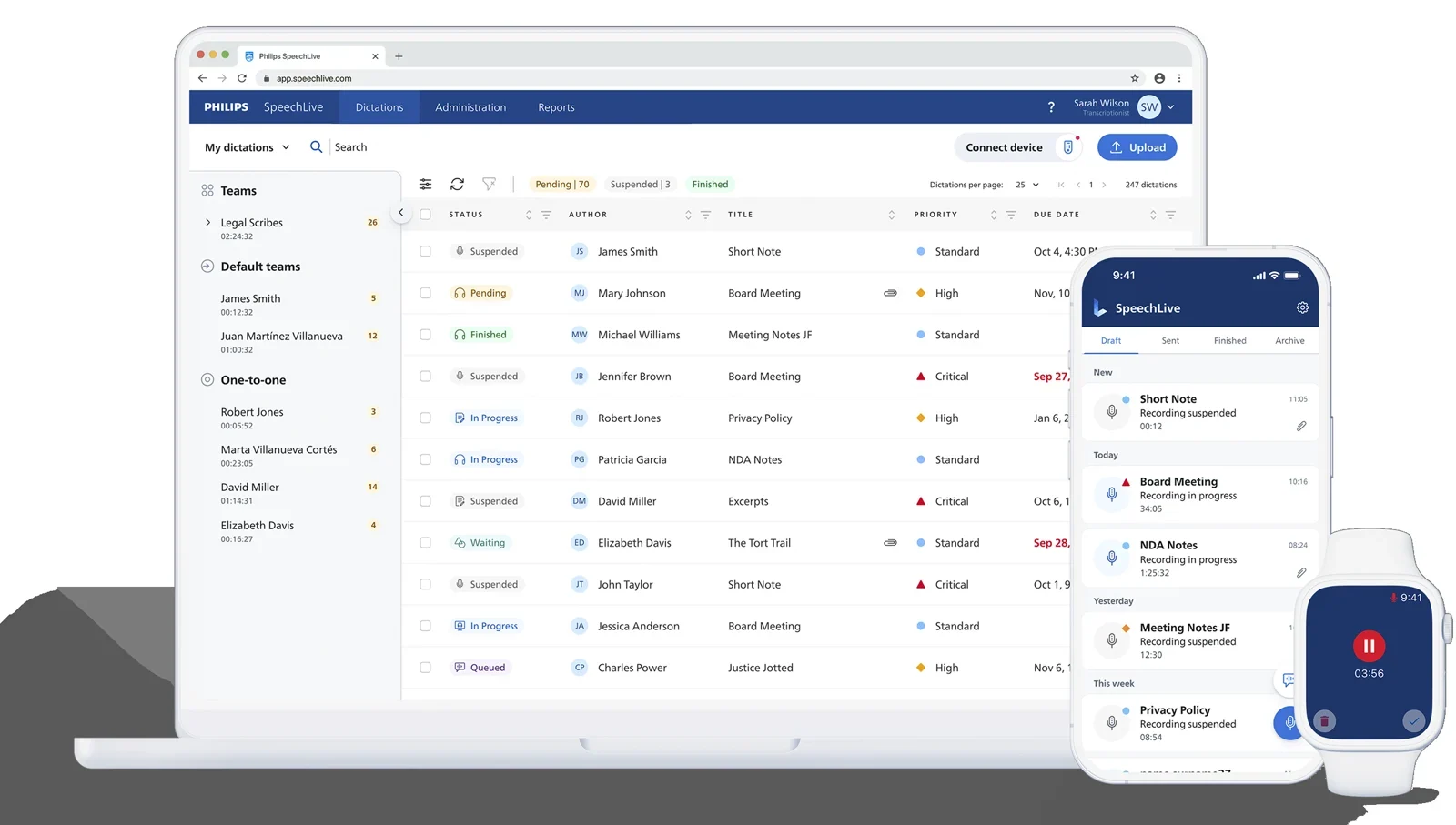
Philips SpeechLive lets a lawyer record on a phone, browser or SpeechMike, then route the file to an assistant, a team or Philips' transcription service. Its higher plans add legal speech recognition at the cursor.
In A Legal Workflow
Record a letter on your phone after a hearing and mark it high priority. Your assistant sees it in the worklist, types it and marks it finished. On the Legal Direct plan, you can also dictate straight into Word with legal terminology.
Key Features
Recording, routing, task assignment and tracking on every plan.
Legal speech recognition, voice commands and custom vocabulary from Legal Direct up.
Optional human transcription, from $1.39/minute for English with 24-hour turnaround.
SpeechMike and foot-control support in the web app.
Hosted on Azure, with a US region; Philips shows ISO 27001 and HIPAA marks.
Pros
Published per-user prices.
Clear handoff to assistants with an audit of status.
Works on Mac, Windows, web and mobile.
Cons
Legal plans are billed annually.
The $21.90 Workflow plan is routing only; live dictation needs Legal Direct.
Human transcription costs extra per minute.
Pricing
Per user per month, billed annually, excluding tax: Workflow $21.90; Legal Direct $47.80; Legal AI Assistant $54.00 as a 2026 introductory price, rising to $76.80 in 2027. See SpeechLive legal pricing.
Best For
Lawyers who hand recordings to an assistant or typist.
Small and mid-size firms that want published prices.
9. BigHand: Best For Larger Firms With Support Teams
BigHand dictation and speech recognition are now part of BigHand Workflow. BigHand Professional serves firms with fewer than 50 people.
In A Legal Workflow
A partner dictates on a phone and sets a due date. The support team picks the job up from a shared work queue, and the firm keeps an audit trail of every dictation and transcription. Optional speech recognition can produce a first draft before a secretary edits it.
Key Features
Dictation from desktop, iPhone and iPad.
Work queues with priorities, due dates and tracking.
Optional speech recognition add-on.
Cloud hosted, with ISO 27001 and ISO 27701 badges.
Pros
Built for firm-wide dictation management.
Audit trail and workload visibility.
Option sized for smaller firms.
Cons
Quote only, sales-led purchase.
No named Word, Outlook or Clio integrations on its pages.
Overkill for a lawyer who types their own work.
Pricing
Quote only. BigHand says packages are priced on firm requirements, with speech recognition as an add-on.
Best For
Firms with a central secretarial or document team.
Practices that need an audit trail for dictated work.
Recorded Interviews And File Transcription
10. MacWhisper: Best For Interviews And Recordings On Mac
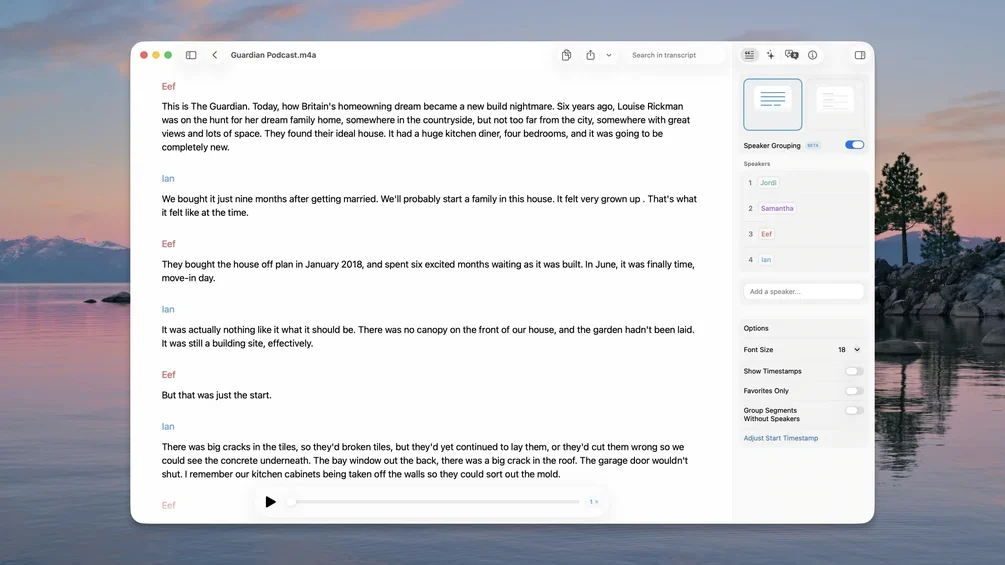
MacWhisper transcribes audio and video files on your Mac without uploading them, with speaker recognition and batch processing. It now also offers system-wide dictation. See our MacWhisper review.
In A Legal Workflow
Transcribe a recorded client interview or a dictated memo locally, then copy the relevant passages into your notes. Check your jurisdiction's consent rules before recording any call.
Key Features
Local transcription of audio and video files.
Automatic speaker recognition and batch processing.
System-wide live dictation.
One-time Pro license.
Pros
Recordings stay on your Mac with local models.
No subscription.
Strong for interviews and long recordings.
Cons
Mac only (plus iPhone and iPad).
No legal vocabulary pack.
Priced in euros, with no official US price.
Pricing
Free version available. MacWhisper Pro is €64 one-time on the developer's site.
Best For
Mac lawyers who transcribe interviews, memos or meetings.
For transcription tools beyond Mac, see our legal transcription software guide.
Which Setup Fits Your Practice?
You Draft And Edit Everything Yourself
Use Word Dictate if nearly everything happens in Word. Use Voicy if you also write in Outlook, a practice-management system and web forms. Choose Dragon Legal v16 if you are on Windows and want voice commands and citation formatting.
You Share Work With An Assistant Or Paralegal
Dictate intake notes right after a call, while details are fresh, then dictate the follow-up email and a task update. If you send recordings rather than text, SpeechLive's Workflow plan routes them with status and priority. Paralegals who write their own notes, emails and portal entries usually get more from a cross-app tool like Voicy or from Word Dictate.
Your Firm Has A Central Support Team
BigHand and SpeechLive manage queues, priorities and audit trails. Dragon Legal Anywhere suits firms that want one centrally managed speech profile per lawyer, including on virtual desktops.
Do You Still Need Dictation Equipment Like A SpeechMike?
Not for live dictation into your own documents. A good USB headset or your existing microphone is usually enough; see our best microphones for dictation. A handheld Philips SpeechMike makes sense when you record long dictations for staff and want physical record, rewind and priority buttons. Resellers list the SpeechMike Premium Air at about $385 to $500 and the SpeechMike Ambient at about $430 to $500.
You Regularly Transcribe Interviews Or Recordings
MacWhisper transcribes locally on a Mac. Dragon Legal v16 transcribes single-speaker recordings. Voicy transcribes files up to 60 minutes on paid plans, and SpeechLive offers human transcription. Word Transcribe works in some Microsoft 365 business setups on Windows.
You Need Local Processing
Dragon Legal v16 is desktop software. Voicy's offline mode, Superwhisper's local models and MacWhisper keep plain speech recognition on your computer. AI rewriting, cloud models and file uploads usually do not, so check each feature, not just the app.
Before You Buy: Four Checks For Legal Work
1. Confidentiality, Retention And Where The Text Ends Up
ABA Model Rule 1.6(c) says a lawyer "shall make reasonable efforts to prevent the inadvertent or unauthorized disclosure of, or unauthorized access to, information relating to the representation of a client." For each tool, check where audio is processed, whether audio or text is kept, whether it is used to train models, and whether a BAA or zero-retention setting is available.
ABA Formal Opinion 512 (July 2024) adds that a client's informed consent is required before entering client information into a self-learning generative AI tool, and that boilerplate in an engagement letter is not enough. Plain speech-to-text that does not train on your data is a different question, but AI rewriting features may fall under it. Local recognition also does not control where the finished text goes: your document management system and email still store it. This is general information, not legal advice. For a wider comparison, read dictation apps privacy compared.
2. Does It Type Into The Fields You Actually Use?
Test in Word, Outlook, your practice-management system's note and time-entry fields, and any web forms. If you work in Citrix or a virtual desktop, test there too. Most cross-app tools have no native Clio integration; they type where your cursor is.
3. Names, Numbers, Negation And Citations
A dropped "not", "15" heard as "50", or a garbled case name changes meaning. Dragon Legal is the only tool here that claims automatic legal citation formatting. With every tool, read names, dates, amounts and citations against your notes before anything leaves the firm.
4. Does It Save Time After Corrections?
Speak the first draft, then edit by keyboard. Time the whole job, including corrections. If fixing errors takes longer than typing, the tool is not right for that task.
A Repeatable Legal Dictation Test
Read the fictional passage below three times in each tool you shortlist, using the same microphone, room and target app.
On March 14, 2026, our client, Ms. Adaeze Okonkwo, did not sign the amended lease. Please draft a letter to opposing counsel, Mr. Tobias Lindqvist of Harrow and Vance LLP, confirming that the deposition is rescheduled to 10:30 a.m. on April 2. Cite Marlow v. Dene Holdings, 214 F. Supp. 3d 517 (S.D.N.Y. 2016), and state that the settlement offer of $47,500 is not accepted. New paragraph. The client has no objection to mediation under Section 4.2(b) of the agreement.
The names and the case citation are invented for this test; do not cite them. Count every error, and mark separately any error that changes meaning: a missing "not", a wrong number, a wrong name or a broken citation. Then time your corrections. We have not run this test across the tools in this article, so no scores are claimed.
Fast Answer: What Is The Best Dictation Software For Lawyers?
The best dictation software for lawyers is the one that fits where you write and who finishes the document. Word Dictate covers Word-only drafting. Voicy covers drafting across Word, email, practice software and web forms. Dragon Legal v16 remains the specialist for Windows lawyers who need legal vocabulary and voice commands. SpeechLive and BigHand fit firms that route recordings to support staff, and MacWhisper handles recordings on a Mac.
Frequently Asked Questions
What is the best dictation software for lawyers?
It depends on where you write. If you draft mainly in Word and already pay for Microsoft 365, start with Word Dictate. If your day moves between documents, Outlook and practice-management software, a cross-app tool such as Voicy fits better. For deep legal vocabulary, citation formatting and voice commands on Windows, compare Dragon Legal v16 and Dragon Legal Anywhere. For recordings that support staff turn into documents, look at Philips SpeechLive or BigHand.
Is there free dictation software for lawyers?
Yes. Apple Dictation is free on Mac, iPhone and iPad, and Windows 11 includes voice typing (Windows + H) and Voice Access. Word Dictate costs nothing extra if your firm already has Microsoft 365. Free tools have no legal vocabulary or custom dictionary, so test them on a real letter before relying on them.
Does Dragon Legal work on a Mac?
No. Dragon Legal v16 runs on Windows 10 and 11 only, and Nuance does not offer a Mac version. Mac lawyers usually compare Voicy, Apple Dictation, Superwhisper or MacWhisper, or run Dragon in a Windows environment.
Is Microsoft Word Dictate enough for lawyers?
It can be if almost all of your drafting happens inside Word and Outlook. Dictate is included with Microsoft 365, supports voice commands and automatic punctuation, and needs an internet connection. It has no documented custom vocabulary and does not work in your practice-management system or browser forms.
Is cloud dictation safe for confidential client information?
It can be, but you have to check. ABA Model Rule 1.6(c) asks lawyers to make reasonable efforts to prevent unauthorized disclosure of client information. Check where audio is processed, whether audio or text is kept, whether it trains AI models, and whether the vendor offers a BAA or zero-retention setting. ABA Formal Opinion 512 adds that self-learning generative AI tools may need a client's informed consent. This is not legal advice; follow your firm's policies and your state rules.
Which dictation software works offline?
Dragon Legal v16 runs as desktop software on Windows. Voicy has an offline mode in its Mac, Windows and Linux apps. Superwhisper offers on-device models, and MacWhisper transcribes files locally. Apple Dictation processes many languages on device. AI rewriting features usually still need a connection.
Can dictation software integrate with Clio or other practice-management software?
Most dictation apps do not have a native Clio integration. Cross-app tools like Voicy, Wispr Flow and Superwhisper type wherever your cursor is, so they work in any text field you can click. Test the exact note, email and time-entry fields you use before buying.
What dictation equipment do lawyers need?
Most lawyers only need a decent USB headset or the microphone they already own. A handheld Philips SpeechMike, around $385 to $500, makes sense if you dictate long recordings for support staff or want physical record and rewind buttons. SpeechLive supports SpeechMike devices in its web app.
What is the best AI dictation tool for legal documents?
For drafting across Word, email and web forms, Voicy and Wispr Flow are the main cross-app AI dictation options; Superwhisper adds local models. For document-heavy Windows work with legal citation formatting and clause commands, Dragon Legal v16 is still the specialist choice. Always check names, numbers, negation and citations before anything leaves the firm.
Can dictation software transcribe client interviews or depositions?
It can turn recordings into working transcripts. MacWhisper transcribes files locally on a Mac with speaker labels, Dragon Legal v16 transcribes single-speaker recordings, Voicy transcribes files up to 60 minutes on paid plans, and SpeechLive offers human transcription from $1.39 per minute. None of these replaces a certified court reporter's transcript.
Related Legal Dictation Guides
Final Verdict
Do not pick the most famous tool; pick the one that fits your working day. Shortlist two tools that match how you draft, then run the same fictional legal passage through both and time the corrections.
For Word-only drafting, start with Word Dictate. For heavy Windows drafting with legal commands, Dragon Legal v16 is still the specialist. If you work across Word, Outlook, practice software and web forms, try Voicy free and see how much of your day it covers.
 Download for free
 Download for free
 Download for Ubuntu/Debian
 Add to Chrome for free