




Voice Dictation for Content Creators - Write 3x Faster
TL;DR: Voice dictation lets content creators write blog posts, video scripts, social media captions, and newsletters up to 4x faster than typing. Modern AI-powered tools like Voicy handle punctuation, formatting, and even editing suggestions automatically. This guide shows YouTubers, bloggers, podcasters, and social media managers exactly how to use voice typing to create more content in less time.
Why Content Creators Are Switching to Voice
The average person types 40 words per minute but speaks 125-150 words per minute. For content creators who need to produce thousands of words weekly, that speed difference is game-changing.
Here's what voice dictation offers creators:
Beat writer's block: Speaking feels natural. When you're stuck staring at a blank page, just start talking through your ideas.
Create authentic content: Your natural speaking voice carries personality and emotion that resonates with audiences better than formal written copy.
Work anywhere: Dictate ideas while walking, commuting, or cooking. Never lose a great content idea again.
Reduce typing strain: Save your hands and wrists from repetitive strain injuries common among heavy typists.
Real-World Speed Gains: The Numbers
Content creators using voice dictation report dramatic productivity improvements:
Blog posts: What used to take 2-3 hours of typing now takes 45 minutes of speaking + 15 minutes of light editing
Video scripts: 30-minute YouTube scripts dictated in 8-10 minutes instead of 45 minutes typing
Social media batching: 20 Instagram captions created in 15 minutes instead of 2 hours
Newsletter writing: 1,200-word newsletters completed in 20 minutes vs 90 minutes typing
One entrepreneur reported dictating nearly 300,000 words in five months across 77 different apps—equivalent to writing three novels while running his business.
Content Creator Workflows: Step-by-Step Guides
YouTubers: Script Creation Workflow
Traditional Method: 45 minutes typing + 15 minutes editing = 60 minutes Voice Method: 8 minutes speaking + 12 minutes editing = 20 minutes
Step-by-step process:
Plan your outline: Speak your main talking points into your notes app while reviewing your content calendar
Record your intro: Dictate your standard intro, then customize for the specific topic
Expand each section: Talk through each point as if you're already recording. Your natural speaking rhythm will translate perfectly to video
Add transitions: Speak connector phrases like "Now let's move on to..." or "Here's why this matters..."
Include calls-to-action: Dictate your subscribe requests, like and comment prompts naturally
Light editing: Review for flow and add any visual cues or timestamps
Pro tip: Use Voicy while looking at your planned visuals or B-roll footage. This helps create scripts that match your video content perfectly.
Bloggers: Long-Form Article Creation
Traditional Method: 2-3 hours typing + 30 minutes editing = 3.5 hours Voice Method: 45 minutes speaking + 15 minutes editing = 60 minutes
For writers specifically, dictation software for writers can transform the entire creative process by allowing you to capture ideas as quickly as they come to mind.
Step-by-step process:
Outline first: Speak your headline, subheadings, and key points into a document
Section by section: Expand each subheading by talking about the topic for 3-5 minutes
Tell stories: Share personal anecdotes and examples naturally—these usually sound more authentic when spoken
Add data and quotes: Speak placeholder text like "INSERT STAT ABOUT EMAIL MARKETING" then fill in during editing
Conclude naturally: Speak your conclusion as if you're wrapping up a conversation with a friend
AI polish: Use editing tools to refine grammar and structure while keeping your authentic voice
Internal linking strategy: E.g. while dictating, say "link to our guide about overcoming writers block" and add the actual link to /blog/how-to-overcome-writers-block during editing.
Social Media Managers: Content Batching
Traditional Method: 2 hours creating 20 posts Voice Method: 30 minutes creating 20 posts
Batch creation workflow:
Theme preparation: Decide on your week's content themes and key messages
Voice dump: Spend 10 minutes speaking all your ideas into a document without worrying about individual post formatting
Break into pieces: Review your transcript and identify natural break points for individual posts
Add platform formatting: Adapt content for each platform (Twitter character limits, Instagram hashtags, LinkedIn professional tone)
Schedule timing: Note optimal posting times for each piece of content
Caption formula: "Hook + Story + Value + CTA" works perfectly for voice dictation. Speak each element naturally and edit for platform requirements.
Podcasters: Show Notes and Scripts
Traditional Method: 90 minutes writing show notes and prep Voice Method: 20 minutes speaking + 10 minutes formatting
Podcast workflow:
Pre-show prep: Dictate your intro, guest introduction, and key questions you want to ask
Live notes: Use voice dictation during recording to capture important quotes and timestamps
Post-show summary: Immediately after recording, speak a 5-minute summary of key takeaways while they're fresh in your memory
Show notes creation: Transform your voice notes into formatted show notes with timestamps and links
Social snippets: Pull the best quotes from your summary for social media promotion
Newsletter Writers: Weekly Content Creation
Traditional Method: 90 minutes writing + 30 minutes editing = 2 hours Voice Method: 25 minutes speaking + 15 minutes editing = 40 minutes
Newsletter workflow:
Personal opening: Start by speaking about your week or current thoughts—this creates authentic connection with subscribers
Main content: Dictate your primary article or insight as if you're having a conversation with one person
Resource sharing: Speak about tools, articles, or books you're recommending and why
Community building: Add personal questions or polls to encourage replies
CTA and closing: End with a natural call-to-action and personal sign-off
Voice tone advantage: Newsletter readers want to feel like they're hearing from a friend. Voice dictation naturally creates this conversational tone that's harder to achieve when typing formally.
General prompting in chatbots or other generative AI tools
Traditional method: Spend 20 minutes drafting the perfect prompt, or endlessly redescribing your business to give the AI the proper context.
New workflow:
Brain dump of your prompt: Start your dictation tool and say whatever's on your mind.
Use speech to text for post-processing: Take your brain dump and format it to your liking using AI and speech.
Send it on: Now you have a long and detailed prompt which gives the LLM all the context you need.
Scenario: Giving this Google Ads keyword generator a detailed description of your business so it can find you the best keywords to target in your ads.
Choosing the Right Voice Dictation Tool
Not all voice typing tools are created equal for content creators. Here's what to look for:
Essential features:
Cross-platform compatibility (work on phone, computer, and web)
Punctuation handling (AI should add commas, periods, question marks automatically)
Custom vocabulary (add industry terms, brand names, and jargon)
Multi-language support for global audience content
AI editing assistance for polishing rough dictation
Advanced features that help creators:
Text replacement shortcuts for common phrases
Direct integration with content platforms (Google Docs, WordPress, social media)
Voice commands for formatting (bold, italic, new paragraph)
Cloud sync across devices for seamless workflow
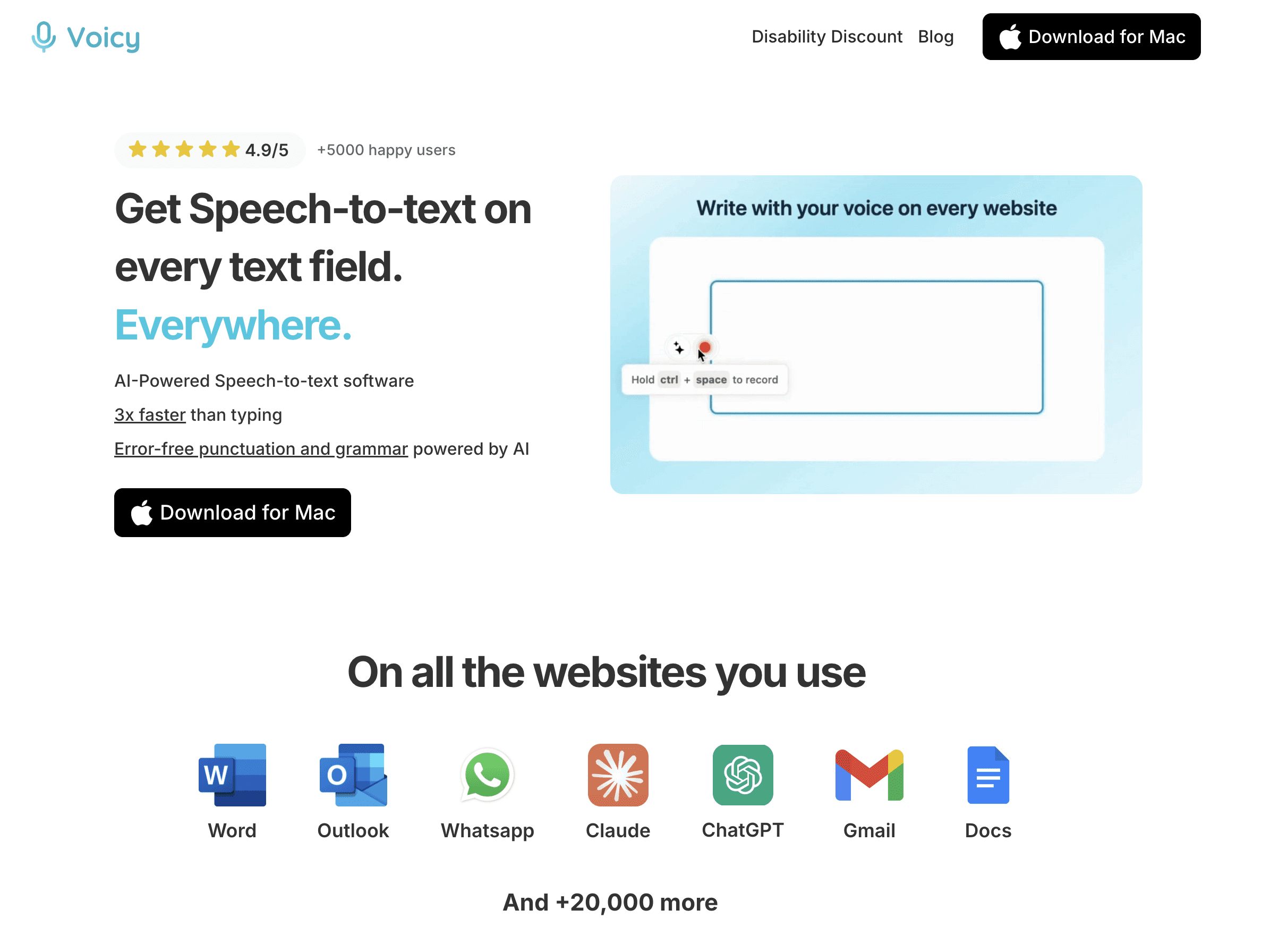
Tools like Voicy excel at content creation because they're designed specifically for long-form dictation with AI-powered editing assistance, unlike basic built-in voice typing that requires constant manual corrections.
Overcoming Common Voice Dictation Challenges
Challenge 1: "I Don't Sound Natural"
Solution: Practice speaking your content out loud before dictating. Many creators find it helpful to dictate while looking at their audience avatar photo or imagining they're talking to their best friend.
Challenge 2: "Too Many Editing Mistakes"
Solution: Speak clearly and at a moderate pace. Rushing leads to more transcription errors. It's better to speak naturally and do light editing than to speak unnaturally and still need heavy editing.
Challenge 3: "I Lose My Train of Thought"
Solution: Create bullet point outlines first. Dictate each bullet point as a separate thought, then combine them during editing. This approach also works great for overcoming writer's block.
Challenge 4: "Background Noise Interferes"
Solution: Find a quiet space for important content. For quick notes and ideas, modern AI handles background noise well, but quality content deserves focused dictation time.
Challenge 5: "It Doesn't Understand My Industry Terms"
Solution: Build a custom vocabulary list. Add brand names, technical terms, and industry jargon to your voice typing software. Most tools learn and improve over time.
Advanced Voice Dictation Techniques for Creators
Content Templating
Create voice shortcuts for repeated content structures:
"Newsletter intro" → automatically inserts your standard newsletter opening
"Video outro" → adds your standard call-to-action and channel promotion
"Blog conclusion" → inserts your typical article closing format
Multi-Modal Content Creation
Use voice dictation while reviewing visual content:
Dictate video scripts while watching B-roll footage
Create Instagram captions while looking at photos
Write podcast descriptions while listening to episode highlights
Voice-First Brainstorming
Instead of written brainstorming:
Take walking meetings with yourself, dictating ideas into your phone
Speak through problems out loud and capture solutions
Record random thoughts throughout the day for content inspiration
Collaborative Voice Workflows
For team-based content creation:
Dictate rough drafts and share with editors for polishing
Create voice briefs for designers and videographers
Record content concepts for team feedback before full creation
Setting Up Your Voice Dictation Workspace
Hardware Recommendations
Built-in laptop mic: Fine for basic dictation
Bluetooth headset: Better for longer sessions and mobility
USB microphone: Best audio quality for professional content
Smartphone: Perfect for capturing ideas on-the-go
Software Setup
Choose your primary tool: Voicy offers cross-platform reliability with AI editing
Configure custom vocabulary: Add your brand terms, common phrases, and industry jargon
Set up text shortcuts: Create replacements for frequently used content elements
Test across platforms: Ensure your tool works in Google Docs, WordPress, social media platforms, and email
Environment Optimization
Quiet space: Find a consistent location with minimal background noise
Good lighting: If dictating while looking at visual content, ensure proper lighting
Comfortable position: Standing or walking often produces more natural, energetic content than sitting
Backup plan: Always have your phone ready for capturing sudden inspiration
Measuring Your Voice Dictation ROI
Track these metrics to quantify your productivity gains:
Time savings:
Words per minute improvement (typing speed vs speaking speed)
Total time saved per content piece
Weekly time savings across all content creation
Content quality:
Audience engagement on voice-dictated vs typed content
Personal satisfaction with authenticity and tone
Feedback from readers/viewers about natural voice and personality
Health benefits:
Reduced wrist and hand strain
Ability to work in different positions (standing, walking)
Less eye strain from constant screen focus
Creative benefits:
Ideas captured that would have been lost
Improvement in natural tone and personality in content
Reduced writer's block frequency
Advanced Integration: Voice Dictation + AI Writing
Modern content creators combine voice dictation with AI writing tools for maximum efficiency:
Voice dump: Speak all your ideas about a topic for 10-15 minutes
AI organize: Use AI to structure your voice transcript into logical sections
Section expansion: Dictate detailed content for each AI-suggested section
AI polish: Let AI improve grammar, add transitions, and optimize for SEO
Personal review: Read and adjust to maintain your authentic voice
This hybrid approach combines the speed of voice dictation with AI's organizational and editing capabilities while preserving the creator's unique personality.
The Future of Voice-First Content Creation
Voice dictation is evolving beyond simple speech-to-text:
Real-time AI editing: Tools now clean up grammar, add punctuation, and suggest improvements as you speak
Multi-language creation: Dictate in one language and automatically translate for global audiences
Voice commands: Say "make this paragraph more engaging" or "add a call-to-action here" for instant content optimization
Platform integration: Direct dictation into social media platforms, email marketing tools, and content management systems
Collaboration features: Share voice notes with team members and editors for streamlined workflows
Content creators who adopt voice dictation now are positioning themselves to be more productive and creative as these technologies continue advancing.
For creators ready to transform their workflow, tools like Voicy make the transition seamless with cross-platform support, AI-powered editing, and features designed specifically for content creation rather than basic transcription.
Frequently Asked Questions
How accurate is modern voice dictation for content creation?
Modern AI-powered voice dictation tools achieve 95%+ accuracy with clear speech. The small amount of editing required is far outweighed by the 3-4x speed increase over typing. Tools like Voicy use advanced AI that handles punctuation, capitalization, and even some grammar corrections automatically.
Can I use voice dictation for technical or niche content?
Yes, but you'll need to train the software with your industry terminology. Add technical terms, brand names, and jargon to your custom vocabulary. Most tools learn and improve over time. Content creators in fields like tech, healthcare, and finance successfully use voice dictation by building comprehensive custom dictionaries.
What's the best environment for voice dictation?
A quiet space with minimal background noise works best for professional content. However, modern AI handles reasonable background noise well for quick notes and ideas. Many creators find walking while dictating produces more natural, energetic content than sitting at a desk.
How do I maintain my writing style when using voice dictation?
Voice dictation often improves writing style by making it more conversational and authentic. To maintain consistency, practice speaking in your desired tone, create templates for common content types, and do light editing to adjust formality levels for different platforms.
Can voice dictation handle multiple languages for global content?
Yes, many modern tools support 100+ languages. You can dictate in one language and translate to others, or switch languages mid-content for multilingual audiences. This is particularly valuable for creators targeting global markets or multilingual communities.
How does voice dictation work with SEO and keyword optimization?
Voice dictation actually improves SEO content because spoken content tends to match natural search queries better than formal written content. You can speak target keywords naturally into your content, then optimize during editing. The conversational tone often ranks well for voice search queries.
What about privacy and security when using voice dictation tools?
Choose tools with clear privacy policies and local processing when possible. Many professional tools like Voicy process audio locally on your device rather than sending recordings to cloud servers. For sensitive content, look for tools that offer offline functionality or enterprise-grade security.
How long does it take to get comfortable with voice dictation?
Most creators see immediate time savings but reach full comfort within 1-2 weeks of regular use. Start with casual content like social media posts or personal notes, then progress to longer-form content as you develop natural speaking patterns for dictation.
Can I use voice dictation for collaborative content creation?
Absolutely. Voice dictation works well for creating first drafts that team members can edit and polish. Many creators dictate rough content and collaborate with editors who prefer typing for detailed revisions. This combines the speed of voice with the precision of traditional editing.
What's the difference between basic voice typing and AI-powered dictation tools?
Basic voice typing (like built-in phone features) provides simple speech-to-text conversion. AI-powered tools like Voicy add punctuation, capitalization, formatting, and even editing suggestions automatically. They also learn your vocabulary and speaking patterns over time, making them much more suitable for professional content creation.
How do I handle complex formatting and links when dictating?
Speak placeholder text for complex elements. For example, say "link to our guide about Google Docs integration" and add the actual link to /speech-to-text-google-docs during editing. Most creators develop personal systems for indicating formatting, like saying "new paragraph" or "bold text: important point."
Is voice dictation suitable for all types of content creation?
Voice dictation excels at conversational content like blog posts, social media, newsletters, and video scripts. It's less ideal for highly technical documentation, code, or content requiring precise formatting. However, even technical creators use voice dictation for explanatory content and documentation that benefits from natural language flow.


