




Dragon NaturallySpeaking Alternatives - Why Switch in 2026
Summary of the article
Dragon NaturallySpeaking was the gold standard for dragon speech to text for 25 years. But in 2026, AI-powered alternatives offer better accuracy without training, lower costs, and modern user experiences.
Voicy - AI-powered dictation, no voice training, works across everyday writing apps
Wispr Flow - cross-platform AI dictation for Mac, Windows, and iOS
Otter.ai - best for meeting transcription
Apple Dictation & Windows Voice Access - solid free built-in options
Most users switching from dragon speech to text software save money and gain productivity right away. See also our Dragon dictation software alternative guide for a deeper side-by-side comparison.
What Is Dragon Speech to Text?
Dragon speech to text is software that converts spoken words into typed text in real time. Nuance Communications launched it in 1997 as "Dragon NaturallySpeaking," and for 25 years it was the gold standard for voice-to-text on Windows PCs.
Here's how dragon speech to text worked: you'd train the software by reading passages aloud, and over time it learned your voice, accent, and vocabulary. Once trained, you could dictate documents, emails, and notes with high accuracy - often 95-97% after several weeks of use.
Dragon speech to text software had a loyal following among doctors, lawyers, writers with repetitive strain injuries, and anyone who typed a lot for work. It was expensive ($699 today), required a Windows PC, and demanded patience - but it worked.
How Dragon speech to text compares to Voicy in 2026:
Comparison | Dragon Speech to Text | Voicy |
|---|---|---|
Setup time | 20-30 min training + weeks to improve | Under 5 minutes, works instantly |
Accuracy on day one | ~80-85% (needs training) | 96-99% immediately |
Platforms | Windows only | Mac, Windows, Browser |
Price | $699 one-time | $82/year or $260 lifetime |
Punctuation | Manual (say "period") | Automatic |
Active development | Enterprise-focused updates | Actively updated |
Most people searching for "dragon speech to text" today are really looking for what Dragon used to offer - accurate, hands-free dictation that works everywhere. Modern AI tools like Voicy deliver that promise better than Dragon itself does in 2026. For a broad look at all your options, see our complete dictation software guide.
Why People Are Leaving Dragon Speech to Text in 2026
Dragon NaturallySpeaking dominated dragon speech to text technology from 1997 to 2022. Then Microsoft bought Nuance, and everything changed.
The Dragon Speech to Text Problem
Training Requirements Are Exhausting Dragon demands 20-30 minutes of initial training. You read text aloud while it learns your voice. Then weeks of corrections follow as Dragon adapts to your vocabulary. Most people never finish this training phase.
You Must Say Punctuation Out Loud
"I went to the store period The store was closed comma so I went home period." This isn't natural speech. It disrupts your thinking and makes dragon speech to text feel robotic.
High Upfront Costs
Dragon Professional: $500 one-time purchase
Dragon Legal: $700 one-time purchase
Dragon Medical: $1,000+ for specialty versions
Compare this to modern dragon speech to text alternatives at $50-150 per year with better accuracy.
Retraining Required for New Computers Upgrade your computer or change microphones? Start training from scratch. All your vocabulary work disappears.
Technical Terms Need Manual Training Medical vocabulary, legal jargon, industry terms - you add each manually and correct it dozens of times until Dragon learns.
Microsoft Neglect Since Microsoft's Nuance acquisition, Dragon development essentially stopped. Version 17 exists but barely differs from version 16. No AI improvements despite Microsoft investing heavily in AI elsewhere.
When Dragon Speech to Text Made Sense
In 2010, Dragon was revolutionary. 90% accuracy required extensive training, but it was the only game in town. Voice recognition was hard, and Dragon solved it.
In 2026, AI models achieve 96-98% accuracy with zero training. Dragon's advantages evaporated overnight.
Is Dragon Speech to Text Software Still Worth It in 2026?
This is the big question. Dragon speech to text software was worth every penny in 2010. In 2026, the answer is more complicated.
Dragon is still worth it if:
You need a local or IT-approved workflow for sensitive work
You rely on Dragon's deep voice commands to control your whole computer by voice
You've already invested hundreds of hours training it to your voice and custom vocabulary
You work in a Windows-only enterprise environment where Dragon is IT-approved
Dragon speech to text software is NOT worth it if:
You're a new user starting fresh - AI alternatives are faster to set up and cheaper
You use a Mac - Dragon discontinued Mac support entirely
You want good accuracy on day one - Dragon needs 20-30 minutes of training first
You're cost-sensitive - $500-700 one-time is steep when AI alternatives cost $82/year
The honest verdict: for most people in 2026, dragon software speech to text has been surpassed by AI. Tools like Voicy match or beat Dragon's accuracy with zero training, at a fraction of the price. For a full side-by-side breakdown, visit our Dragon dictation software alternative page.
Dragon Dictation Software: A 25-Year Legacy Coming to an End
Dragon dictation software changed how professionals worked. Before Dragon, speech recognition tools were slow, inaccurate, and frustrating. Dragon NaturallySpeaking proved that voice-to-text could actually be reliable for everyday work.
The Rise of Dragon Dictation Software
When Dragon dictation software launched in 1997, it ran on hardware far slower than today's laptops - and still outperformed every competitor. By the mid-2000s, Dragon had become the go-to tool for:
Medical professionals dictating patient notes
Legal professionals drafting briefs and motions
Writers and journalists capturing ideas at speaking speed
People with disabilities who couldn't type comfortably
At its peak, Dragon dictation software held over 60% of the professional speech recognition market. For nearly two decades, it was the only serious option for accurate voice-to-text work.
The Cost That Drove Users Away
Dragon dictation software was never cheap - but for a long time, the price felt justified. Then two things happened at once: Nuance raised prices and AI made expensive training obsolete.
Dragon Home (consumer): discontinued entirely in 2023
Dragon Professional: jumped from $299 to $699 - a 133% price increase
Dragon Medical/Legal: $1,000+ for specialty versions
Meanwhile, AI-powered tools began offering equal or better accuracy for $50-150 per year. The value case for Dragon dictation software collapsed almost overnight.
Why Users Are Moving On from Dragon Dictation Software
The shift away from Dragon dictation software accelerated when Microsoft acquired Nuance in 2022 for $19.7 billion. The deal was about Azure and medical AI - not consumer dictation. Development froze. Most visible momentum now sits in enterprise and healthcare workflows. No cross-platform support. No competitive pricing response.
The result: a $699 product using 2019-era technology competing against AI tools trained on hundreds of millions of hours of audio. For most users, the math no longer works. Dragon dictation software helped build the modern voice-to-text industry - but AI has now outpaced it.
Best Dragon alternative for professional, Mac, and medical-adjacent dictation
If you are replacing Dragon dictation software, start with the job you need it to do. Dragon Professional still makes sense for Windows users who need deep voice commands or an offline desktop workflow. For everyday writing across apps, Voicy is usually easier to start and much cheaper to test.
Dragon search intent | Best fit | Why |
|---|---|---|
Dragon Professional dictation software | Voicy or Dragon Professional | Use Voicy for app-wide writing and file transcription. Use Dragon if you need mature Windows voice control. |
Dragon dictation software for Mac | Dragon for Mac is discontinued, so Mac users need a modern Mac dictation tool or Apple's built-in dictation. | |
Medical Dragon dictation software | Dragon Medical One for clinical notes, Voicy for non-PHI drafts | Dragon Medical is built for clinical documentation. Voicy is better framed for admin writing, summaries, referral drafts, and non-PHI notes. |
Cheaper Dragon alternative | Voicy starts with a free trial, then $8.49/month, $82/year, or $260 lifetime. |
The important caveat: do not treat every Dragon product as the same thing. Dragon Medical, Dragon Legal, and Dragon Professional solve different workflows. Voicy is strongest as a fast everyday dictation and transcription layer for Mac, Windows, browser, iOS, and Android, not as an EHR-specific medical dictation suite.
Best Dragon Speech to Text Alternatives in 2026
1. Voicy - Best Overall Dragon Speech to Text Alternative
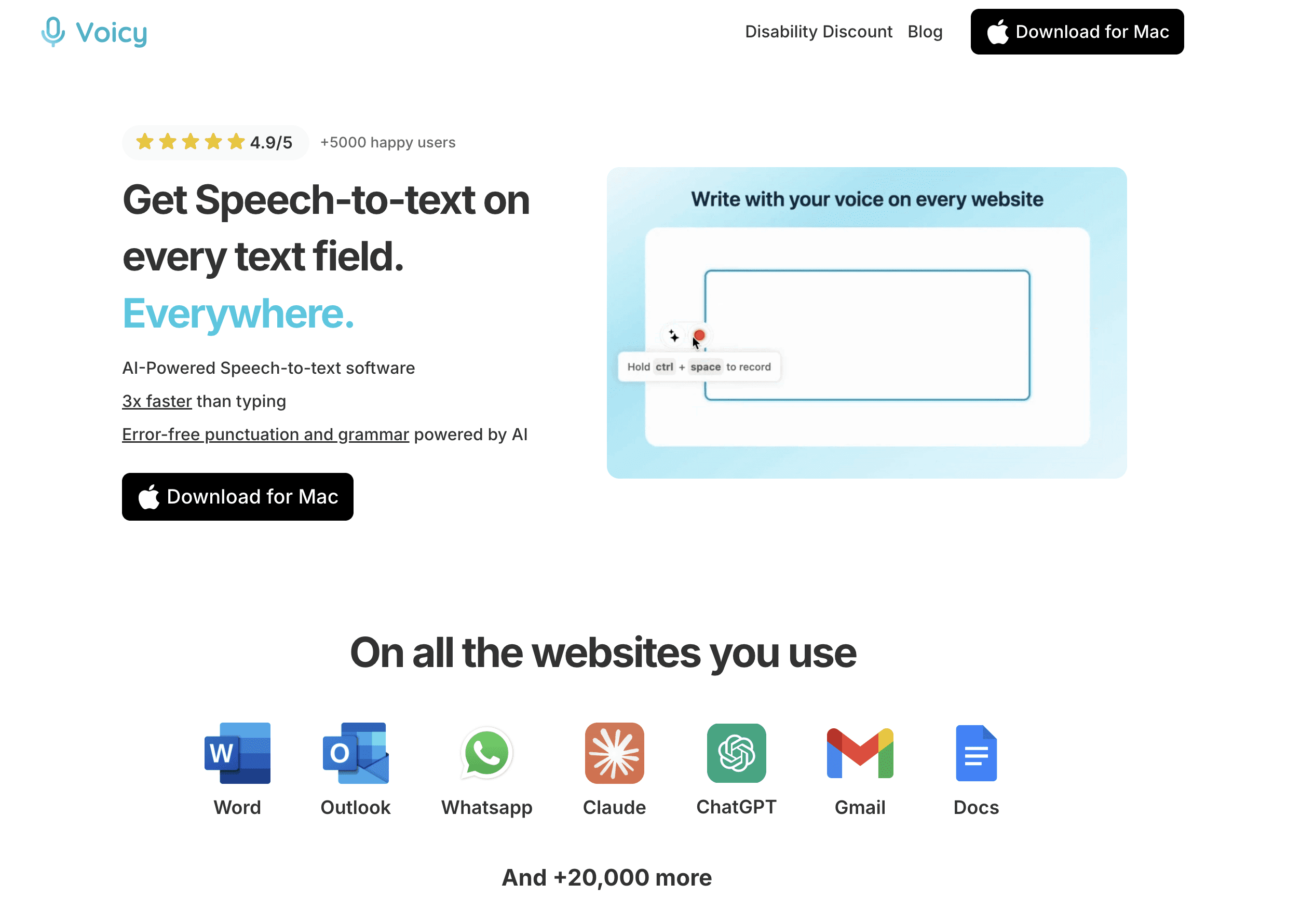
Voicy represents the new generation of AI-powered dragon speech to text software that makes Dragon's training requirements obsolete.
Why Voicy Beats Dragon Speech to Text:
99% accuracy immediately - Higher than Dragon's maximum after months of training
Zero training required - Start dictating accurately from day one
Automatic formatting - No more saying "period comma new paragraph"
Technical terms work instantly - Medical, legal, and industry vocabulary included
Cross-platform - Mac, Windows, iPhone, Android, Chrome extension
$8.49/month, $82/year, or $260 lifetime - fraction of Dragon's one-time cost
Voicy is particularly popular among writers who need to capture ideas quickly without the friction of Dragon's training requirements. For comprehensive writing workflows, check out our guide to dictation software for writers.
Best For: Users wanting dragon speech to text level accuracy without the hassle. Ideal for professionals who dictate regularly but don't want to invest weeks in training.
Pricing: Free trial available. $8.49/month, $82/year, or $260 lifetime. Voicy also offers a 20% disability discount on all plans - no proof needed.
2. Wispr Flow - Best for Teams and Cross-Platform Dragon Speech to Text
Wispr Flow brings AI dragon speech to text capabilities to teams with shared vocabulary and consistent experience across devices.
Key Features:
Context-aware automatic editing
Team vocabulary sharing
Three writing styles: formal, casual, very casual
Custom snippets for repeated text
HIPAA and SOC 2 compliance available
Best For: Teams needing consistent dragon speech to text functionality across multiple platforms and users.
Pricing: $15/month or $144/year - pricier than other alternatives
3. Otter.ai - Best Dragon Speech to Text for Meeting Transcription
While not a direct dragon speech to text replacement for solo dictation, Otter.ai excels at meeting transcription and collaborative notes.
Key Features:
Real-time meeting transcription
Speaker identification
Meeting summaries and action items
Integration with Zoom, Teams, Google Meet
Searchable transcript library
Best For: Meeting-heavy professionals who need accurate transcription of conversations rather than solo dragon speech to text dictation.
Pricing: Free tier available; $16.99/month for premium features
4. Windows Voice Access - Best Free Dragon Speech to Text Windows Alternative
Windows Speech Recognition built-in solution offers surprisingly good dragon speech to text functionality without additional software.
Key Features:
Built into Windows 11
Works in any application
Voice commands for PC control
85-90% accuracy with no training
Completely free
Best For: Windows users wanting free dragon speech to text capability without installing additional software.
Pricing: Free with Windows 11
5. Apple Dictation - Best Free Dragon Speech to Text Mac Alternative
Apple Dictation system-wide dictation provides solid dragon speech to text accuracy across all Mac applications.
Key Features:
Built into macOS and iOS
Works in any application
Enhanced Dictation for offline use
Voice Control for hands-free Mac operation
85-90% accuracy
Best For: Mac users wanting free, system-wide dragon speech to text functionality.
Pricing: Free with macOS/iOS
6. Google Docs Voice Typing - Best Dragon Speech to Text for Document Writing
Google Docs Voice Typing offers excellent dragon speech to text accuracy for document creation.
Key Features:
Works directly in Google Docs
85-90% accuracy
Voice commands for formatting
Real-time collaboration while dictating
Completely free
Best For: Users who primarily work in Google Docs and want free, accurate dragon speech to text capability.
Pricing: Free with Google account
7. SuperWhisper - Best Privacy-Focused Dragon Speech to Text for Mac
SuperWhisper runs OpenAI's Whisper model locally on Mac for private, accurate dragon speech to text transcription.
Key Features:
95%+ accuracy with Whisper AI
Completely offline processing
No data sent to cloud services
Works system-wide on Mac
One-time purchase available
Best For: Privacy-conscious Mac users who want AI-level dragon speech to text accuracy without cloud processing.
Pricing: $8.49/month, $84/year, or $249 lifetime
8. MacWhisper - Best Budget Dragon Speech to Text Mac Option
MacWhisper is another Mac-focused app using Whisper AI for local dragon speech to text transcription.
Key Features:
OpenAI Whisper integration
Offline processing
System-wide hotkey
Audio file transcription
Budget-friendly
Best For: Mac users wanting AI-powered dragon speech to text capability at a low price point.
Pricing: One-time purchase under $30
Dragon Speech to Text Migration Guide
Step 1: Choose Your Dragon Speech to Text Alternative
For Dragon Professional users: Consider Voicy for similar accuracy without training requirements.
For Dragon Medical users: Voicy handles medical terminology immediately, or stick with Dragon if HIPAA compliance requires local processing.
For Dragon Legal users: Voicy works with legal terms instantly, but verify compliance requirements.
For casual users: Start with built-in options (Windows Voice Access, Apple Dictation) before investing in premium dragon speech to text tools.
Step 2: Test Dragon Speech to Text Accuracy
All modern dragon speech to text alternatives offer free trials. Test with your typical content:
Read a sample document aloud
Include technical terms from your field
Test in your primary work applications
Compare accuracy across 2-3 options
Step 3: Learn New Dragon Speech to Text Workflows
Stop saying punctuation - Modern AI dragon speech to text adds periods, commas, and paragraphs automatically based on your speech patterns.
Use natural speech - No more "new paragraph" commands. Just pause naturally between thoughts.
Try mobile dictation - Unlike Dragon, modern dragon speech to text tools work on phones and tablets.
Step 4: Handle Specialized Vocabulary
Medical/Legal terms: Modern AI dragon speech to text recognizes most professional vocabulary immediately.
Company names: Add to custom dictionaries in apps like Voicy or Wispr Flow.
Acronyms: Most are recognized automatically, or add once to custom vocabulary.
Step 5: Integrate with Existing Workflows
Document creation: Most dragon speech to text alternatives work in Word, Google Docs, and other editors.
Email: System-wide tools work in Outlook, Gmail, Apple Mail.
Note-taking: Compatible with Notion, Obsidian, Evernote, and other apps.
Dragon Speech to Text Feature Comparison Table
Feature | Dragon Pro | Voicy | Wispr Flow | Otter.ai | Windows Voice | Apple Dictation |
|---|---|---|---|---|---|---|
Accuracy | 95-97% (after training) | 96-99% (immediate) | 94-96% | 93-95% | 85-90% | 85-90% |
Training Required | 20-30 mins + weeks | None | None | None | None | None |
Automatic Formatting | No | Yes | Yes | Yes | Basic | Basic |
Technical Vocabulary | Manual training | Built-in | Built-in | Built-in | Basic | Basic |
Cross-Platform | Windows only | All platforms | Mac/Windows/iOS | All platforms | Windows only | Apple only |
Offline Mode | Yes | No | No | No | Yes (Enhanced) | Yes (Enhanced) |
Annual Cost | $0 (after $500) | $82 | $144 | $204 | Free | Free |
Team Features | No | No | Yes | Yes | No | No |
Apple Dictation vs Dragon: Which Is Better?
One of the most common questions is how Apple's built-in dictation compares to Dragon speech to text software. Here's a quick breakdown:
Feature | Apple Dictation | Dragon NaturallySpeaking |
|---|---|---|
Cost | Free | $500–700 one-time |
Training required | None | 20-30 minutes+ |
Accuracy | 85-90% | 95-97% (after training) |
Automatic punctuation | Basic | No - you must say "period" |
Platform | Mac and iOS only | Windows only |
Offline mode | Yes (Enhanced Dictation) | Yes |
Technical vocabulary | Basic | Good (after training) |
Apple Dictation vs Dragon - the verdict: Apple Dictation wins on cost and ease of setup. Dragon wins on raw accuracy (after extensive training) and technical vocabulary depth. But here's the thing: in 2026, neither is the best choice for most people.
AI tools like Voicy beat both. Better accuracy than Dragon without any training, automatic punctuation that Apple Dictation lacks, and it works on Mac AND Windows. If you're choosing between Apple dictation vs Dragon, Voicy is a stronger option that outperforms both.
Internal Links and Resources
Looking for more dragon speech to text insights? Check out these helpful guides:
Dragon Dictation Software Alternative - Deep-dive comparison of Dragon vs modern AI tools
Best Dragon Alternatives 2026 - Full listicle with pricing and use-case breakdown
Best Voice Typing App for 2026 - Compare top voice typing solutions
Best Dictation Software Guide - Comprehensive dictation tool reviews
Voicy Homepage - Try the dragon speech to text alternative with 96-99% accuracy
Frequently Asked Questions About Dragon Speech to Text
Is Dragon still the most accurate speech to text software?
No. Modern AI-powered dragon speech to text tools like Voicy achieve 96-99% accuracy immediately, higher than Dragon's 95-97% maximum after months of training. The accuracy crown has shifted to AI-based solutions.
Why are people switching from Dragon speech to text in 2026?
Three main reasons: (1) Training requirements are obsolete when AI provides better accuracy instantly, (2) Modern dragon speech to text tools cost less annually than Dragon's one-time purchase, (3) Cross-platform compatibility matters more in our multi-device world.
Can I get Dragon-level speech to text accuracy for free?
Built-in options like Windows Voice Access and Apple Dictation provide 85-90% accuracy for free. For dragon speech to text level 95%+ accuracy, you'll need premium AI tools, but they cost significantly less than Dragon annually.
What happened to Dragon speech to text after Microsoft bought Nuance?
Microsoft's focus shifted toward enterprise, healthcare, and Azure AI workflows. For everyday users, Dragon feels less modern than newer AI dictation tools.
Do modern dragon speech to text alternatives handle medical and legal terminology?
Yes. AI models are trained on vast datasets including medical and legal texts. Tools like Voicy recognize professional terminology immediately without the manual training Dragon requires.
Which dragon speech to text alternative works offline?
SuperWhisper and MacWhisper run locally on Mac. Windows Voice Access and Apple Dictation offer offline modes. Most AI-powered dragon speech to text alternatives require internet connectivity for best accuracy.
Can I use voice commands to control my computer with dragon speech to text alternatives?
Windows Voice Access offers extensive computer control via voice. Apple Dictation includes Voice Control for Mac navigation. Most AI dragon speech to text alternatives focus on transcription rather than computer control.
How do I switch from Dragon without losing my custom vocabulary?
Modern AI dragon speech to text tools don't require custom vocabulary - they recognize most terms immediately. For truly unique terms (company names, acronyms), add them once to your new tool's dictionary rather than retraining extensively.
Are dragon speech to text alternatives secure for confidential documents?
Depends on the tool. Local processing options (SuperWhisper, offline modes) keep data on your device. Cloud-based dictation tools vary widely in security, retention, and enterprise controls. Review each tool's privacy and compliance terms before using it for confidential documents.
Should lawyers and doctors stick with Dragon speech to text software?
Not necessarily. Modern AI handles professional terminology better than untrained Dragon. However, if you need guaranteed offline processing for confidentiality, Dragon or local AI dragon speech to text tools like SuperWhisper might be preferred.
Is there a free alternative to Dragon NaturallySpeaking?
Yes - several good ones. Apple Dictation is free on Mac and works in any app. Windows Voice Access is free on Windows 11. Google Docs Voice Typing is free in any browser. These free options reach 85-90% accuracy, which works well for casual use. For professional-grade accuracy (95%+), tools like Voicy offer a free trial so you can test before committing.
What is the best replacement for Dragon speech to text software?
Voicy is the top replacement for most Dragon users in 2026. It delivers 96-99% accuracy without training, works on Mac and Windows, and costs a fraction of Dragon's price. For medical professionals needing offline processing, SuperWhisper or Speakmac are strong picks. See our full comparison on our Dragon dictation software alternative page.
Does Dragon NaturallySpeaking still work in 2026?
Sort of. Dragon Professional for Windows still runs, but it has known issues with Windows 11 - including lag, freezing, and app compatibility problems. Dragon for Mac was discontinued and doesn't work on modern Macs. Nuance (now owned by Microsoft) hasn't released meaningful updates since 2022, so Dragon speech to text software is essentially stuck in time while AI tools keep improving.
Is Dragon NaturallySpeaking worth the price in 2026?
For most users, no. Dragon Professional costs $500-700 one-time, requires 20-30 minutes of training, and is Windows-only. Modern AI tools deliver similar or better accuracy instantly, cost $50-150 per year, and work across all platforms. The only case where Dragon still makes sense is if you need guaranteed offline processing or already have years of training invested in your Dragon profile.
The Honest Truth About Dragon Speech to Text in 2026
Dragon NaturallySpeaking was revolutionary and deserved its 25-year reign as the dragon speech to text king. For users with specific needs - offline processing, extensive computer control, or existing heavy investments in training - Dragon still makes sense.
But for most users in 2026, Dragon represents old technology solving problems that no longer exist. Training requirements that once seemed necessary now feel antiquated. Costs that once seemed reasonable now feel excessive. Limitations that once seemed acceptable now feel frustrating.
The future of dragon software speech to text is AI-powered, immediately accurate, and naturally formatted. Dragon helped us get here, but it's no longer the destination.
Ready to Switch from Dragon Speech to Text?
The best way to find your dragon speech to text replacement is to try multiple options. Most modern alternatives offer free trials.
Start with built-in options on your platform - they might surprise you with their capability. If you need higher accuracy or professional features, explore AI-powered dragon speech to text tools like Voicy, Wispr Flow, or Otter.ai.
You can also check out our dedicated Dragon dictation software alternative page for a deeper comparison of your options.
The era of training dragon speech to text software is over. The era of AI dictation that just works has begun.
Last updated: March 13, 2026. Verified with current Dragon pricing and AI dragon speech to text capabilities.


