




Summary of the article
Wispr Flow pricing: Wispr Flow has a Basic plan with weekly word limits, a Pro plan at $15 per user per month monthly, or $144 per year, plus custom Enterprise pricing.
Best fit for Wispr Flow: pick it if you want polished AI dictation across Mac, Windows, iPhone, and Android, and you are fine with a subscription.
Best fit for Voicy: pick Voicy if you want a lower monthly price, a yearly plan, a lifetime option, browser extension support, and file upload transcription.
Long-term cost: Wispr Flow Pro costs $144 per year on annual billing. Voicy costs $82 per year, or $260 once for lifetime access.
Important note: Voicy has a free trial. It is not a fully free product.
Wispr Flow pricing is simple, but the long-term cost depends on how often you dictate. The Pro plan is $15 per user per month if paid monthly, or $12 per user per month when billed annually. That means $144 per year for one person on the annual plan.
For comparison, Voicy is $8.49 per month, $82 per year, or $260 for lifetime access. Voicy also supports Mac, Windows, browser extension use, iOS, Android, live dictation, and file upload transcription.
If you are searching for "Wispr Flow pricing", you are probably past the casual research stage. You want to know what it costs, what you get on the free plan, and whether a cheaper dictation app would cover the same job.
This guide gives you the plain version. It uses Wispr Flow's live pricing page, then compares that cost with Voicy so you can decide based on your actual workflow.
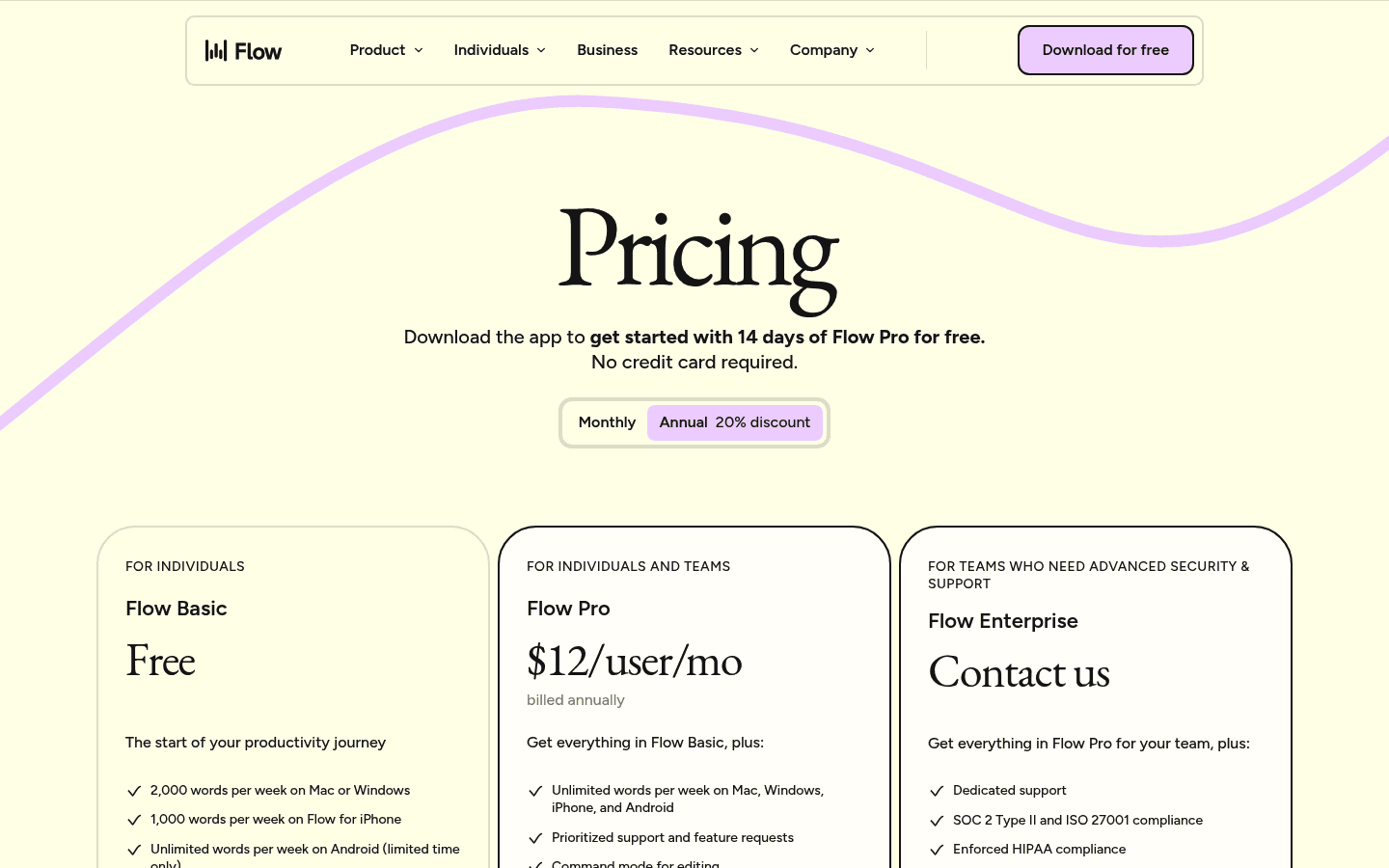
Wispr Flow pricing page captured on June 6, 2026.
Wispr Flow pricing in 2026
Wispr Flow has three main plan levels: Basic, Pro, and Enterprise. Basic is the entry plan with weekly word limits. Pro removes the word limit and adds more support and product features. Enterprise is for teams that need deeper security, admin, and compliance controls.
Plan | Price | Best for | Main limit |
|---|---|---|---|
Wispr Flow Basic | $0 | Light dictation and testing the product | 2,000 words per week on desktop, 1,000 words per week on iPhone |
Wispr Flow Pro | $15/user/mo monthly, or $12/user/mo billed annually | Daily dictation across Mac, Windows, iPhone, and Android | No lifetime plan |
Wispr Flow Enterprise | Custom pricing | Teams that need SSO, dashboards, dedicated support, SOC 2, ISO 27001, or enforced HIPAA controls | You need to talk to sales |
Wispr Flow also advertises a 14-day Pro trial with no card required. Students can get three months free and 50% off the Pro plan, according to the current pricing page.
Is Wispr Flow free?
Wispr Flow has a Basic plan, but it is limited by weekly word counts. The current limit is 2,000 words per week on Mac or Windows, 1,000 words per week on iPhone, and unlimited words on Android for a limited time.
That is enough to test the product or dictate a few short messages. It is not enough for someone who dictates long emails, documents, meeting notes, or daily work across several apps.
What do you get with Wispr Flow Pro?
Wispr Flow Pro is the plan most daily users will compare. It includes unlimited words per week across Mac, Windows, iPhone, and Android. It also includes command mode for editing, early access to new features, prioritized support, and team collaboration features.
The main reason to pay for Wispr Flow Pro is convenience. It is built for people who want to speak naturally and get cleaned-up text in many apps. The tradeoff is price. At $144 per year, it costs more than Voicy's yearly plan.
Wispr Flow vs Voicy pricing
Wispr Flow and Voicy are both AI dictation tools, but they package pricing differently. Wispr Flow focuses on a limited Basic plan plus a recurring Pro subscription. Voicy gives you monthly, yearly, and lifetime options.
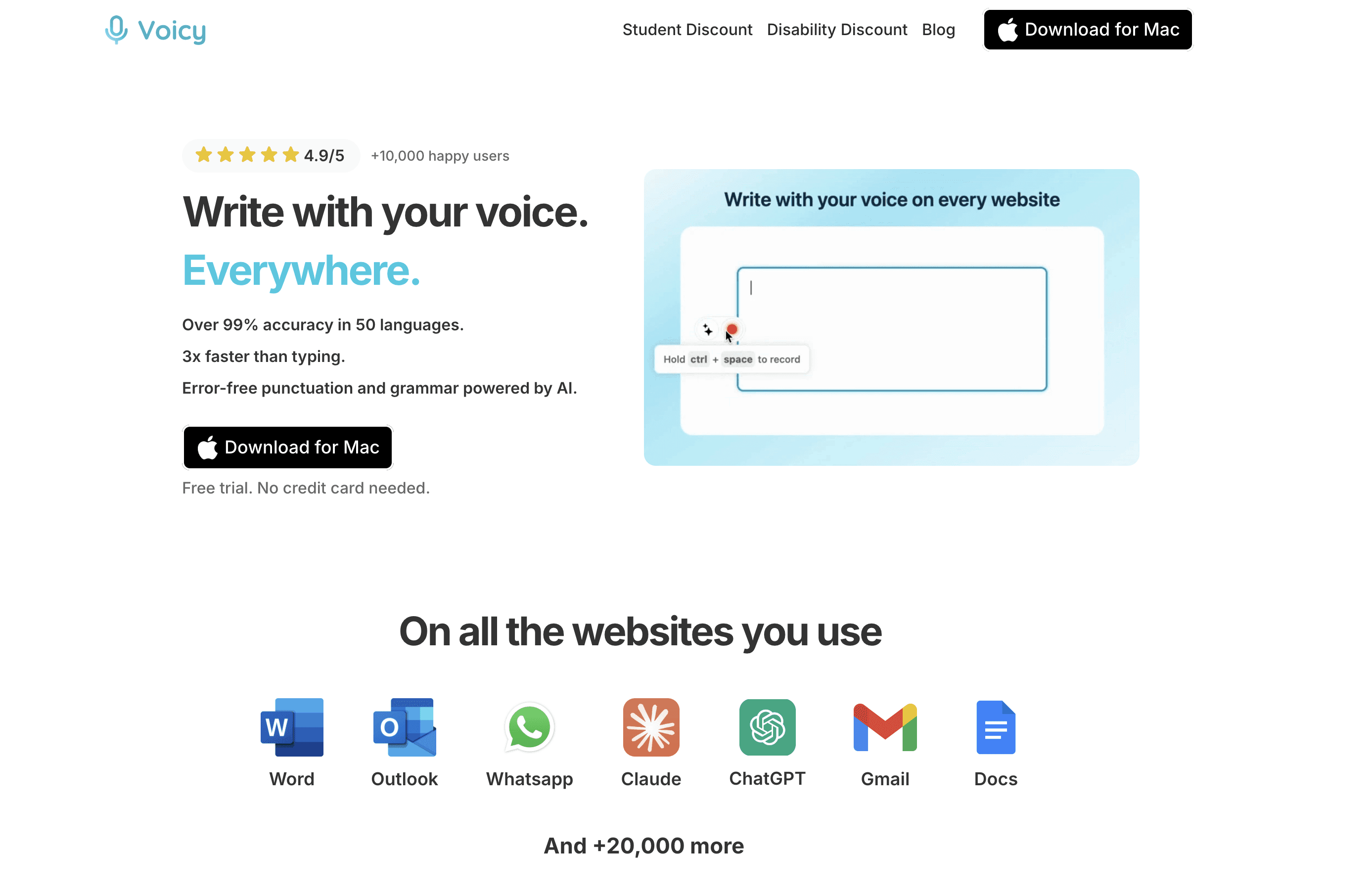
Voicy supports live dictation and file upload transcription across major platforms.
Feature | Wispr Flow | Voicy |
|---|---|---|
Monthly price | $15/user/mo | $8.49/mo |
Annual price | $144/year | $82/year |
Lifetime option | Not listed | $260 one time |
Trial or free access | Basic plan with weekly word limits, plus 14-day Pro trial | Free trial available, not fully free |
Platforms | Mac, Windows, iPhone, Android | Mac, Windows, browser extension, iOS, Android |
File transcription | Focused on live dictation | Live dictation plus file upload transcription |
Processing | Cloud AI dictation | Cloud AI transcription |
The short version: Wispr Flow and Voicy are very similar. Wispr Flow edges out on automatic formatting, but Voicy makes up for it with AI editing features.
Voicy is stronger if price flexibility matters, if you want a browser extension, or if you need to transcribe uploaded audio files as well as dictate live.

Wispr Flow cost over 1, 3, and 5 years
Subscriptions can look small month by month. The real comparison is what you pay over time.
Time period | Wispr Flow Pro annual | Voicy annual | Voicy lifetime |
|---|---|---|---|
1 year | $144 | $82 | $260 |
3 years | $432 | $246 | $260 |
5 years | $720 | $410 | $260 |
Voicy's lifetime plan starts to make sense if you expect to use dictation for more than three years. If you prefer smaller payments, Voicy's yearly plan is still $62 less per year than Wispr Flow Pro annual.
When is Wispr Flow worth the price?
Wispr Flow is worth considering if the product's editing style is exactly what you want. Its pitch is not only raw speech-to-text. It tries to turn messy speech into clearer writing across your apps.
Choose Wispr Flow if:
You like the Basic plan and want to test dictation with a word cap.
You need Mac, Windows, iPhone, and Android in one account.
You care more about polished auto-editing than the lowest annual price.
Your team needs Enterprise security or admin options.
Do not pick Wispr Flow only because it has a free-looking entry plan. If you dictate daily, you will likely hit the Basic word limit and need Pro.
When is Voicy the better-priced alternative?
Voicy is the better-priced choice if you want a lower ongoing cost and more plan flexibility. The monthly plan is $8.49 instead of $15. The yearly plan is $82 instead of $144. The lifetime option gives heavy users a clear ceiling.
Choose Voicy if:
You want live dictation on Mac, Windows, browser extension, iOS, and Android.
You also need file upload transcription.
You want a lower yearly price.
You prefer buying lifetime access instead of paying forever.
You want to try the product first, but understand it is a free trial, not a fully free app.
Voicy is cloud-based, so it is not the right angle if you require fully local or offline transcription. For that specific need, compare local tools like Superwhisper or MacWhisper. For everyday cross-platform dictation and file transcription, Voicy is the cleaner value pick.
If you want a full list of alternatives, check our best Wispr Flow alternatives post.
How Wispr Flow pricing compares with other dictation tools
Wispr Flow sits in the premium subscription part of the dictation market. It is not the most expensive tool, but it is also not the cheapest.
Tool | Common pricing angle | Best fit |
|---|---|---|
$15/mo or $144/yr Pro | Polished AI dictation across devices | |
$8.49/mo, $82/yr, or $260 lifetime | Cross-platform dictation plus file transcription | |
Monthly, annual, and lifetime options | Mac users who want advanced local dictation controls | |
Subscription-based AI dictation | Users comparing newer AI dictation apps | |
Subscription-based AI voice writing | Users who want style memory and voice writing workflows | |
Higher-priced professional dictation | Specialized professional and enterprise workflows |
If you are comparing the broader category, start with our guide to the best voice to text apps. If you want a broader overview of dictation software, read our voice typing app guide. Mac users can also compare setup options in our speech-to-text for Mac guide.
Final verdict: is Wispr Flow pricing fair?
Wispr Flow pricing is fair if you use it every day and value its polished AI editing enough to pay $144 per year. The Basic plan is useful for testing, but serious users should judge Wispr Flow by the Pro price, not by the limited word-count plan.
Voicy is the better value if you want lower monthly or yearly pricing, a lifetime option, browser extension support, and file upload transcription. Wispr Flow is the better pick if its exact cross-device editing workflow feels worth the higher recurring cost.
Try both before deciding. Use Wispr Flow's trial to test its writing style, and use Voicy's free trial to test dictation, browser workflows, and file transcription. The best choice is the one you will actually use every day.
FAQ
How much does Wispr Flow cost?
Wispr Flow Pro costs $15 per user per month when paid monthly, or $12 per user per month when billed annually. That makes the annual plan $144 per year.
Does Wispr Flow have a free plan?
Yes. Wispr Flow Basic has weekly word limits. The current pricing page lists 2,000 words per week on desktop, 1,000 words per week on iPhone, and unlimited words on Android for a limited time.
Does Wispr Flow offer a lifetime plan?
Wispr Flow does not list a lifetime plan on its current pricing page. Its main paid individual plan is Pro, available monthly or annually.
Is Voicy cheaper than Wispr Flow?
Yes, on monthly and annual pricing. Voicy is $8.49 per month or $82 per year, while Wispr Flow Pro is $15 per month or $144 per year.
Does Voicy have a lifetime plan?
Yes. Voicy has a $260 lifetime plan. It also has monthly and yearly plans for users who do not want to pay upfront.
Is Voicy free?
No. Voicy has a free trial, but it is not a fully free product. Paid plans are $8.49 per month, $82 per year, or $260 lifetime.
Which is better, Wispr Flow or Voicy?
Choose Wispr Flow if you want its specific AI auto-editing flow across devices. Choose Voicy if you want lower pricing, browser extension support, file upload transcription, and a lifetime option.
Can Voicy transcribe audio files?
Yes. Voicy supports file upload transcription as well as live dictation. That matters if you need to transcribe recordings, not just speak into apps in real time.
Does Wispr Flow work on Windows?
Yes. Wispr Flow lists support for Mac, Windows, iPhone, and Android. Voicy also supports Windows, plus Mac, browser extension, iOS, and Android.
What is the cheapest Wispr Flow alternative?
Voicy is cheaper than Wispr Flow on monthly and annual pricing. If you need local-only Mac transcription, compare tools like Superwhisper or MacWhisper, but those serve a different privacy-first workflow.


