




10 Essential Work From Home Productivity Tools for 2026
Working from home is a skill.
It can either be heaven or hell, depending on your setup.
The right work from home productivity tools can help manage your tasks and stay productive like a master.
For this guide we tested dozens of proven productivity tools to present you with the 10 best ones to use right away.
Each tool comes with clear details, real examples, and honest pros and cons. We'll show you how AI-powered tools like Voicy can change the way you write using speech-to-text technology. Plus, you can check out other top remote collaboration tools to boost team productivity for even more ideas.
Let's find the perfect tools for you.
Short Version of the Article
A summarized version of the article if you don't like reading.
Tools by Category
Writing & Speech Tools
Voicy - AI-powered speech-to-text that turns your voice into polished text with 99%+ accuracy in 50+ languages. Includes AI commands to reformat text instantly. Perfect for anyone who wants to write faster or has typing difficulties.
Website: https://usevoicy.com
Email Management
Superhuman - The fastest email app ever made. Built for keyboard shortcuts with AI features that summarize threads and help write responses. Designed for professionals who process hundreds of emails daily.
Website: https://superhuman.com
Meeting Tools
Granola - Silent meeting transcription that combines your own notes with AI recordings. No bot needed in meetings. Creates personalized summaries based on what you actually care about.
Website: https://granola.so
Focus & Time Management
Forest - Gamified focus timer that plants virtual trees during work sessions. Blocks distracting apps to reduce procrastination. Makes focusing feel rewarding.
Website: https://www.forestapp.cc
Superlist - AI-powered task management with voice-to-task conversion and beautiful design. Created by the former Wunderlist team. Perfect for individuals, families, and small teams.
Website: https://superlist.com
Knowledge Management
Obsidian - Build a "second brain" with linked notes stored locally on your computer. Complete data ownership with powerful plugins. Free for personal use.
Website: https://obsidian.md
Team Communication
Slack - Channel-based messaging platform with 2,600+ app integrations. Includes audio/video huddles and AI summaries. Essential for distributed teams that need organized conversations.
Website: https://slack.com/
Project Management & Organization
Notion - Flexible all-in-one workspace for notes, tasks, wikis, and databases. Completely customizable with AI assistance. Ideal for individuals and teams who want to build custom workflows.
Website: https://www.notion.so/
Asana - Structured work management platform with multiple views, automation, and advanced reporting. Best for teams managing complex, cross-functional projects.
Website: https://asana.com/
Trello - Visual Kanban board system with drag-and-drop simplicity and Butler automation. Perfect for individuals and small teams who want easy project tracking.
Website: https://trello.com/
1. Voicy - Best for writing & saving time
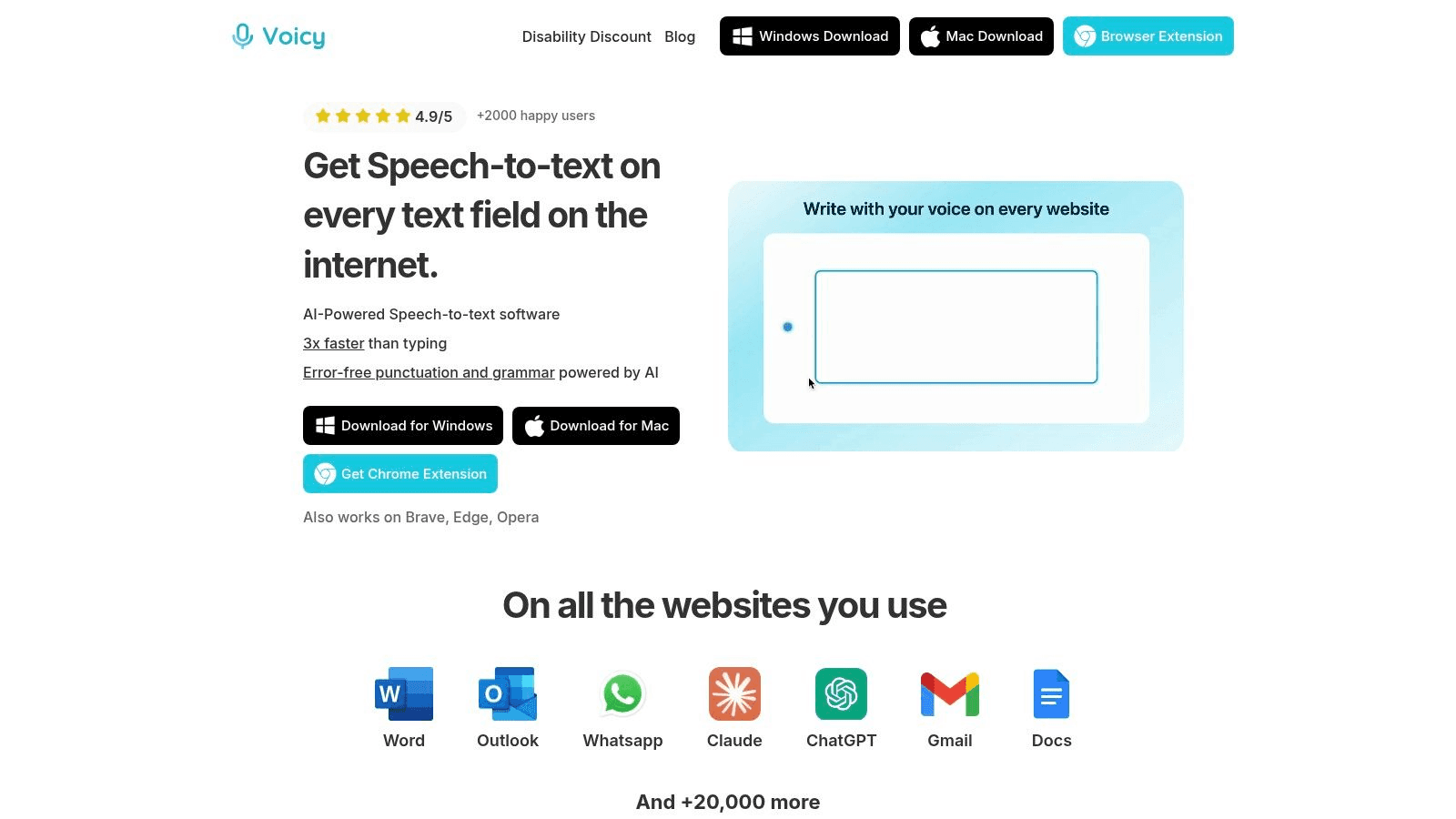
Imagine writing emails, messages, reports, etc. 3x faster.
Perfect grammar, perfect punctuation, perfect tone.
Voicy makes this possible with its AI-powered speech-to-text.
It gets things right over 99.5% of the time. Whether you speak English, Spanish, or Mandarin, it works.
Why Voicy is a Top-Tier Productivity Tool
What makes Voicy special is the AI Commands feature. You can create your own voice commands to do complex tasks.
Here's an example. You can speak a quick email draft. Then just say "make this email formal" and Voicy instantly rewrites it in a professional tone. It's that easy.
This feature speeds up your work dramatically. It's perfect for everyone from busy executives to content creators.
Voicy works on Mac, Windows, and as a Chrome extension. It fits right into the tools you already use. It works smoothly with Gmail, Google Docs, and Microsoft Word.
Key Features:
Exceptional Accuracy: Over 99% accuracy in 50+ languages
AI-Powered Corrections: Fixes grammar and adds punctuation automatically
Custom AI Commands: Create voice commands to format text, change tone, or automate writing tasks
Broad Compatibility: Works with Gmail, Google Docs, Outlook, and ChatGPT
Pros & Cons:
Pros | Cons |
|---|---|
Write up to 3x faster than typing | Needs stable internet for full AI features |
Great for multilingual users and people with typing difficulties | Pricing details not shown on website |
Easy to learn and use |
Voicy isn't just for dictation. It's a complete writing assistant that improves your workflow and helps you produce more. Learn how to implement speech-to-text in your daily routine with Voicy to boost your productivity.
Website: https://usevoicy.com
2. Superhuman - Best for email warriors
Superhuman is built for people who live in email. It claims to be the fastest email app ever made.
Everything works with keyboard shortcuts for maximum speed. No more clicking through menus or searching for buttons.
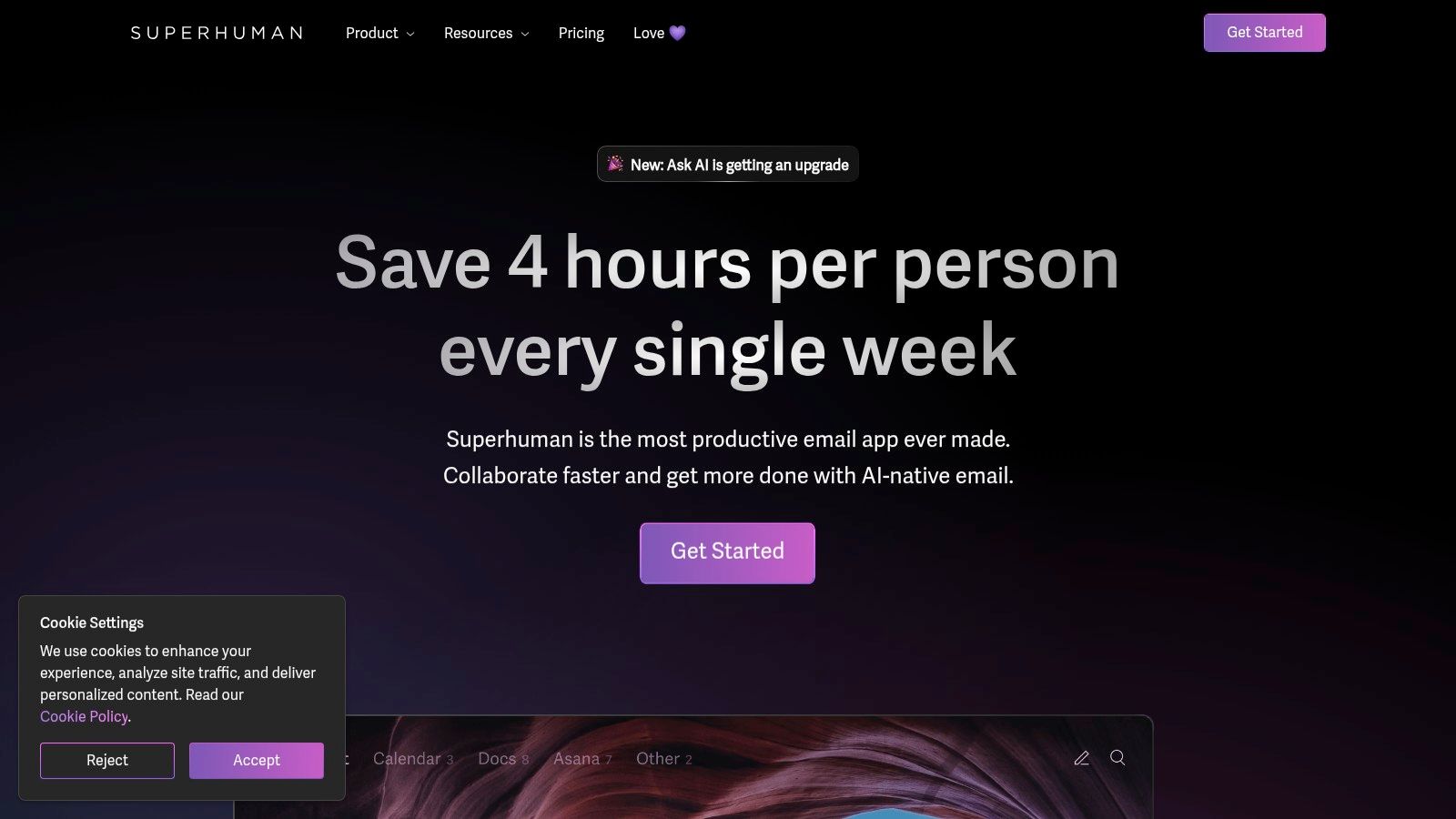
AI features summarize long email threads and help write responses. The interface is minimal and focused on speed. It's designed for professionals who process hundreds of emails daily.
Speed Features & User Experience
The entire app is designed around keyboard shortcuts. Once you learn them, you'll fly through your inbox.
The AI doesn't just summarize emails. It helps you craft perfect responses in seconds. This makes it one of the most powerful work from home productivity tools for email-heavy roles.
Key Offering: Keyboard-first email client with AI summaries and response generation
Unique Selling Point: Fastest email experience with comprehensive keyboard shortcuts
Accessibility: Premium subscription required
Pros:
Dramatically speeds up email processing
AI features save time on reading and writing
Clean, distraction-free interface
Cons:
Expensive-ish subscription required
Only works with Gmail/Google accounts
Learning curve for keyboard shortcuts
Website: https://superhuman.com
3. Granola - Best for meeting-heavy jobs
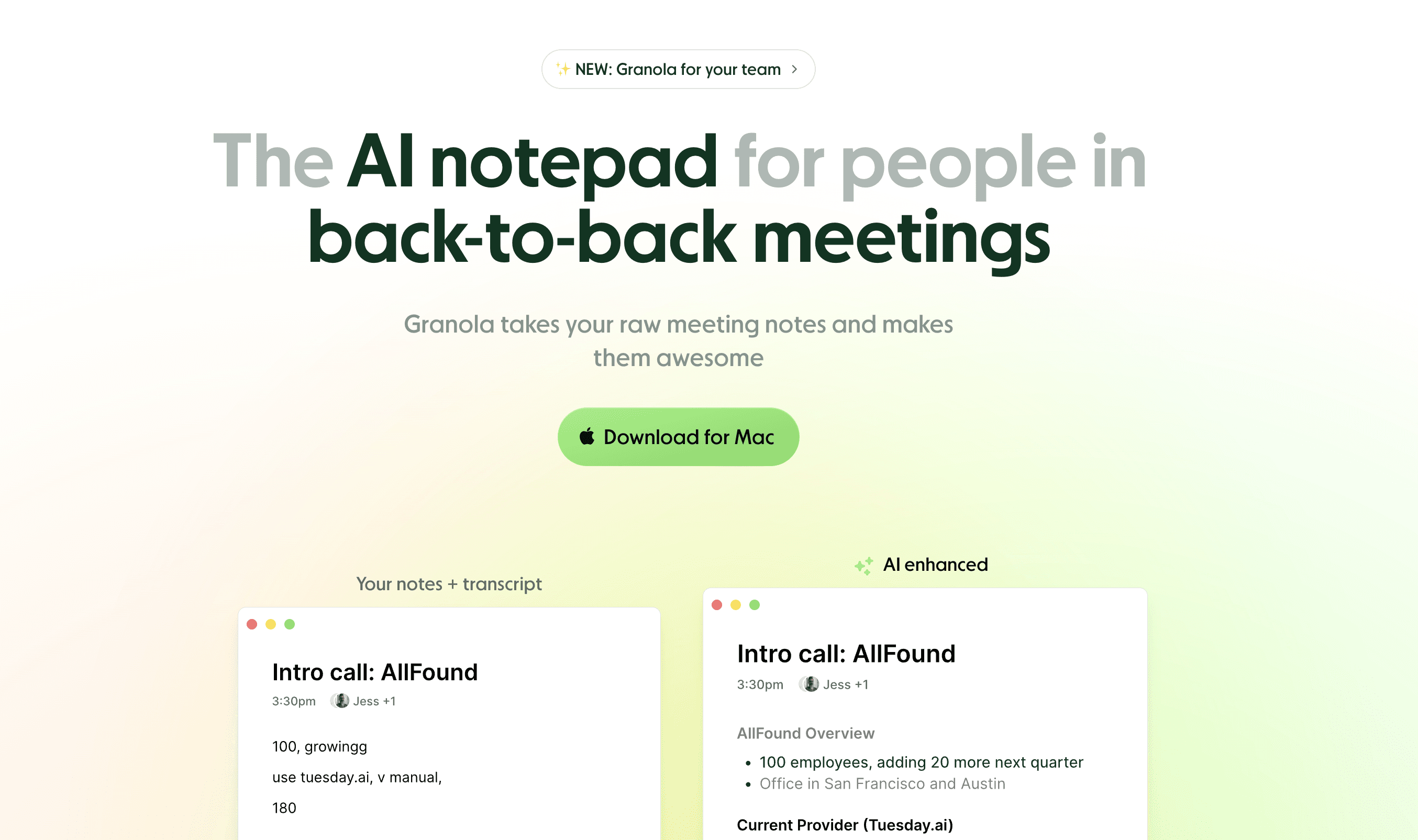
Granola automatically transcribes and summarizes your meetings. But it's different from other AI meeting tools.
Here's what makes Granola special: It runs silently on your computer. No need to invite a bot to meetings.
It combines your own meeting notes with its recordings. It knows exactly what you care about. The quality of the notes is miles ahead of the competition.
How Granola Saves You Time
On the surface, Granola saves time by summarizing meetings. But it goes deeper than that.
It checks your own meeting notes. The actual items you care about. Then it enhances those notes with details from the recording.
You don't waste time reading useless AI summaries. You get enhanced versions of what you already wrote. This makes it an essential tool among work from home productivity tools for meeting-heavy jobs.
Key Offering: Silent meeting transcription that enhances your own notes
Unique Selling Point: Combines your notes with AI transcription for personalized summaries
Accessibility: Free trial with 25 meetings. Plans start at $18/month
Pros:
No bot needed in meetings
Focuses on what you actually care about
Higher quality notes than competitors
Cons:
Requires taking your own notes first
Limited free meetings
Website: https://granola.so
4. Forest - Best for staying focused
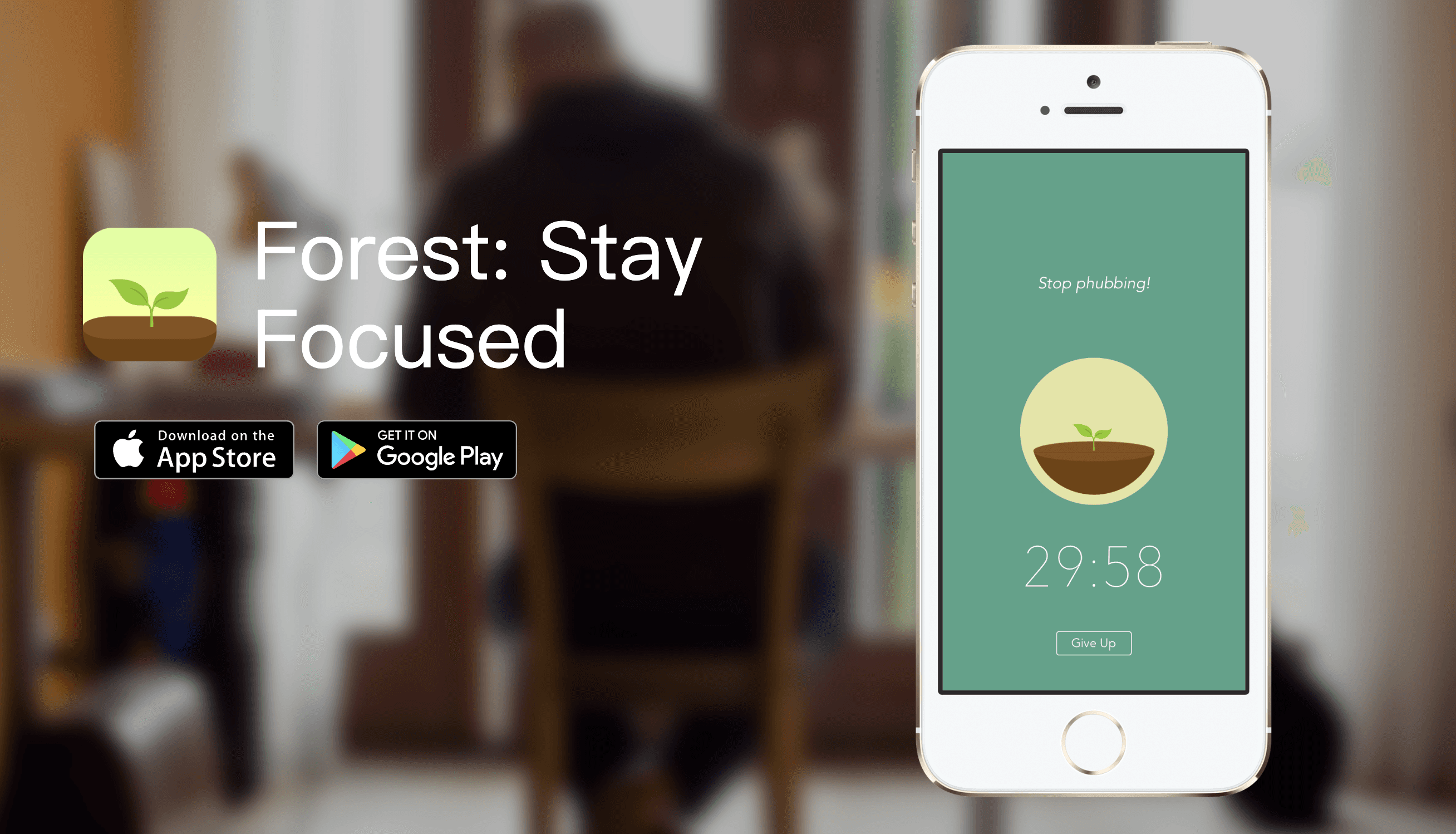
Forest makes focus feel like a game. When you start a work session, Forest plants a virtual tree.
If you leave the app, the tree dies. It's that simple.
While it might sound childish, visualizations like these trick our brain. There's external accountability. You don't want your tree to die, so you stay focused.
How Forest Saves You Time
Forest reduces procrastination. If you can't leave the app, you can't open Instagram or Twitter.
You can't browse social media that lets you procrastinate. You simply become more productive. This makes it one of the best work from home productivity tools for focus enhancement.
Key Offering: Gamified focus timer with virtual tree planting
Unique Selling Point: Visual accountability system that makes focus engaging
Accessibility: One-time purchase of $3.99
Pros:
Makes focusing feel rewarding
Blocks distracting apps effectively
Very affordable one-time cost
Cons:
Simple concept may not appeal to everyone
Requires discipline to use consistently
Website: https://www.forestapp.cc
5. Superlist - Best for staying organized
Superlist combines task management with AI-powered features in a beautiful interface.
Created by the former Wunderlist team, it brings elegant design and smart automation to productivity.

What Makes Superlist Special
Superlist makes task management feel effortless and enjoyable. The AI features enhance your natural workflow without overwhelming you.
Voice input automatically creates tasks with proper due dates and contexts. Unlike enterprise tools, Superlist feels designed for how real people actually organize their lives.
The app goes beyond simple task lists. AI-powered voice-to-task conversion, smart scheduling suggestions, and collaborative features work beautifully for couples, families, and small teams. This makes it a standout among work from home productivity tools for time management.
Key Offering: AI-powered task management with voice-to-task conversion
Unique Selling Point: Beautiful design combined with intelligent automation
Accessibility: Generous free plan. Paid plans start at $15/month
Pros:
Exceptionally beautiful interface
AI voice-to-task works naturally
Great for personal and small team use
Cons:
Limited features for large teams
Premium features require subscription
Still building integration ecosystem
Website: https://superlist.com
6. Obsidian
Obsidian is for people who want to build a "second brain."
It connects your notes together with links, just like Wikipedia. Write about a project in one note, link to a person in another, and watch Obsidian build a visual map of how your thoughts connect.

Why Obsidian Shines
Your notes are stored as simple text files on your computer. You own your data completely.
It's free for personal use and incredibly powerful. The catch? It takes time to learn, and the interface can feel overwhelming at first.
But once you get it, Obsidian becomes one of the most powerful work from home productivity tools for knowledge management and note-taking.
Key Offering: Linked note-taking system with local file storage
Unique Selling Point: Complete data ownership with powerful linking and visualization
Accessibility: Free for personal use. Sync and Publish services require subscription
Pros:
Highly customizable with huge plugin ecosystem
Complete privacy with local data storage
Free for personal use
Cons:
Steeper learning curve
Sync services cost extra
Practical Tip: Explore the "Plugins" section before downloading. See the customization potential. This helps you understand how to tailor the app from day one.
Website: https://obsidian.md
7. Slack
Slack has become the digital office for remote teams everywhere.
It replaces messy email chains with organized channels. Each project or topic gets its own channel. Everything stays focused and easy to find.
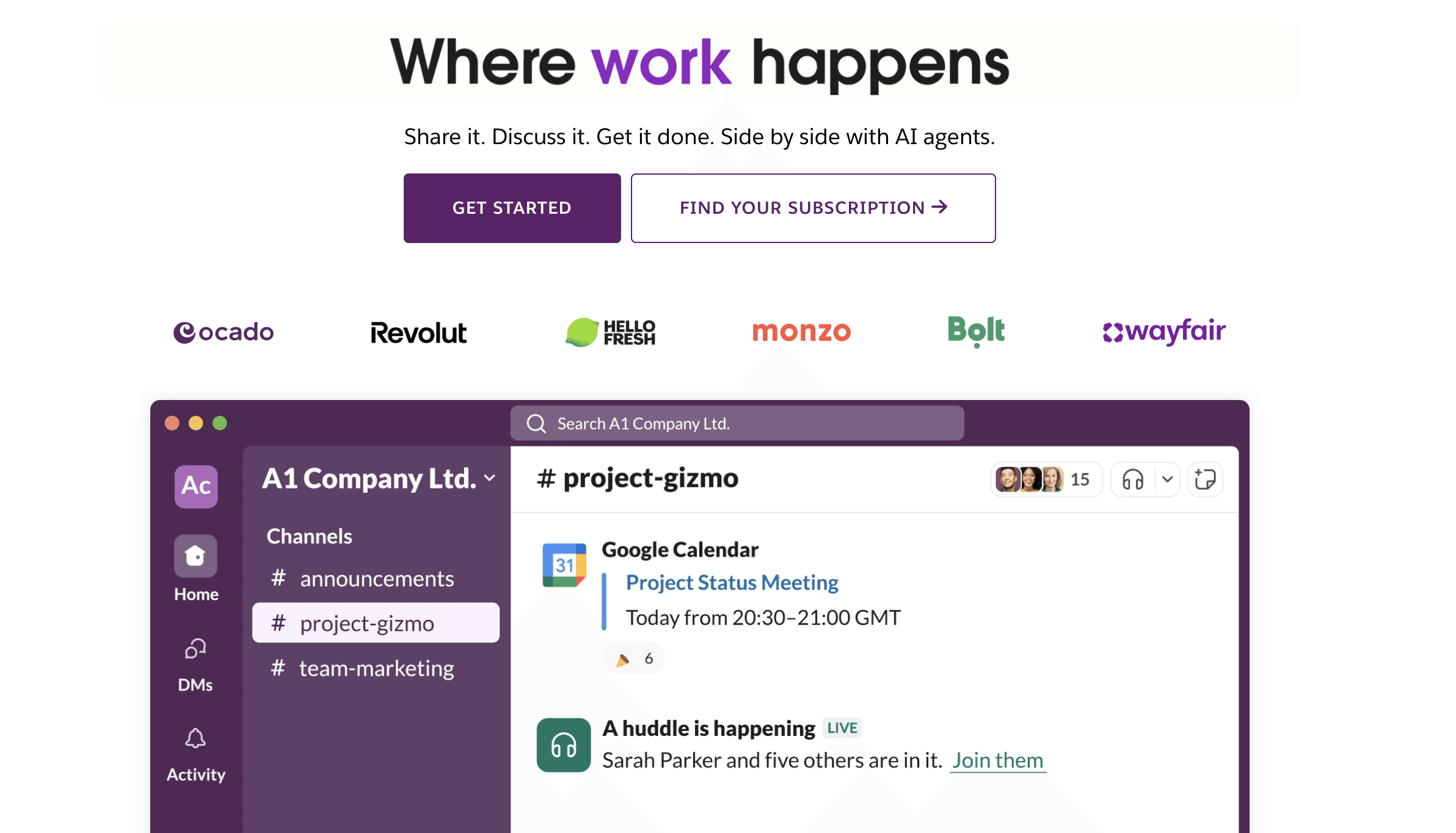
You can share files, send messages, and make quick decisions all in one place. The platform uses channels to keep conversations organized. Public channels for team-wide topics. Private channels for sensitive discussions.
Slack connects with over 2,600 other apps. That means notifications from Google Drive, Jira, or Salesforce come right to you in Slack. With audio/video "huddles" and AI thread summaries, Slack remains one of the most important work from home productivity tools for staying connected.
Core Features & User Experience
The interface is clean and intuitive. New team members can jump in and start using it right away.
Conversations are threaded. This keeps everything organized. On paid plans, the search feature is powerful enough to find any old message.
Key Offering: Channel messaging, direct messages, audio/video huddles, and Slack Connect for working with external partners
Unique Selling Point: Over 2,600 app integrations that bring all your notifications into one place
Accessibility: Free plan available with limits. Paid plans start at $7.25 per user/month (billed yearly)
Pros:
Easy to understand threaded conversations
Tons of third-party app connections
Strong search on paid plans
Cons:
Per-user pricing adds up for big teams
Some features like full message history require paid plans
Website: https://slack.com/
8. Notion
Notion has changed what an all-in-one workspace can be.
It's a flexible platform for notes, tasks, wikis, and databases. You can build custom workflows that fit exactly how you work.
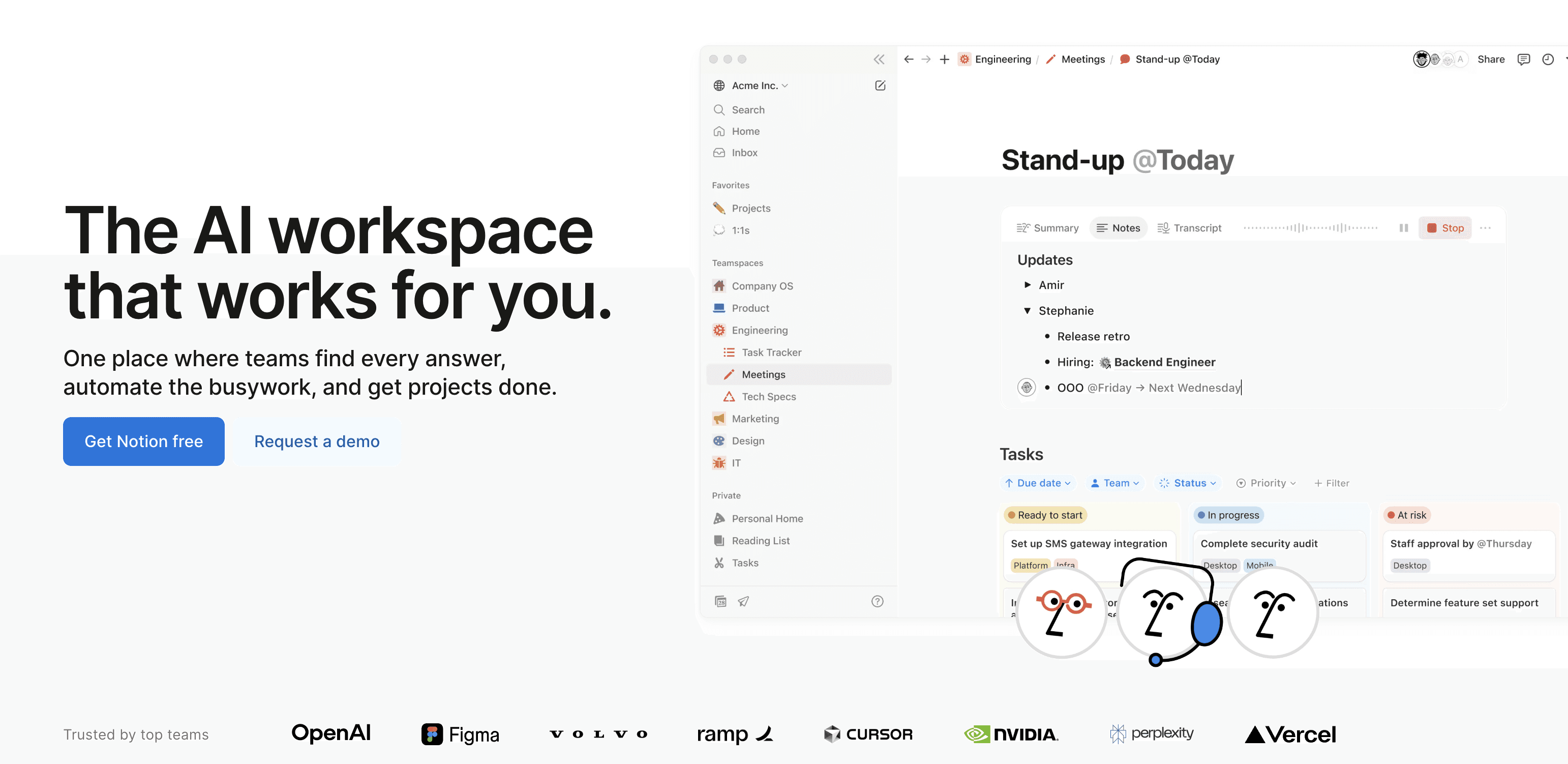
The block-based system lets individuals and teams organize everything in one place. Project plans, meeting notes, and documentation all connect together. You're never locked into a rigid structure.
The real power comes from the database features and AI tools. You can create project trackers, content calendars, and even simple CRMs. Notion AI helps summarize meeting notes, draft content, or translate text. For serious workflow optimization, check out this guide to mastering project management in Notion.
Core Features & User Experience
The design is clean and minimal. But the flexibility can take some time to learn if you're new.
Once you get it, though, it becomes one of the most versatile work from home productivity tools out there.
Key Offering: Flexible pages and databases with multiple views (Kanban, calendar, list, gallery), team tools, and Notion AI
Unique Selling Point: Completely customizable workspace that adapts to any workflow
Accessibility: Generous free plan for personal use. Paid plans start at $8/user/month (billed yearly)
Pros:
Highly customizable for different workflows
Great for personal and team use
Strong free version
Cons:
Learning curve for beginners
Some AI features only on higher-tier plans
Website: https://www.notion.so/
9. Asana
Asana brings structure to team projects. It's a work management platform that keeps everyone on the same page.
It helps teams plan, assign, and track tasks from beginning to end. Everyone knows who's doing what and when it's due.

By putting all communication and project details in one place, Asana cuts out endless email chains. No more status meetings that waste time.
The platform is flexible. You can view projects as lists, Kanban boards, or timelines. Pick what works for your team.
The new AI features automate routine tasks, suggest improvements, and provide smart insights. This makes Asana one of the best work from home productivity tools available. It gives managers high-level visibility while keeping individual team members focused. Learn more about Asana and other time management tools.
Core Features & User Experience
Asana's interface is clean and intuitive. New team members can get started quickly.
You can create detailed tasks with subtasks, due dates, and dependencies. This allows for careful project planning.
Key Offering: Multiple project views (Lists, Boards, Timeline, Calendar), task management, and reporting dashboards
Unique Selling Point: Advanced automation and AI-powered workflow optimization
Accessibility: Free Basic plan for individuals or small teams. Paid plans start at $10.99 per user/month
Pros:
Clear structure for complex projects
Strong reporting features
Customizable for various workflows
Cons:
Per-user pricing can get expensive
Some users report billing and support issues
Website: https://asana.com/
10. Trello by Atlassian
Trello uses visual boards to make project management simple.
It's based on the Kanban method. You get boards, lists, and cards. That's it. Easy to understand and use.
This visual approach lets everyone see project status at a glance. That's why it's a favorite among work from home productivity tools for clarity and simplicity.
Trello combines simplicity with powerful automation. The "Butler" automation handles repetitive tasks like moving cards or assigning team members. This frees up your time.
As part of Atlassian, Trello connects smoothly with tools like Jira and Confluence. Higher-tier plans add Atlassian Intelligence AI features for even better project management.
Core Features & User Experience
Everything works with drag-and-drop. It feels natural. You don't need training to get started.
This makes Trello popular with individuals and small teams. You can get organized quickly without dealing with complicated software.
Key Offering: Kanban boards with unlimited cards, lists, and Butler automation on all plans
Unique Selling Point: Very easy to learn with a great free tier
Accessibility: Strong free plan available. Paid plans start at $5/user/month (billed yearly)
Pros:
Super intuitive and easy to adopt
Generous free plan
Powerful automation features
Cons:
Advanced views require paid plans
Can get messy on very large projects
Website: https://trello.com/
Top 10 Work From Home Productivity Tools Comparison
Product | Core Features & Accuracy | User Experience & Quality ★★★★☆ | Value & Pricing 💰 | Target Audience 👥 | Unique Selling Points ✨ |
|---|---|---|---|---|---|
🏆 Voicy | AI-powered speech-to-text, 99%+ accuracy, 50+ langs | Rated 4.9/5, fast writing (3x typing speed) | Pricing on inquiry | Professionals, students, multilingual, disabilities | AI commands for custom transcription styles, cross-platform |
Superhuman | Keyboard-first email, AI summaries | Fastest email processing | Premium subscription | Email-heavy professionals | Complete keyboard shortcuts, AI responses |
Granola | Meeting transcription + your notes | Personalized AI summaries | Free trial, $18/month | Meeting-heavy roles | No bot needed, enhances your notes |
Forest | Gamified focus timer | Simple, visual accountability | $3.99 one-time | Anyone needing focus | Virtual tree planting, app blocking |
Superlist | AI task management, voice-to-task | Beautiful, intuitive design | Free + paid ($15/month) | Individuals, families, small teams | Former Wunderlist team, AI automation |
Obsidian | Linked note-taking, local storage | Highly customizable | Free personal use | Knowledge workers, researchers | Complete data ownership, plugin ecosystem |
Slack | Messaging channels, 2600+ integrations | Intuitive conversations | Per-user pricing ($7.25/month) | Distributed teams, enterprises | Huddles with AI summaries |
Notion | Notes, databases, AI assistant | Flexible, customizable | Free + paid ($8/month) | Individuals, remote teams | All-in-one workspace with AI |
Asana | Task/project management, automation | Structured project tracking | Per-user pricing ($10.99/month) | Teams, enterprises | Advanced reporting, AI features |
Trello | Kanban boards, Butler automation | Low learning curve | Free + paid ($5/month) | Individuals, small teams | Visual task management, generous free plan |
Building Your Personal Productivity Stack
The digital landscape of remote work can feel overwhelming. But the right tools can transform your home office into a productivity powerhouse.
This guide has covered a range of work from home productivity tools. From AI-powered writing assistants like Voicy and email tools like Superhuman to project management platforms like Asana and Notion. We've seen how focus tools like Forest and meeting tools like Granola solve specific problems. Even communication tools like Slack keep teams connected.
Here's the key takeaway: there's no one-size-fits-all solution.
True productivity isn't about using every popular app. It's about building a personal "stack" that fits your unique workflow and goals. A graphic designer needs different tools than a project manager. A writer's needs differ from a CEO's.
Your Action Plan for Choosing the Right Tools
Let's move from reading to doing. Here are your next steps.
Start with a personal workflow audit.
Identify Bottlenecks: Where do you lose the most time? Writing long emails? Managing scattered files? Staying focused during work sessions?
Define Your Core Needs: What do you really need? Better task management? Easier document collaboration? A tool to reduce typing strain or improve focus?
Start with a Free Trial: Almost every tool we discussed offers a free version or trial. Test the software in real situations before paying.
When adding new work from home productivity tools, think about integration. The best productivity stacks feature tools that work together smoothly.
Check for connections between your project management app and communication platform. Make sure your transcription tool exports easily to your document editor. This teamwork turns a simple collection of apps into a powerful system.
The goal is simple. Use technology to reclaim your time, reduce friction, and focus on important work.
By carefully choosing and connecting the right tools, you can build a remote work environment that's productive, sustainable, and fulfilling.


